
How to bulk import of asset in Kaizen?
Kaizen help us the user to import all the existing asset excel sheet in bulk. This will help you save a lot of time and you can start quicker with asset management. The following is the step by Step procedure to upload asset data in Kaizen :-
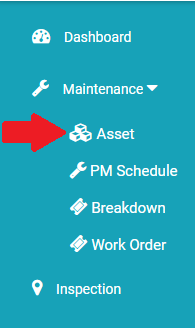
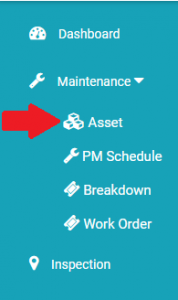
- Go to Maintenance -> Asset.
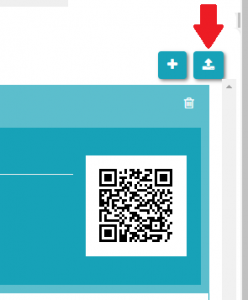
- Click on Import button
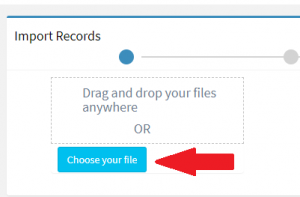
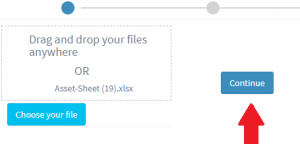
- Choose the excel sheet of assets which you want to upload.
Note:- Name, Location, Category are mandatory field that should be available in Excel
- Click on continue button.
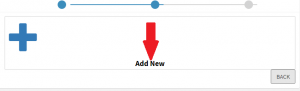
- Click on Add New button if you are importing asset first time and want to create new assets
- Map the excel heading with respect to System Fields e.g. Asset name with Name, Asset location with location and so on.
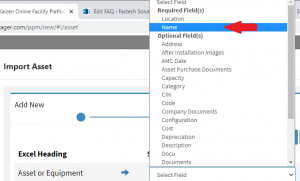
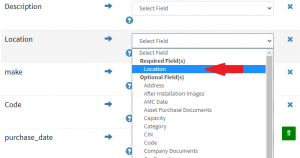
- Once all the fields are mapped then click on upload button to upload all the asset list.

Template for uploading assets in bulk- https://docs.google.com/spreadsheets/u/0/d/1GRtUJKsw-7yv-RiQVFaQpVlmuWFlvJxz/htmlview?pli=1#gid=55976009
Ready to Transform Your Facility Management?
See how Factech automates maintenance, assets, and compliance in one intelligent platform.
Let's Talk
Have questions about our AI-powered solutions? Our team is here to help you digitize your facility operations.
Ready to Transform Your Facility Management?
See how Factech automates maintenance, assets, and compliance in one intelligent platform.
Let's Talk
Have questions about our AI-powered solutions? Our team is here to help you digitize your facility operations.


Leave a Comment