
How to add asset manually in Kaizen?
Asset is an item of property owned by a person or company, regarded as having value.In Kaizen we can add asset by following the given steps :-
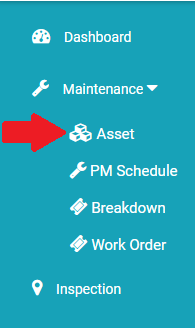
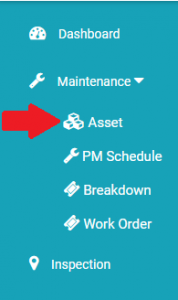
- Click on Maintenance menu present at left side menu then click on Asset from drop down.
- Now click on + Menu to add asset manually.
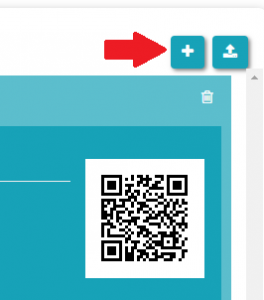
- Once you clicked on + menu then popup window will appear.

- Now fill the required information like asset name, asset category, Location of asset, parent asset if its part of an asset else need not to be filled.
- Once all details are filled, now click on Add Asset button to add the asset.

Next Steps
Now you can add PM schedules for the asset. Refer
For adding new checklists:
How to create checklist in Kaizen?
Ready to Transform Your Facility Management?
See how Factech automates maintenance, assets, and compliance in one intelligent platform.
Let's Talk
Have questions about our AI-powered solutions? Our team is here to help you digitize your facility operations.
Ready to Transform Your Facility Management?
See how Factech automates maintenance, assets, and compliance in one intelligent platform.
Let's Talk
Have questions about our AI-powered solutions? Our team is here to help you digitize your facility operations.


Leave a Comment