Work Permit in Hindi
The Work Permit module now supports Hindi language fields, allowing users to create Work Permit Types in Hindi and generate Work Permit PDFs with Hindi content.
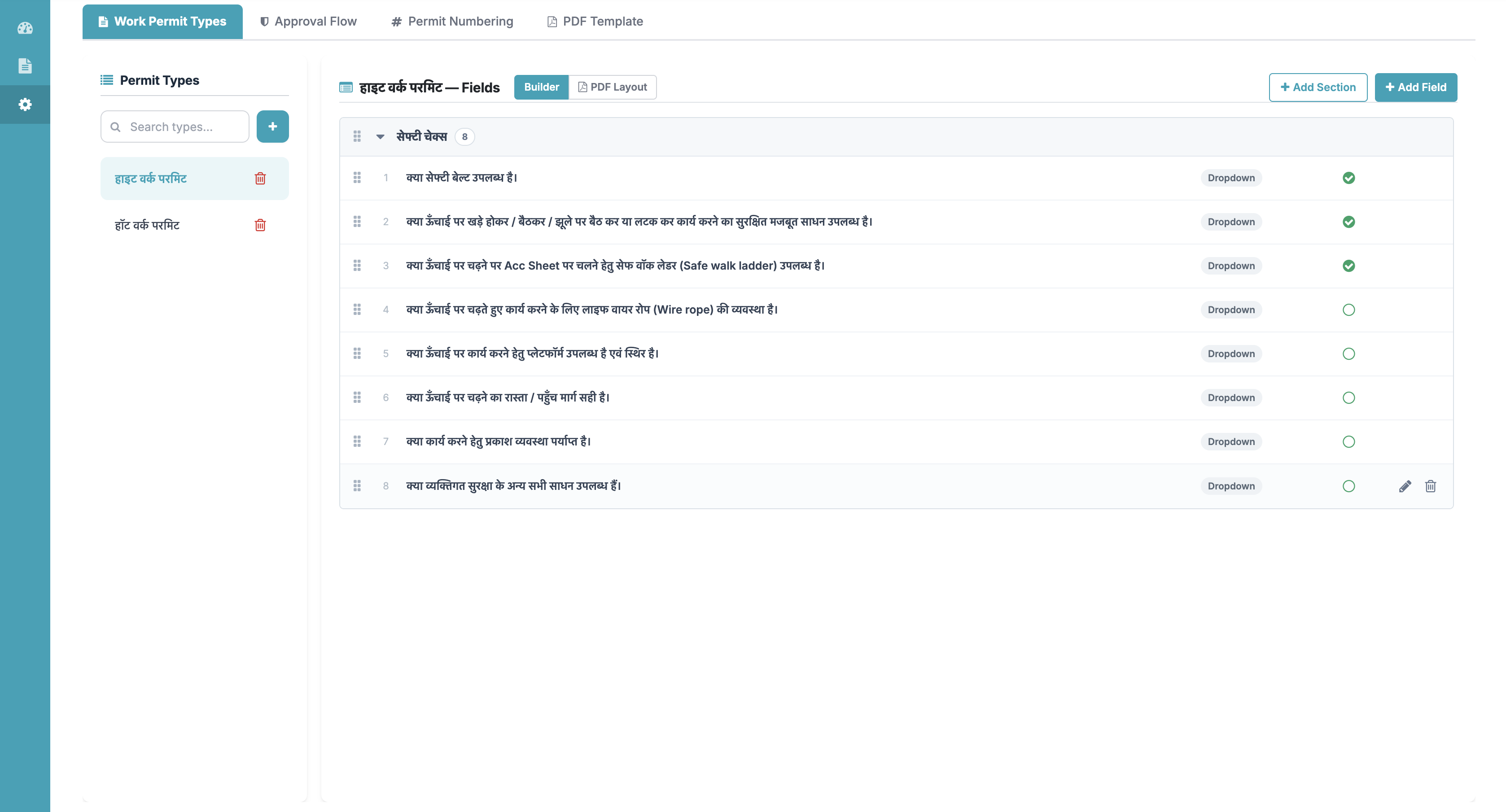
Step 1: Add a Work Permit Type in Hindi
- Log in to the FacTech platform and navigate to the Work Permit module.
- Go to Settings.
- Navigate to Work Permit Type.
- Add a new Work Permit Type in Hindi.
- Select the newly added Work Permit Type and click on the + Add Field button.
- Enter the required field names in Hindi and fill in the necessary details.
- Save the configuration.
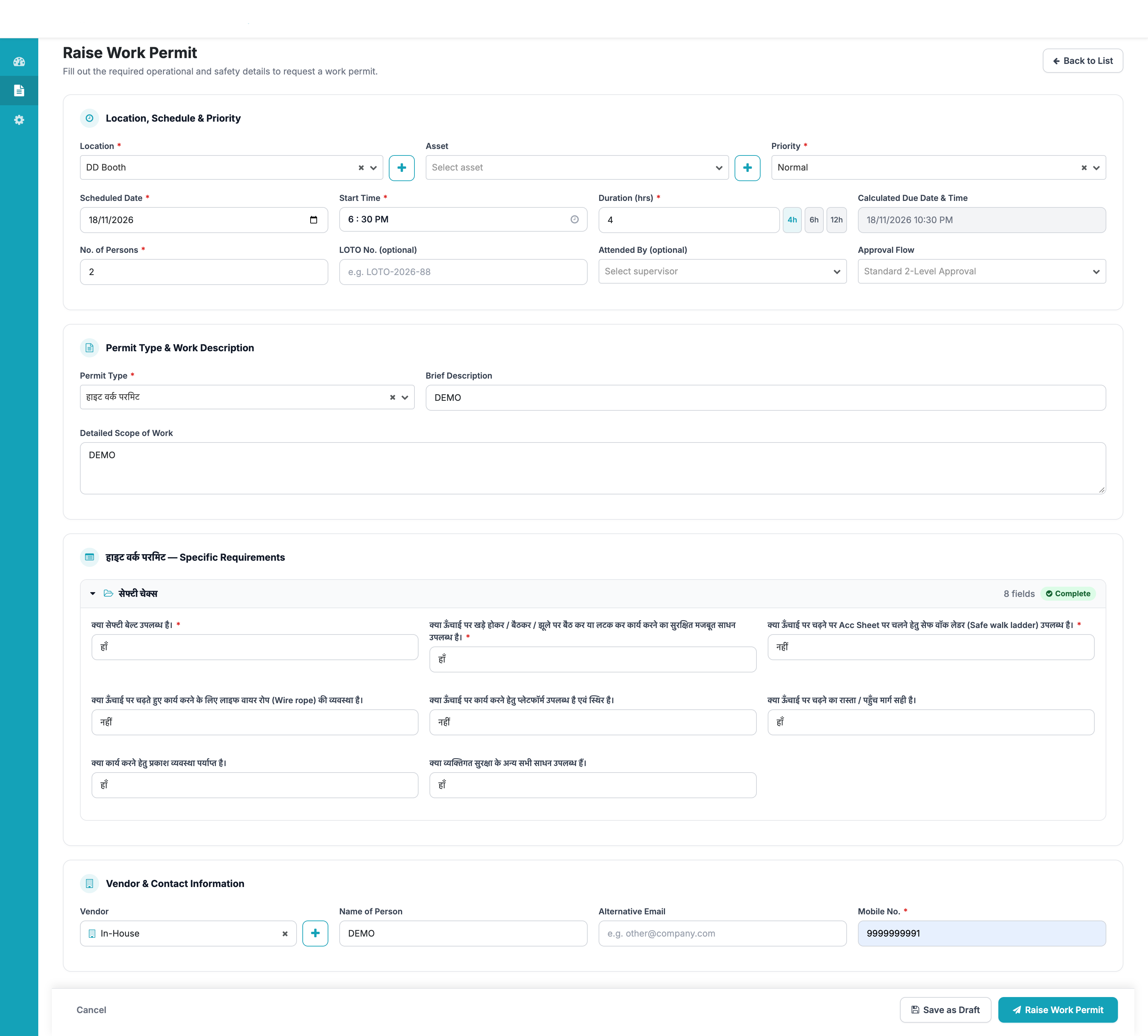
Step 2: Raise a Work Permit in Hindi
- Navigate to the Work Permit module.
- Click on Raise Work Permit.
- Fill in the required details.
- Select the recently added Hindi Work Permit Type.
- Fill in all the required fields in Hindi.
- Click on the Raise Work Permit button to submit the request.
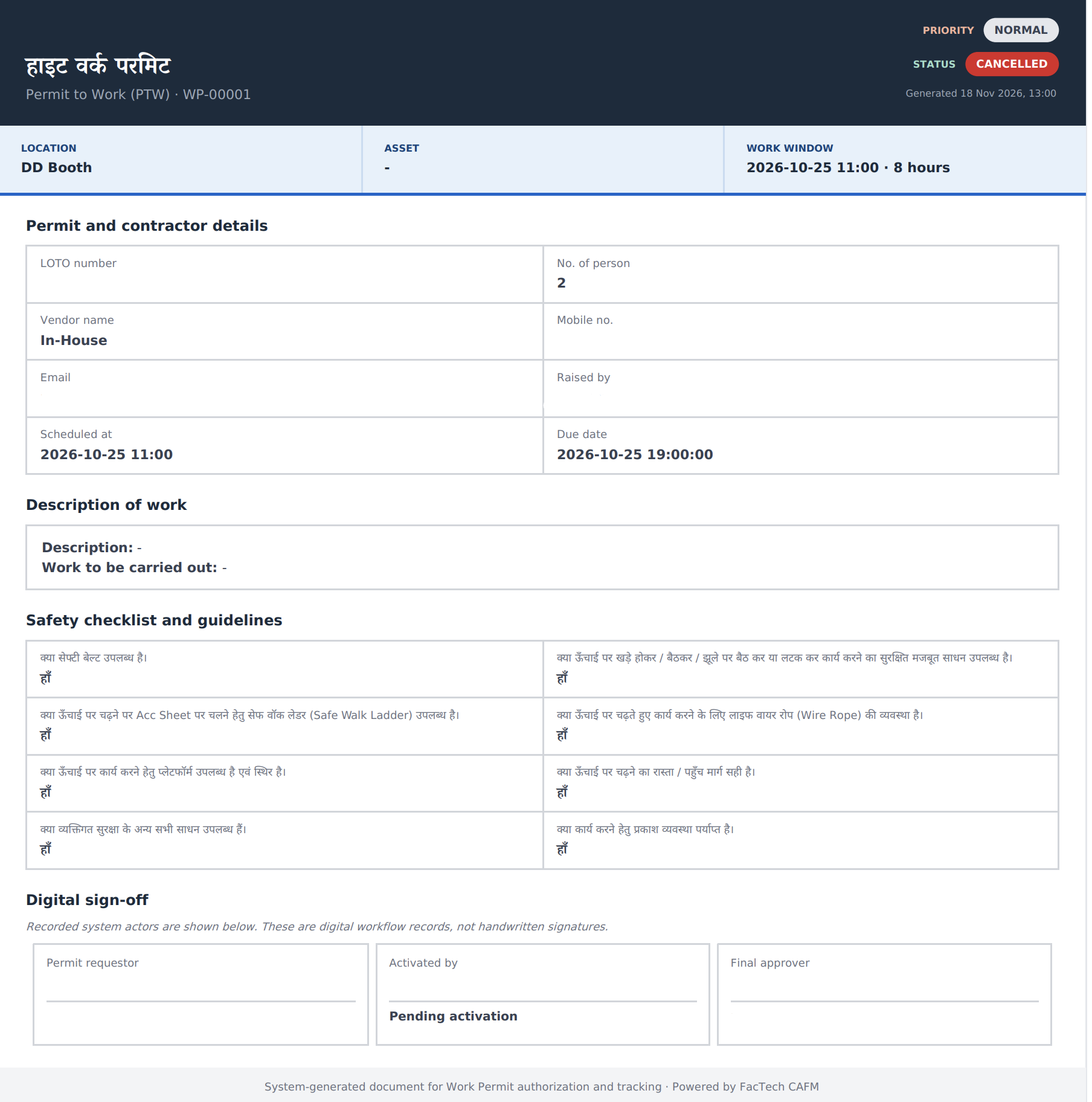
Step 3: Hindi Work Permit PDF
Once the Work Permit is raised, the generated Work Permit PDF will also reflect all the details entered in Hindi.
For more detailed information, please refer to our FAQ page:
Ready to Transform Your Facility Management?
See how Factech automates maintenance, assets, and compliance in one intelligent platform.
Let's Talk
Have questions about our AI-powered solutions? Our team is here to help you digitize your facility operations.
Ready to Transform Your Facility Management?
See how Factech automates maintenance, assets, and compliance in one intelligent platform.
Let's Talk
Have questions about our AI-powered solutions? Our team is here to help you digitize your facility operations.