Sub-Location Support
The system now supports adding Sub-Locations under an existing location in both the Asset & PPM and Soft Services modules.
You can create multiple sub-locations within a parent location to manage operations at a more detailed level.
Benefits of Sub-Locations:
- Better Organization: Divide a large location into smaller areas, such as floors, buildings, departments, blocks, or zones.
- Improved Tracking: Identify and track assets, PPM activities, and soft services operations based on specific sub-locations.
- Accurate Management: Easily identify the exact area where an asset or service activity belongs.
- Simplified Operations: Organize location-wise activities more efficiently and improve coordination across different areas.
- Better Visibility: Maintain a clearer structure of locations and their respective sub-locations within the system.
Steps to Add a Sub-Location:
- Log in to the FacTech Dashboard using your credentials
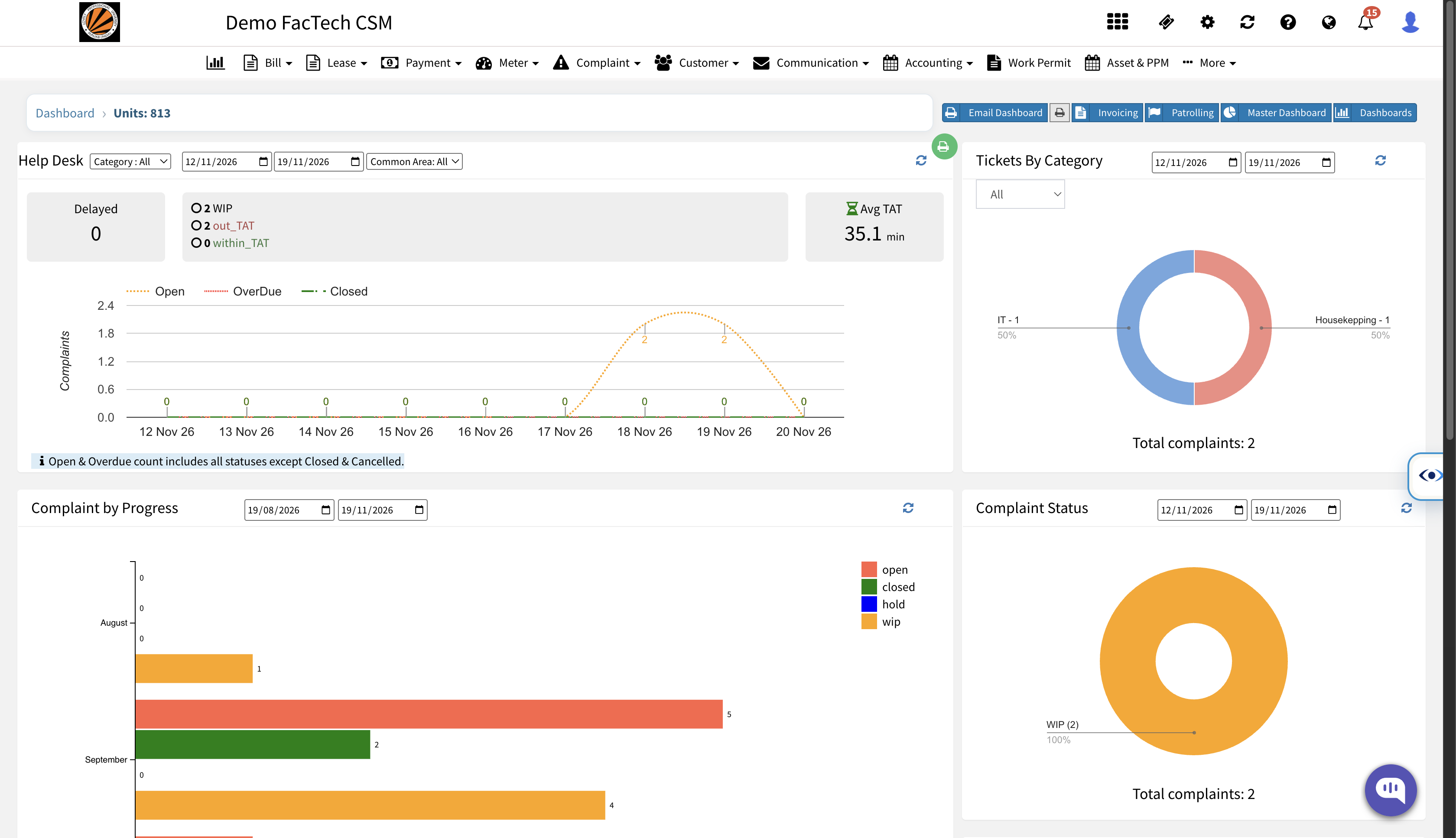

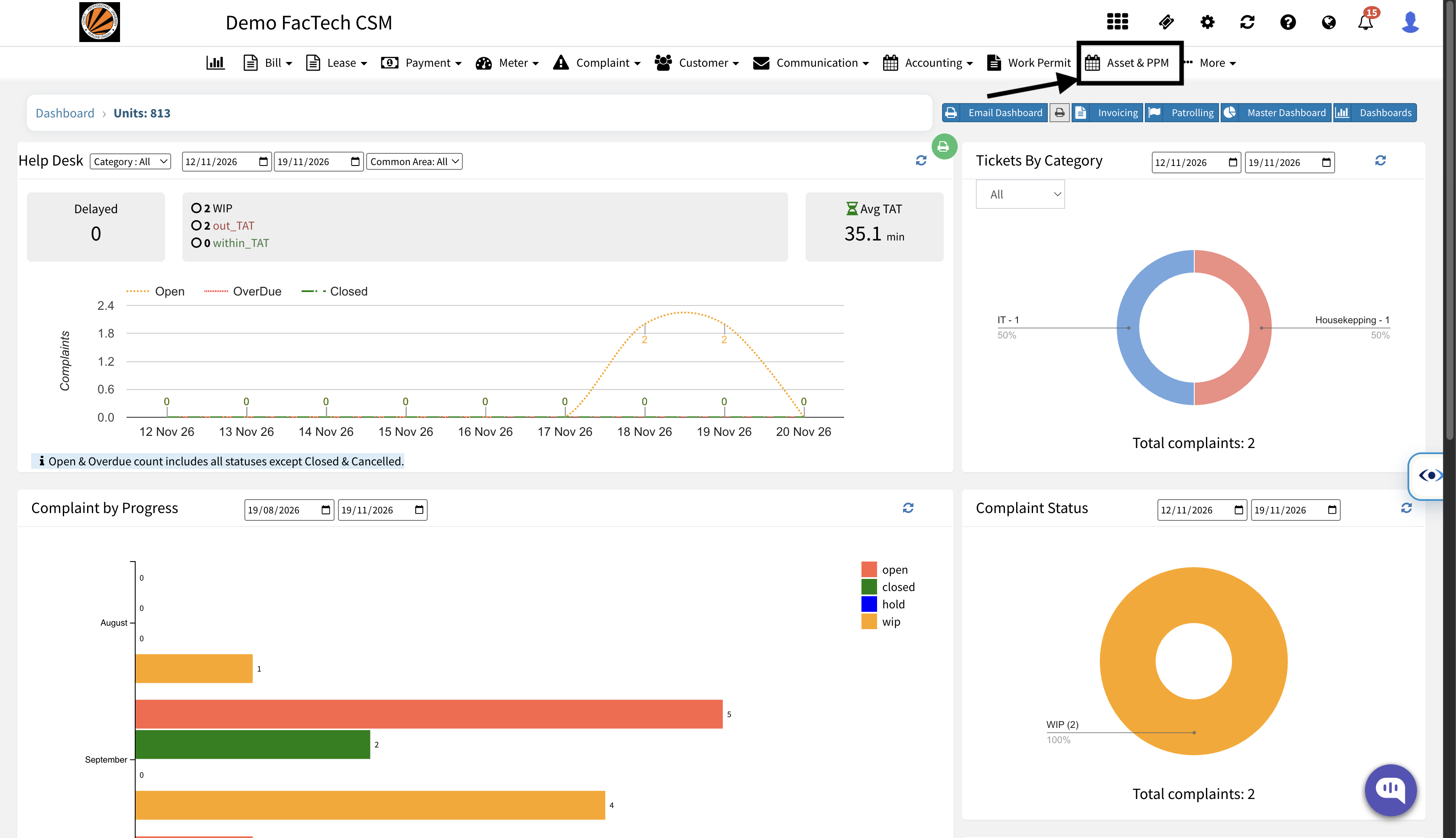
- After successfully logging in, click on the Asset & PPM module.
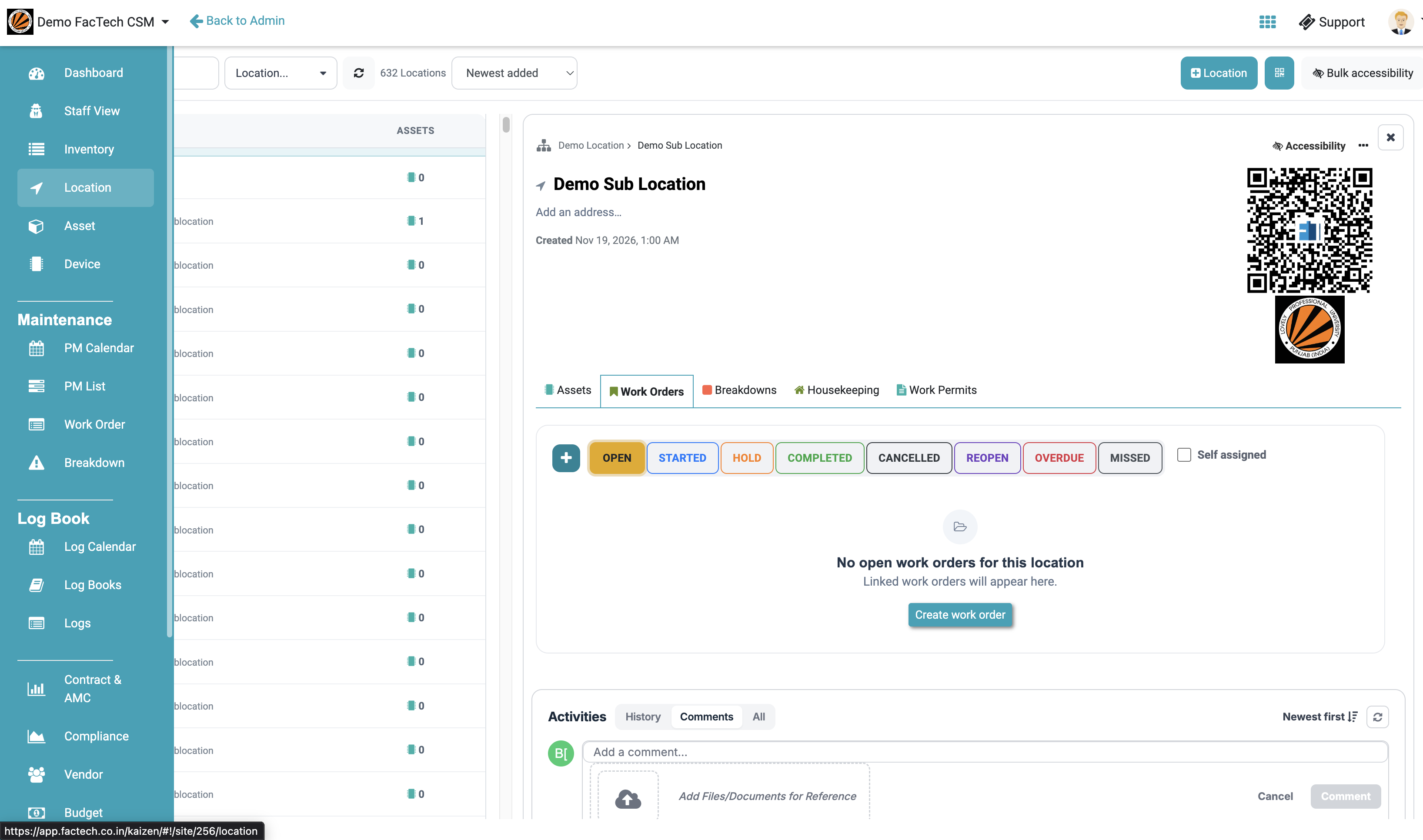
- A new tab will open. From the left sidebar, click on the Location option.

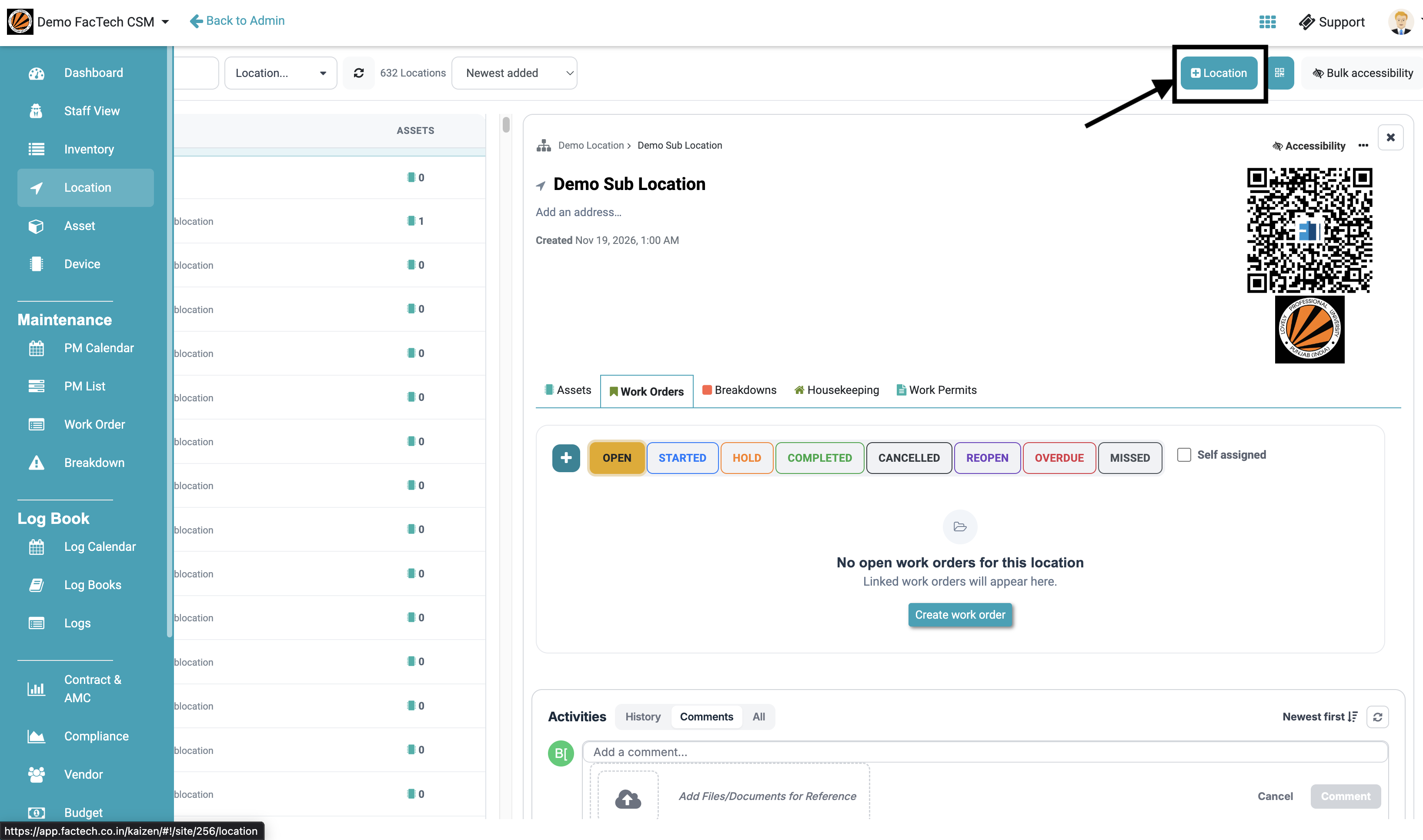
- Click on the + Location button to add a new location.
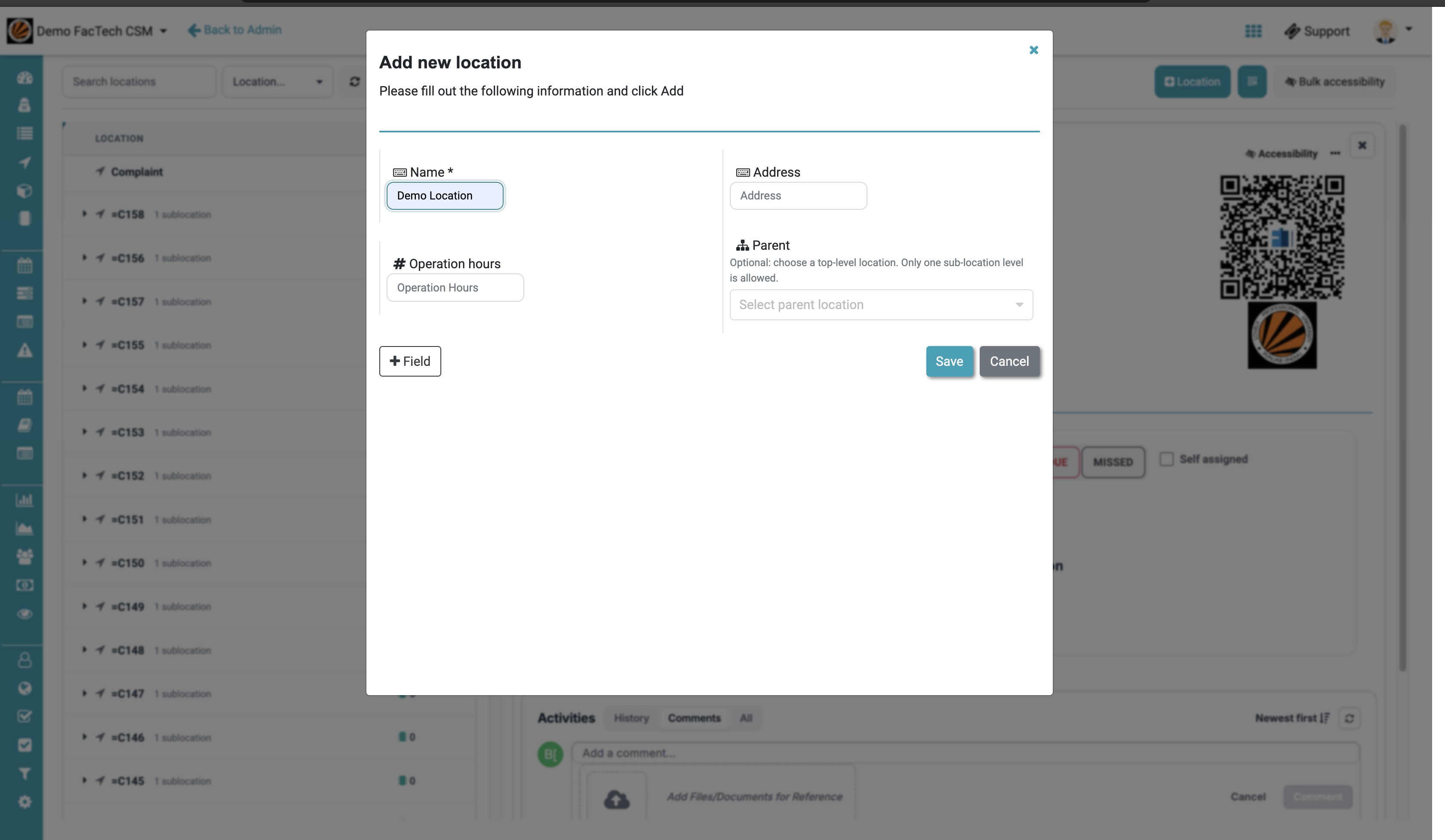
- Enter the location name (e.g., “Demo Location”) and save it.

- Once the location is added, navigate to the newly created location.
- Click on the + button available against that location to add a sub-location.
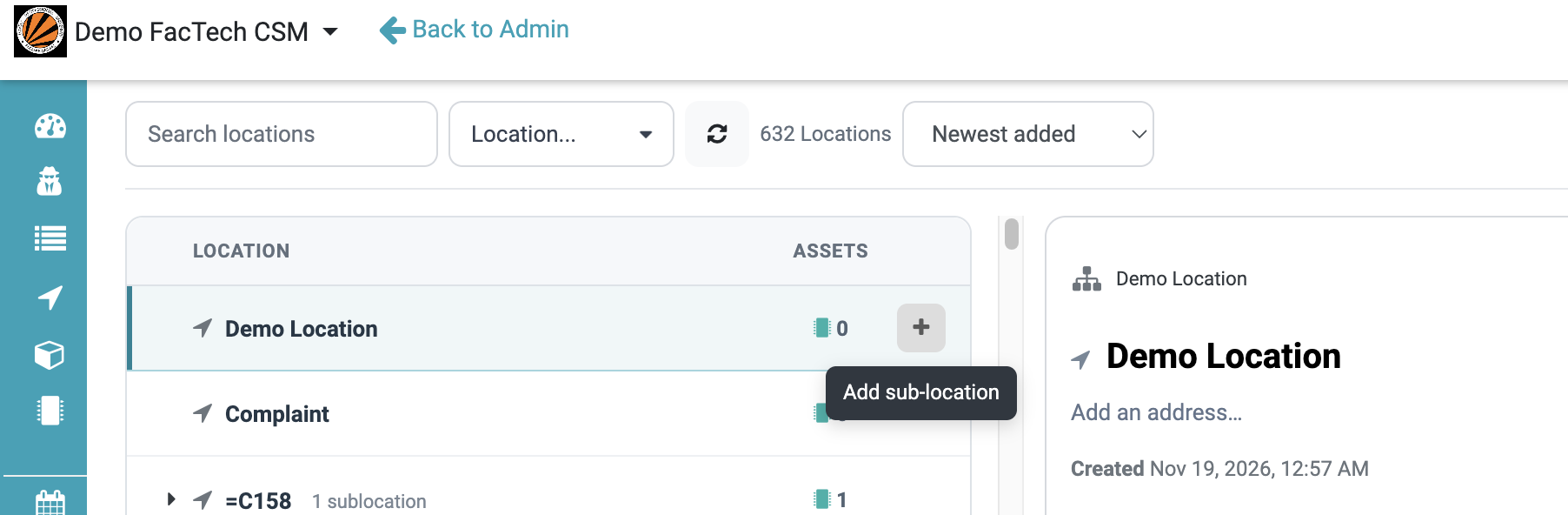

- Enter the required sub-location details and click on the Save button.
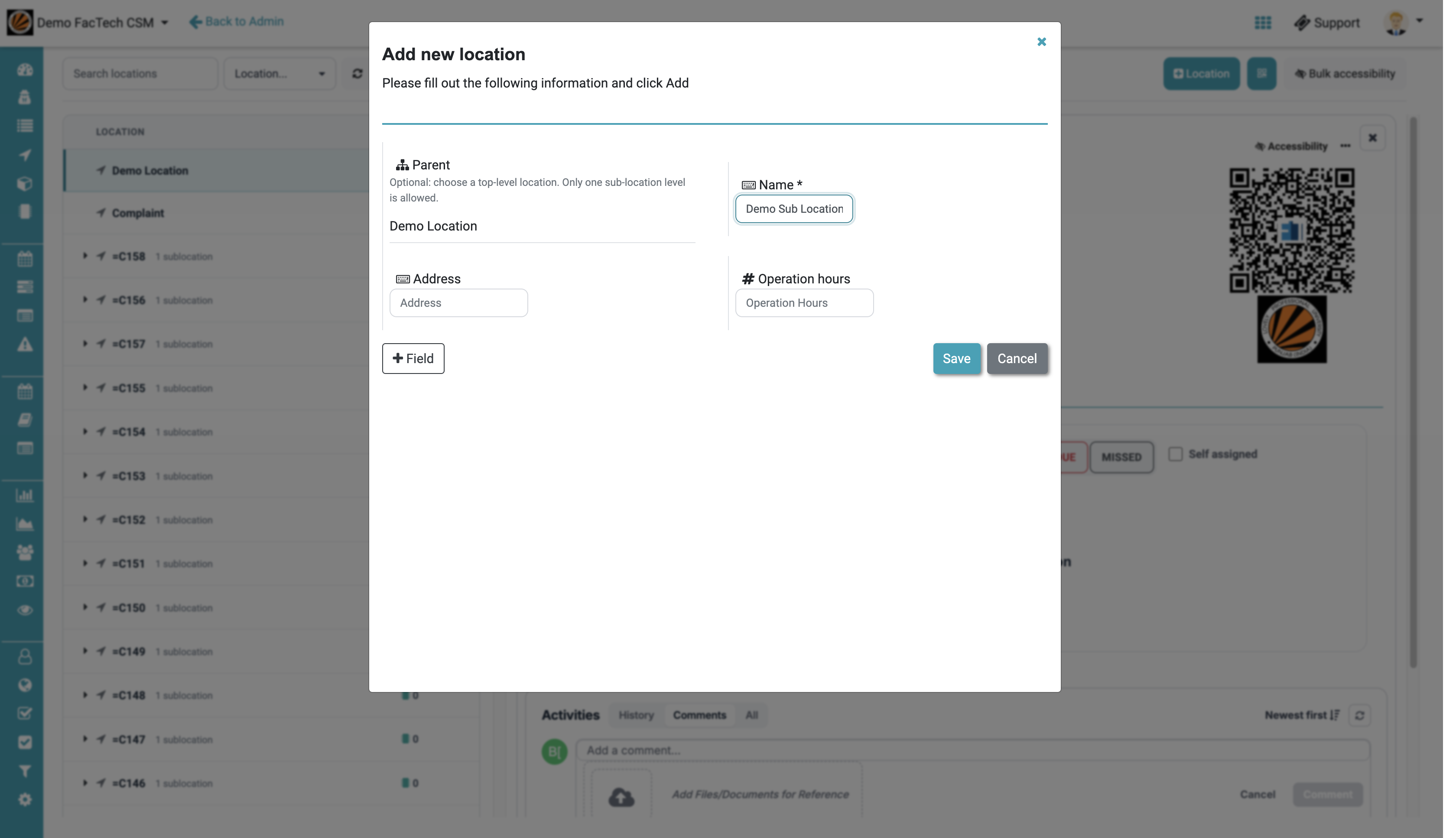
- Once saved, the sub-location will be successfully added under the selected parent location.
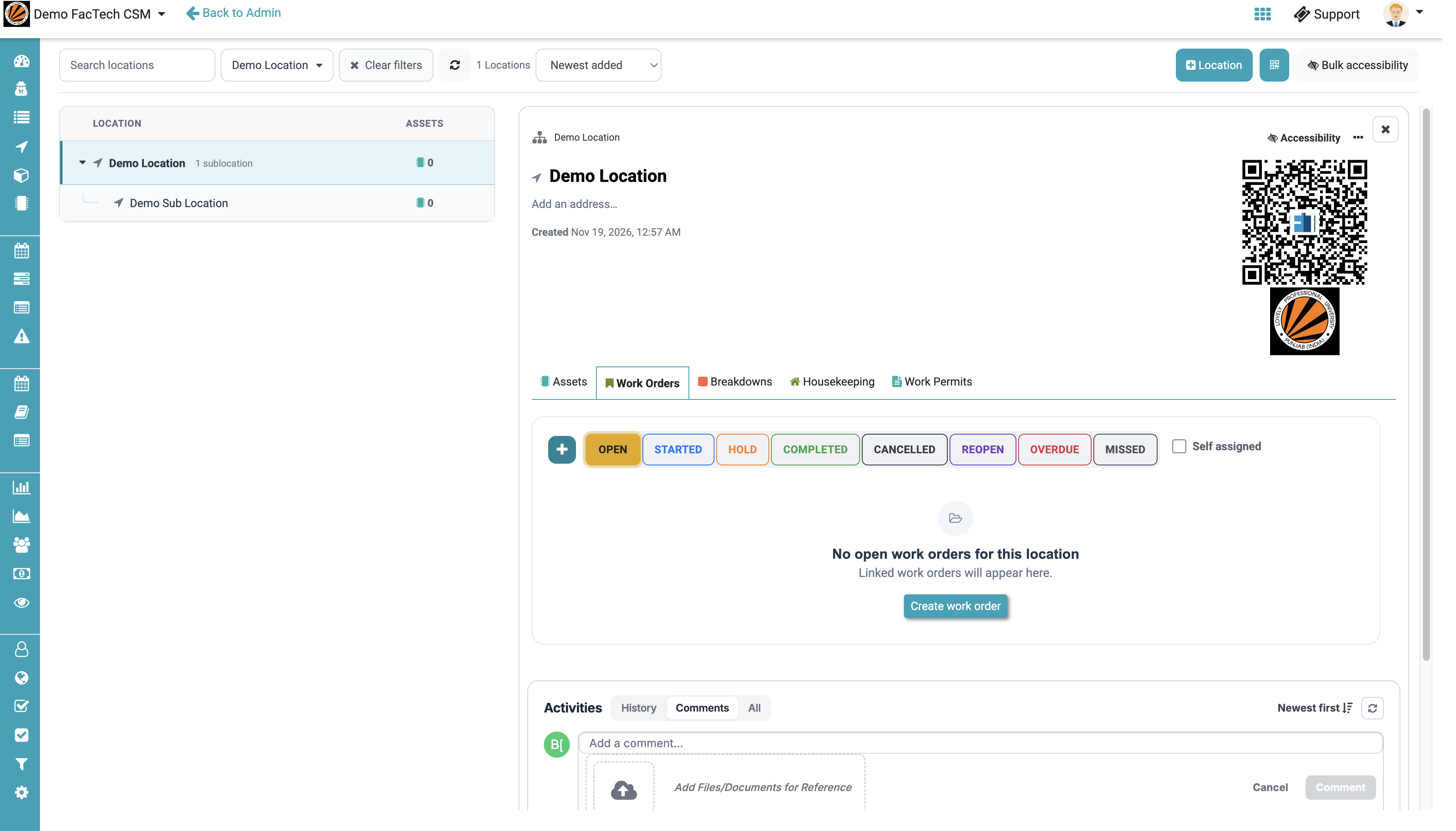

Note: The Sub-Location feature is supported in both Asset & PPM and Soft Services modules.
Ready to Transform Your Facility Management?
See how Factech automates maintenance, assets, and compliance in one intelligent platform.
Let's Talk
Have questions about our AI-powered solutions? Our team is here to help you digitize your facility operations.
Ready to Transform Your Facility Management?
See how Factech automates maintenance, assets, and compliance in one intelligent platform.
Let's Talk
Have questions about our AI-powered solutions? Our team is here to help you digitize your facility operations.