
How to login as admin in Factech?
You can use Application on mobile/ laptop/desktop or any other device having internet connection and browser.
Application is tested for all popular browsers latest versions like Chrome, Microsoft Edge, Safari ( iPhone).
Download mobile app for iPhone or Android
Below are steps of login in web browser.
1. Open the URL https://factech.ai
2. Click on Login button on Top Right.

3. Enter the user id ( Your registered – Mobile No/ Email Id) and shared password.
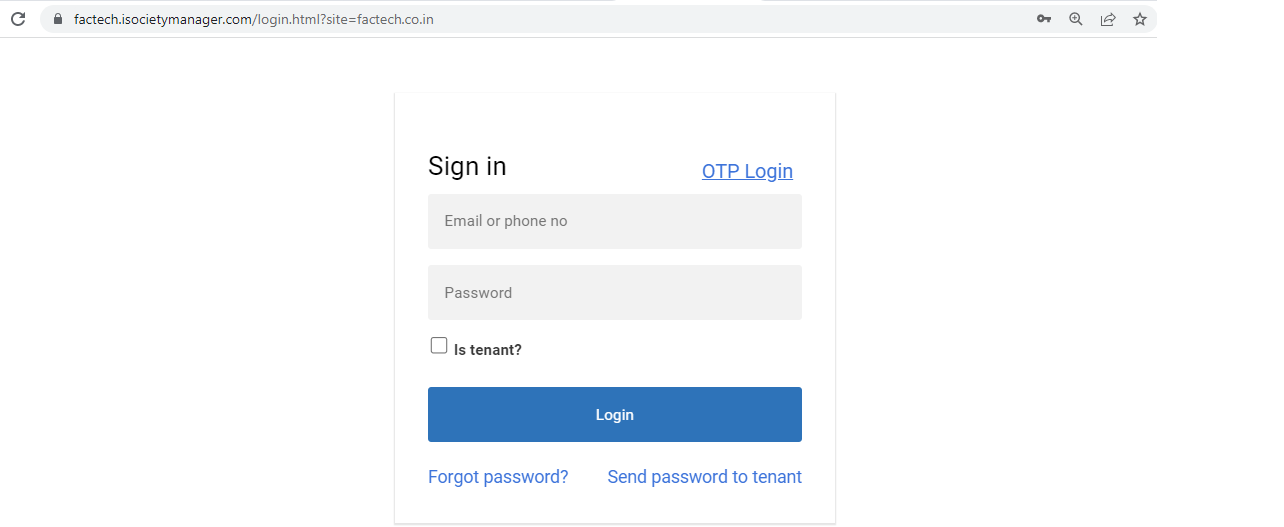
You can use OTP option in case you miss or don’t have password.
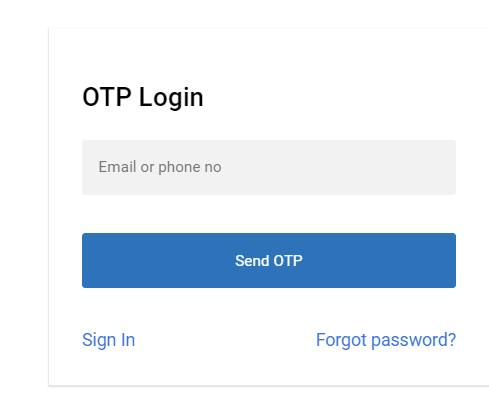
Note:- If your email id / password is not registered you will see error – User not found. In case your login is in more than one site. Refer How to login with multiple sites access?
4. After login you need to select the default dashboard as per your preferences.
Ready to Transform Your Facility Management?
See how Factech automates maintenance, assets, and compliance in one intelligent platform.
Let's Talk
Have questions about our AI-powered solutions? Our team is here to help you digitize your facility operations.
Ready to Transform Your Facility Management?
See how Factech automates maintenance, assets, and compliance in one intelligent platform.
Let's Talk
Have questions about our AI-powered solutions? Our team is here to help you digitize your facility operations.


Leave a Comment