
How to add vendor payment in accounting?
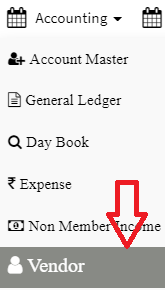
Step 1: Go to Main Menu (Accounting), Select “Vendor” option from drop down menu
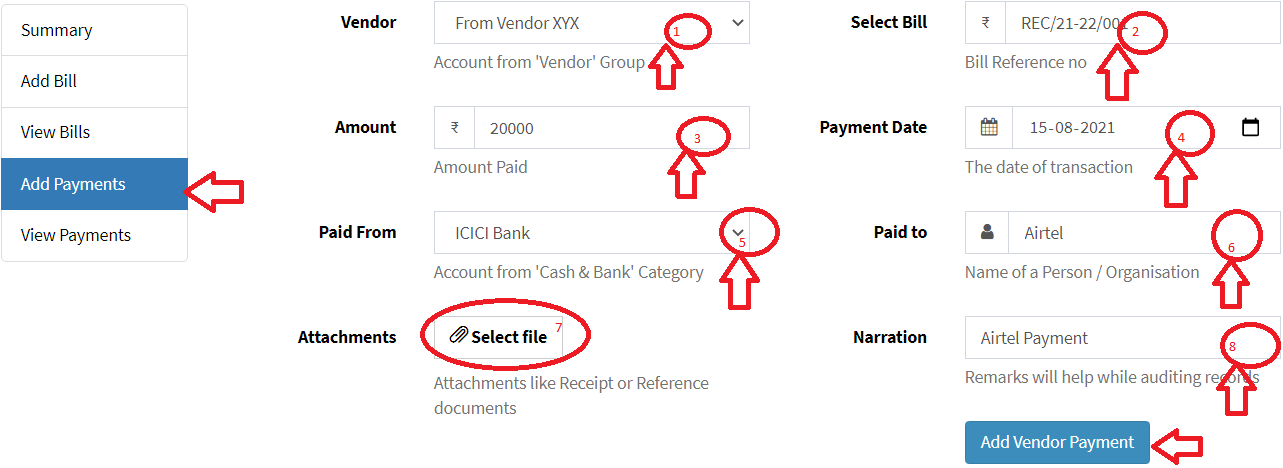
Step 2: click on “Add Payment” option from left drop down menu, enter details and click on “Add Vendor Payment”
- Vendor: Select the vendor from drop down, You can also add a new vendor account.
- Select Bill: Enter invoice number against payment entries.
- Amount: Enter the amount which you need to pay
- Payment Date: Bill date can be today or past date, bill date can’t be future date
- Paid From: select account to be debited
- Paid To: Enter vendor name
- Attachments: You can attached bill, it can be file or image
- Narration: Narration is mandatory
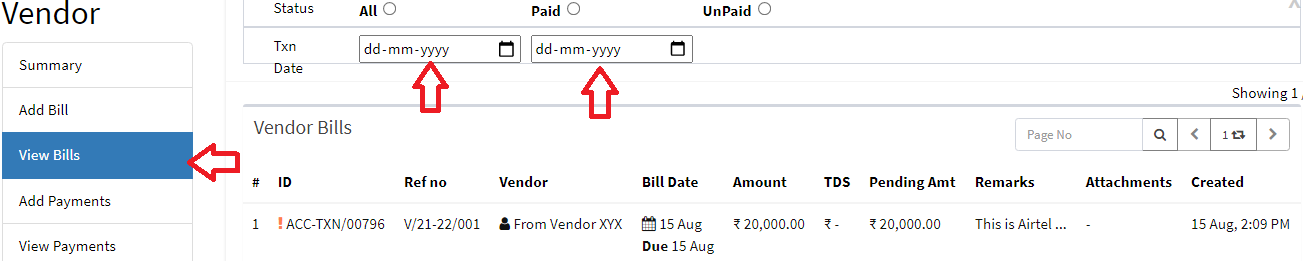
you will see a confirmation that the vendor Payment has been created, you can see Payment details as per needs by clicking on “View Payment” option.
Ready to Transform Your Facility Management?
See how Factech automates maintenance, assets, and compliance in one intelligent platform.
Let's Talk
Have questions about our AI-powered solutions? Our team is here to help you digitize your facility operations.
Ready to Transform Your Facility Management?
See how Factech automates maintenance, assets, and compliance in one intelligent platform.
Let's Talk
Have questions about our AI-powered solutions? Our team is here to help you digitize your facility operations.


Leave a Comment