FAQ Category: Work Order

How to update date, time of PPM or Housekeeping Schedule?

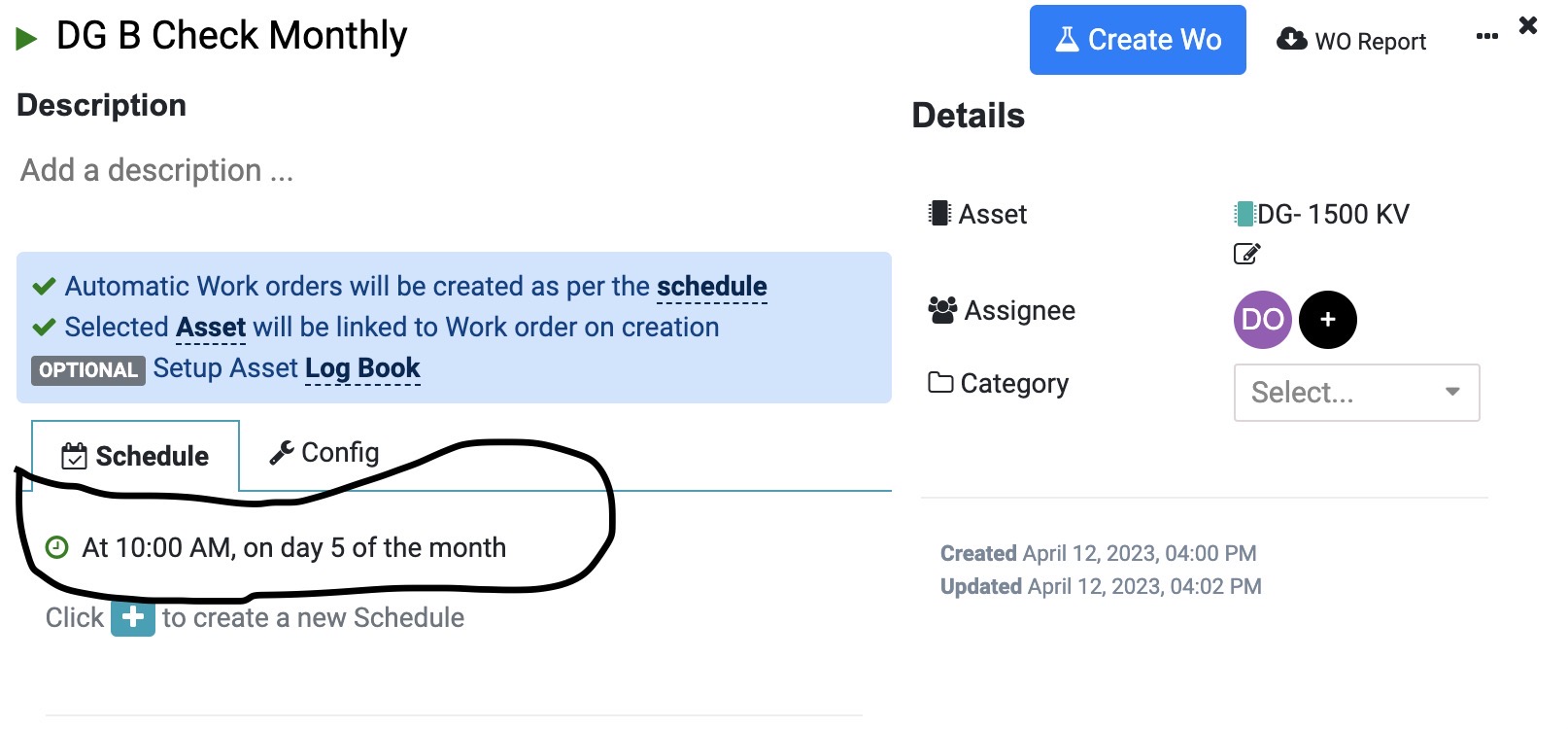
In Factech FM system, the Work Orders are created as per the date and time specified against the PM schedule. Like in below screen DG B Check – Work Order will be created at 10 am on 5th day of every month. Ideal practice is to schedule PPM scattered across different days of the month.

Read more

Purchase Procurement Software for Real Estate and facility management. Far Vision ERP

How to get started with Purchase?

Advantages of Procurement Software Below are some benefits of Purchase Process automation through system like Factech. Streamlined Procurement Processes: Procurement software automates and streamlines various procurement processes, such as supplier management, purchasing, and contract management. It helps centralize information, standardize workflows, and eliminate manual tasks, leading to increased efficiency and reduced administrative burden. Cost Savings:

Read more

How to use the category-wise Work Order report in Factech?

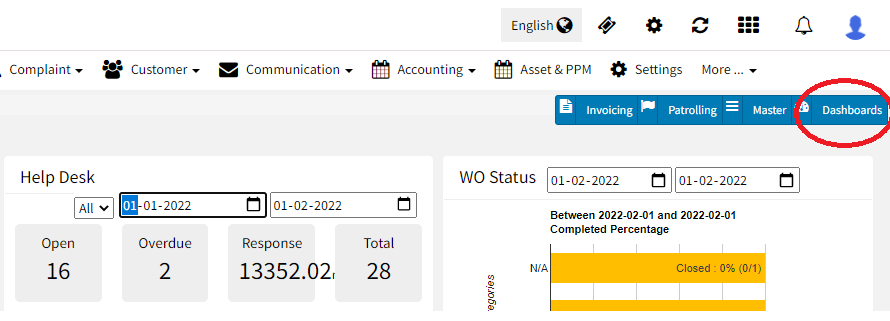
What is the category-wise work order status dashboard? Now a facility manager can see the dashboard as per the category of PPM . He/she can set the dashboard frequency-wise to check the daily operation. What are the benefits of a category-wise work order status dashboard- Check the operation as per the frequency. Easy configurable. Customized

Read more

How to Use Asset Tracking Field feature in Factech Automation?

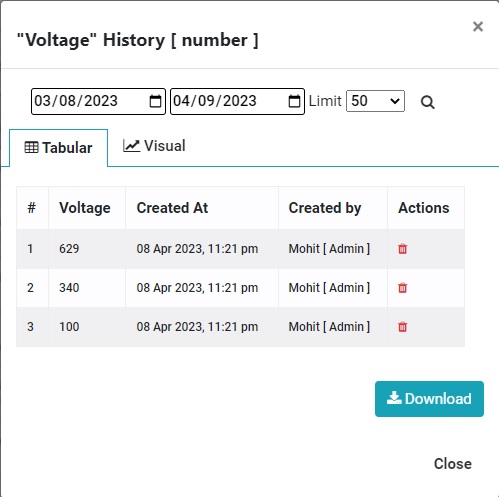
What is an Asset Tracking Field? Now a concerned person can track any field of PPM or Assets through Asset Tracking. What are the advantages of the Asset tracking Field? You can check your data through the dashboard. You can check the delta value(change value) Proper graphical presentation. Custom date range field. You can check

Read more

How to use Feedback System and Complain Management(Open to all) with single QR Code?

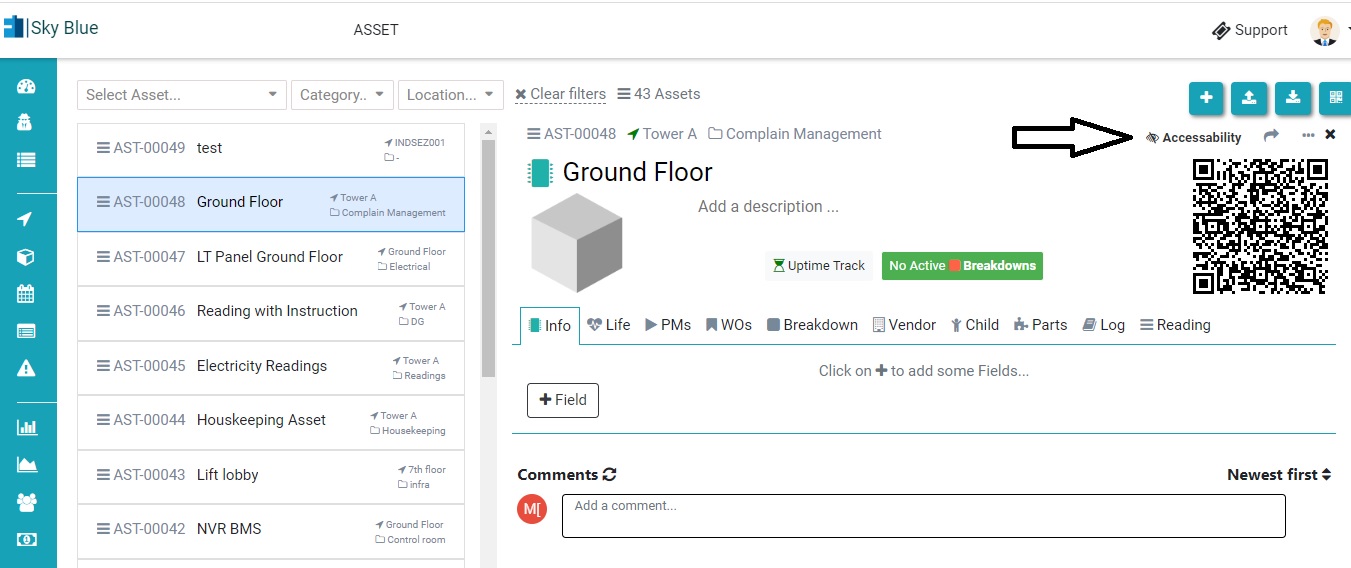
Now a user/client can raise a complaint without registering him/her in Factech software. An admin need to do some small configuration to activate this. Step 1. Add an Asset(or location) in Asset & PPM. Check the link below- How to add Asset- https://factech.ai/blog/ufaqs/how-to-add-asset-manually-in-kaizen/ Step 2. Click on accessibility. Step 3. Give permission like Survey, complaint,

Read more

Hello ! If You Are Ready To Take Your Facility Management To Next Level...