
How to Use Asset Tracking Field feature in Factech Automation?
What is an Asset Tracking Field?
Now a concerned person can track any field of PPM or Assets through Asset Tracking.
What are the advantages of the Asset tracking Field?
- You can check your data through the dashboard.
- You can check the delta value(change value)
- Proper graphical presentation.
- Custom date range field.
- You can check the name of the person who actually recorded the data.
Sample Screenshot of Asset tracking dashboard.
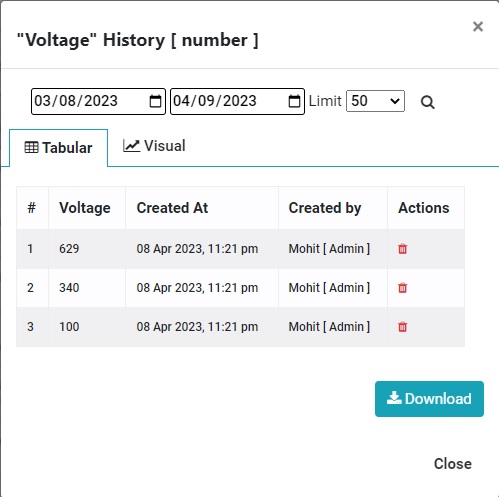
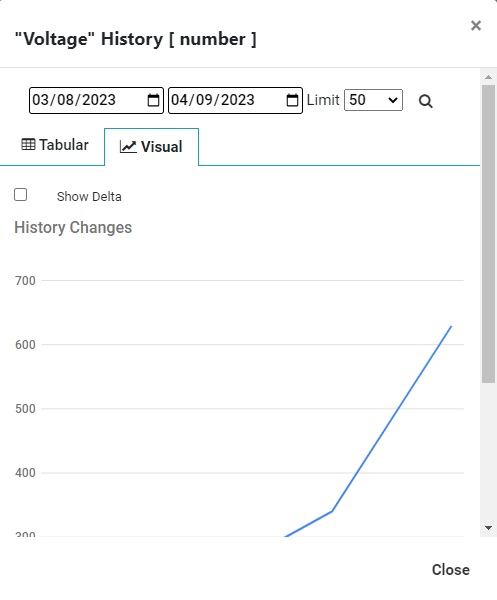
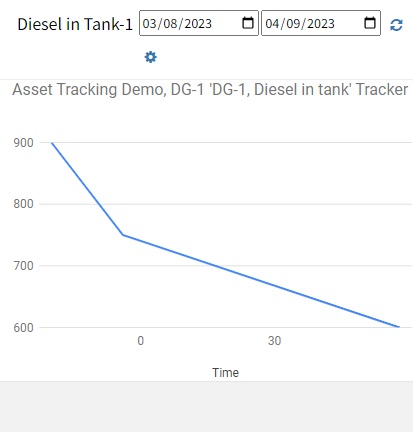
In dashboard Asset PPM -> Asset field tracking you can select the asset & respective fields to track
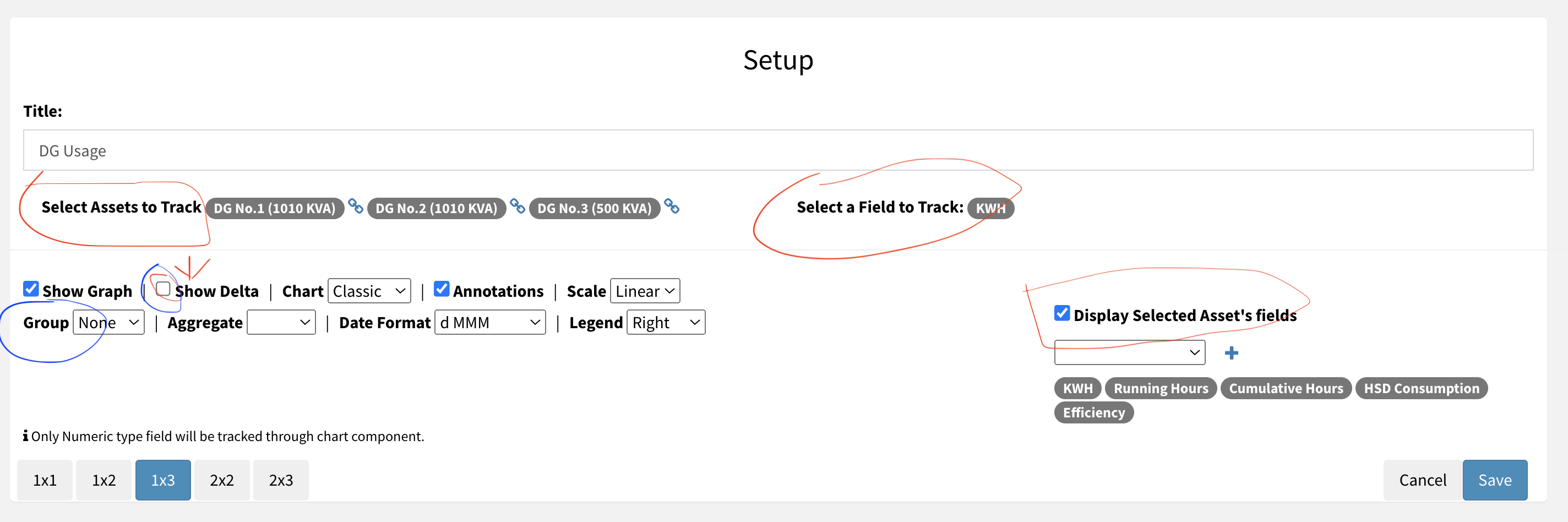
You can
- Select Asset(s) to Track
- Select Field for which you want to see on chart
- Group by in case of multiple values entered on same day. Hour, Day, Week, Month options available
- Choose which fields you want to display in table on top of the chart.
- Check Delta if you are adding reading and want to show consumption in the chart
- Change legend position
Chart Example:
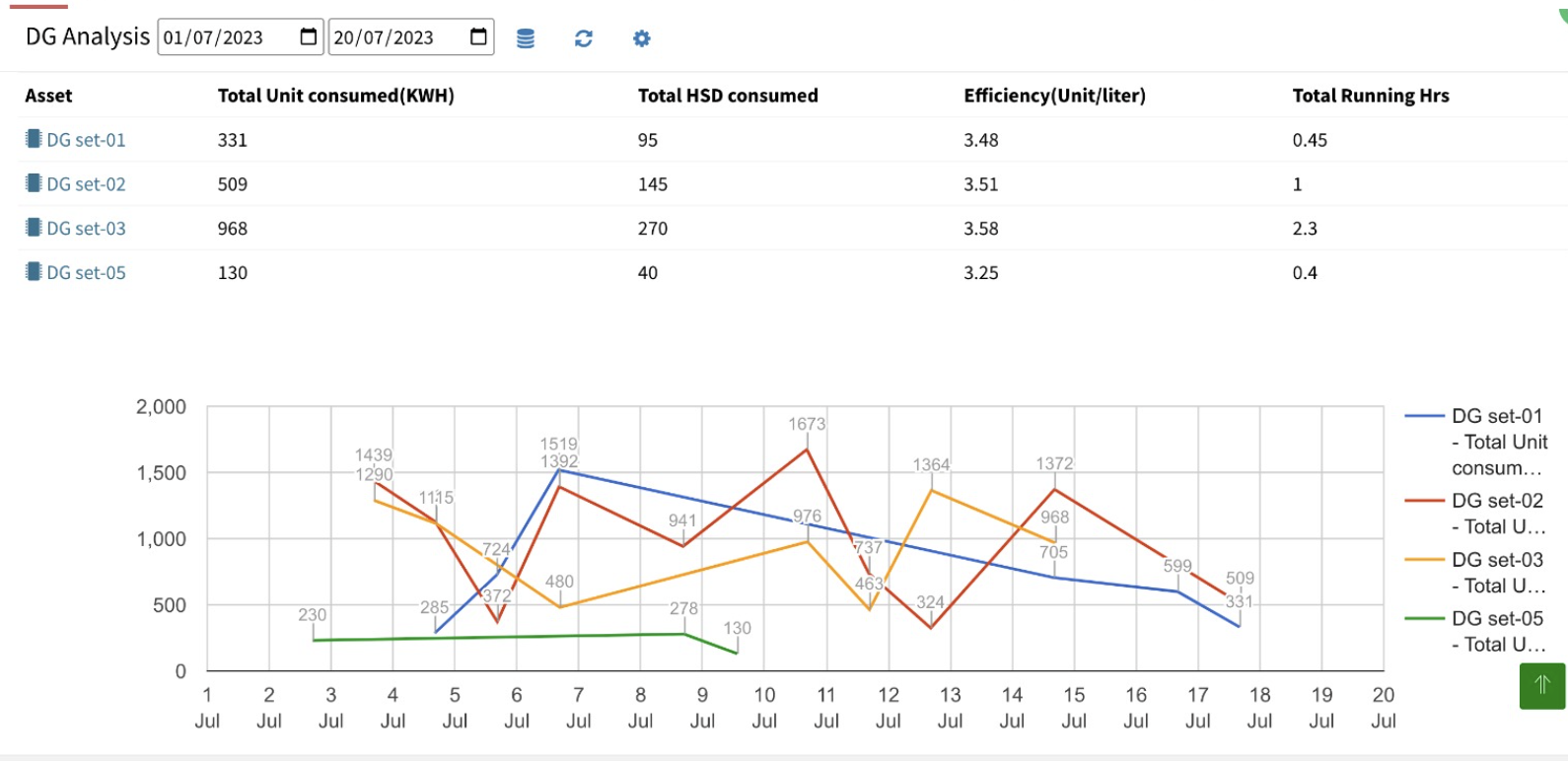
Other Examples of Asset Field Tracker Feature
Foot Fall Counter Chart
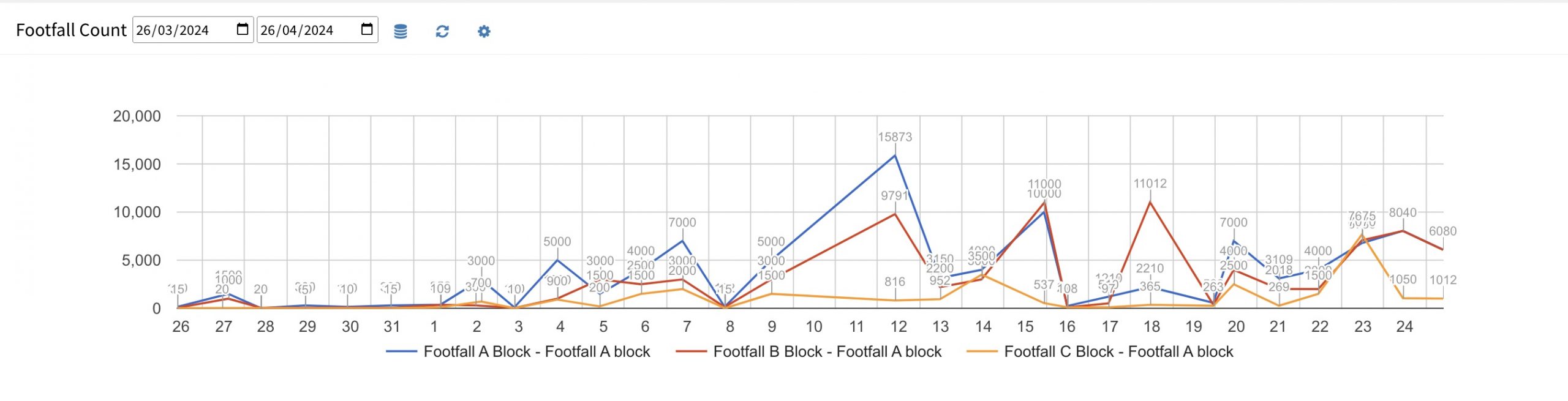
Foot Fall Tracking
Vehicle Counter Chart
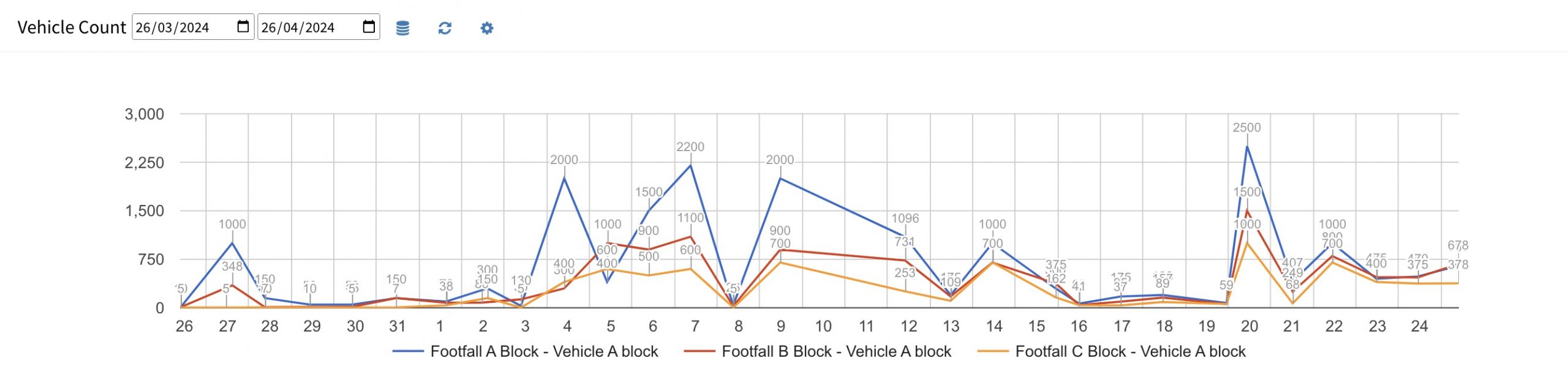
Vehicle Count Analysis
For details Refer How to populate Asset Performance Charts in real time
How to configure your Asset to “Asset Tracking”?
Kindly watch this video to understand the setup part-
Thank You!!
Ready to Transform Your Facility Management?
See how Factech automates maintenance, assets, and compliance in one intelligent platform.
Let's Talk
Have questions about our AI-powered solutions? Our team is here to help you digitize your facility operations.
Ready to Transform Your Facility Management?
See how Factech automates maintenance, assets, and compliance in one intelligent platform.
Let's Talk
Have questions about our AI-powered solutions? Our team is here to help you digitize your facility operations.




