How to add asset manually in Kaizen?
Asset is an item of property owned by a person or company, regarded as having value.In Kaizen we can add asset by following the given steps :- Click on Maintenance menu present…
 Simplifying Facilities...
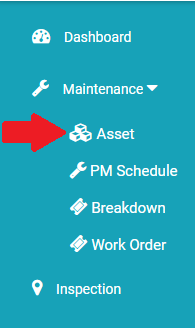
Asset is an item of property owned by a person or company, regarded as having value.In Kaizen we can add asset by following the given steps :- Click on Maintenance menu present…
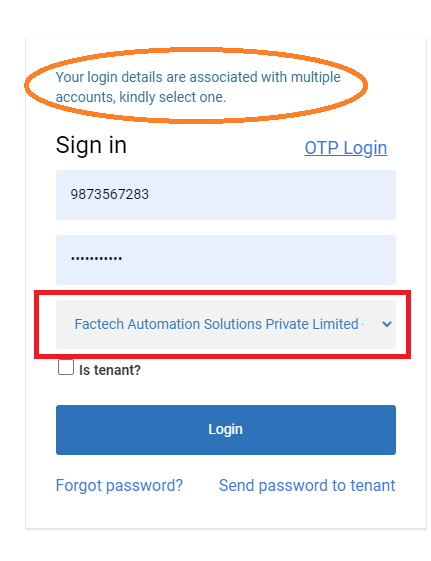
Many times users can be attached to multiple sites. Especially in the case of the admin role, a user can be associated with multiple sites. If your login id is in more…
Refer below link to download the excel containing different check list for Planned Maintenance of different Asset. Download PPM Checklist How to add all instructions of a Work Order or Job in…
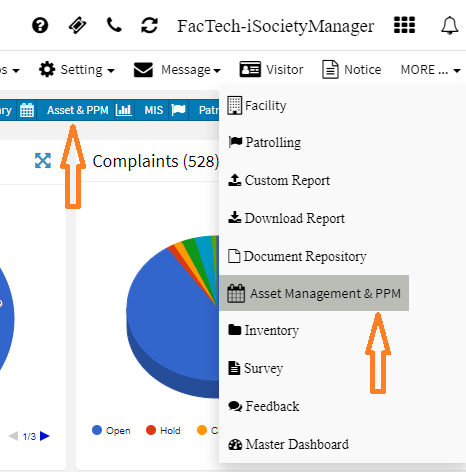
To add or change custom field properties of the asset: Go to Dashboard -> Asset & PPM or More -> Asset & PPM Asset Management Dashboard with all menu options on the…
To edit or update asset details: Go to Dashboard -> Asset & PPM or More -> Asset & PPM Asset Management Dashboard with all menu options on the left side will be…