Introducing Separate Log Books Or Daily Checklists in FacTech CAFM
What’s New?
We are excited to introduce a new enhancement in the FacTech CAFM platform – Separate Log Books or Daily Checklists Management.
With this update, Log Books or Daily Checklists are no longer tied to Planned Preventive Maintenance (PPM) activities. They can now be managed independently through a dedicated module, making it easier for teams to plan, execute, and monitor maintenance activities efficiently.
Why This Change?
Previously, Log Books or Daily Checklists were managed along with PPM activities. As organizations grow, tracking daily operational records separately becomes essential for better visibility and control.
Key Benefits
✅ Dedicated view for Log Books and Daily Checklists
✅ Easier tracking of daily operational records
✅ Better planning and execution of PPM activities
✅ Reduced clutter within PPM schedules
✅ Improved monitoring and reporting
✅ QR Code-based accessibility for field teams
How to Create a New Log Book?
Follow these simple steps:
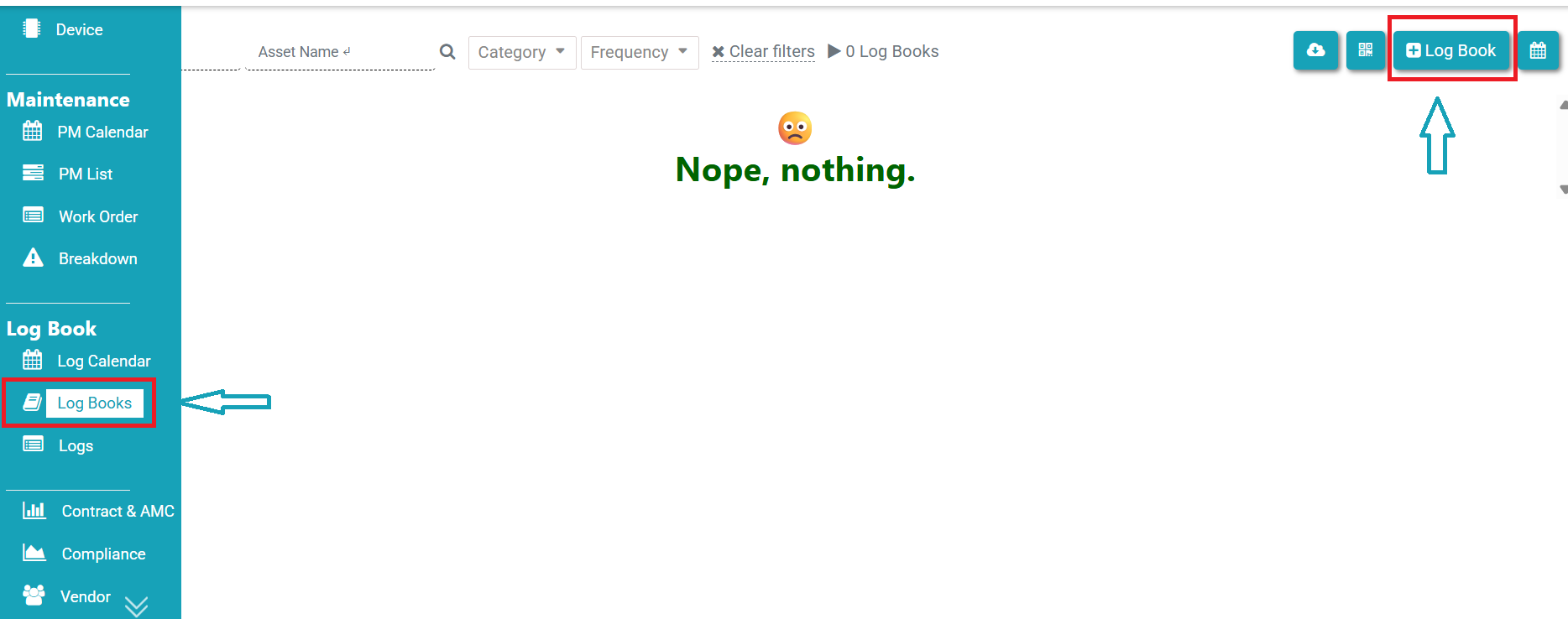
Step 1: Navigate to Log Books
Login to the FacTech CAFM platform.
Go to Asset & PPM.
From the left-side menu, click on Log Books.
Step 2: Create a New Log Book
Click on “+ Log Book”.
Enter the name of the Log Book in the pop-up window.
Click Save.
Your new Log Book will be created instantly.
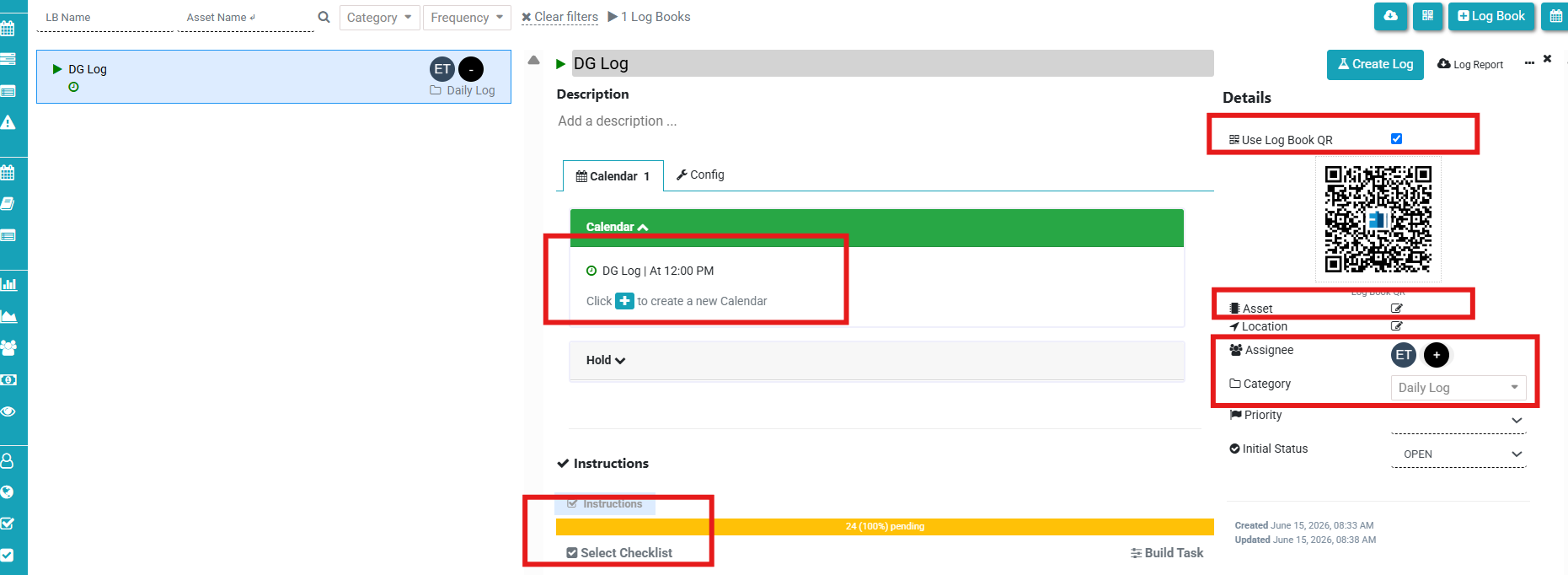
Step 3: Configure the Log Book
Once the Log Book is created, you can:
Generate a new QR Code, or
Map the Log Book with an existing Asset QR Code.
Add schedule
Then:
Assign the responsible team.
Select the relevant category.
Choose parameters from the existing Master Checklist.
Step 4: Start Using the Log Book
That’s it!
The Log Book is now ready to use and can be accessed through its QR Code just like an Asset QR. Teams can begin recording daily observations, readings, inspections, and operational data immediately.
Conclusion
The new Separate Log Books & Daily Checklist module brings greater flexibility, improved operational visibility, and streamlined PPM management. By managing daily records independently, organizations can ensure better compliance, easier monitoring, and more efficient maintenance operations.
Start using the new Log Book feature today and simplify your daily maintenance record management with FacTech CAFM.
Factech Solutions digitizes and automates facility operations by connecting maintenance, assets, complaints, inspections, approvals, and service workflows in one platform. It reduces manual coordination, improves process tracking, and helps teams manage facility activities through structured, data-driven workflows.