
How to round up amount figure?
iSocietyManager has provision to configure round off or number of decimal place in invoice amount.
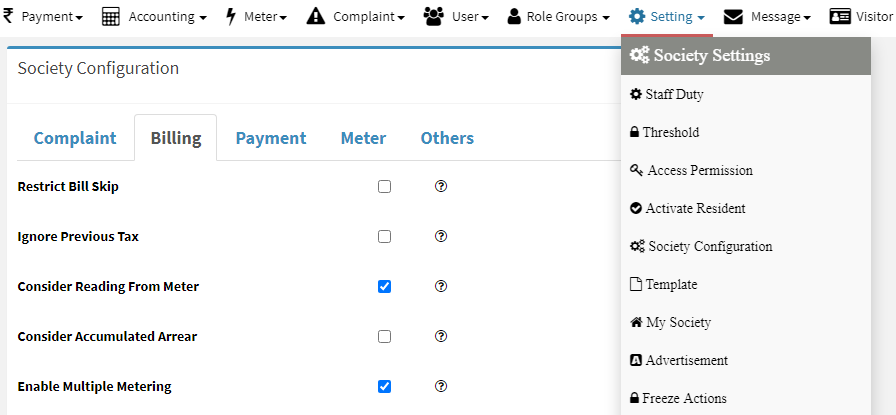
After login with admin portal and having Society setting permission, You can configure round off and decimal place as per needs. Below are the steps to round up.
- Go to Menu -> Setting -> Society Settings->Bill

- After selecting billing tab, enter 0 for round off and 2 for two decimal places value

When we set round off then system will not calculate any fraction amount
Ready to Transform Your Facility Management?
See how Factech automates maintenance, assets, and compliance in one intelligent platform.
Let's Talk
Have questions about our AI-powered solutions? Our team is here to help you digitize your facility operations.
Ready to Transform Your Facility Management?
See how Factech automates maintenance, assets, and compliance in one intelligent platform.
Let's Talk
Have questions about our AI-powered solutions? Our team is here to help you digitize your facility operations.


Leave a Comment