
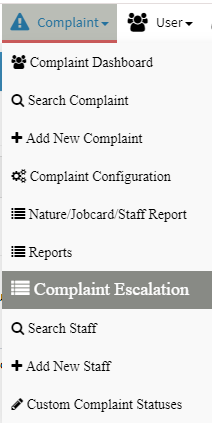
How to define escalation levels in Heldesk or Complaint Management?
You can define the escalation level for complaint management. The escalation levels can be applicable at
- Site Level: The escalation levels will be applicable to all type of complaints.
- Nature / Sub Nature Level: There can be different escalation levels for different category and sub category of complaint. –
TAT in complaint reports is shown from Nature wise escalation settings, considering Level 1 time as TAT
To configure the escalation level, steps are:
1. Go to Complaint-> Complaint Escalation

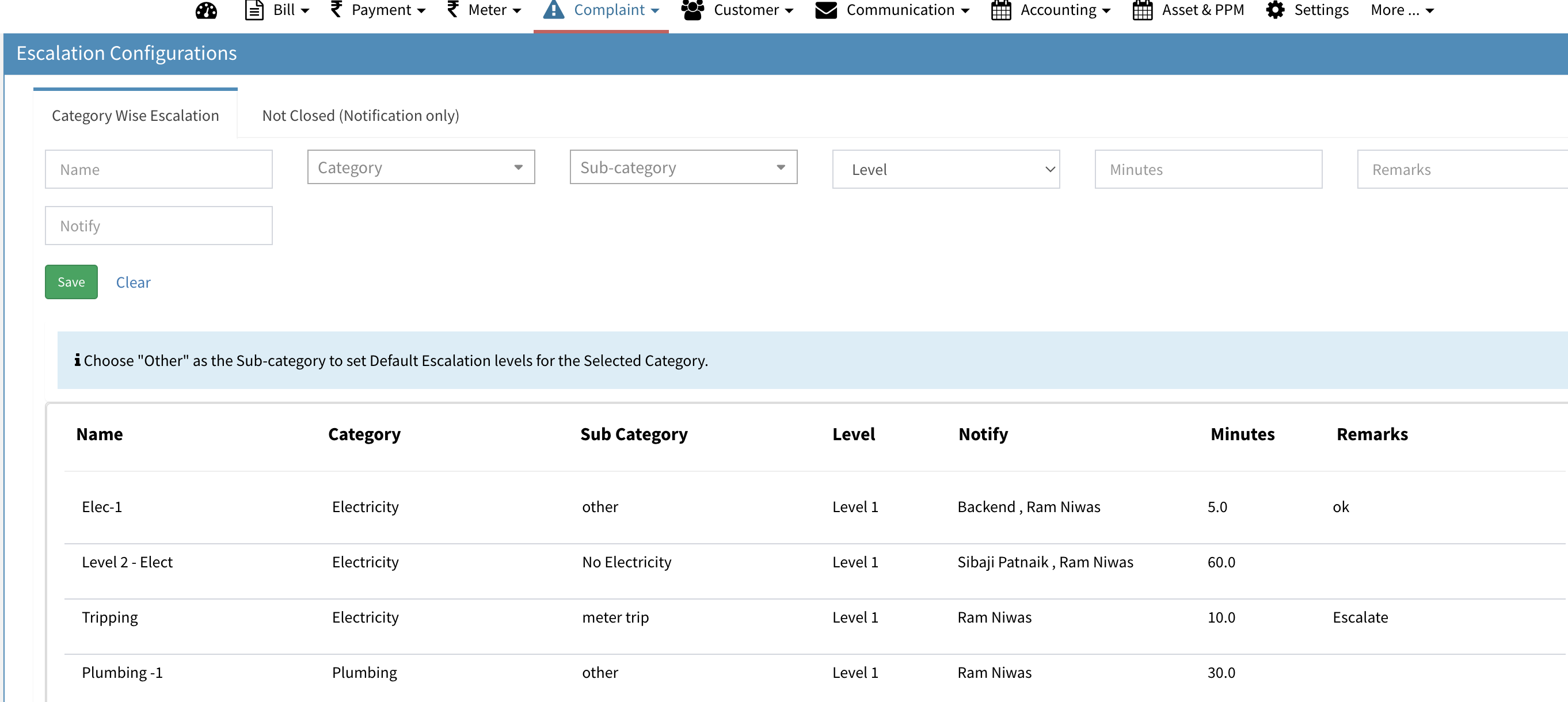
2. You can define as many levels as you want in the below UI. The emails and notification will be automatically sent to configured emails of the admin user selected in Notify field.
Ready to Transform Your Facility Management?
See how Factech automates maintenance, assets, and compliance in one intelligent platform.
Let's Talk
Have questions about our AI-powered solutions? Our team is here to help you digitize your facility operations.
Ready to Transform Your Facility Management?
See how Factech automates maintenance, assets, and compliance in one intelligent platform.
Let's Talk
Have questions about our AI-powered solutions? Our team is here to help you digitize your facility operations.


Leave a Comment