
How do we check which owners/units have activated their accounts and logged in?
Description:
Steps:
Login to your Factech portal using valid admin credentials.
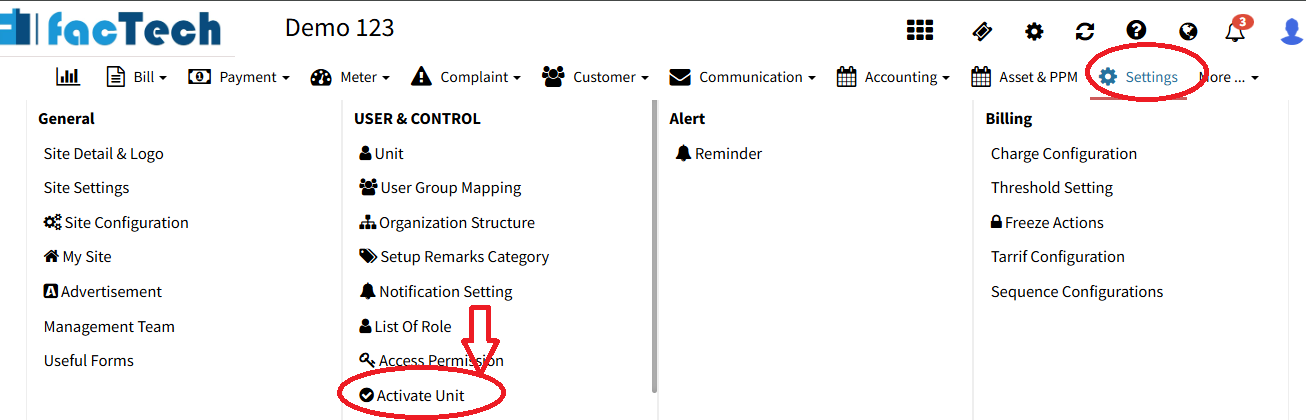
Go to Settings.
Click on Activate Unit under the User Control System section.
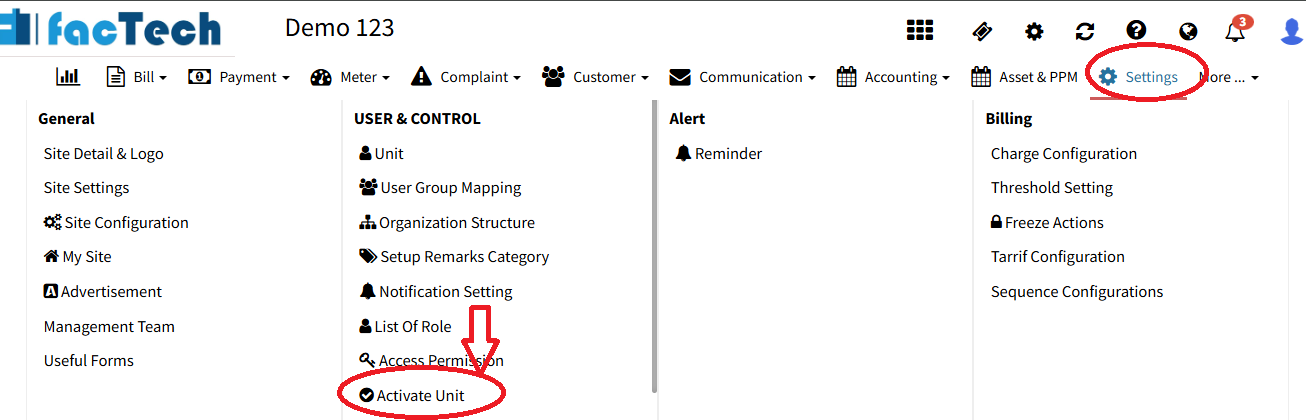
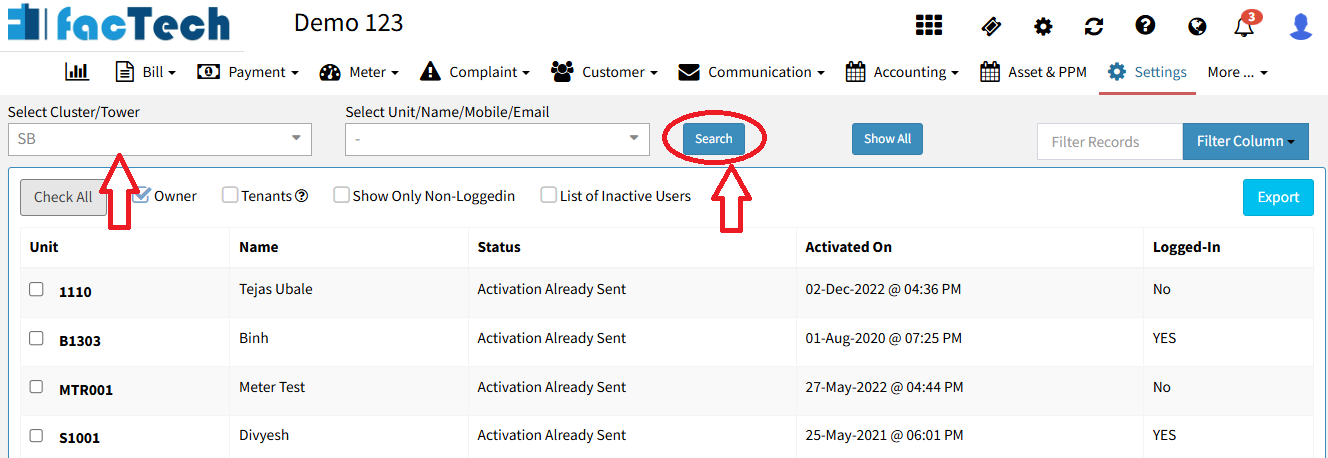
Click on Show All to view all unit/owner records.
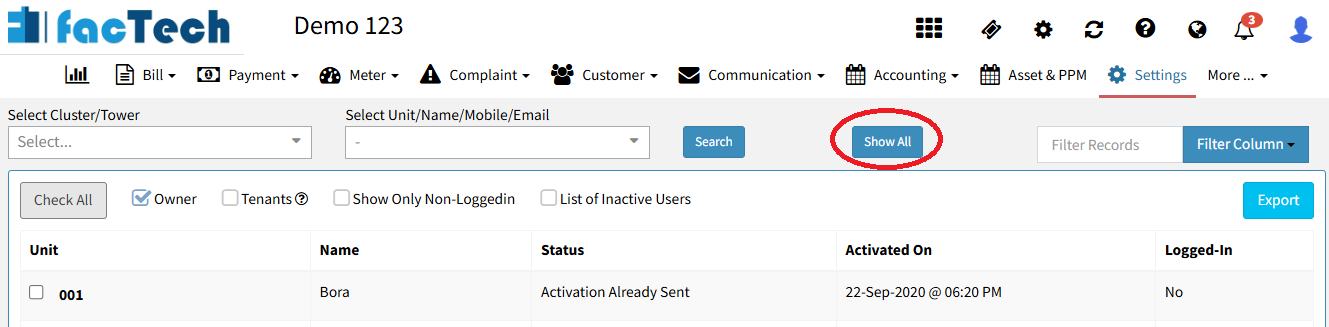
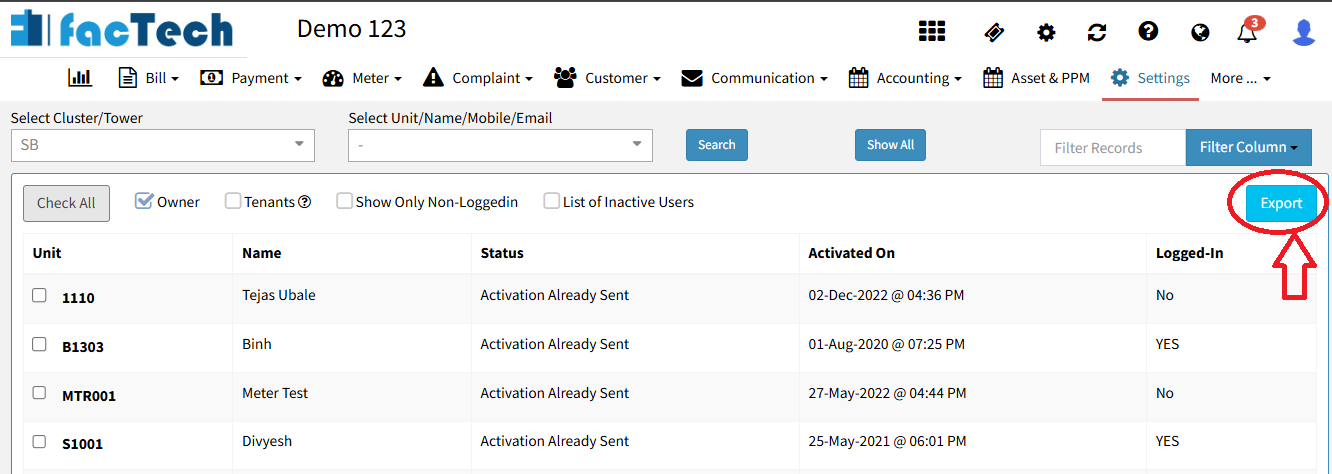
To download the data, click on the Export button – the list will be downloaded in Excel format.
Filters:
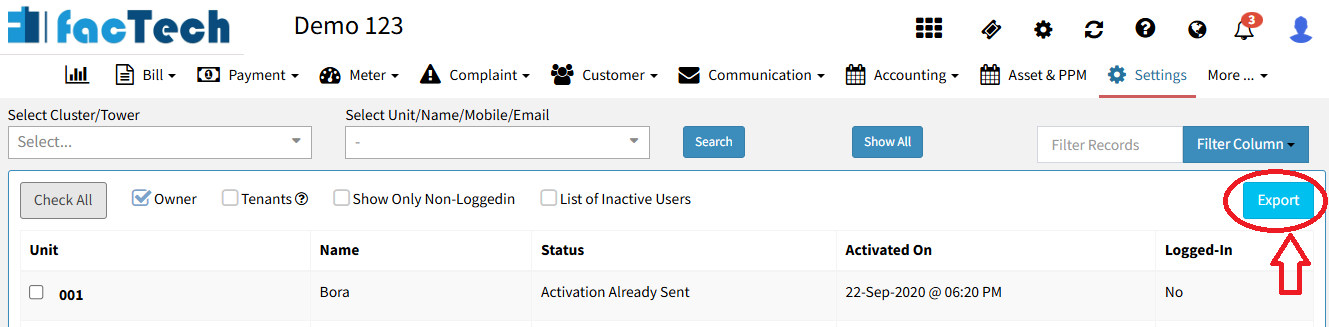
Admins have the flexibility to filter data using various criteria, including Tower, Cluster, Unit, Name, Mobile, or Email.
To view specific records (e.g. tower-wise or cluster-wise), select the desired Tower/Cluster → Click Search button.
Click the Export button to automatically download the Excel file to your system.
Additional Filters:
To view only non-logged-in users, check the box “Show Only Non-Loggedin”.
To view only inactive users, check the box “List of Inactive Users”.
- Click the Export button to download the Excel file.
Ready to Transform Your Facility Management?
See how Factech automates maintenance, assets, and compliance in one intelligent platform.
Let's Talk
Have questions about our AI-powered solutions? Our team is here to help you digitize your facility operations.
Ready to Transform Your Facility Management?
See how Factech automates maintenance, assets, and compliance in one intelligent platform.
Let's Talk
Have questions about our AI-powered solutions? Our team is here to help you digitize your facility operations.




