
How do I update customer data after bill generation without canceling the bill if IRN is not generated?
Factech allows admin users with billing and customer update rights to modify customer details in a generated invoice only if the IRN (Invoice Reference Number) has not been generated. This is because the invoice hasn’t yet been pushed to the GST e-invoicing system. You can update the following fields for the unit or tenant, as bills may be generated for either owner or tenant.
- Customer Name
- Address
- GSTIN
- State Code must be a numeric value between 01 and 38.
- Place of Supply (POS) must also be a numeric value between 01 and 38.
- Location
- Pin Code
- Is Business
Steps to update unit and tenant details:
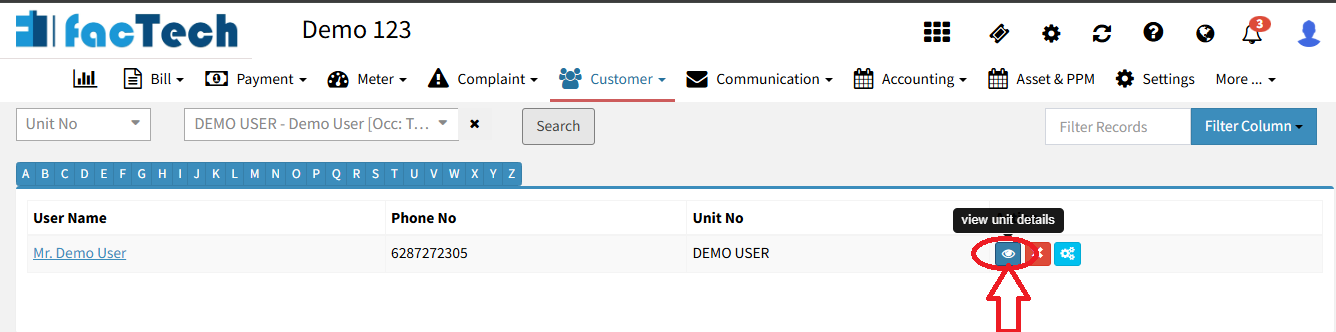
- Go to Customer menu → Search Unit.

- Select the unit → Click Search → Click View Unit Details.
- To update unit/owner info: click Edit, update fields (GSTIN, Pin, etc.), then click Update button.
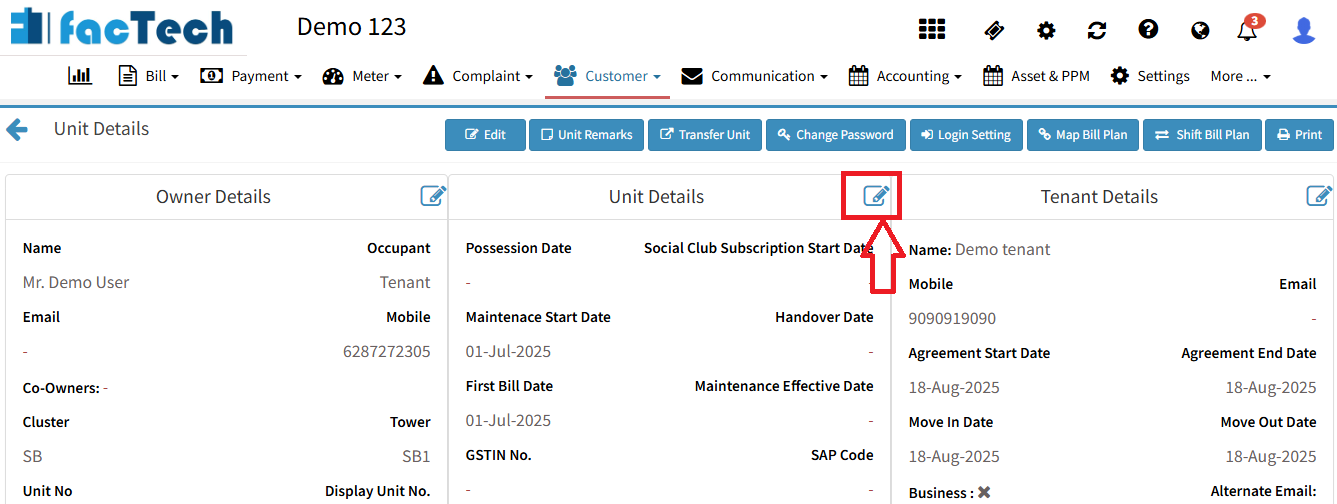
- To update tenant info: click Edit, fill in details, and click Update.
Steps to update user details in a generated invoice:
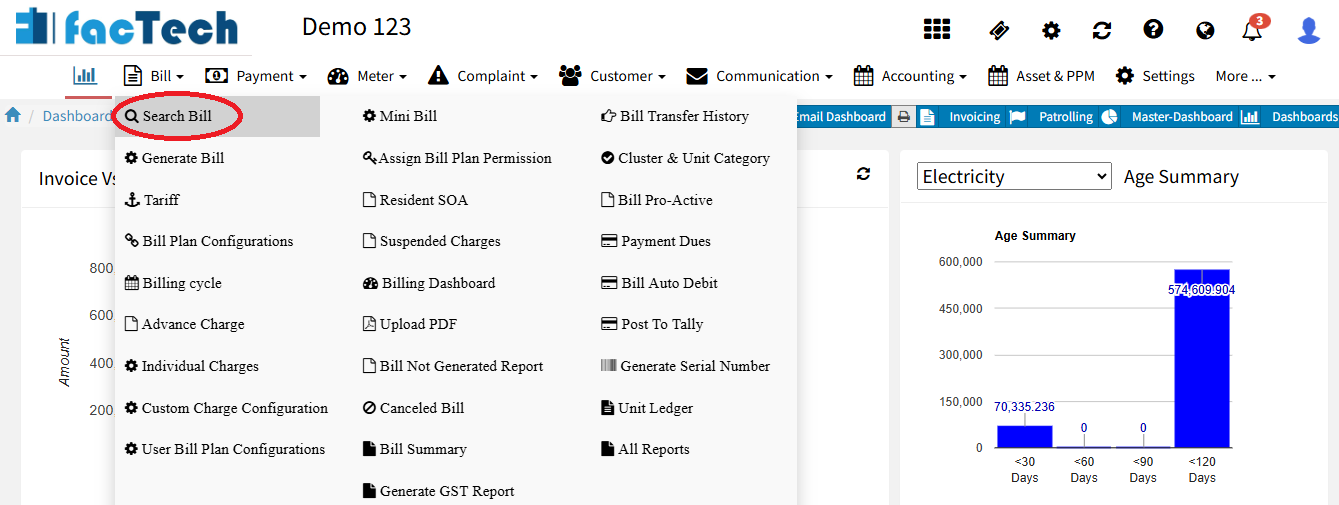
- Go to Bill menu → Search Bill.
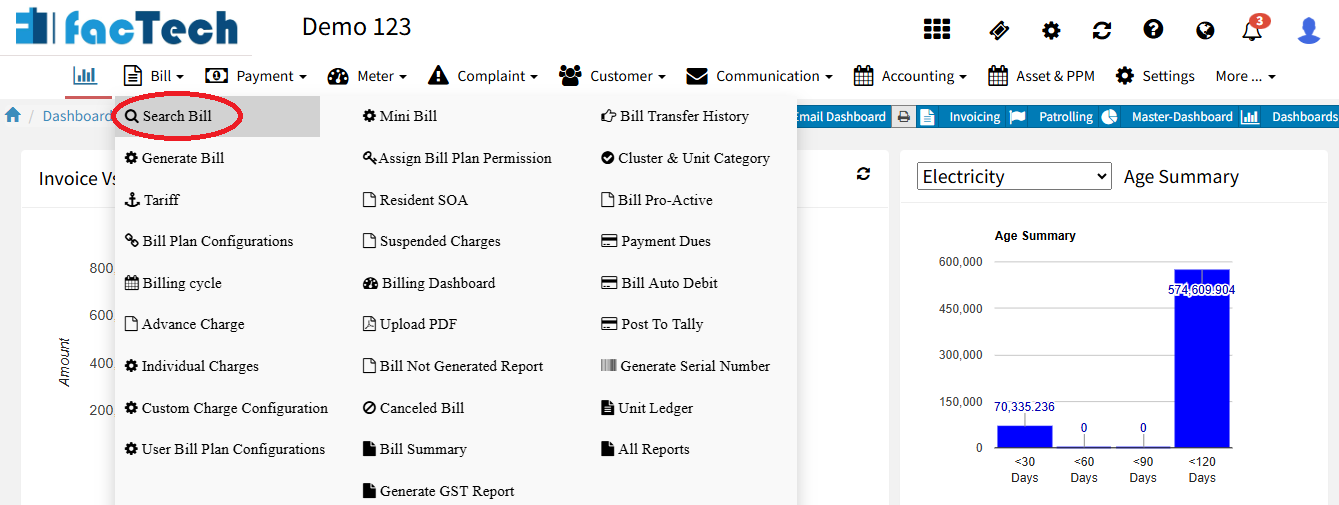
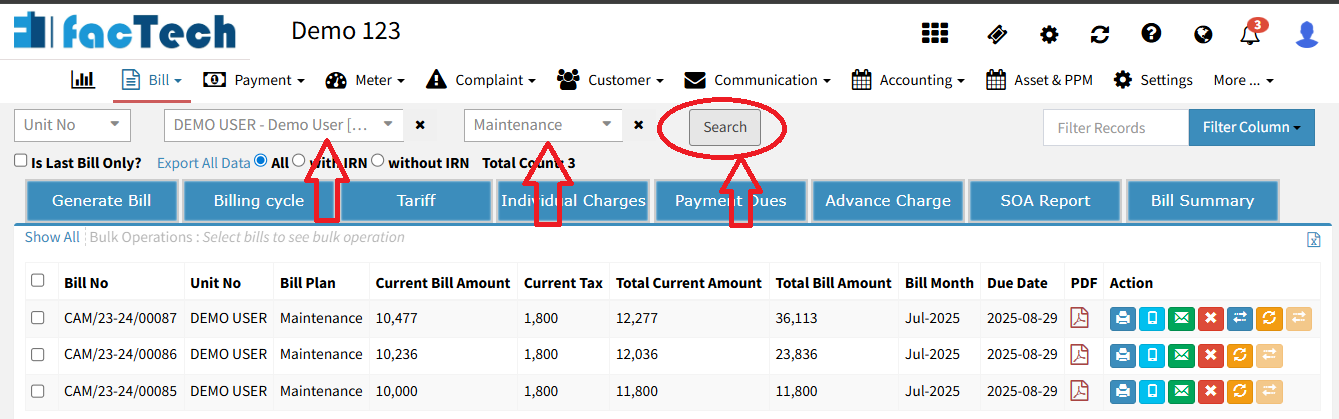
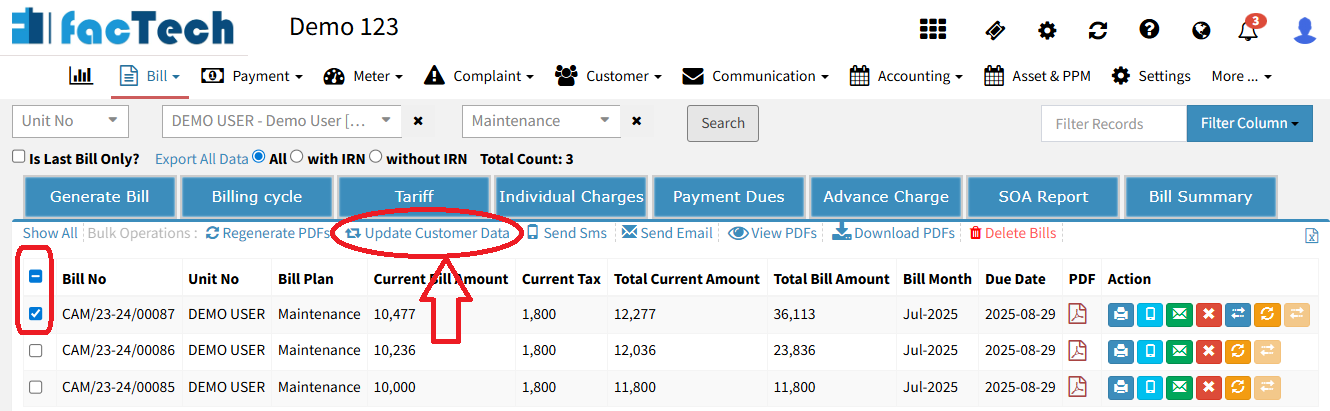
- After updating, click Regenerate PDFs to generate all updated invoices.
 Clicking Regenerate PDF under Action will generate only that single invoice PDF.
Important Note: – Once the IRN is generated, customer data in the invoice cannot be updated. As per GST rules, the invoice can be cancelled within 24 hours of creation, and a new invoice with a different number can be generated.
Ready to Transform Your Facility Management?
See how Factech automates maintenance, assets, and compliance in one intelligent platform.
Let's Talk
Have questions about our AI-powered solutions? Our team is here to help you digitize your facility operations.
Ready to Transform Your Facility Management?
See how Factech automates maintenance, assets, and compliance in one intelligent platform.
Let's Talk
Have questions about our AI-powered solutions? Our team is here to help you digitize your facility operations.




