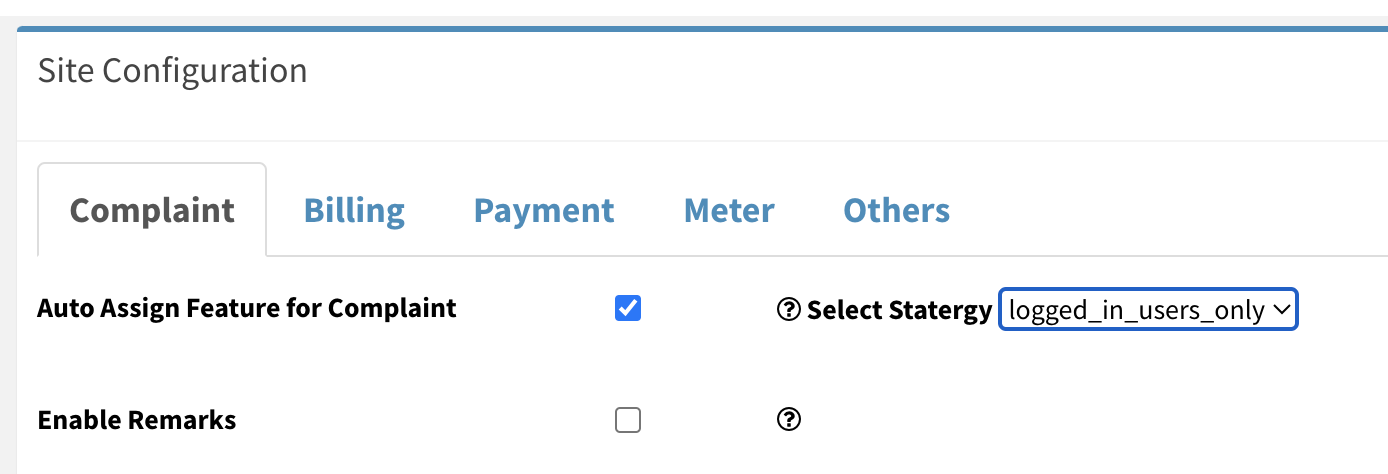
How to enable Auto Assign Feature in Complaint Management?
What is Auto Assignment of Complaint? When a complaint is raised, if the complaint get automatically assigned to the technician ( ground staff- who is expected to work o the complaint) is…
Technician can login with valid credentials or through OTP by entering registered mobile number or email Download FM app from Google Play store ( https://play.google.com/store/apps/details?id=com.sumasamu.isocietyManagerAdmin) Login in Chrome browser and add a…
You can use Application on mobile/ laptop/desktop or any other device having internet connection and browser. Application is tested for all popular browsers latest versions like Chrome, Microsoft Edge, Safari ( iPhone).…
Depending on your role, you can access the system through both the web and mobile app. Whether you are an Admin, Ground Staff/Technician, or a Customer/Employee/Resident, this FAQ will walk you through…
Now a registered or unregistered user can log a complaint through a QR code. No need for a mobile application. A user can scan the QR code through a Google lens. How…
Step 1. Click on the purchase option from the left side of the Inventory Management page. Step 2 After clicking on purchase option, new page appears on the screen. Step 3 Click…