How to Send Bills and Payment Notifications on WhatsApp in Factech?
Description
The WhatsApp integration in Factech allows authorized users to send Billing and Payment notifications to customers through WhatsApp. Users can configure WhatsApp credentials, sync and map message templates, send notifications for single or multiple records, and track message statuses through the WhatsApp communication logs.
Procedure
1. Grant WhatsApp Access
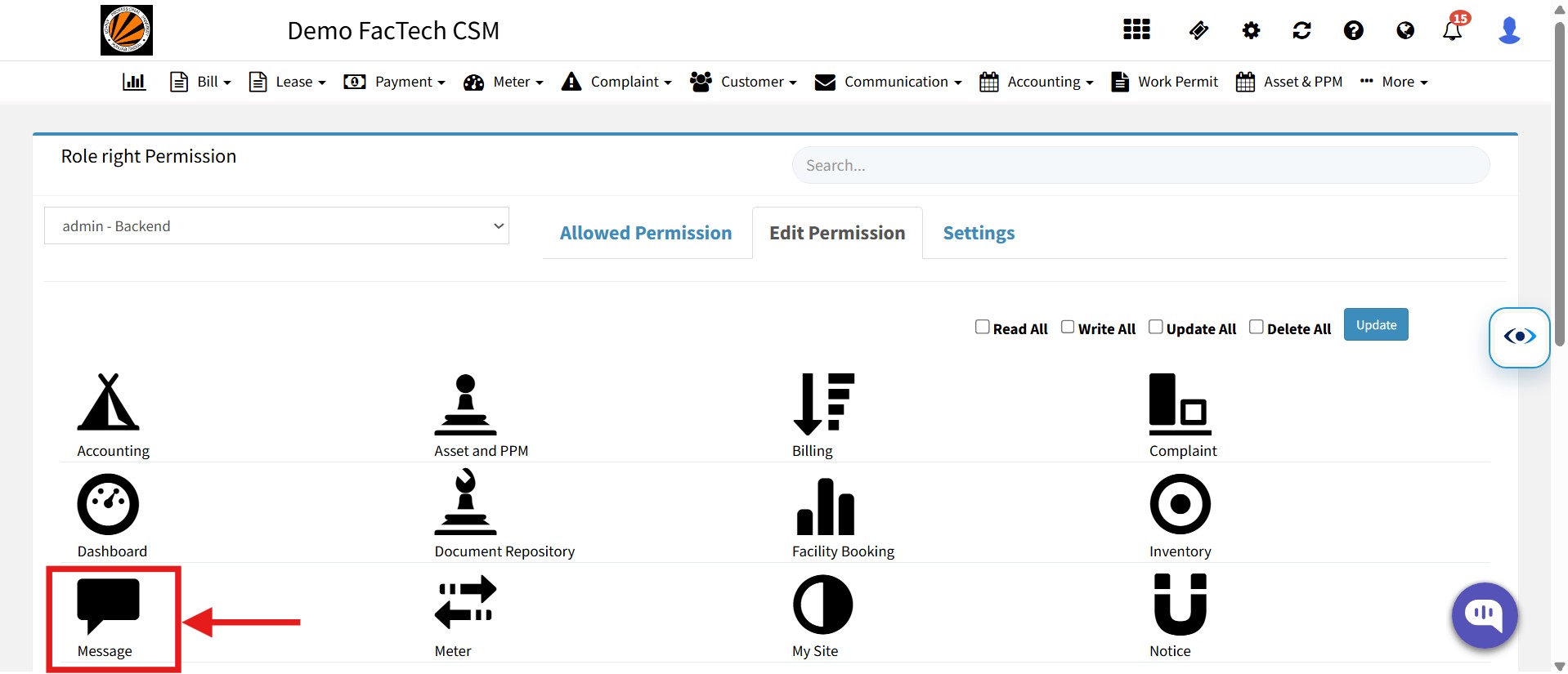
- Go to Settings → Access Permission.
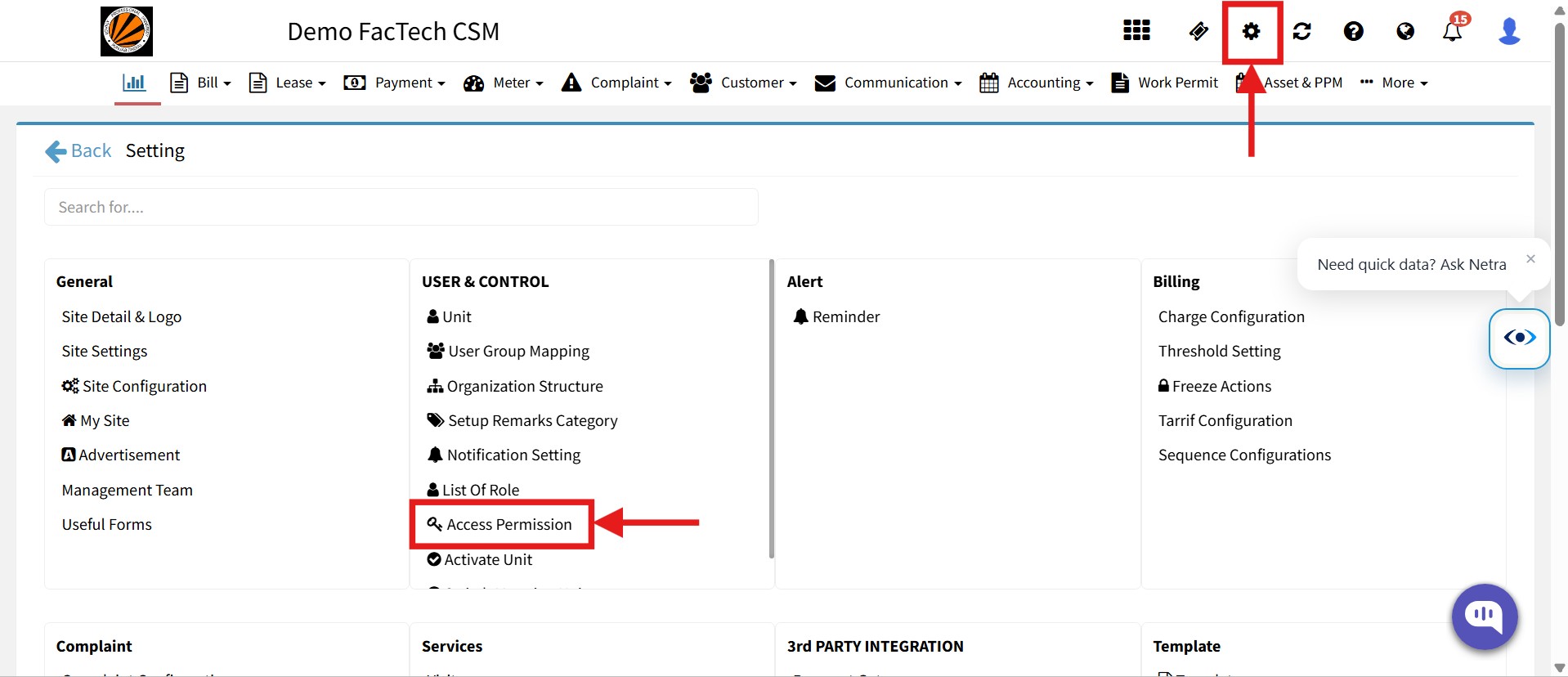

Select the required user role and click on edit permission.
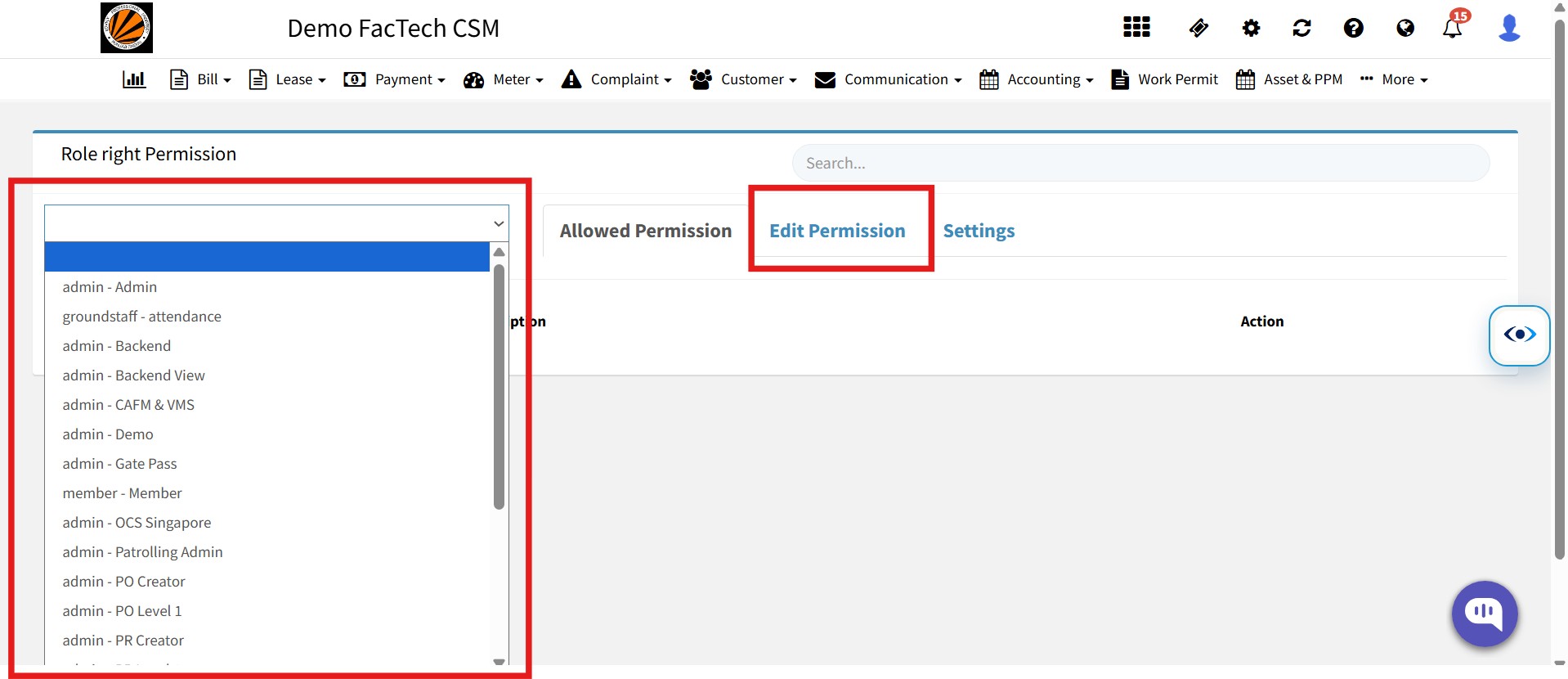

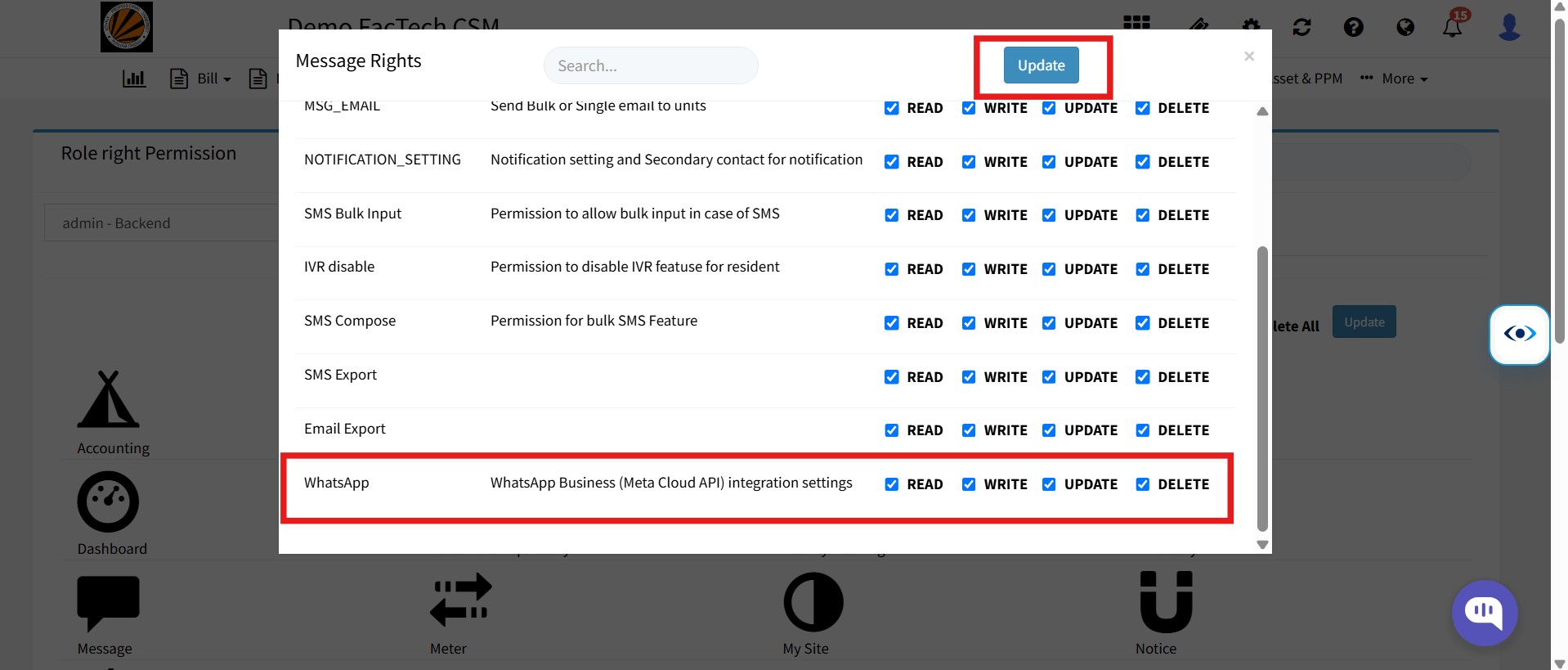
Under Messages, enable the WhatsApp permission and save the changes.



2. Configure WhatsApp Integration
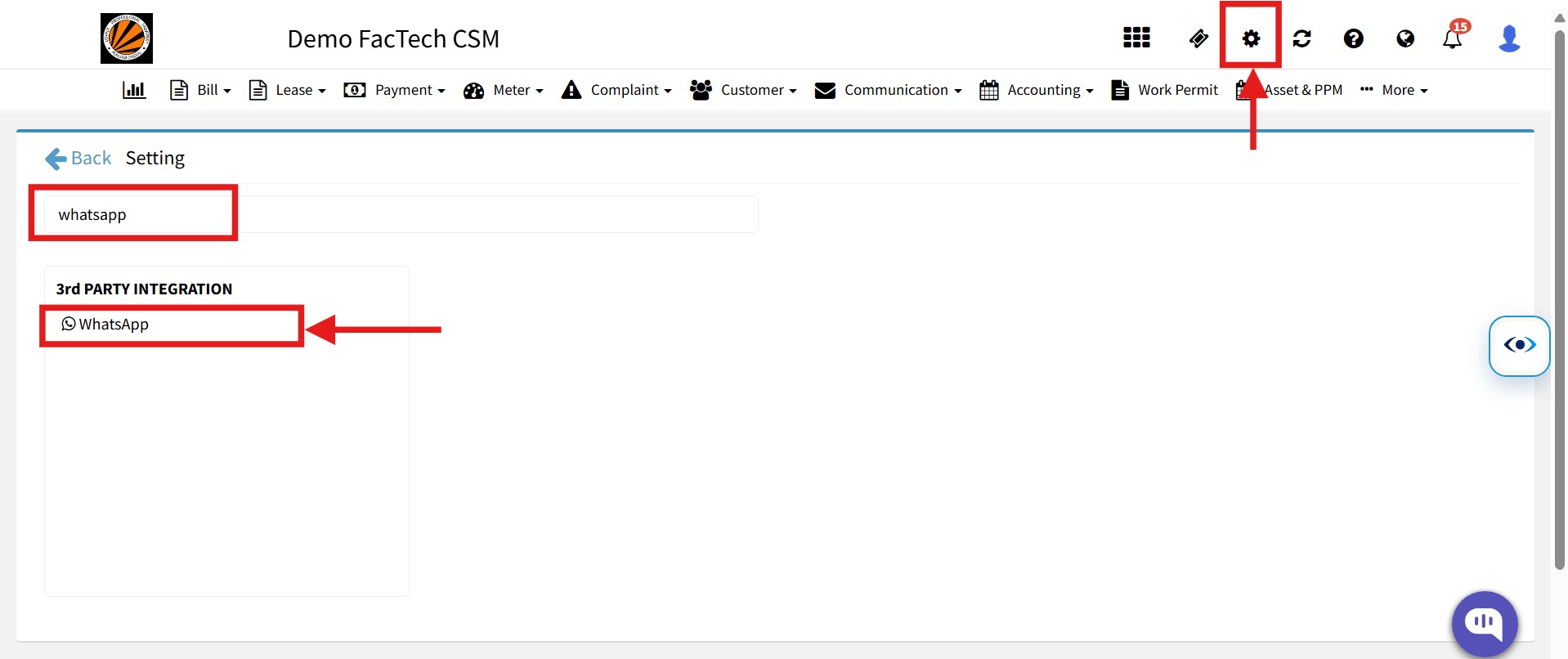
Go to Settings, search for WhatsApp in the search box, and click WhatsApp in the search results.

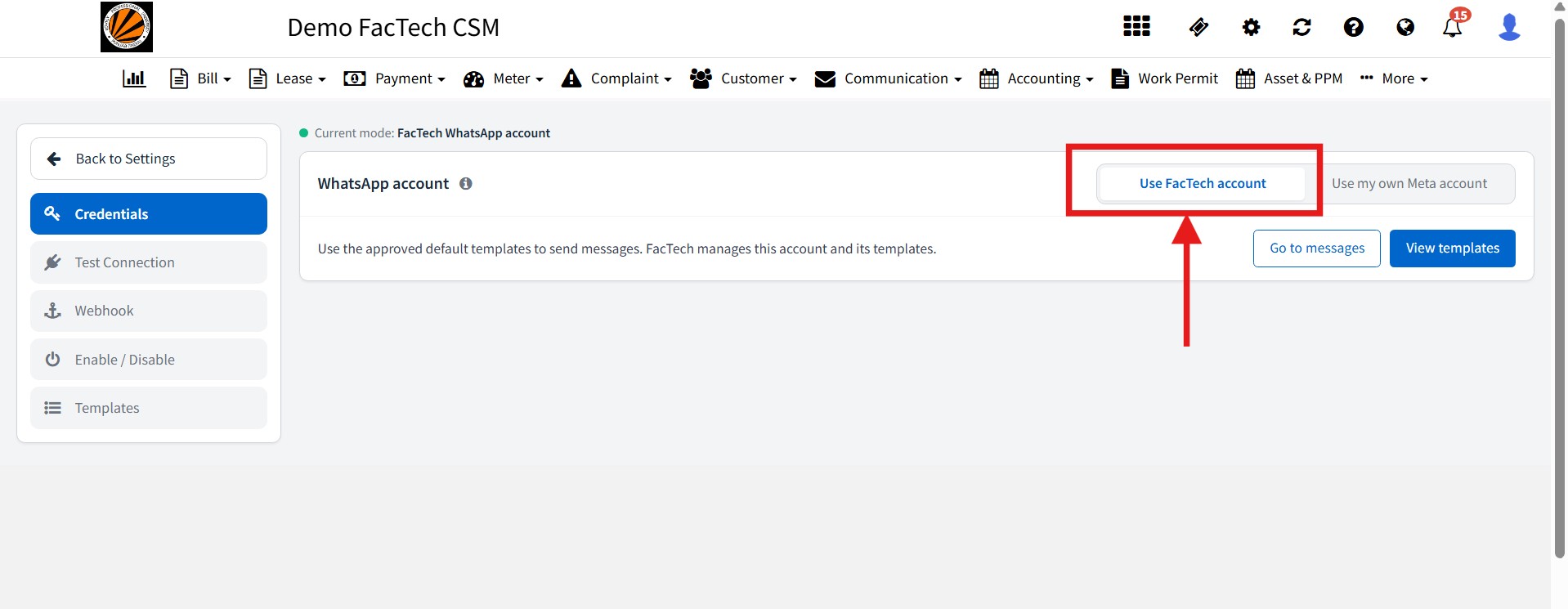
Select Factech Credentials or configure your own Meta credentials.
Factech Credentials: WhatsApp notifications will be sent using the mobile number registered with Factech.
Your Own Meta Credentials: WhatsApp notifications will be sent using the mobile number registered with your Meta account.

Open Test Connection and run the connection test.Verify the connection result before proceeding.
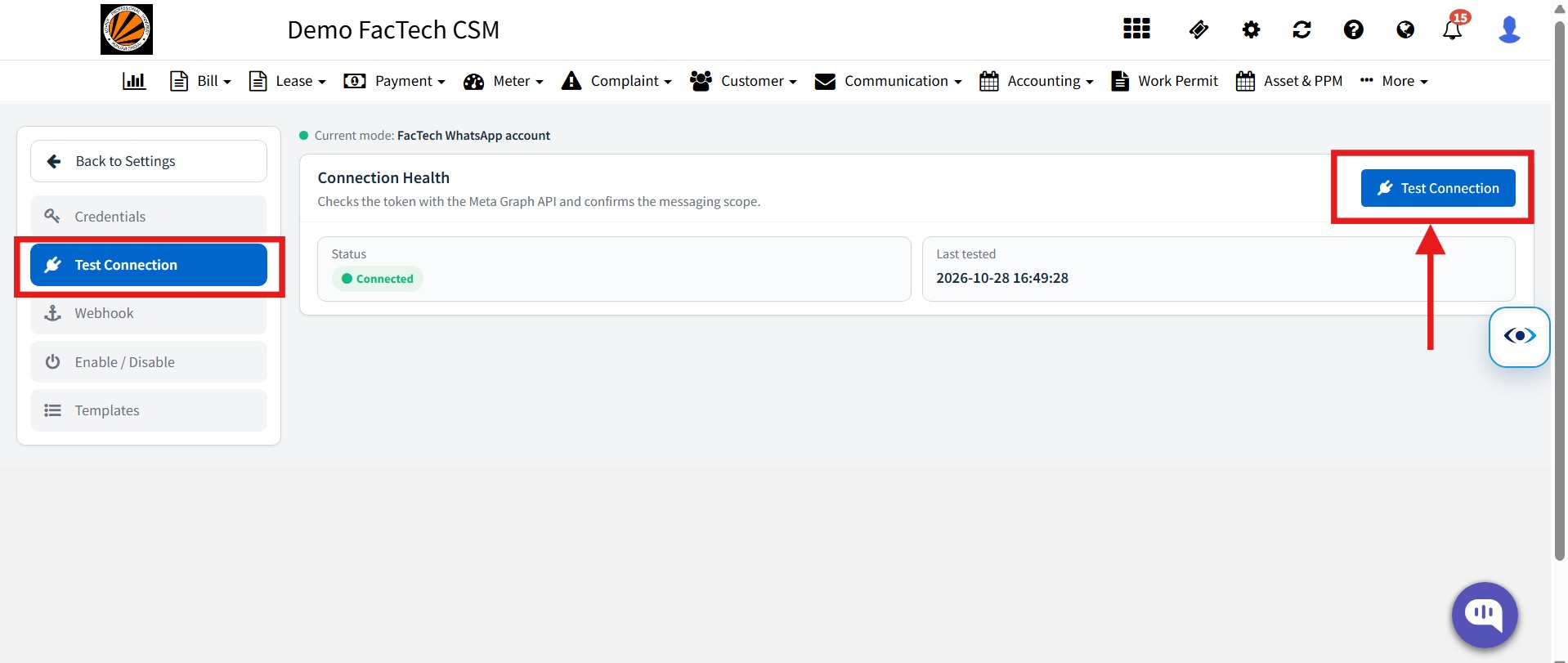


3. Sync and Map Templates
Open the Templates section.
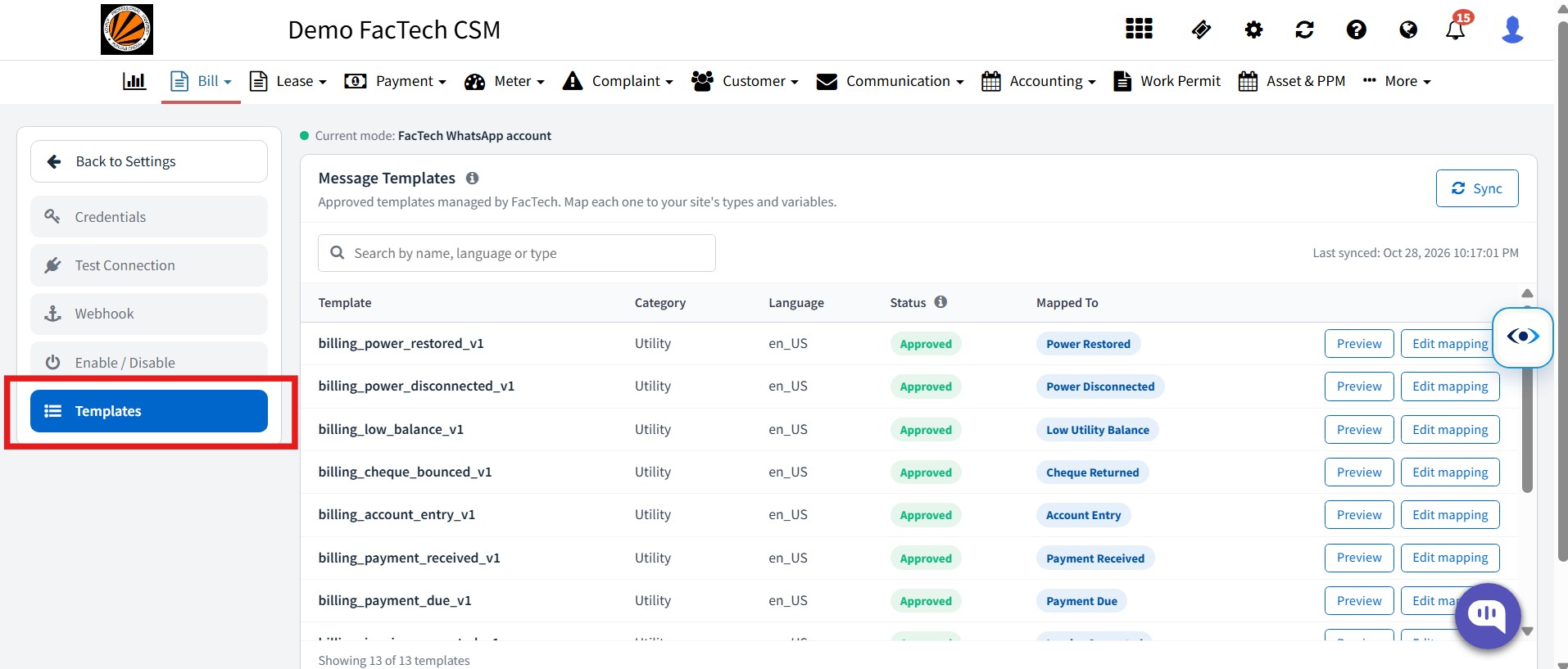

Click Edit Mapping for the required template.
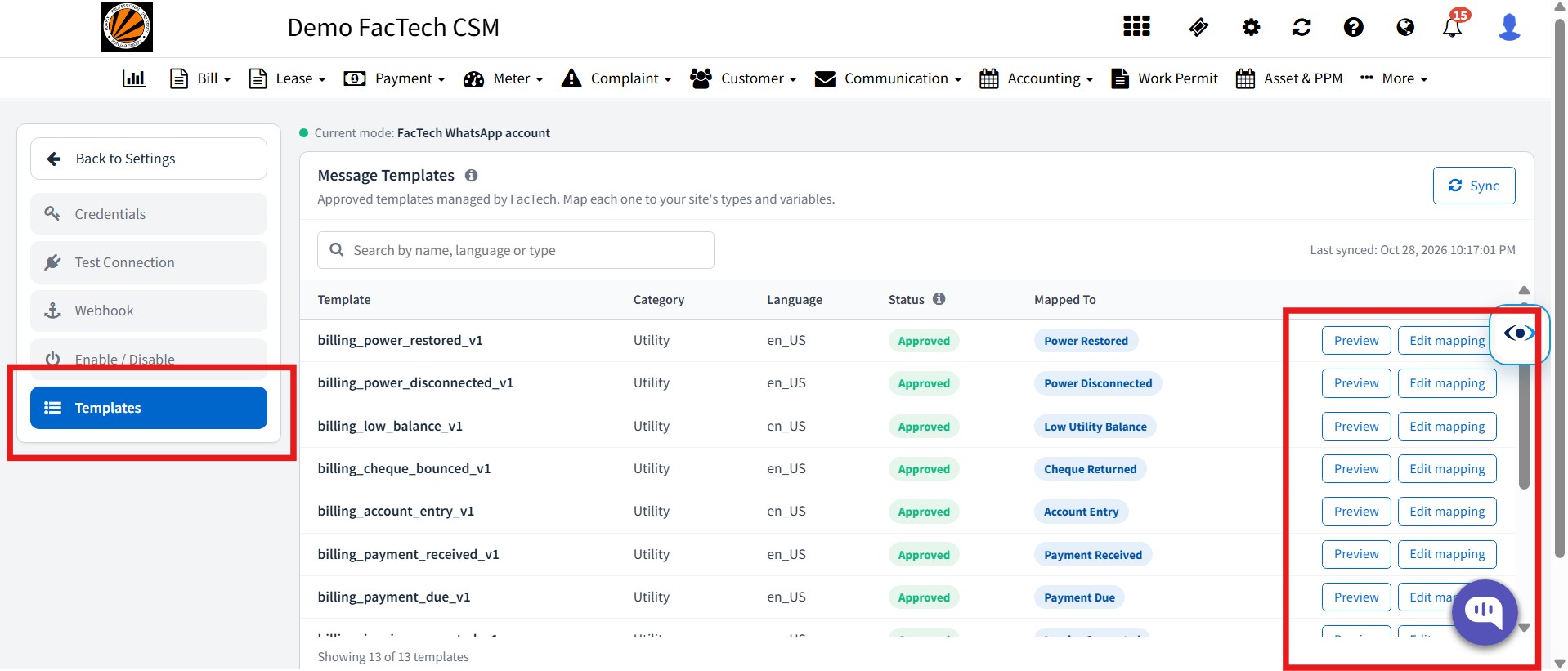

Configure the field mappings for Billing and Payment notifications according to your requirements.
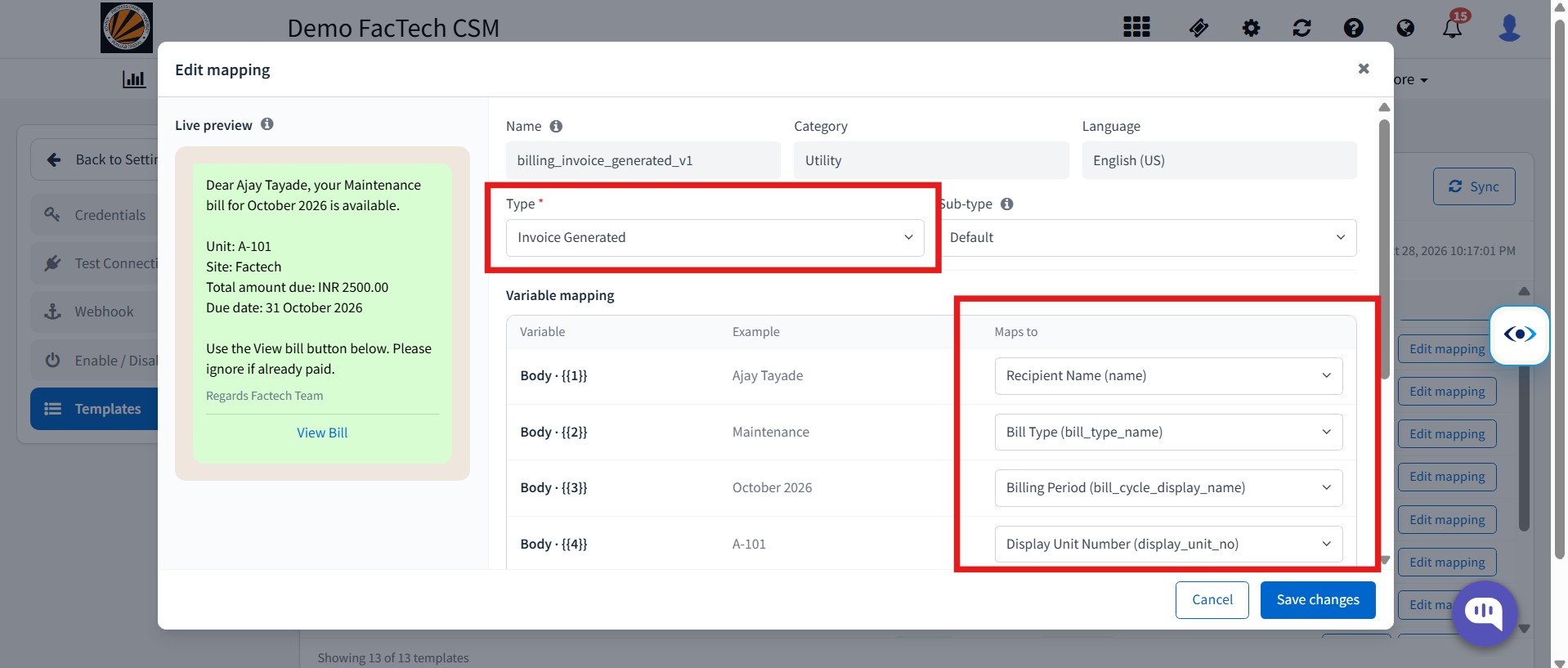

4. Save the mappings and Click Sync to import the latest template.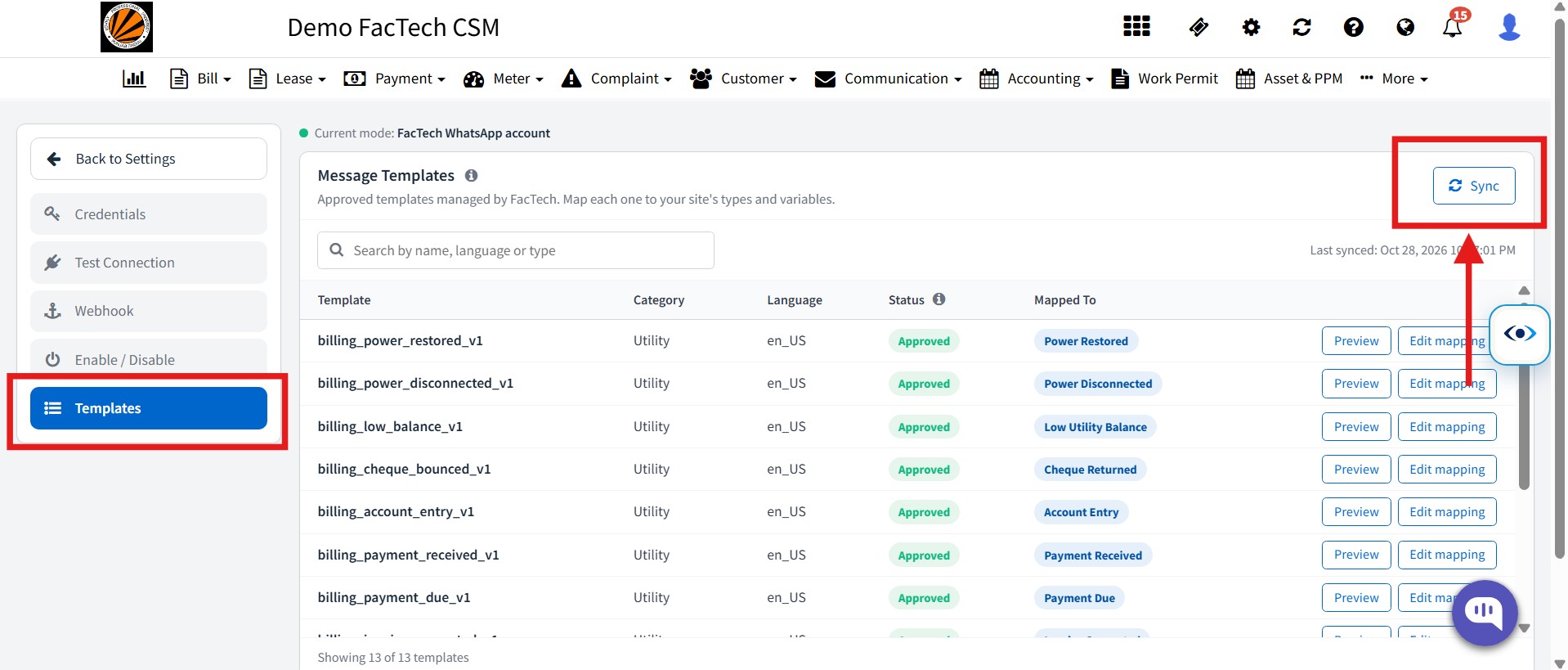


4. Send WhatsApp Notifications
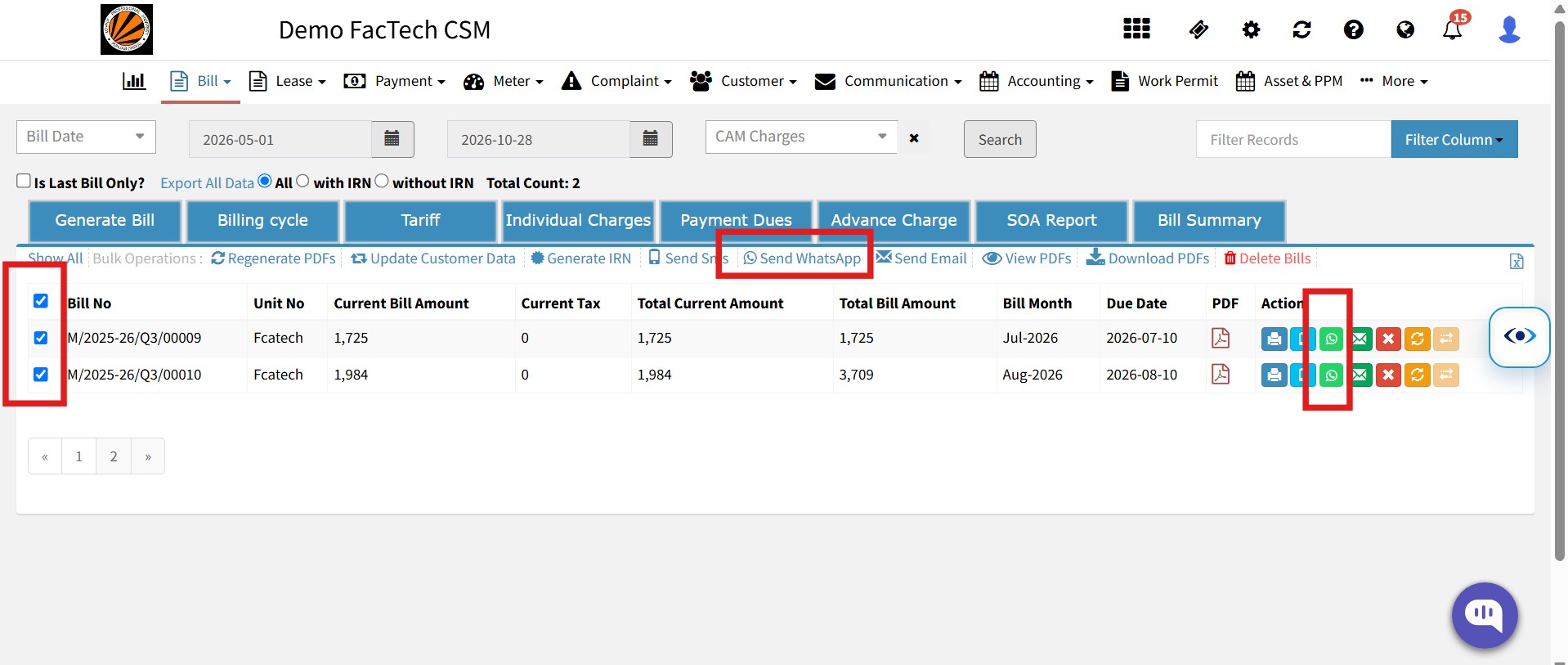
Open the Billing or Payment screen. Search the required bill or payment record. Click Send WhatsApp from the record’s Action menu to send an individual notification.
To send notifications for multiple records, select the required checkboxes and click Send WhatsApp in the bulk actions toolbar.

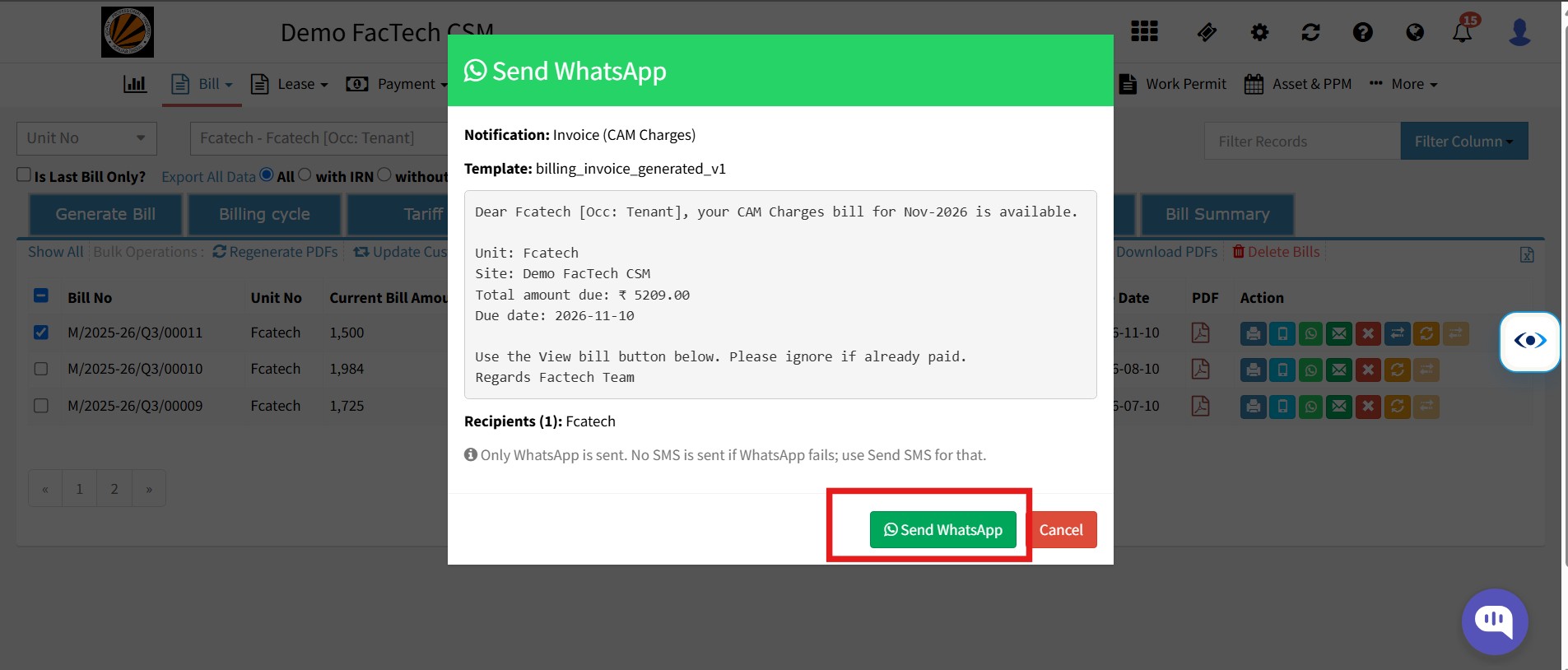
Review the selected template, message preview, recipient details, and bill or payment. Click Send WhatsApp to submit the message.


5. View WhatsApp Message Logs
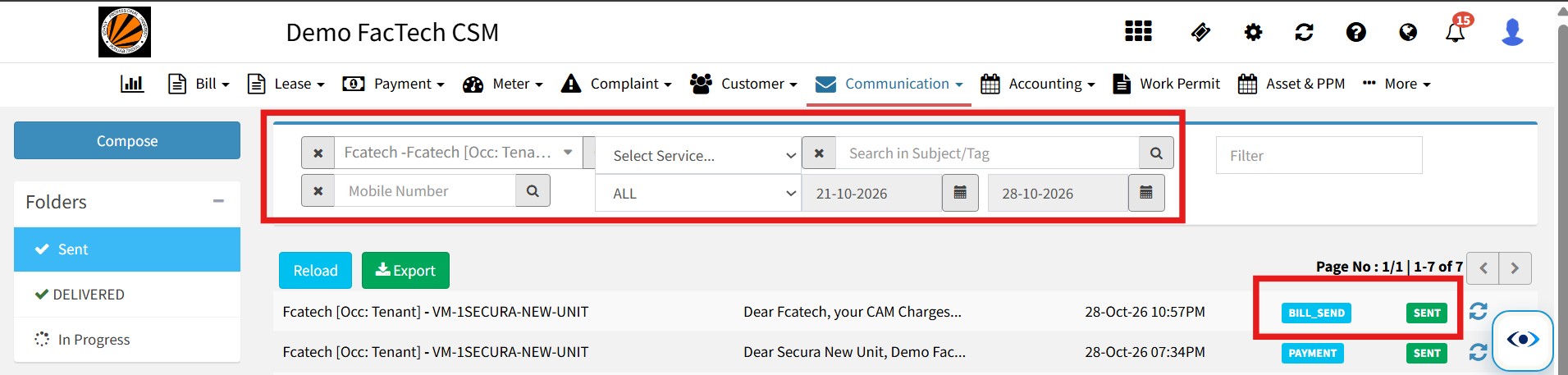
Go to Communication → WhatsApp.
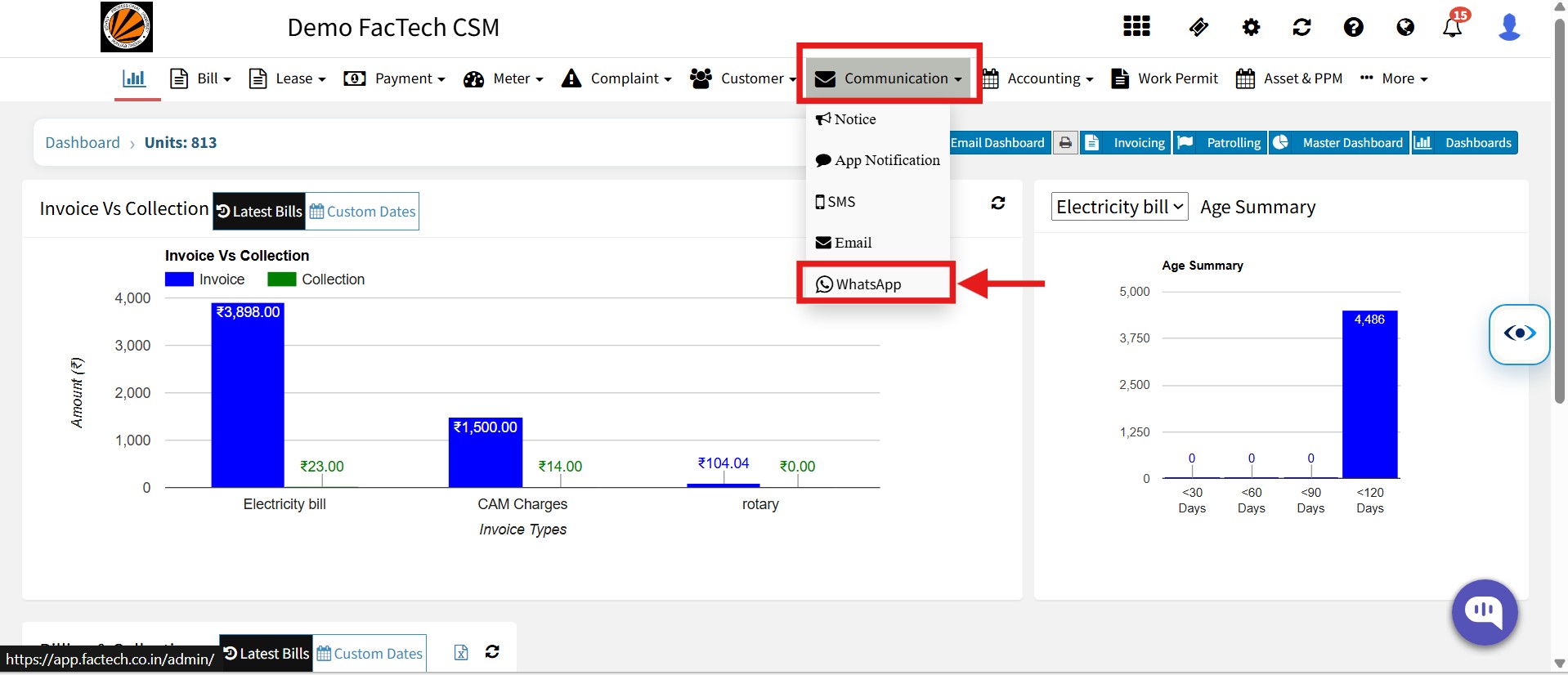

Apply the available filters, such as mobile number, service, subject/tag, and date range. Review the recipient, message preview, timestamp, notification tag, and status.


Ready to Transform Your Facility Management?
See how Factech automates maintenance, assets, and compliance in one intelligent platform.
Let's Talk
Have questions about our AI-powered solutions? Our team is here to help you digitize your facility operations.
Ready to Transform Your Facility Management?
See how Factech automates maintenance, assets, and compliance in one intelligent platform.
Let's Talk
Have questions about our AI-powered solutions? Our team is here to help you digitize your facility operations.