
How to verify visitor mobile number in iSocietyManager’s Visitor Management
Verification of mobile number is very important in visitor management system. iScoietyManager, has IVR based calling feature for this.
Visitor will make call on given number (011-41183340), enter Society/Complex/Premise code #. This call detail will be displayed on top section of screen in Guard App. Guard will select the latest call, the number with mask(xxxx) will be filled on visitor entry page. Guard will filed other detail of visitor and make the entry.
This will increase convenience for the user and OTP verification will not be required
Dedicated number can also be taken by society/complex, in that case only a missed call is sufficient for verification.
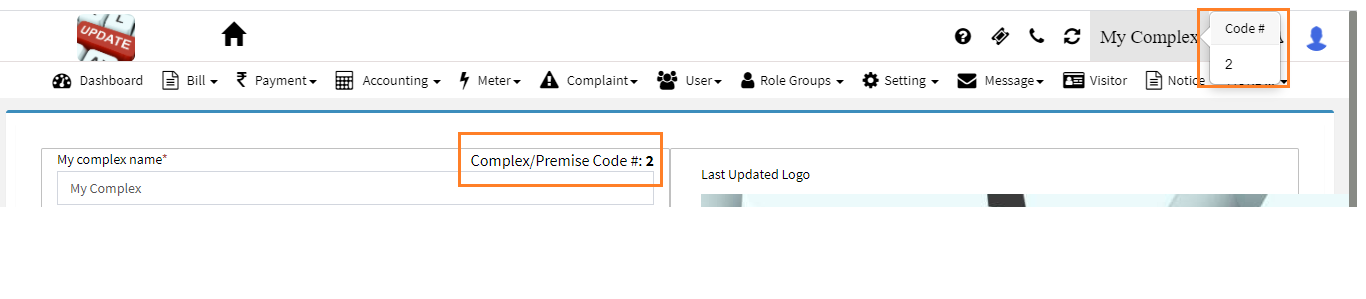
Check Complex/Premise Code #

- In iSocietyManager portal on top right corner, mouse over on society name
- Menu option Settings->Setup->Site Detail & Log
Ready to Transform Your Facility Management?
See how Factech automates maintenance, assets, and compliance in one intelligent platform.
Let's Talk
Have questions about our AI-powered solutions? Our team is here to help you digitize your facility operations.
Ready to Transform Your Facility Management?
See how Factech automates maintenance, assets, and compliance in one intelligent platform.
Let's Talk
Have questions about our AI-powered solutions? Our team is here to help you digitize your facility operations.


Leave a Comment