
How to generation electricity bill for a new unit?
There are 3 steps to generate electricity bill for a new unit.
Firstly, We have to map customer to a Electricity bill plan, find steps to user mapping
https://factech.ai/blog/ufaqs/how-to-map-users-to-a-bill-plan/
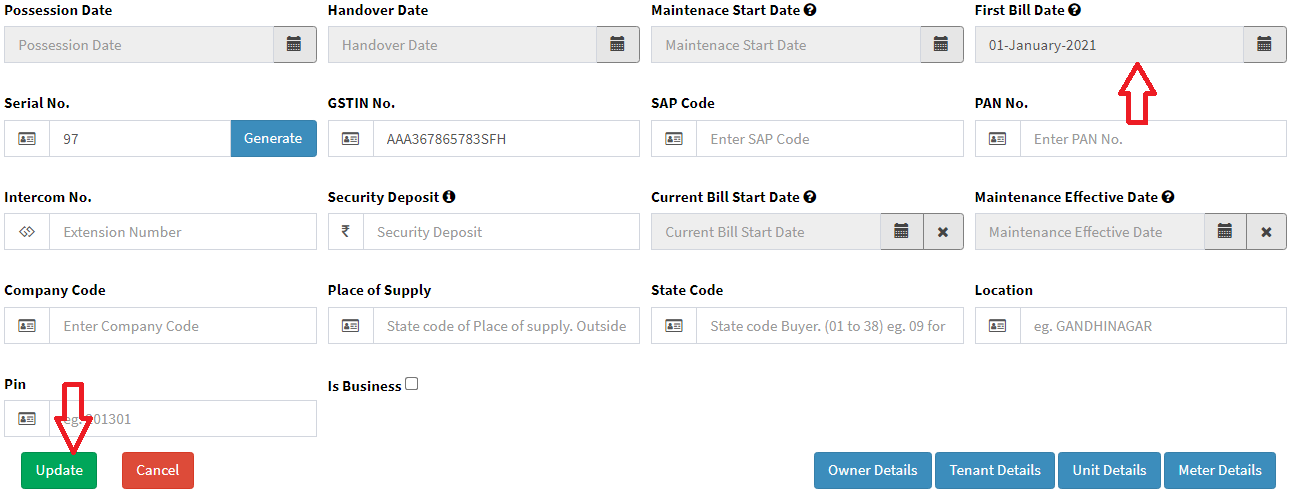
Following are the steps to update bill start date.
if unit details are not added please follow below steps.
https://factech.ai/blog/ufaqs/how-to-add-new-unit-in-isocietymanager/
Bill Start Date: All the charges will be calculated from this start date in case of fist bill generation for any bill pan.
Step 1: Go to Main Menu (Customer), Select “Search Unit” option from drop down menu

Step 2: Select unit and click on “Search” to display the user details

Step 3: Click on View print

Step 4: Click on “Edit” under unit details

Step 5: Select first bill start date and click on save button
Find steps to add meter reading for a new units
In case of first bill, you have to add previous and current reading
https://factech.ai/blog/ufaqs/how-to-import-meter-reading/
Following are the steps to generate bill for a unit
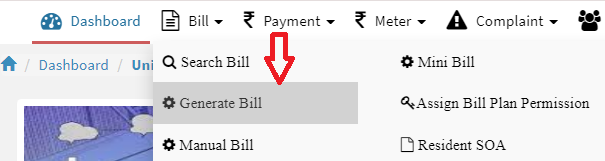
Step 1: Go to Main Menu (Bill), Select “Generate Bill” option from drop down menu
Step 2: Select bill Plan, bill Cycle, unit and click on “Preview Bill” to display the bill details
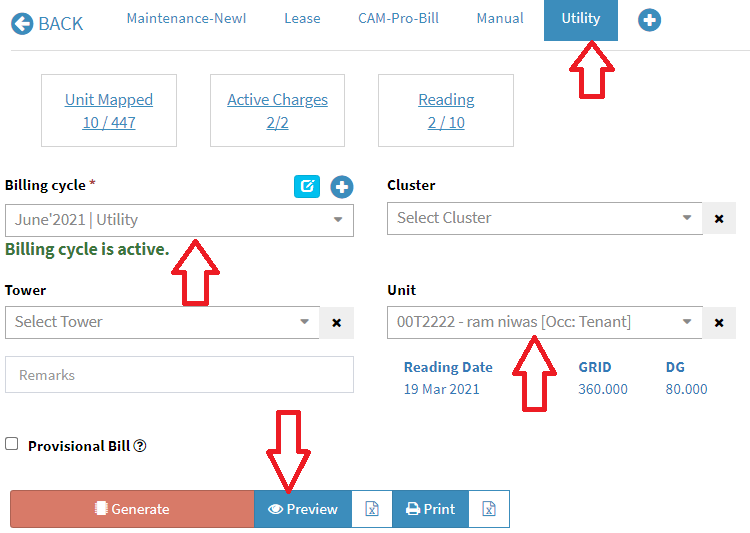
Once bill are verified through preview functionality then click on “Generate Bill”
Ready to Transform Your Facility Management?
See how Factech automates maintenance, assets, and compliance in one intelligent platform.
Let's Talk
Have questions about our AI-powered solutions? Our team is here to help you digitize your facility operations.
Ready to Transform Your Facility Management?
See how Factech automates maintenance, assets, and compliance in one intelligent platform.
Let's Talk
Have questions about our AI-powered solutions? Our team is here to help you digitize your facility operations.


Leave a Comment