
How to generate Provisional invoice?
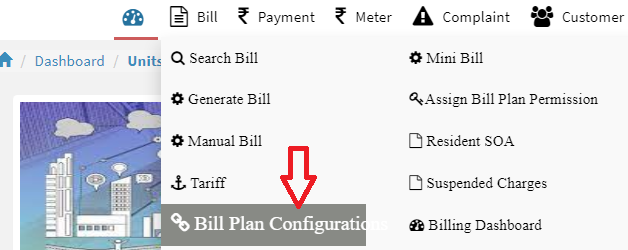
Step 1: Go to Main Menu (Bill), Select “Bill Plan Configuration” option from drop down menu
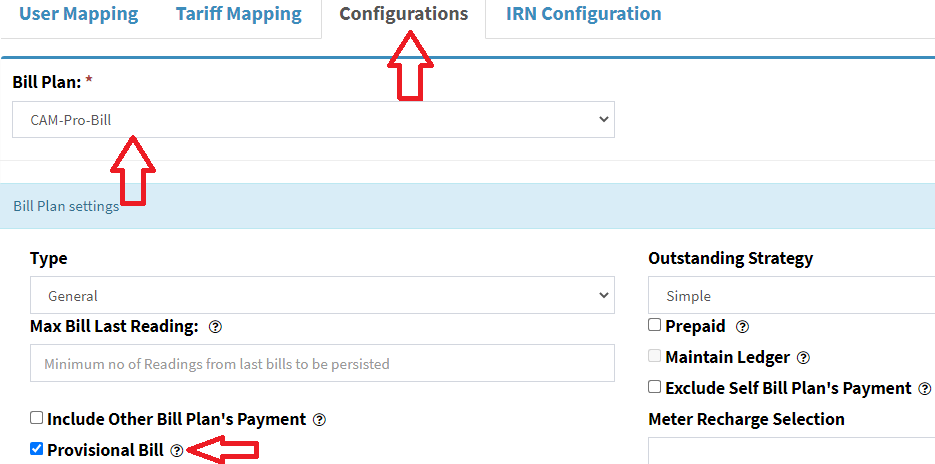
Step 2: Click on “Configurations” menu and select bill type and select check box which you want to generate Provisional bill and click on “Save” button
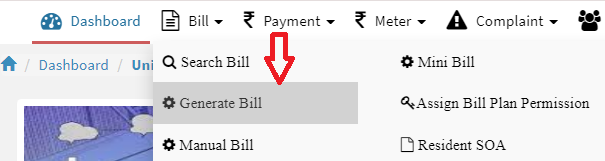
Step 1: Go to Main Menu (Bill), Select “Generate Bill” option from drop down menu
Step 2: Select bill plan, bill cycle, unit number and click on “Generate”
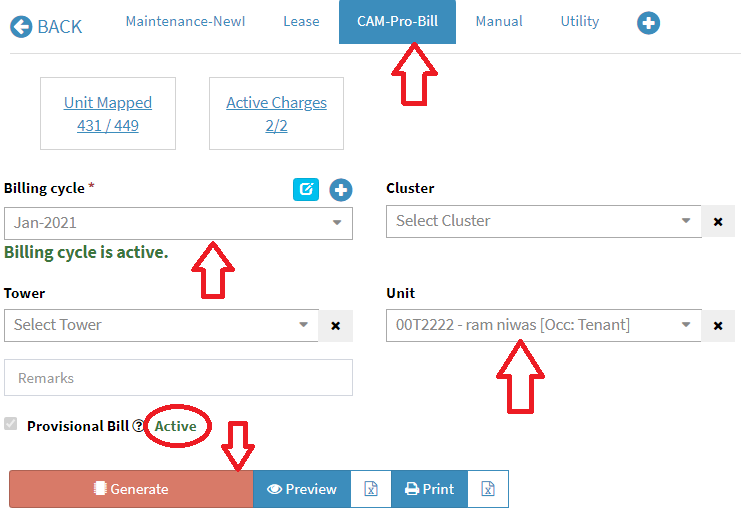
If you select bill plan then
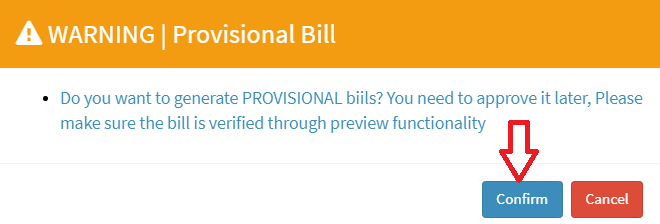
Step 3: You’ll get warning message to confirm, click on “Confirm” button to generate provision invoice
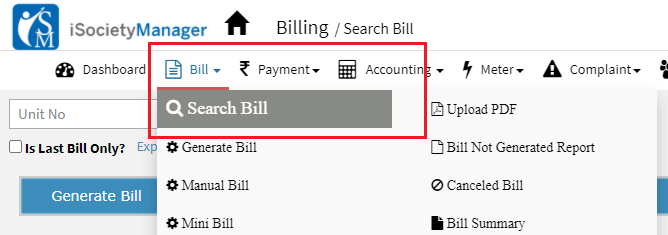
Step 1: Go to Main Menu (Bill), Select “Search Bill” option from drop down menu
Step 2: Select unit, bill plan and click on “search” to display the bill.

Step 3: Click on “Provisional to Actual” button to generate actual invoice

Once the actual invoice got generate then “Provisional to Actual” button will be hide and you will get invoice number and bill date.
Ready to Transform Your Facility Management?
See how Factech automates maintenance, assets, and compliance in one intelligent platform.
Let's Talk
Have questions about our AI-powered solutions? Our team is here to help you digitize your facility operations.
Ready to Transform Your Facility Management?
See how Factech automates maintenance, assets, and compliance in one intelligent platform.
Let's Talk
Have questions about our AI-powered solutions? Our team is here to help you digitize your facility operations.


Leave a Comment