
How to add restrictions in Maintenance Schedule?
Many times we want that particular maintenance activity or job should be completed within n number of hours of Job Start/ Creation.
Restriction feature is helpful in cases like:
- Maintenance Job should not be executed after 4 hours of Job start time.
- Cleaning of restroom should be completed within 1 hours of Job assigned to staff.
To add or edit restrictions follow below steps:
1 Open the Schedule on which you want to apply or change restriction PM Schedule-> Search the Schedule.
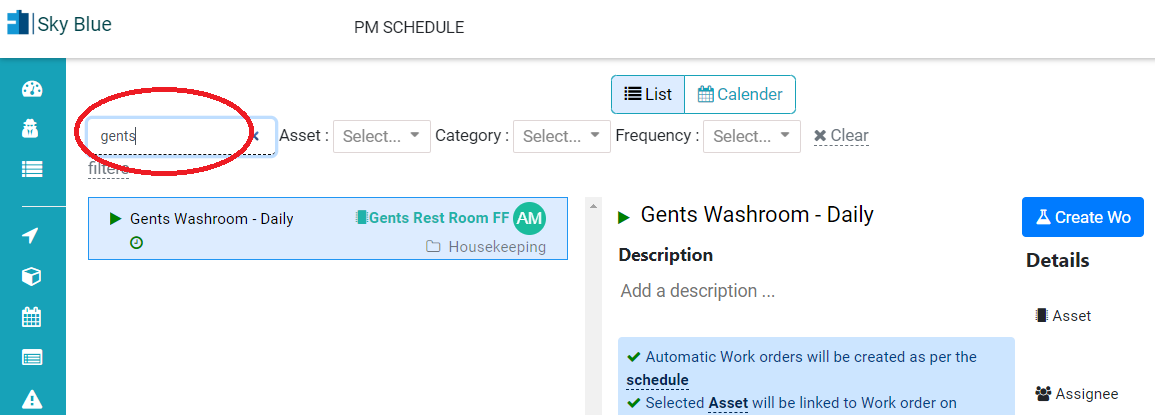
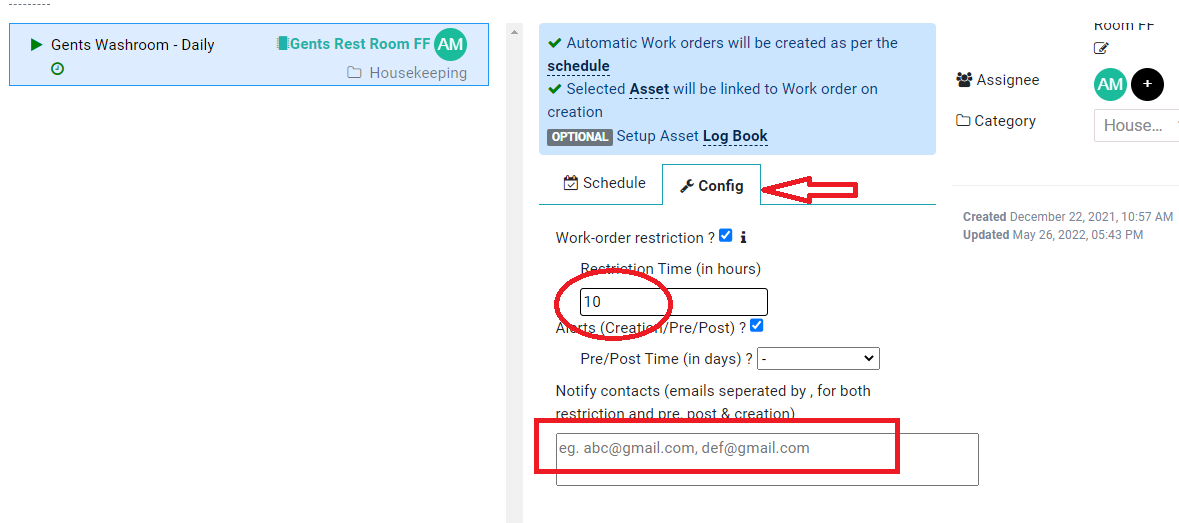
2 Configure or update restriction under config tab in Schedule detail view. Below fields can be updated:
- Restriction Time in Hours
- Notify contacts – email ids
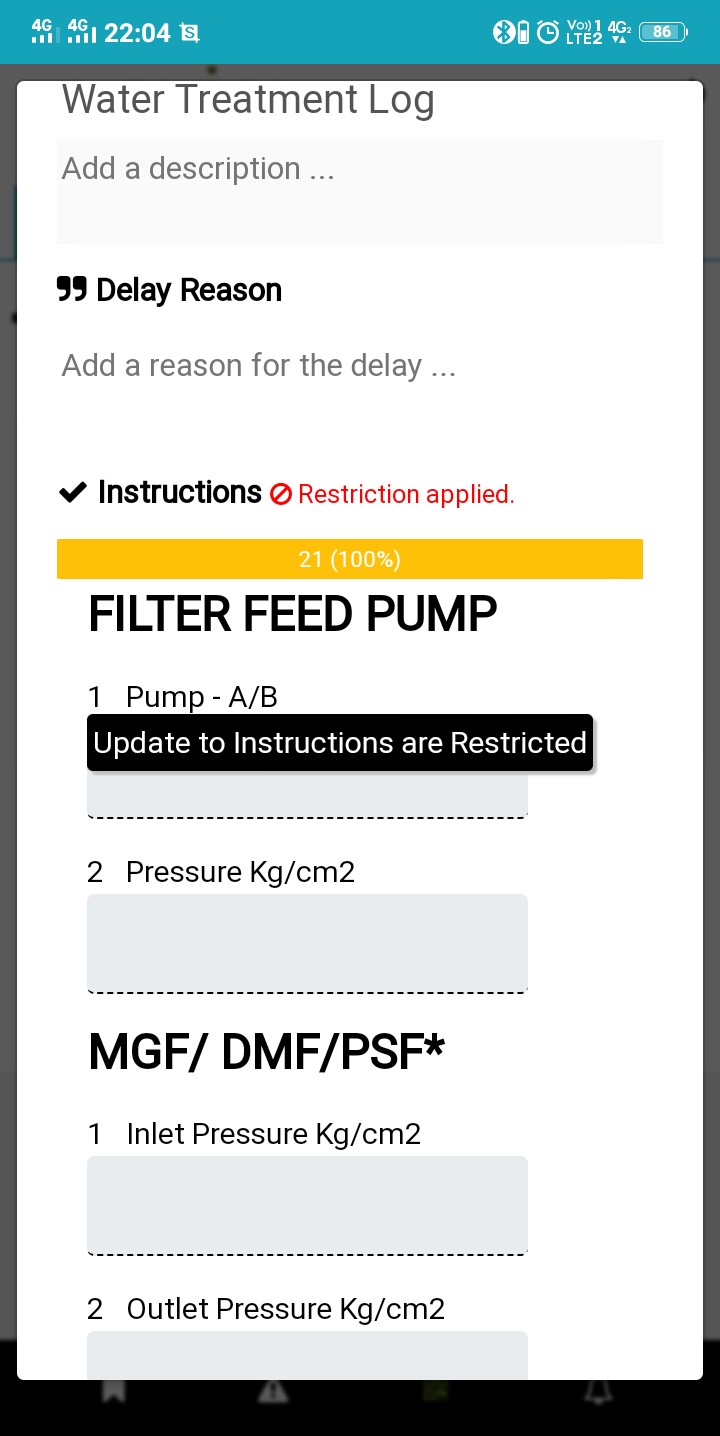
Note:- After restriction hours checklist or instruction set will become disable and can’t be updated. Refer below image
How to add PM Schedule manually?
Ready to Transform Your Facility Management?
See how Factech automates maintenance, assets, and compliance in one intelligent platform.
Let's Talk
Have questions about our AI-powered solutions? Our team is here to help you digitize your facility operations.
Ready to Transform Your Facility Management?
See how Factech automates maintenance, assets, and compliance in one intelligent platform.
Let's Talk
Have questions about our AI-powered solutions? Our team is here to help you digitize your facility operations.


Leave a Comment