
What are different options in Asset field tracking Charts?
As admin and owner of dashboard, you can select different options in Asset Field Tracking Dashboard component.
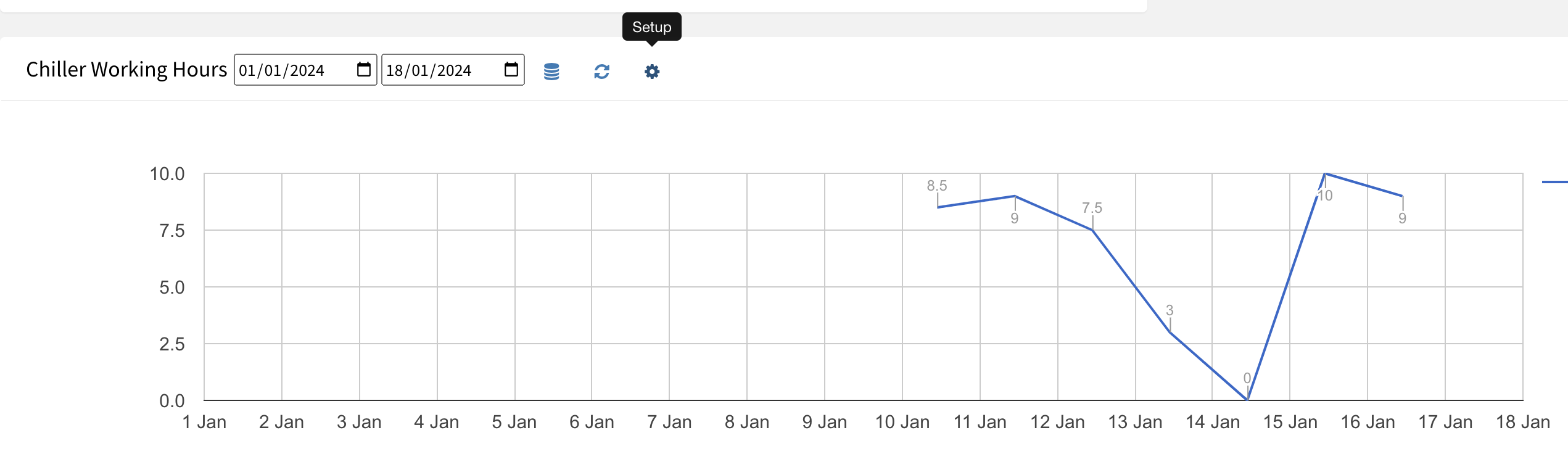
Options in set up are:
a) Show Delta: to view changes or consumption
b) Group: By hour, day, week, month
c) Date Format: d, dd MMM, dd MMM YYYY, custom
d) Legend: Location of legend – left, top, bottom, right
e) Chart: Line — Classical , Material, Bar Chart
f) Annotations: display values on chart
g) Dimensions: Change size – width * height of a component — 1*1, 1*2, 1*3, 2*1,…, 3*3.
h) Display Selected Asset’s Field: To show the data table of asset fields

How to show bar charts in Asset Tracking dashboards?
Ready to Transform Your Facility Management?
See how Factech automates maintenance, assets, and compliance in one intelligent platform.
Let's Talk
Have questions about our AI-powered solutions? Our team is here to help you digitize your facility operations.
Ready to Transform Your Facility Management?
See how Factech automates maintenance, assets, and compliance in one intelligent platform.
Let's Talk
Have questions about our AI-powered solutions? Our team is here to help you digitize your facility operations.




