
How to search Payment ?
iSocietyManager features helps you search the payment by dates, units etc. The following is steps provided to search payment :-
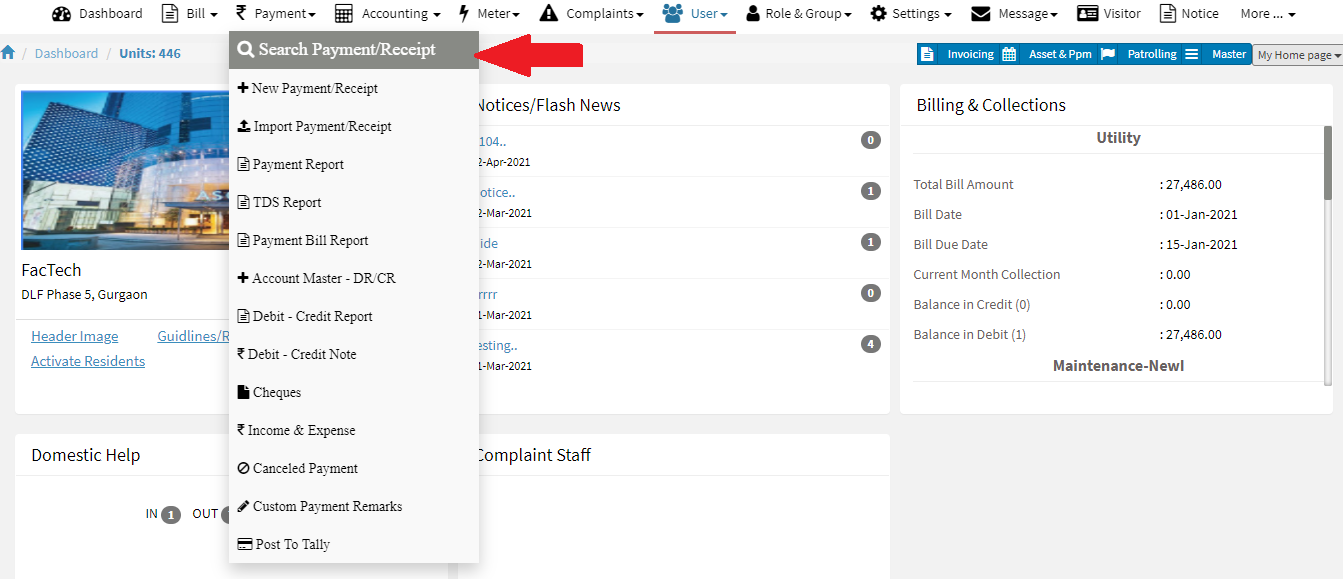
- Go to Payment Menu, then click on Search Payment/Receipt.
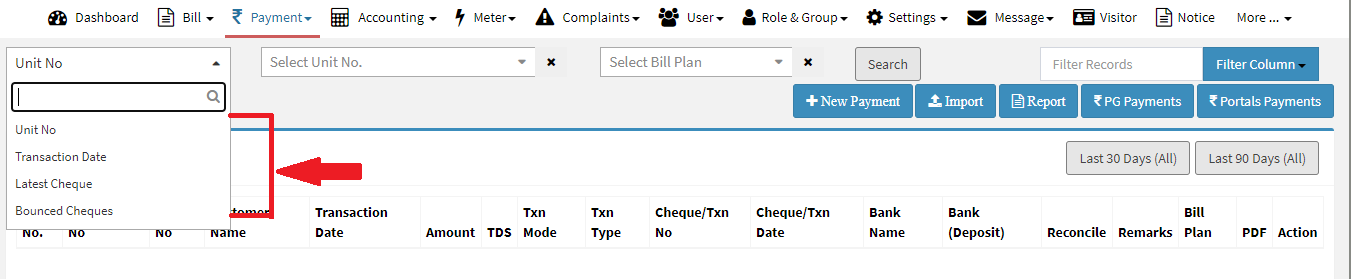
- Now select the modes you want to search the payment. e.g. unit, transaction date etc.
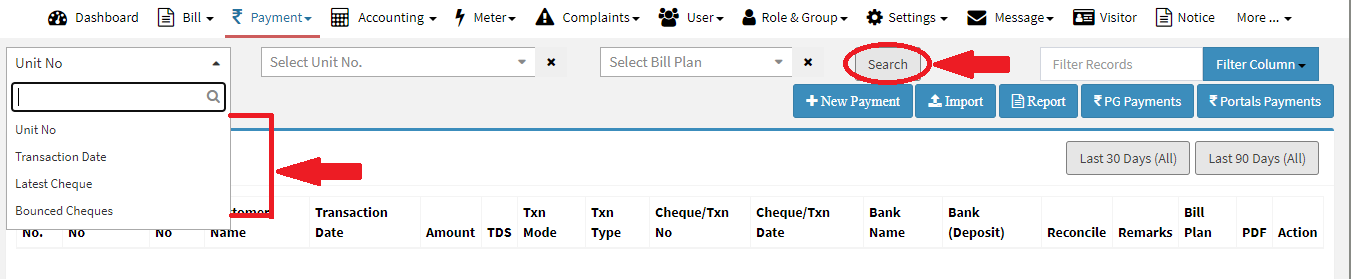
- Suppose if Unit No is selected then enter unit no and click on Search.
When you click then it will display all the payment related to the units.
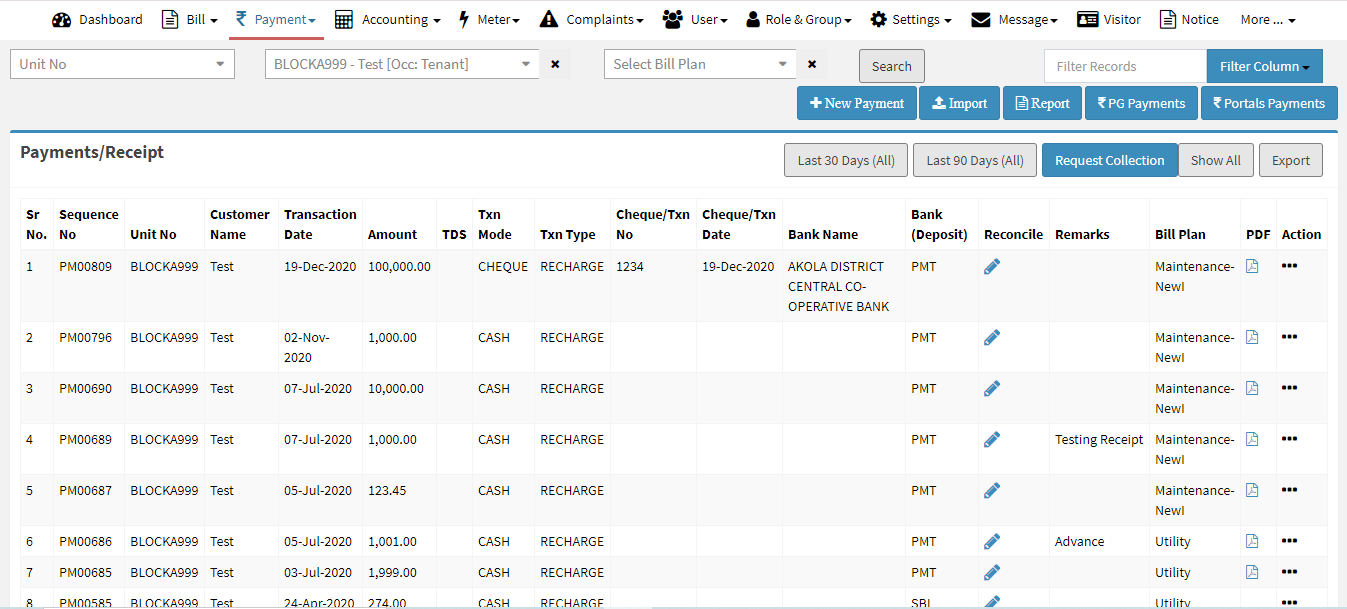
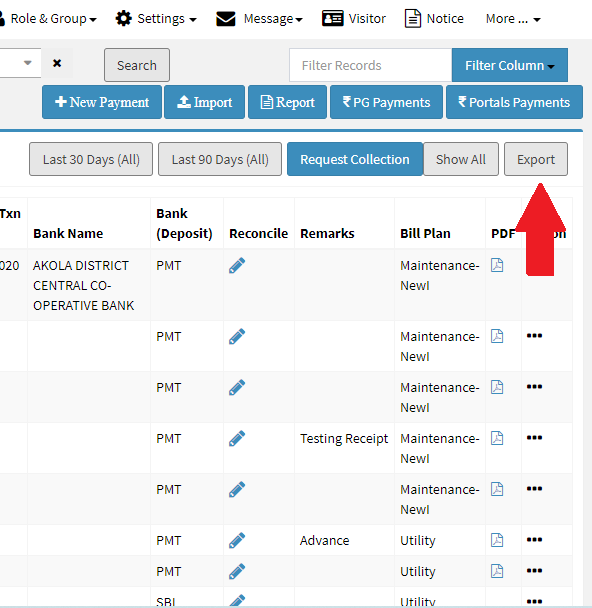
iSocietyManager helps you to export the payment records in excel sheet as well.
Ready to Transform Your Facility Management?
See how Factech automates maintenance, assets, and compliance in one intelligent platform.
Let's Talk
Have questions about our AI-powered solutions? Our team is here to help you digitize your facility operations.
Ready to Transform Your Facility Management?
See how Factech automates maintenance, assets, and compliance in one intelligent platform.
Let's Talk
Have questions about our AI-powered solutions? Our team is here to help you digitize your facility operations.


Leave a Comment