
How to get Site all Equipment Status in dashboard?
For facility managers it is paramount to know if any equipment in the project is under breakdown.
Asset breakdown status in Factech Kaizen CAFM provides real-time visibility into equipment failures, aiding swift response and proactive maintenance planning. By monitoring breakdowns, businesses optimize uptime, reduce costs, and ensure operational efficiency. With Kaizen CAFM, organizations gain a comprehensive view of asset health, enabling timely interventions and fostering a culture of preventive maintenance. Stay ahead of breakdowns, streamline operations, and maximize asset performance with CMMS.
Factech dashboard has component to get insight of all your equipment at one place.

As admin, with dashboard Edit permission, you can add Equipment Status Chart in your dashboard and get all equipments or assets status at one place. RAG ( Red Amber Green) standard is followed.
- Red – Unplanned Breakdown
- Amber – Planned Breakdown
- Green – Operational
Steps to add Equipment Status Chart are:
1. Go to Dashboard -> Edit
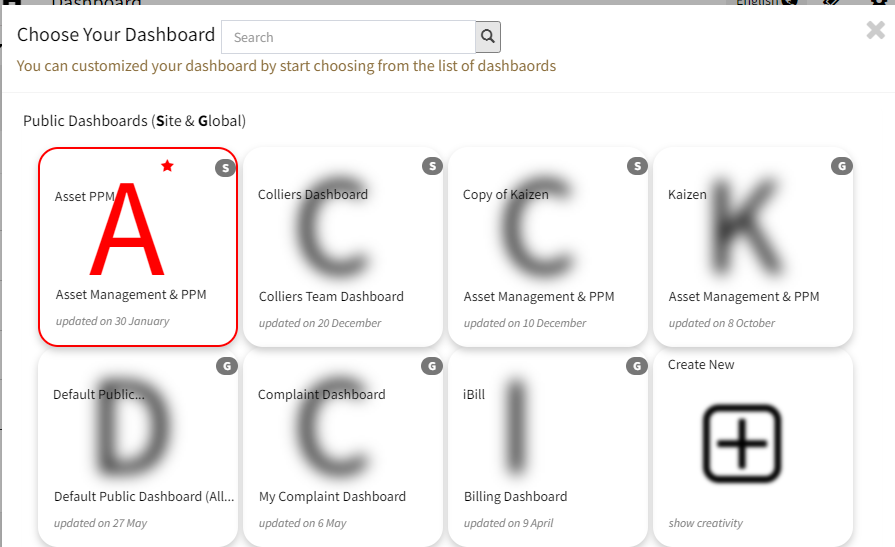
2. Choose Module Asset PPM & Component – Category Wise Breakdown

Category Wise Equipment Status
3. Click on Value Button and that component is added at the last of your dashboard. You can drag and drop at any place where you want.
Note: This is drill down component. Equipments or Assets are grouped in categories. On click of category, that category’s assets are shown.
References:
How to personalise Home Page?
How to populate Asset Performance Charts in real time
Ready to Transform Your Facility Management?
See how Factech automates maintenance, assets, and compliance in one intelligent platform.
Let's Talk
Have questions about our AI-powered solutions? Our team is here to help you digitize your facility operations.
Ready to Transform Your Facility Management?
See how Factech automates maintenance, assets, and compliance in one intelligent platform.
Let's Talk
Have questions about our AI-powered solutions? Our team is here to help you digitize your facility operations.




