
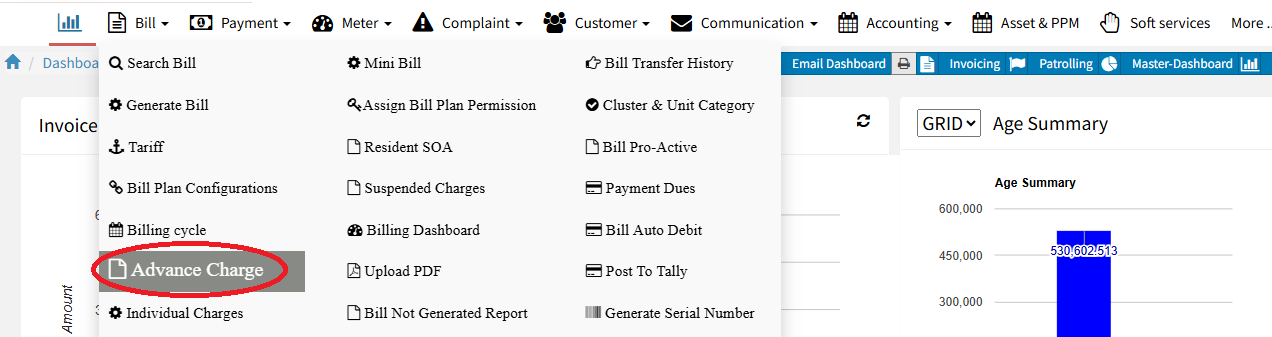
How to Download Advance Charge
The Advance Charge report helps check pending advances, reconcile payments, and verify client outstanding balances. It gives the accounts team a complete view of all clients in one Excel sheet. Only users with Advance Charge access (like Admin or Accounts) can download this report.
Steps to Download Advance Charges:
Login to Factech – Log in with your credentials at Factech Login.
Navigate to Advance Charge Module – Go to the Billing module and click on Advance Charge.
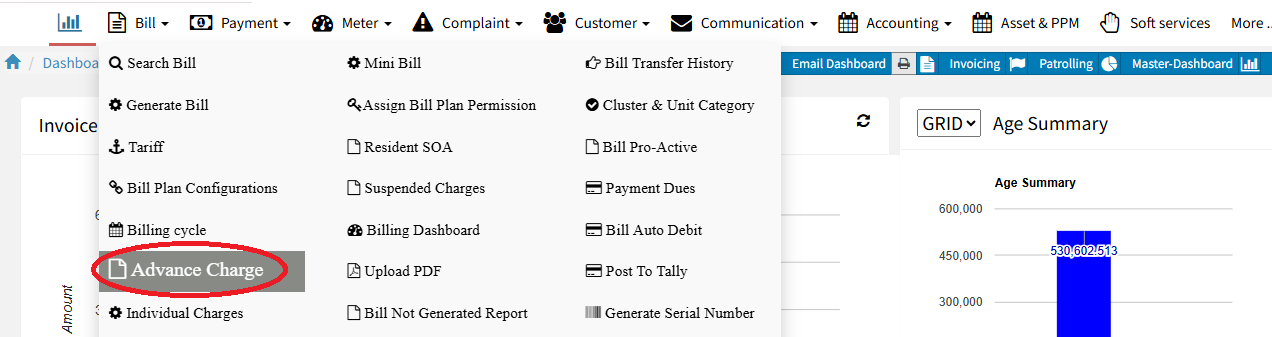
Click on Report – In the Advance Charge section, click the Report button.

Search by Cluster or Tower – Type the Cluster name and click Search to filter results.
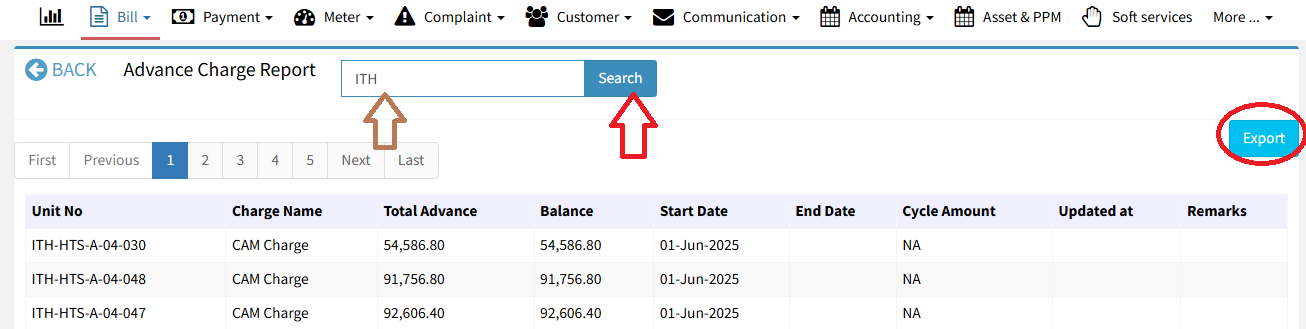
Export to Excel
Click the Export button to download the data in Excel format.
Ready to Transform Your Facility Management?
See how Factech automates maintenance, assets, and compliance in one intelligent platform.
Let's Talk
Have questions about our AI-powered solutions? Our team is here to help you digitize your facility operations.
Ready to Transform Your Facility Management?
See how Factech automates maintenance, assets, and compliance in one intelligent platform.
Let's Talk
Have questions about our AI-powered solutions? Our team is here to help you digitize your facility operations.




