
How to add custom field value in the asset?
To add or change custom field properties of the asset:
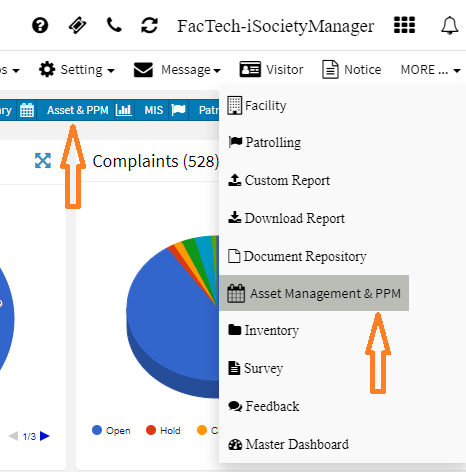
- Go to Dashboard -> Asset & PPM or More -> Asset & PPM

- Asset Management Dashboard with all menu options on the left side will be displayed. Click on Asset Icon to go to Asset UI.

- On click of Asset, you will see the list of existing Asset. You can also filter the asset by selecting from Search/drop-down at top left of the UI

- Click on the Asset Name Link. You will see the UI with Asset details.

- Add the details as per your need and Save.
Ready to Transform Your Facility Management?
See how Factech automates maintenance, assets, and compliance in one intelligent platform.
Let's Talk
Have questions about our AI-powered solutions? Our team is here to help you digitize your facility operations.
Ready to Transform Your Facility Management?
See how Factech automates maintenance, assets, and compliance in one intelligent platform.
Let's Talk
Have questions about our AI-powered solutions? Our team is here to help you digitize your facility operations.




Leave a Comment