
How to Add Advance Charge in Factech
Advance Charge is an amount collected from occupants in advance that gets adjusted automatically in future maintenance bills.
Factech supports two types:
Total Advance Amount (single amount)
Base Amount + GST Amount (component-wise)
Following are steps to add Advance Charge,
Login with a user account that has Advance Charge – Add permission.
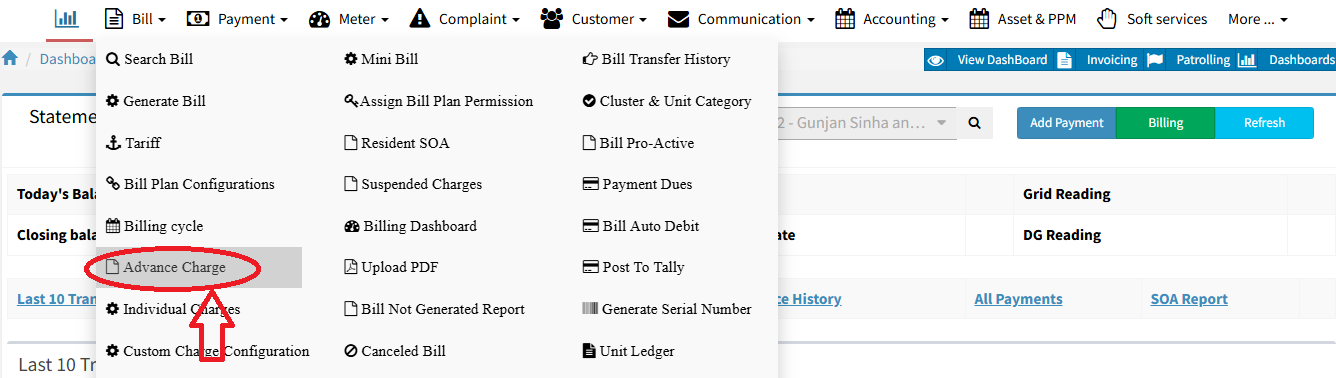
Go to Bill → Advance Charge.
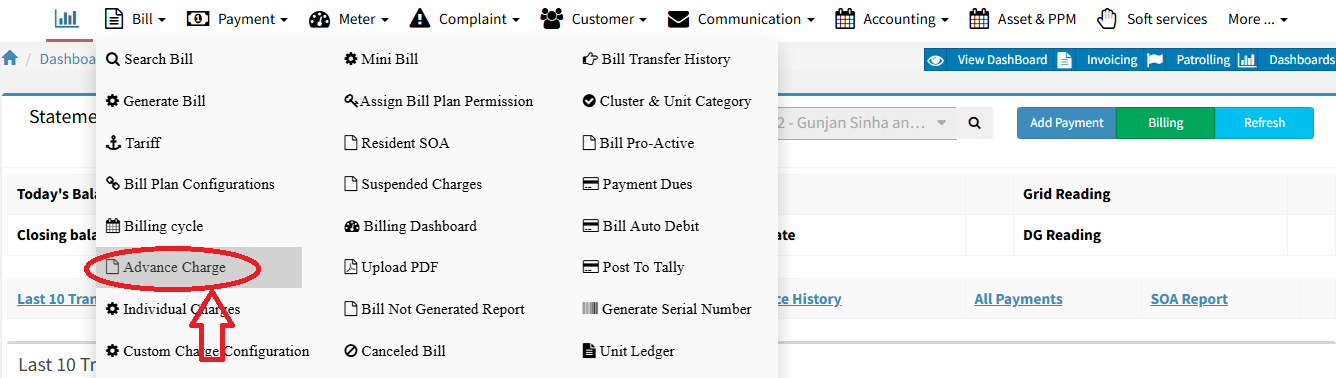

Click + Advance Charge,

Fill in all mandatory details, and click Save.
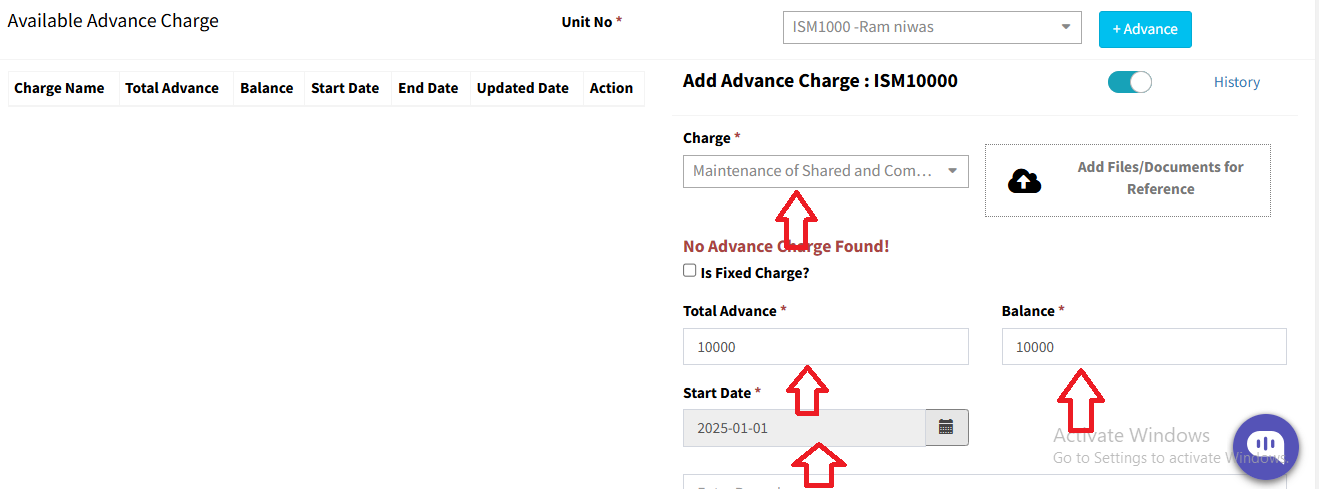
- Note: The balance amount must always be less than the total maintenance amount.
Ready to Transform Your Facility Management?
See how Factech automates maintenance, assets, and compliance in one intelligent platform.
Let's Talk
Have questions about our AI-powered solutions? Our team is here to help you digitize your facility operations.
Ready to Transform Your Facility Management?
See how Factech automates maintenance, assets, and compliance in one intelligent platform.
Let's Talk
Have questions about our AI-powered solutions? Our team is here to help you digitize your facility operations.




