

How to export asset and housekeeping details from Factech?
Factech allows users to quickly export asset and housekeeping data for reporting or backup purposes. The data is downloaded in Excel format for easy access and sharing.
After logged in as admin having asset reading (access rights), you can download asset and housekeeping data as per your needs using the following steps.
Steps to Export:
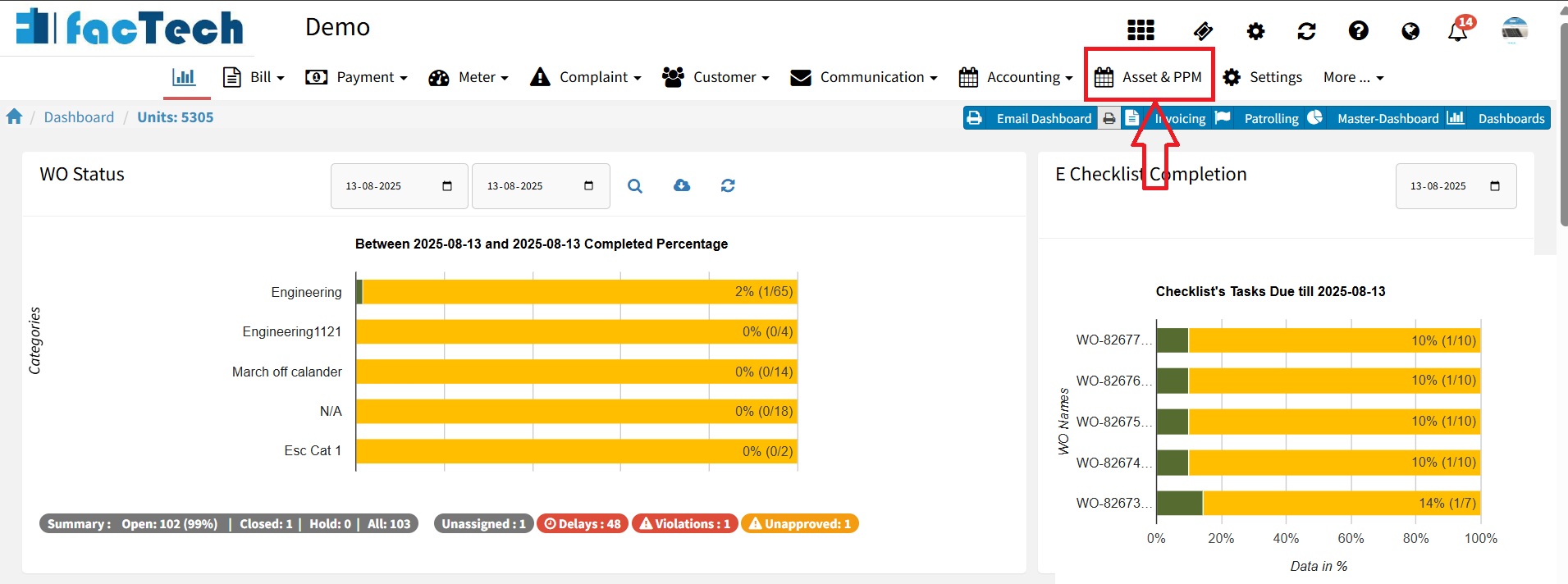
Go to the “Asset & PPM” tab
From the main dashboard, click on the Asset & PPM section.
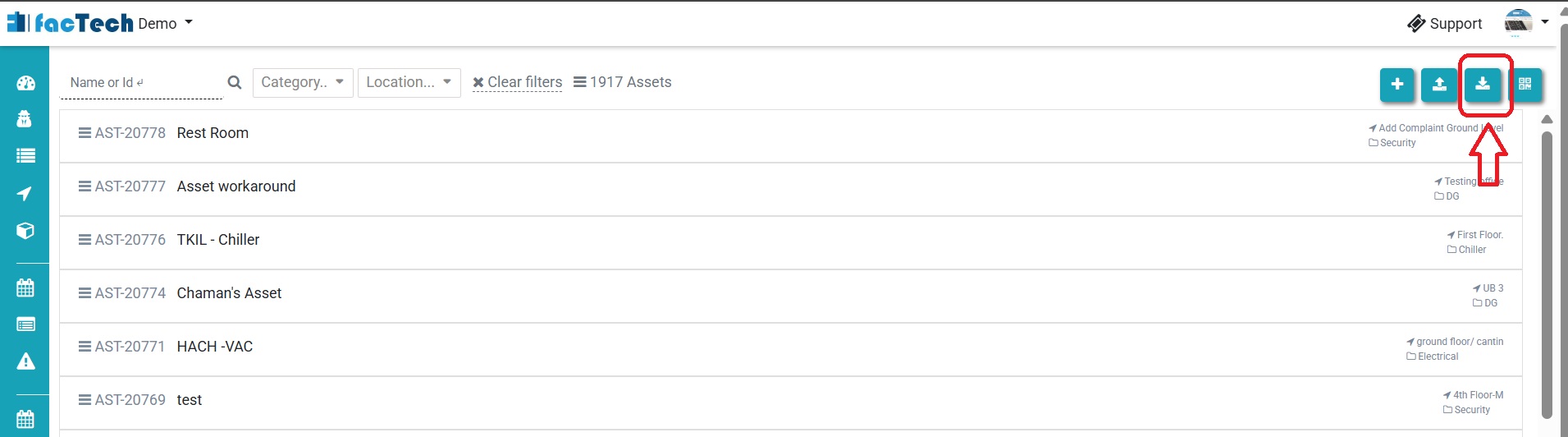
Step 2. On the top-right corner, click the Export button to begin downloading the data.
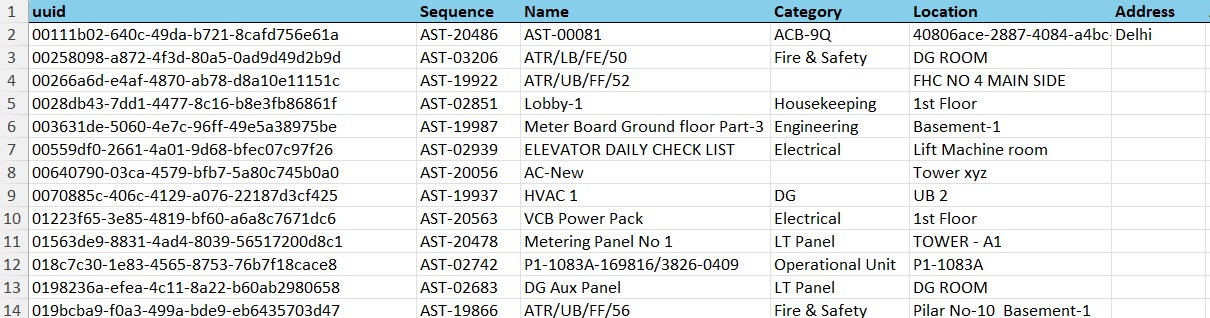
The system will automatically generate and download the Excel file containing asset and housekeeping details.
Ready to Transform Your Facility Management?
See how Factech automates maintenance, assets, and compliance in one intelligent platform.
Let's Talk
Have questions about our AI-powered solutions? Our team is here to help you digitize your facility operations.
Ready to Transform Your Facility Management?
See how Factech automates maintenance, assets, and compliance in one intelligent platform.
Let's Talk
Have questions about our AI-powered solutions? Our team is here to help you digitize your facility operations.




