
How to get Inventory report between 2 dates
What are different transactions ( Issue/ Recieve ) on stock items? How have these impacted available balance? You get all these answers by exporting Inventory Item details between 2 dates.
1. Go to Inventory -> Click on Download Item Details

2. Select Warehouse and choose From , To Dates. Click on download.
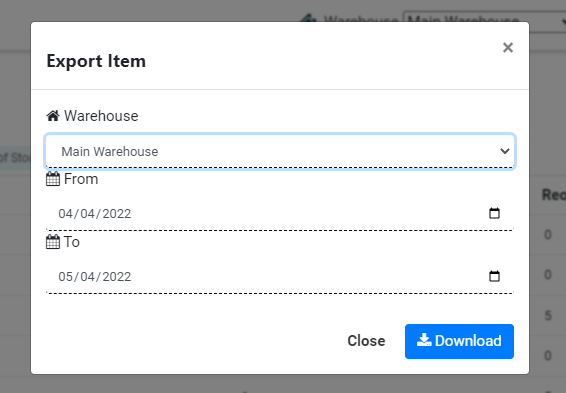
The report will be downloaded in excel sheet.
The fields displayed are
| Name | Code | Category | Unit | Opening | Issue | Receive | Closing |
Ready to Transform Your Facility Management?
See how Factech automates maintenance, assets, and compliance in one intelligent platform.
Let's Talk
Have questions about our AI-powered solutions? Our team is here to help you digitize your facility operations.
Ready to Transform Your Facility Management?
See how Factech automates maintenance, assets, and compliance in one intelligent platform.
Let's Talk
Have questions about our AI-powered solutions? Our team is here to help you digitize your facility operations.


Leave a Comment