How to Download PM Schedule
Follow the step-by-step guide below to download the Preventive Maintenance (PM) or Housekeeping schedule from the Factech portal:
1. Login to your Factech Account
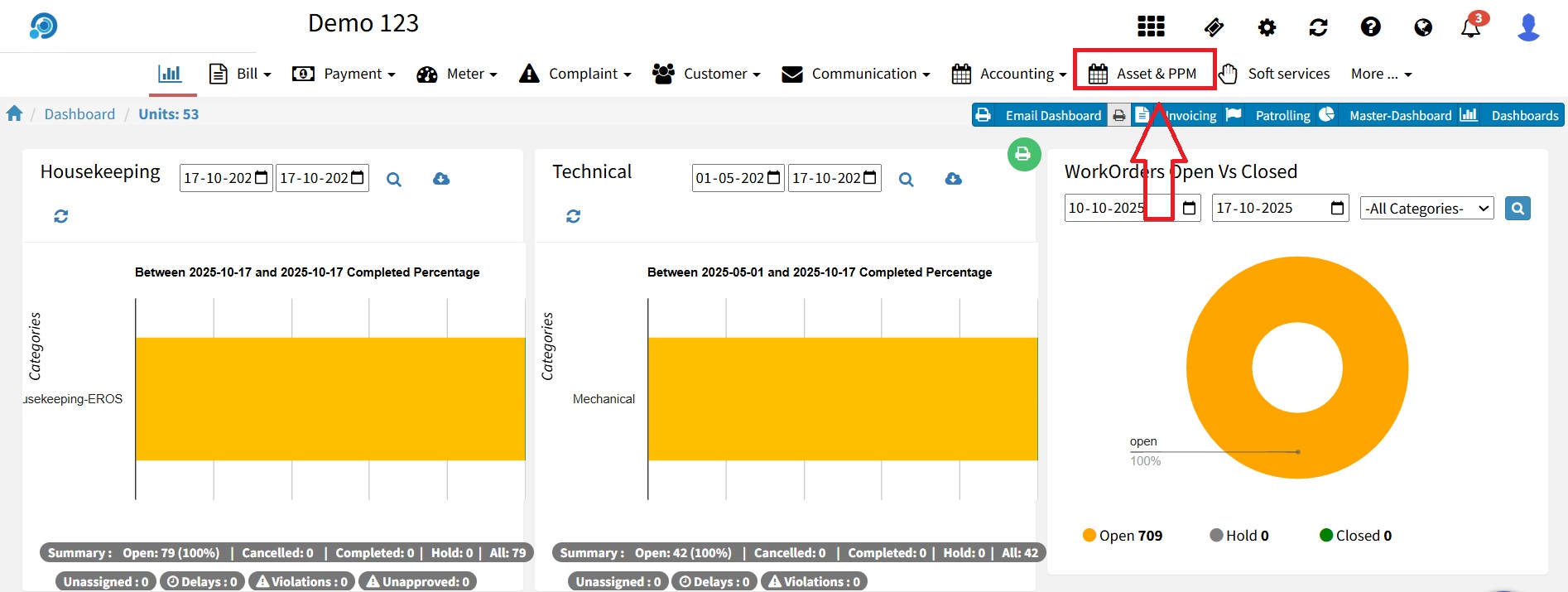
2.Navigate to the “Asset & PPM” Module
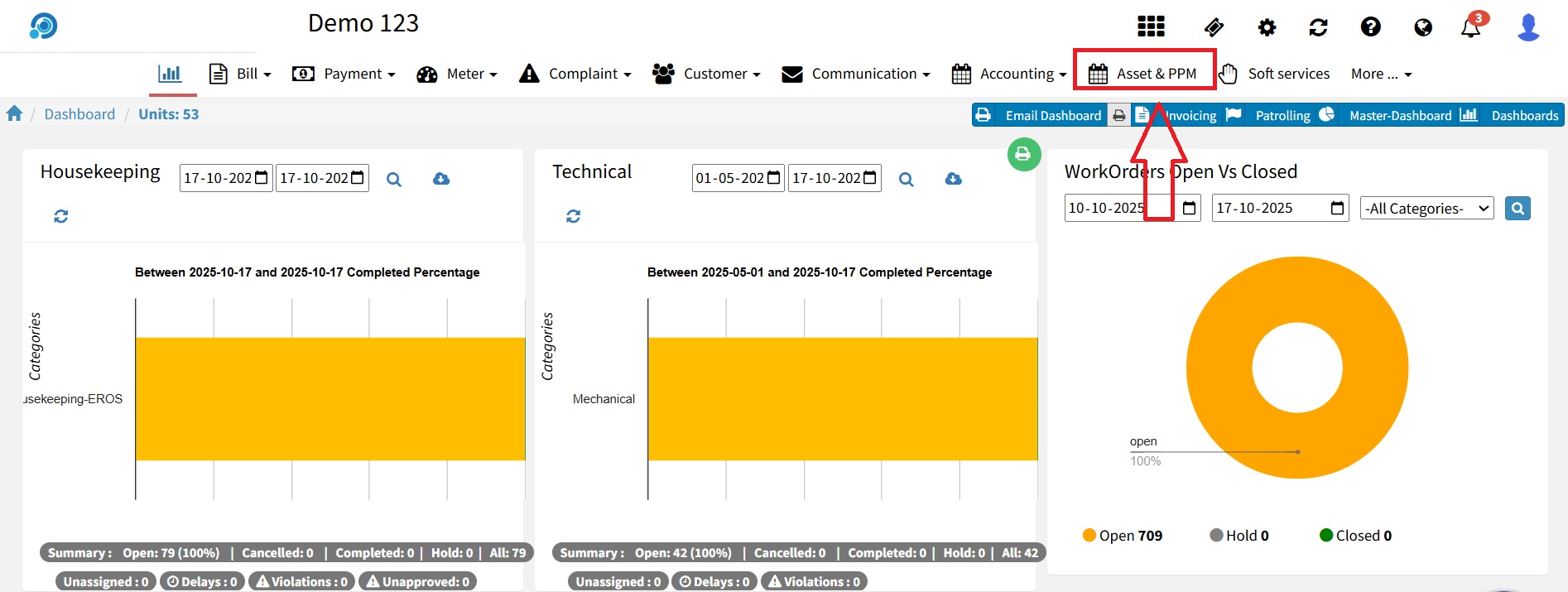
Within the “Asset & PPM” module, click on the “PM Schedule” tab.
On the top-right corner of the PM Schedule page, you’ll find an “Export” button.
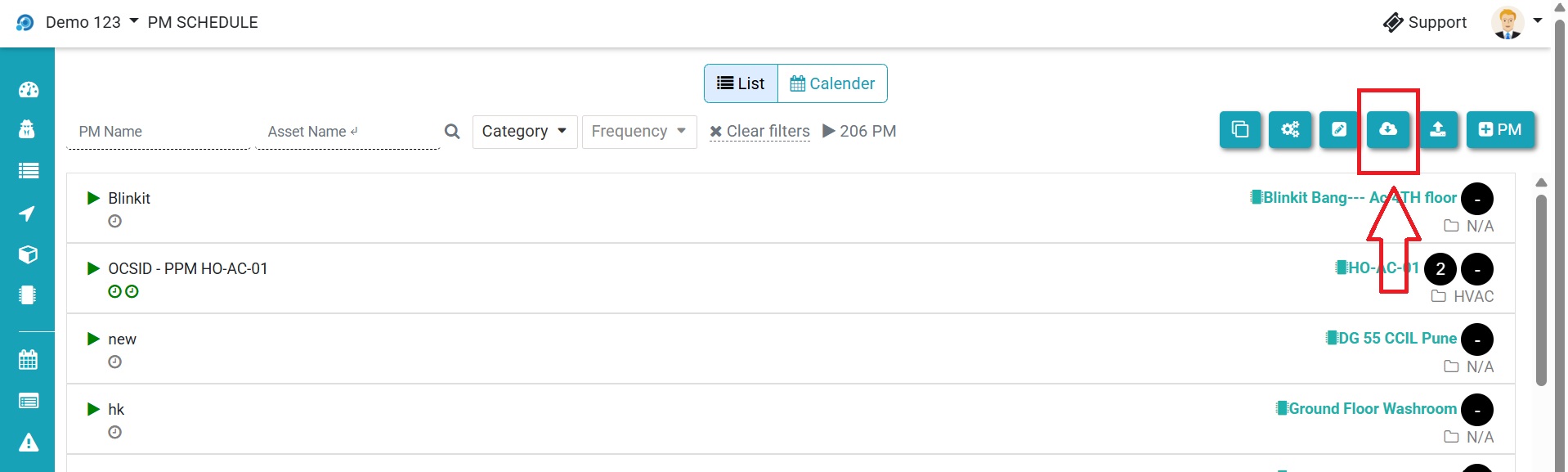
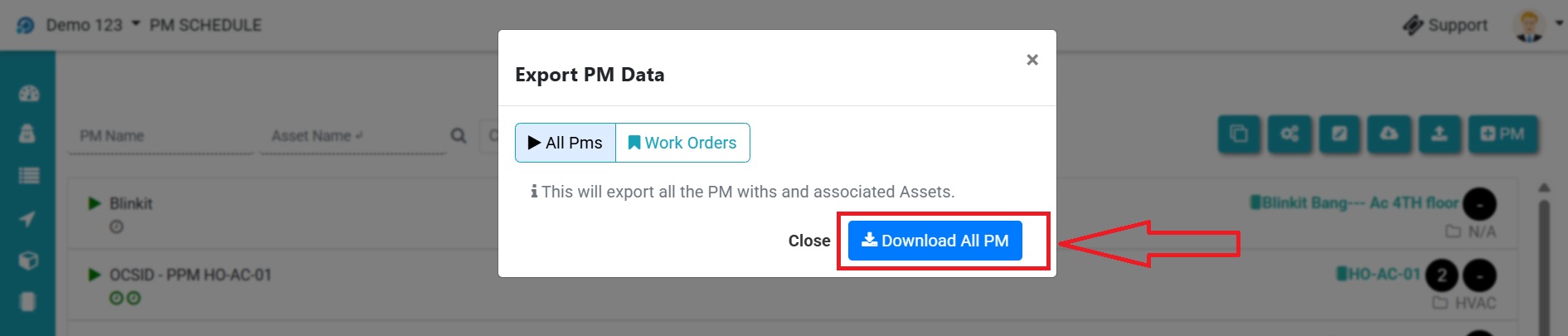
Click on download all PM
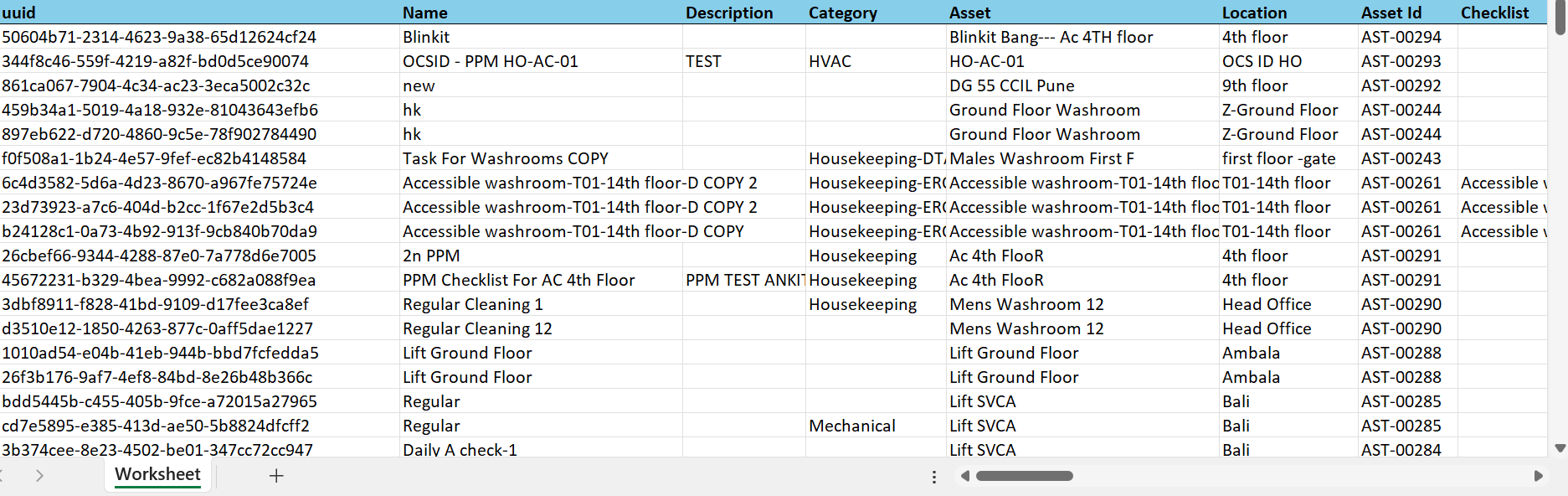
The PM Schedule will automatically download to your device in Excel (.xlsx) format.
Ready to Transform Your Facility Management?
See how Factech automates maintenance, assets, and compliance in one intelligent platform.
Let's Talk
Have questions about our AI-powered solutions? Our team is here to help you digitize your facility operations.
Ready to Transform Your Facility Management?
See how Factech automates maintenance, assets, and compliance in one intelligent platform.
Let's Talk
Have questions about our AI-powered solutions? Our team is here to help you digitize your facility operations.