How can I cancel invoices for a specific date range and cycle?
Factech Automation allows users to cancel invoices based on Billing Cycle, Date Range, or Unit Number. Only users with bill cancel rights (Admin/Accountant role) can perform this action.
Steps to Cancel an Invoice:
Log in with an Admin or Accountant role.
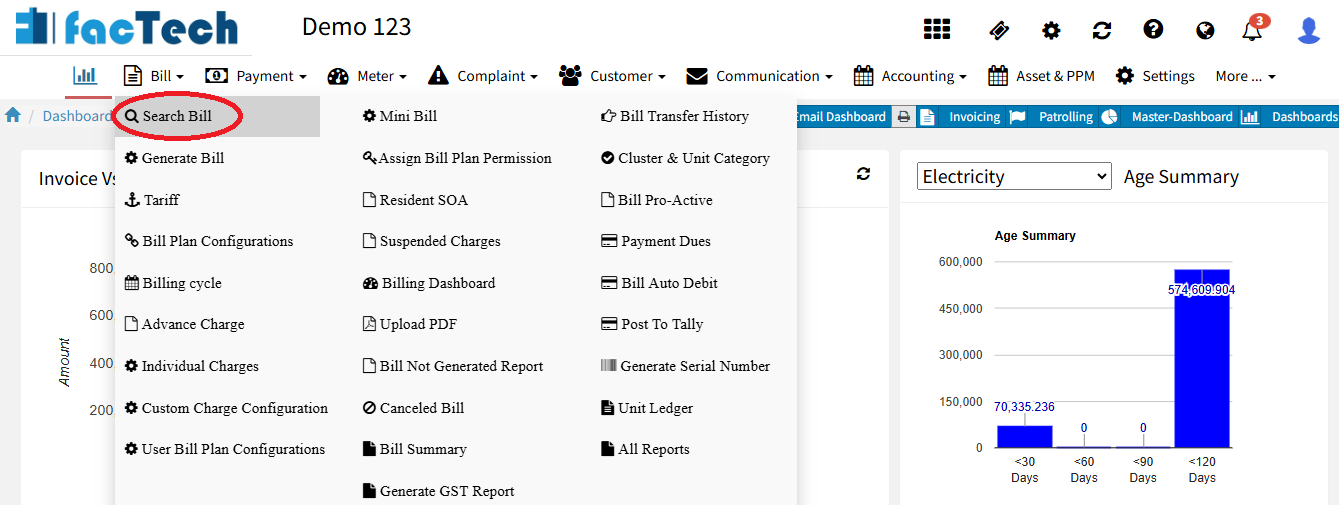
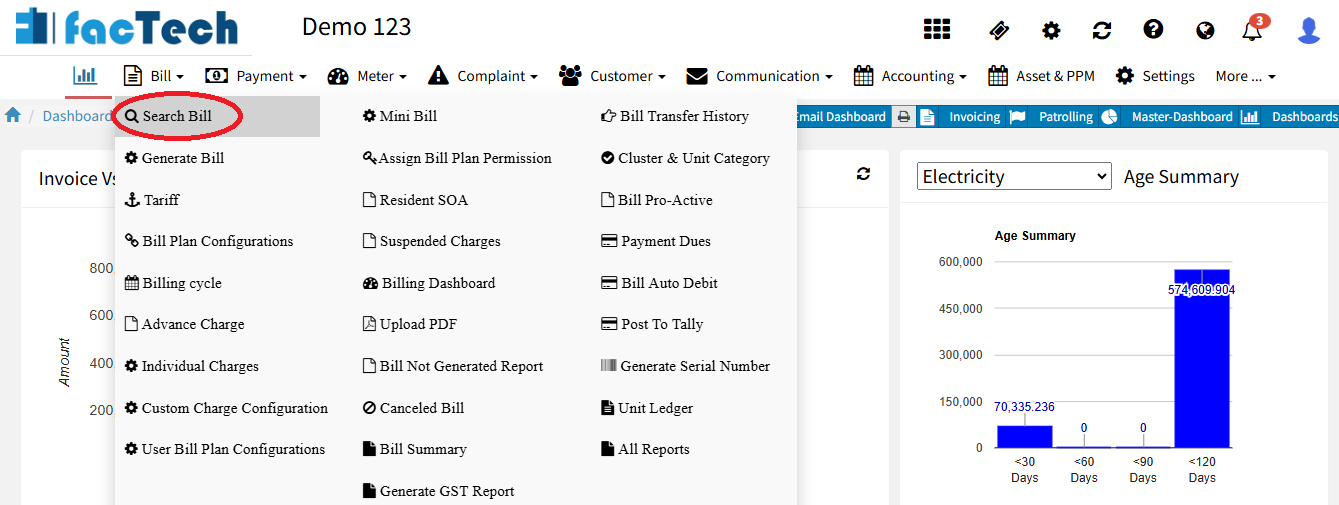
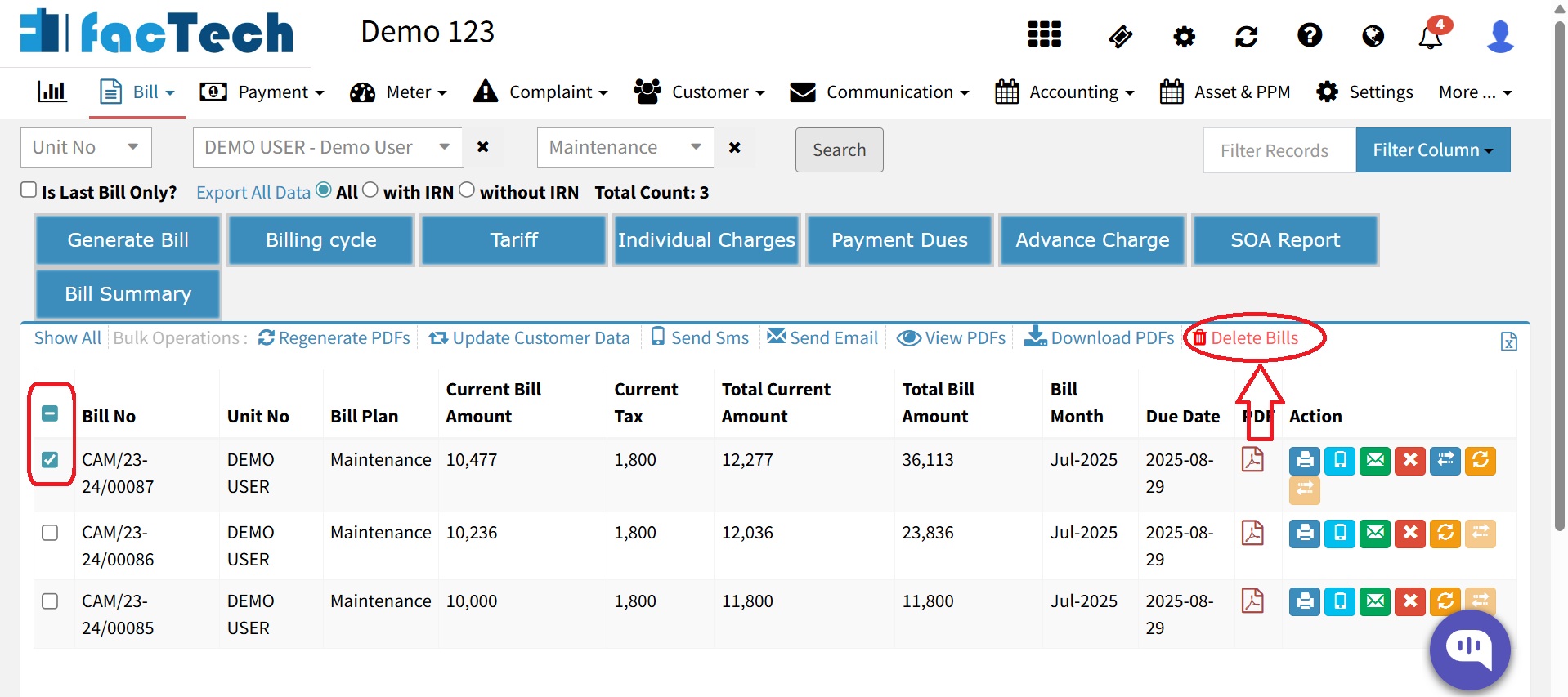
Go to Bill menu → Search Bill.
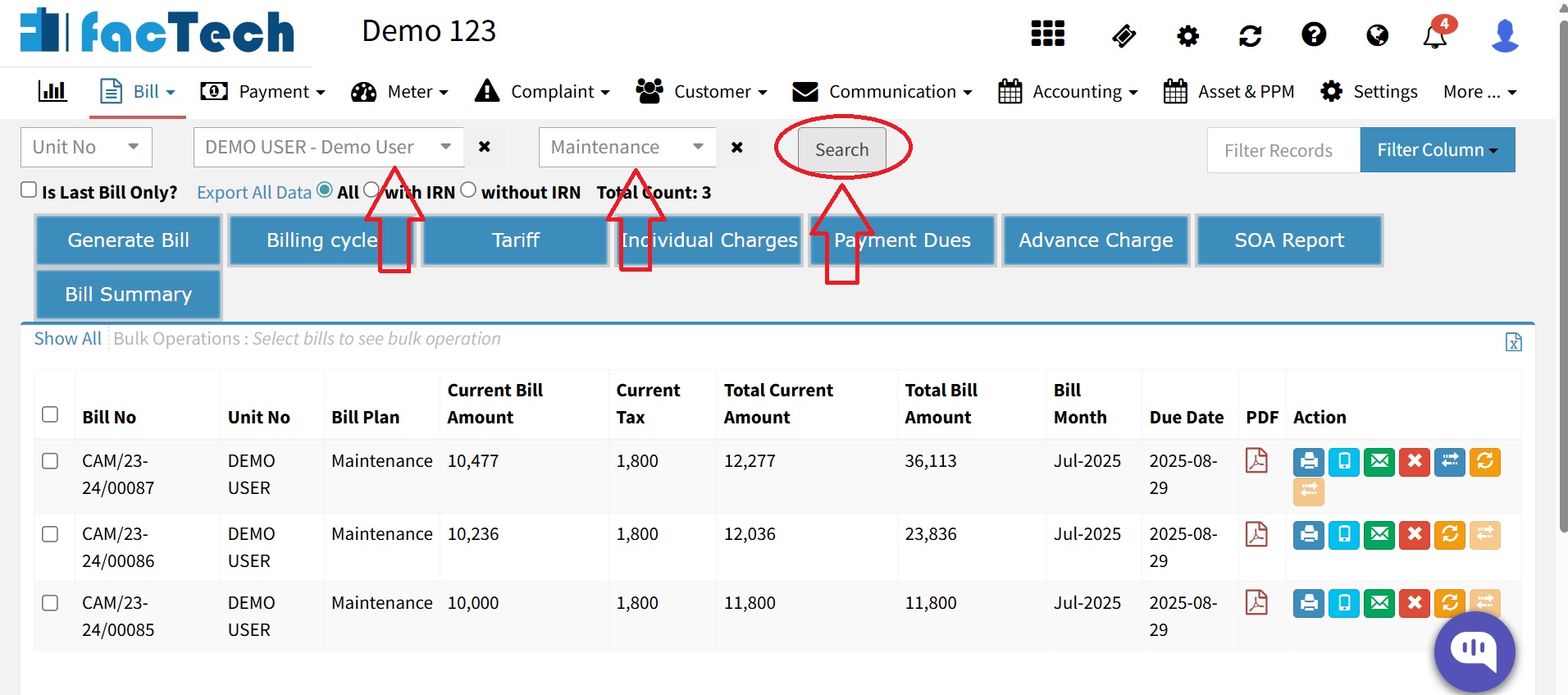
Select the Unit and Bill Plan, then click on Search.
Select the bill and click on delete bills.
- Enter a mandatory reason & click on Save button.
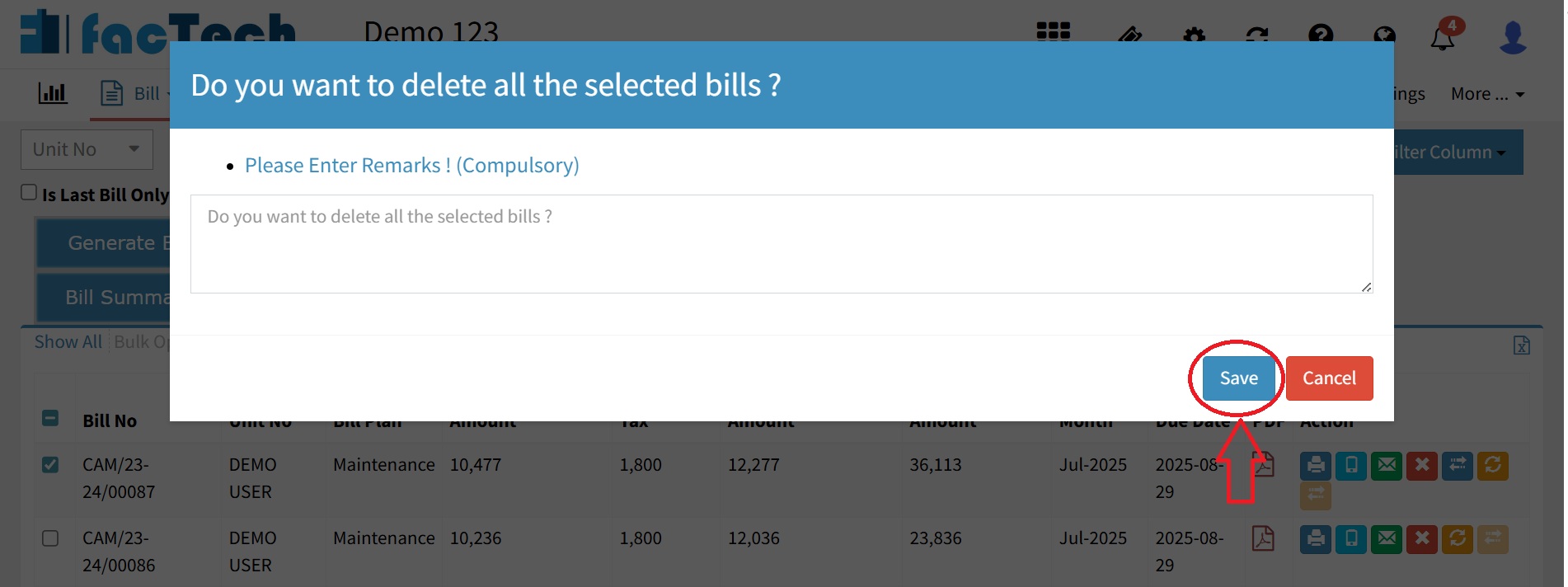
Once a bill is canceled, it cannot be undone. Please confirm before canceling.
Ready to Transform Your Facility Management?
See how Factech automates maintenance, assets, and compliance in one intelligent platform.
Let's Talk
Have questions about our AI-powered solutions? Our team is here to help you digitize your facility operations.
Ready to Transform Your Facility Management?
See how Factech automates maintenance, assets, and compliance in one intelligent platform.
Let's Talk
Have questions about our AI-powered solutions? Our team is here to help you digitize your facility operations.