
How to set Weekly Off in a schedule?
As admin, if you have update permission for schedule you can set off any week days on which you don’t want to create schedules.
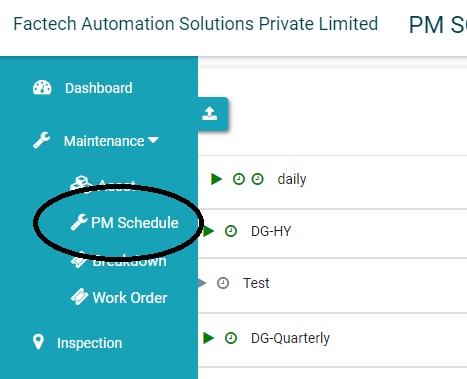
1. Go to PM Schedule and open the schedule which you want to update.
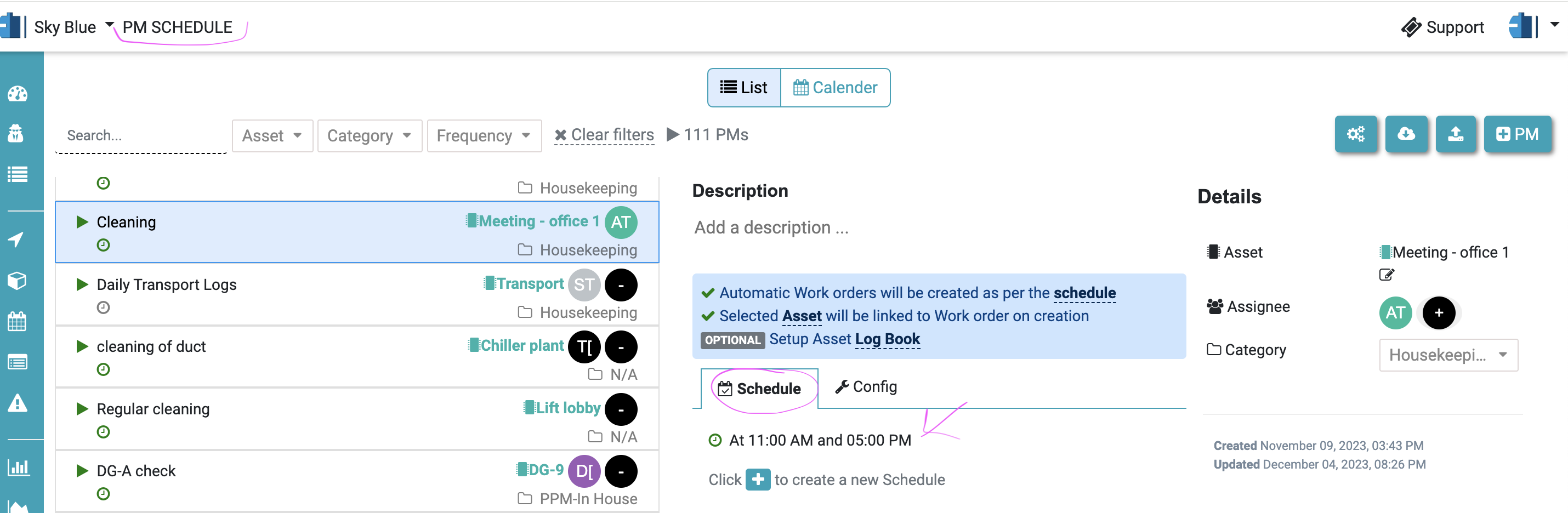
2. Select the schedule. As in below image Cleaning schedule is set for daily 11 am & 5 pm
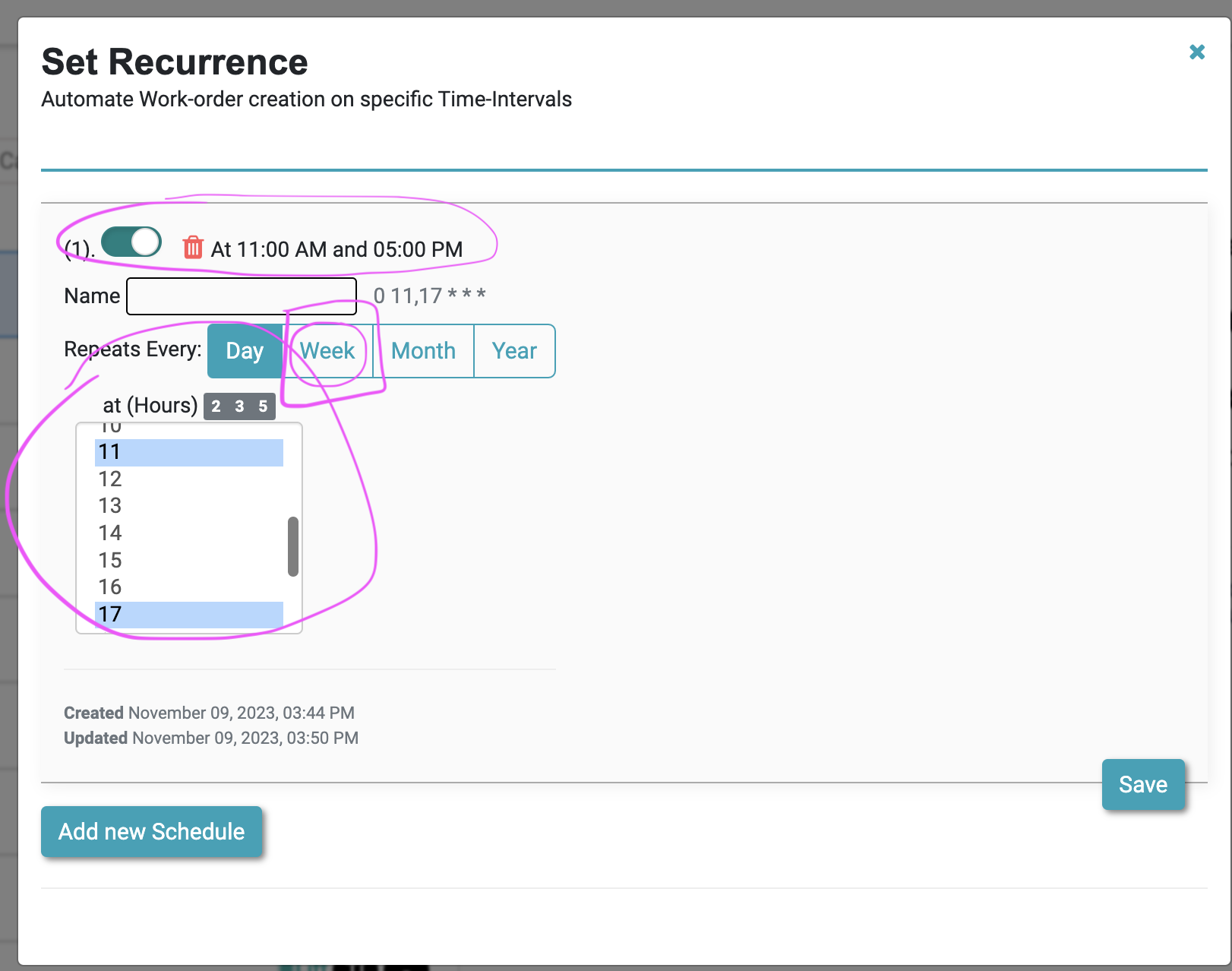
3. Click on the schedule time. A page with existing schedules will be displayed.
4. To set weekly off. Click on Week button and then choose the week days & time for which you want to perform the maintenance job and Save.
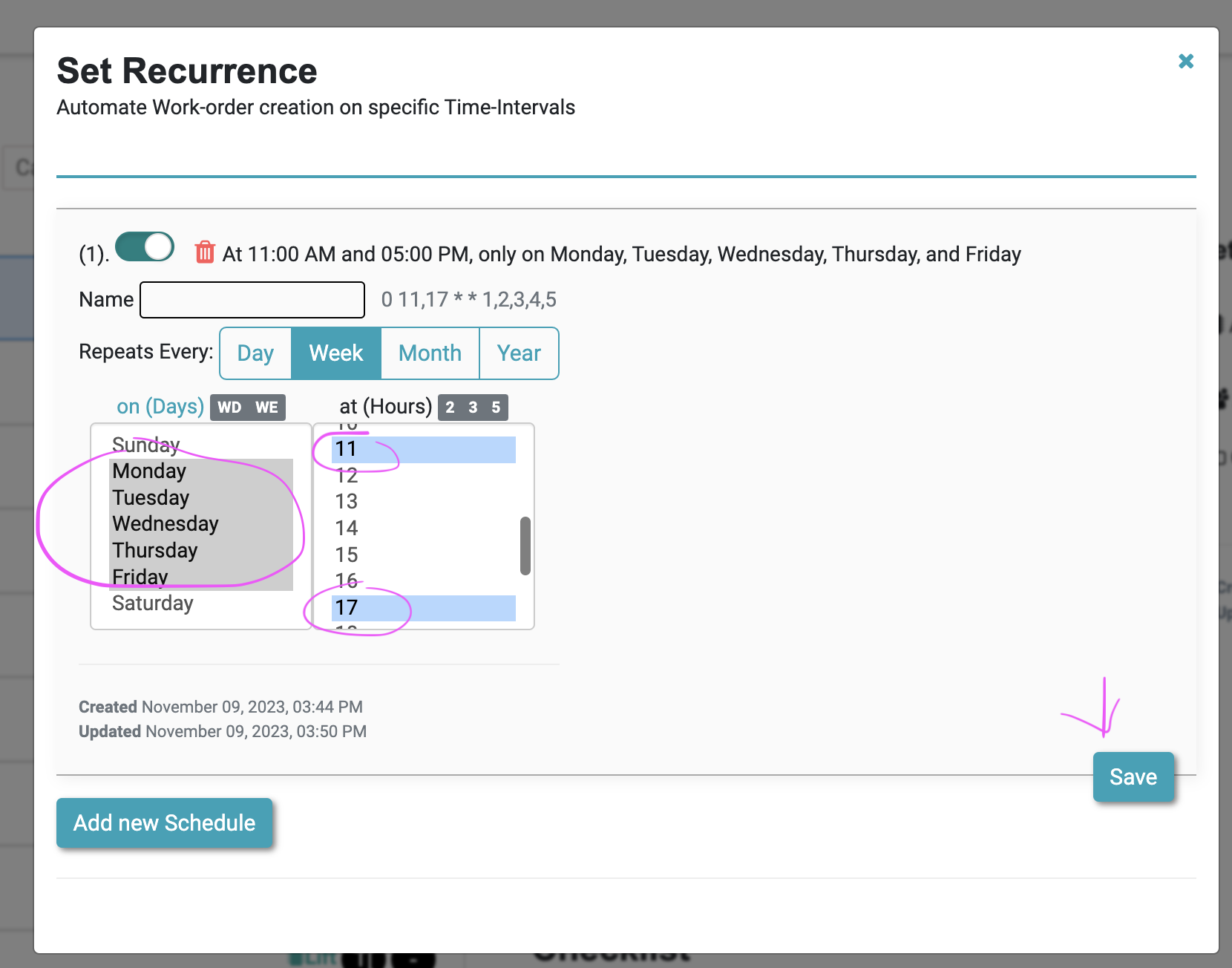
In this case Saturday & Sunday no work orders will be created.
References
How to update date, time of PPM or Housekeeping Schedule?
How to activate and deactivate PPM Schedule?
Ready to Transform Your Facility Management?
See how Factech automates maintenance, assets, and compliance in one intelligent platform.
Let's Talk
Have questions about our AI-powered solutions? Our team is here to help you digitize your facility operations.
Ready to Transform Your Facility Management?
See how Factech automates maintenance, assets, and compliance in one intelligent platform.
Let's Talk
Have questions about our AI-powered solutions? Our team is here to help you digitize your facility operations.




