
How to enable reopen complaint feature?
iSocietyManager has the “Reopen” feature in the Complaint that allow user to reopen the closed complaint. There is also an option to configure hours until when the complaint can be reopened. To enable this feature:
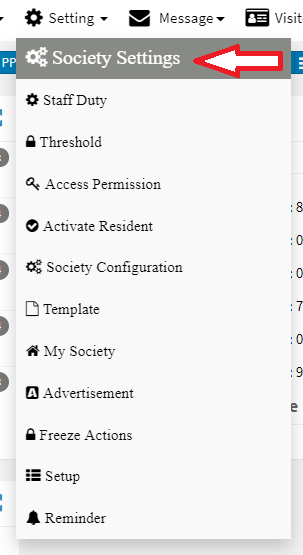
- Click on “Setting” Menu then click on “Society Settings”.

- Now in Complaint tab check the reopen button to enable the features then after click on Submit.

- Once the feature is enabled then the user can reopen the existing complaint.
- You can also define the complaint reopening hours by putting number of hours in “Restrict Reopen Closed complaint”.
Ready to Transform Your Facility Management?
See how Factech automates maintenance, assets, and compliance in one intelligent platform.
Let's Talk
Have questions about our AI-powered solutions? Our team is here to help you digitize your facility operations.
Ready to Transform Your Facility Management?
See how Factech automates maintenance, assets, and compliance in one intelligent platform.
Let's Talk
Have questions about our AI-powered solutions? Our team is here to help you digitize your facility operations.




Leave a Comment