
Document upload through instruction of the checklist
Previously, we could take only live photos as per the instructions. Now we can add both, live pictures and documents from the instructions.
It enables the facility manager to upload related documents for the particular photo.
Please take a look at the step below to add document instructions.
Step 1-
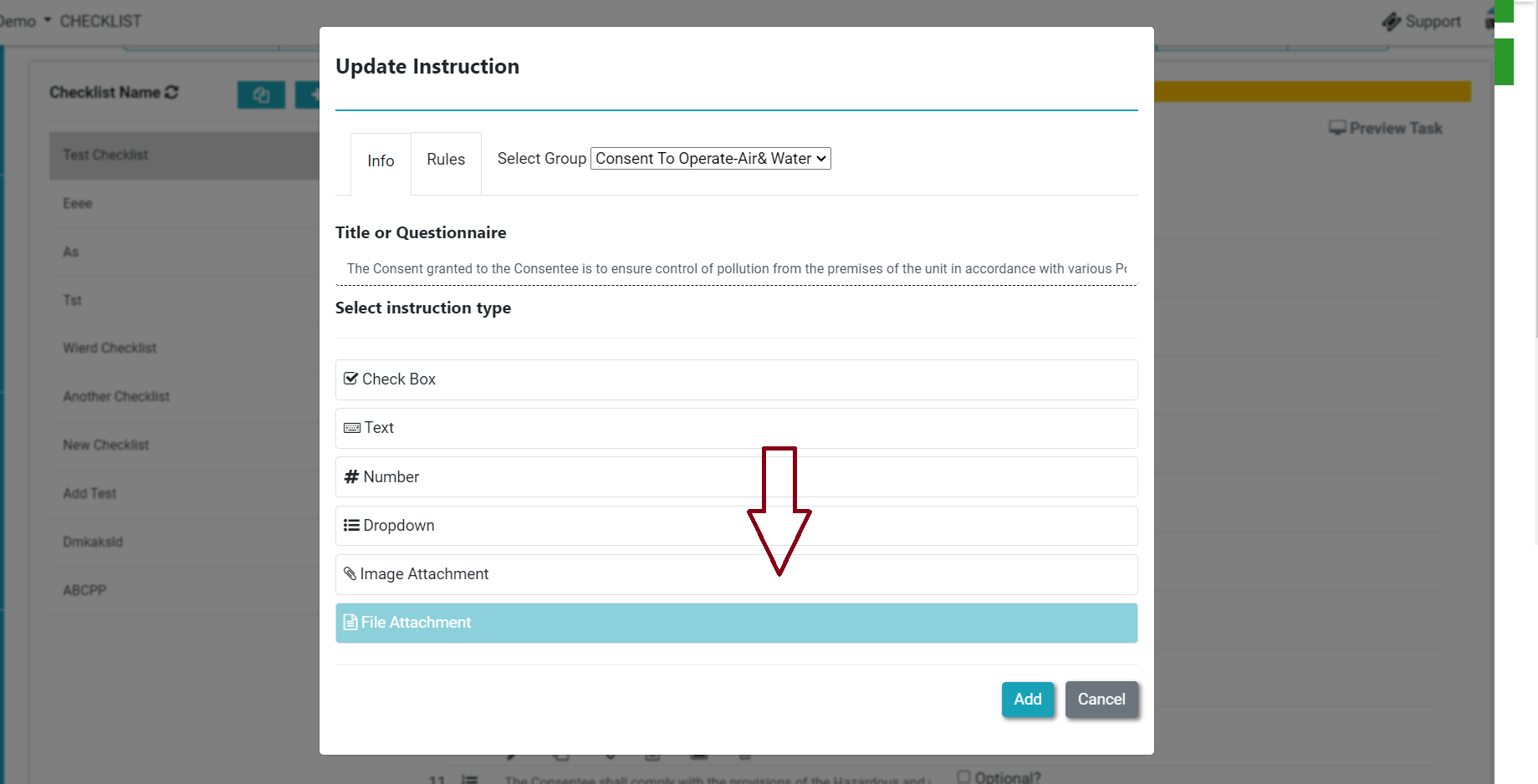
Login>Asset & PPM>Checklist and add the checklist. In the type option, you can check the option to add a document-related instruction named “File Attachment”(refer to screenshot)-
Thank You!!
Ready to Transform Your Facility Management?
See how Factech automates maintenance, assets, and compliance in one intelligent platform.
Let's Talk
Have questions about our AI-powered solutions? Our team is here to help you digitize your facility operations.
Ready to Transform Your Facility Management?
See how Factech automates maintenance, assets, and compliance in one intelligent platform.
Let's Talk
Have questions about our AI-powered solutions? Our team is here to help you digitize your facility operations.


