
How to Download SOA Report?
To download the SOA report, follow the steps below:
- Log in to Factech.
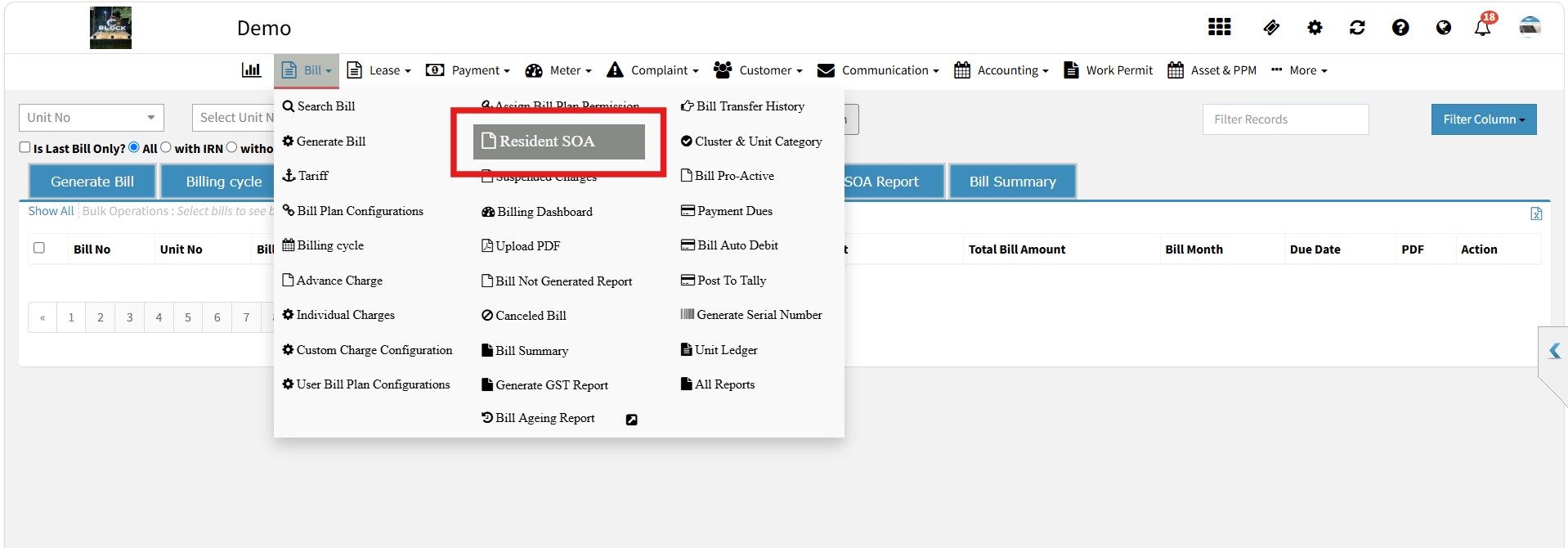
- Go to Bill → Resident SOA.

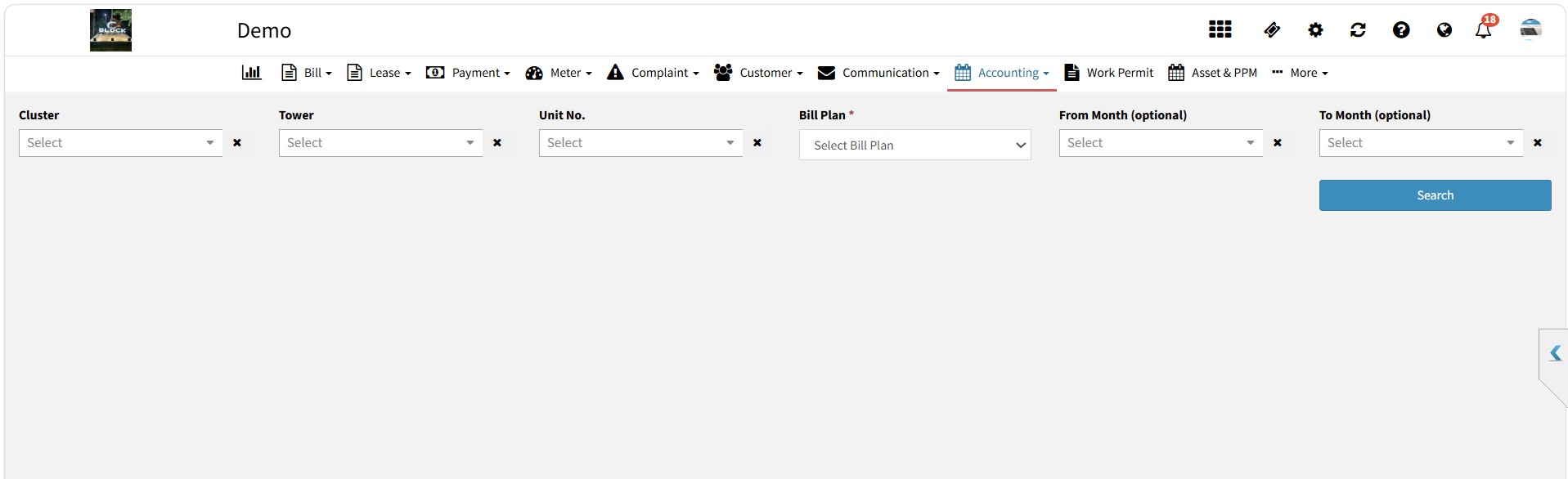
- Select the Cluster and Bill Plan to generate the report for all units under the selected bill plan/cluster.
- You can also apply additional filters such as Tower, Unit Number, From Month, and To Month as per your requirement.
- Click Search to generate the report.

- Once the report is generated, click Download to download it in PDF or Excel format.


Note: If any payment, debit, or credit transaction is added after the latest bill generation, it will not be reflected in the SOA report.


Ready to Transform Your Facility Management?
See how Factech automates maintenance, assets, and compliance in one intelligent platform.
Let's Talk
Have questions about our AI-powered solutions? Our team is here to help you digitize your facility operations.
Ready to Transform Your Facility Management?
See how Factech automates maintenance, assets, and compliance in one intelligent platform.
Let's Talk
Have questions about our AI-powered solutions? Our team is here to help you digitize your facility operations.


