
How to customize automatic payment due reminder?
One of the useful feature in iSocietyManager that we can customize automatic payment due reminder. Once the payment due reminder is automated then customer doesn’t need remember when to send the payment due reminder, so as to configure automatic payment due reminder we have to follow the given steps :-
- Go to Bill menu then click on Payment dues.
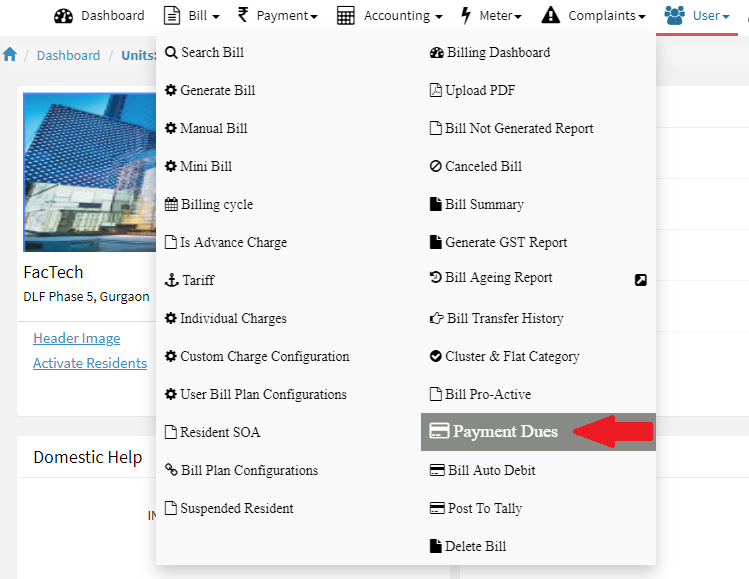
- Now click on Reminder button.

- Now Click on Add button.
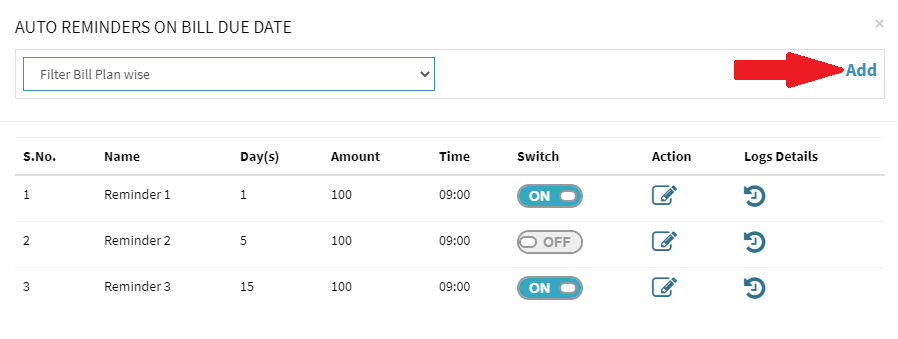
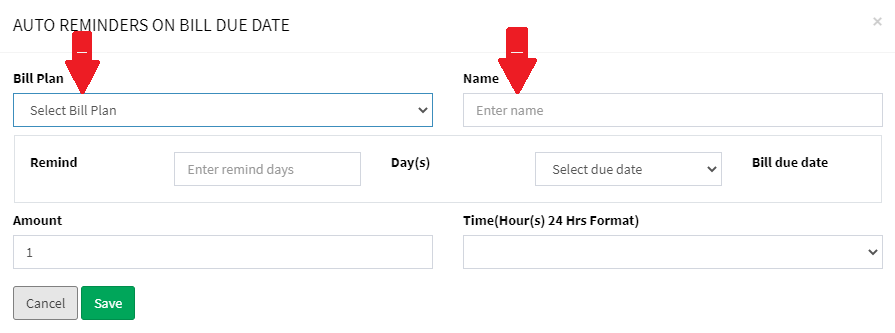
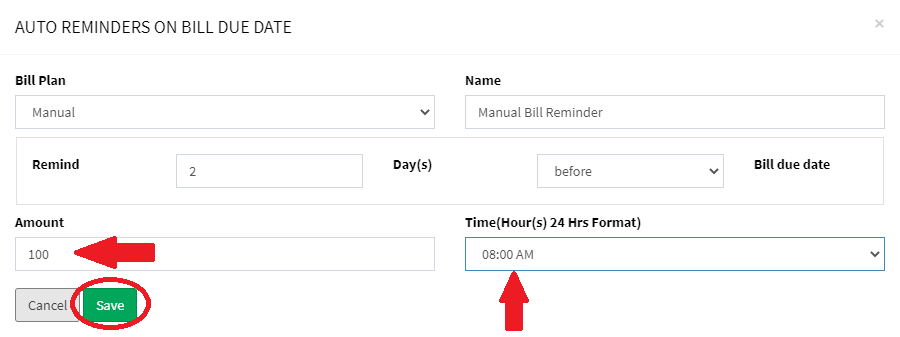
- Now Select the Bill Plan and provide the Name of the Reminder.
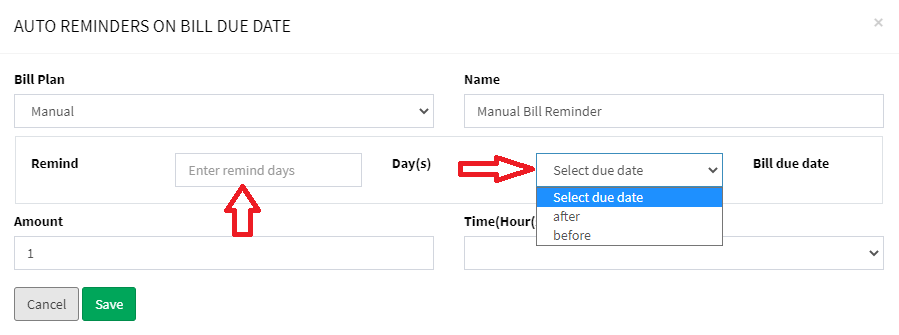
- Now enter the Number of Days you want the reminder for the condition After/Before bill due date and Select the condition from the drop down menu.
- In Amount you can enter the Amount of filter the records that reminder should be sent. e.g. if 100 then system will send reminder whose due is more than 100. Then Select the Time from the drop down menu at which the system will send reminder to that time. Once done Click on Save.
Ready to Transform Your Facility Management?
See how Factech automates maintenance, assets, and compliance in one intelligent platform.
Let's Talk
Have questions about our AI-powered solutions? Our team is here to help you digitize your facility operations.
Ready to Transform Your Facility Management?
See how Factech automates maintenance, assets, and compliance in one intelligent platform.
Let's Talk
Have questions about our AI-powered solutions? Our team is here to help you digitize your facility operations.


Leave a Comment