
How to Add Payment?
iSocietyManager has the facility to update payment manually. There are different mode of payment. The following are the steps to make payment entry :-
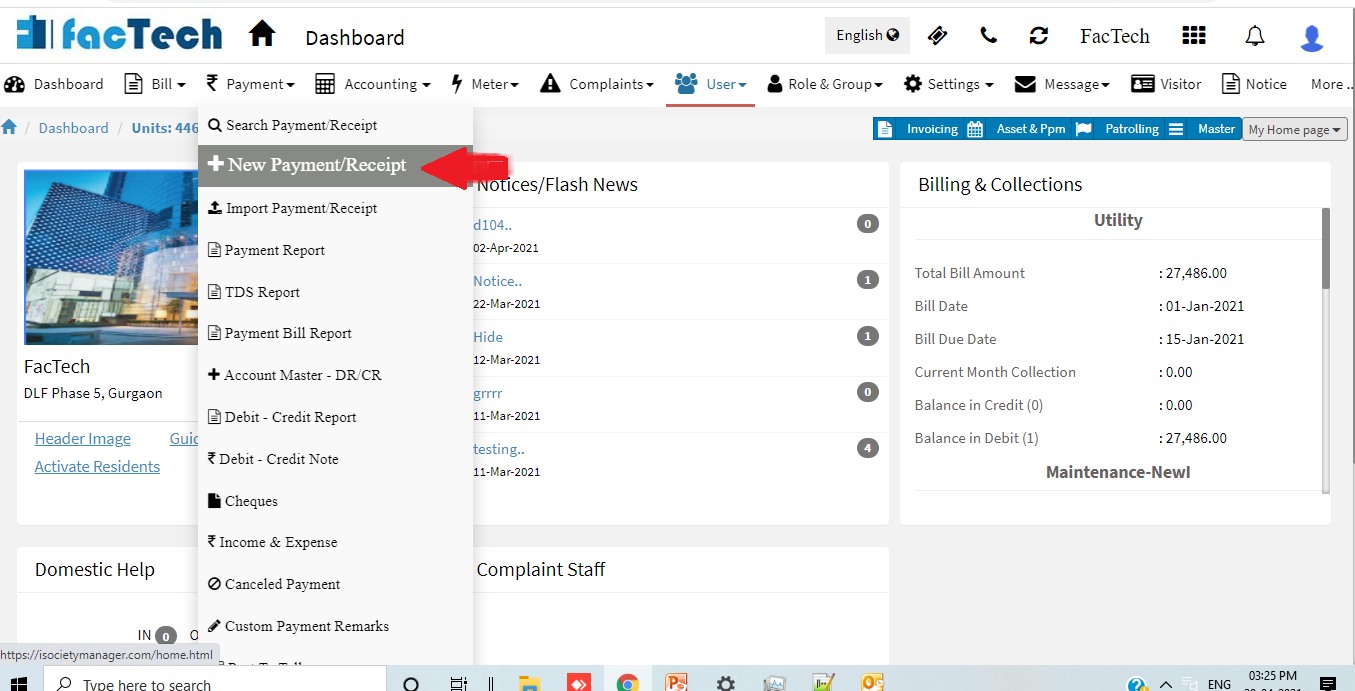
- Click on Payment Menu then Select + New Payment/Receipt.
- Now enter the Unit No for which you want to add payment.
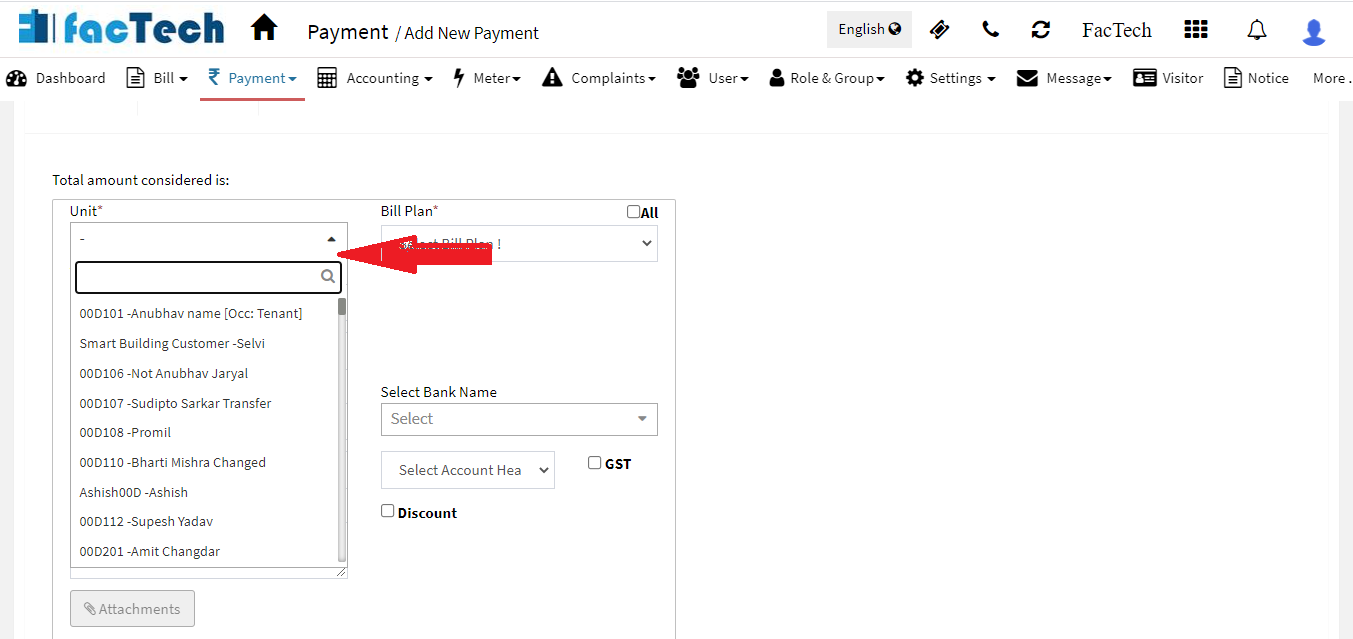
- Once enter the unit no then select the Bill Plan from the drop down menu.

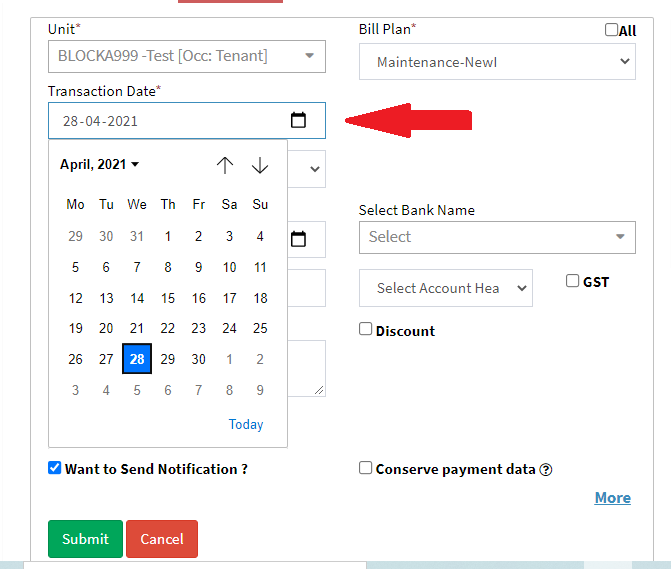
- After the Bill Plan is selected, then you can select the Transaction Date. Note* Transaction date is selected as present date as default.
- Now Select the Payment Mode from the Drop Down Menu
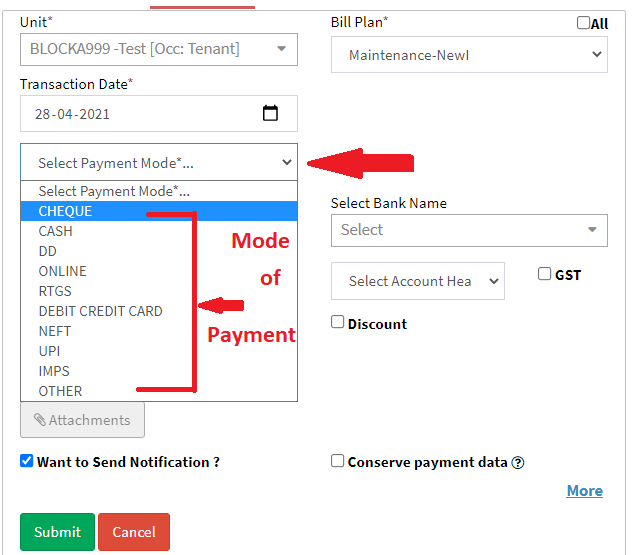
- Suppose in case of Cheque/RTGS/NEFT selected then we have to enter their respective number and also we have to select the Bank Name from the drop down list.
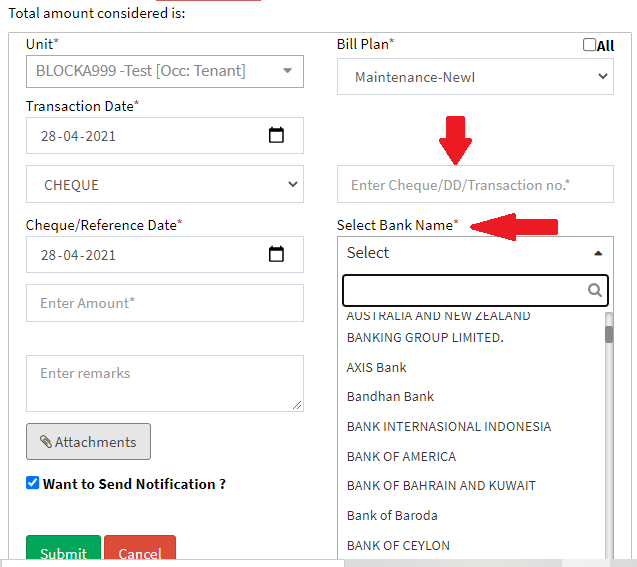
- Now we have to Enter The Amount for which we want to add the payment and the Click on Submit.

- Once the Submit button is clicked then the amount and Receipt will be generated.
Ready to Transform Your Facility Management?
See how Factech automates maintenance, assets, and compliance in one intelligent platform.
Let's Talk
Have questions about our AI-powered solutions? Our team is here to help you digitize your facility operations.
Ready to Transform Your Facility Management?
See how Factech automates maintenance, assets, and compliance in one intelligent platform.
Let's Talk
Have questions about our AI-powered solutions? Our team is here to help you digitize your facility operations.


Leave a Comment