How to Reopen a Work Order in Factech Automation?
Sometimes ground staff may accidentally fill in incorrect details while completing a work order. In such cases, Factech allows an Admin user with edit/write permission to reopen the work order, so the correct details can be updated.
Steps to Reopen a Work Order
Login into Factech with Write Permission access.
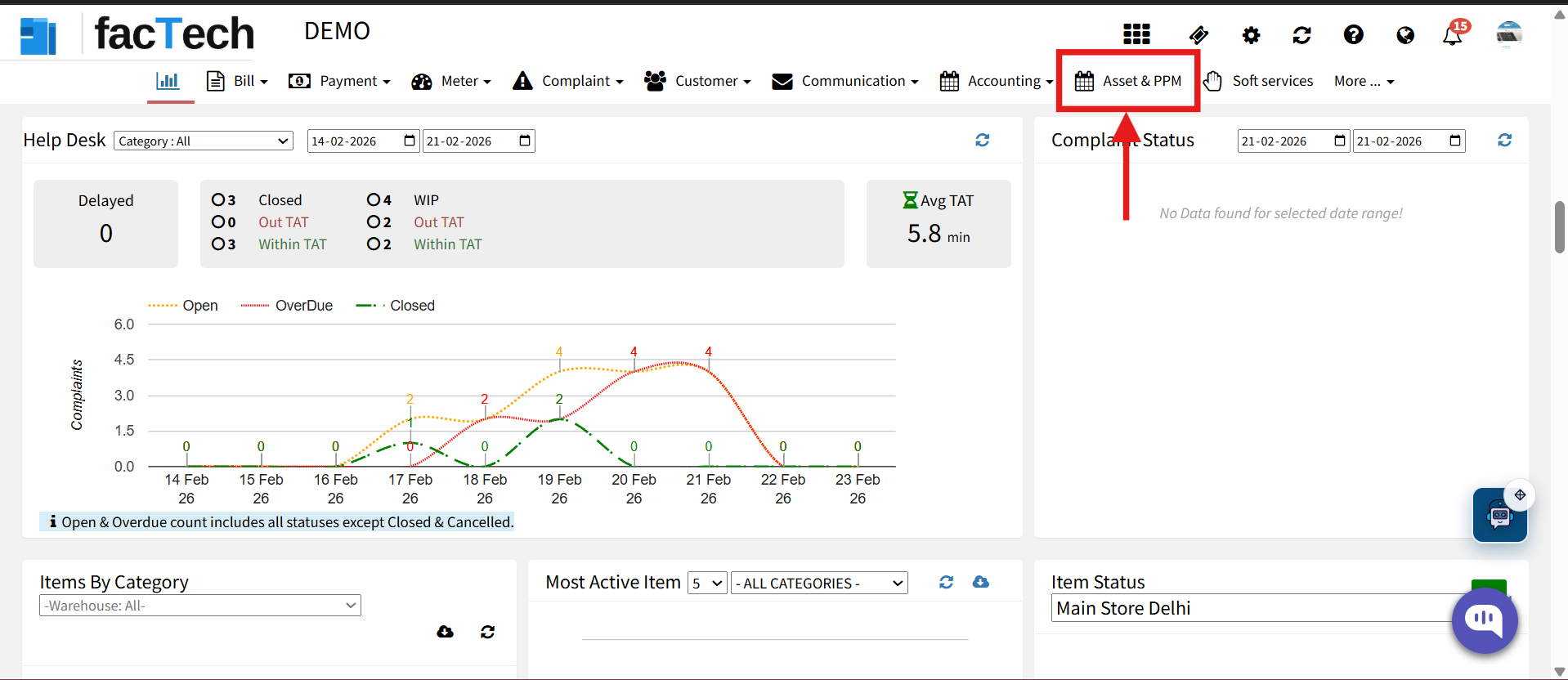
- Go to the Asset & PPM Module.

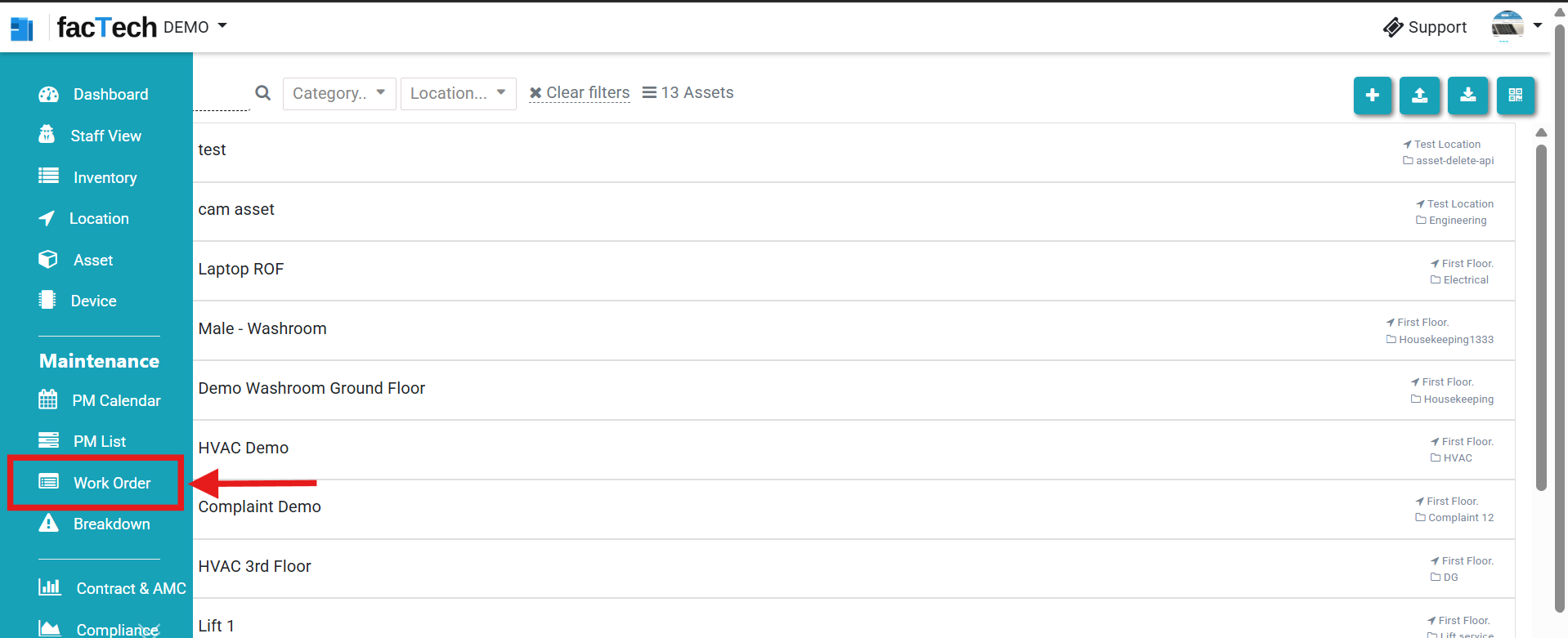
- From the left-side menu, click on Work Order.

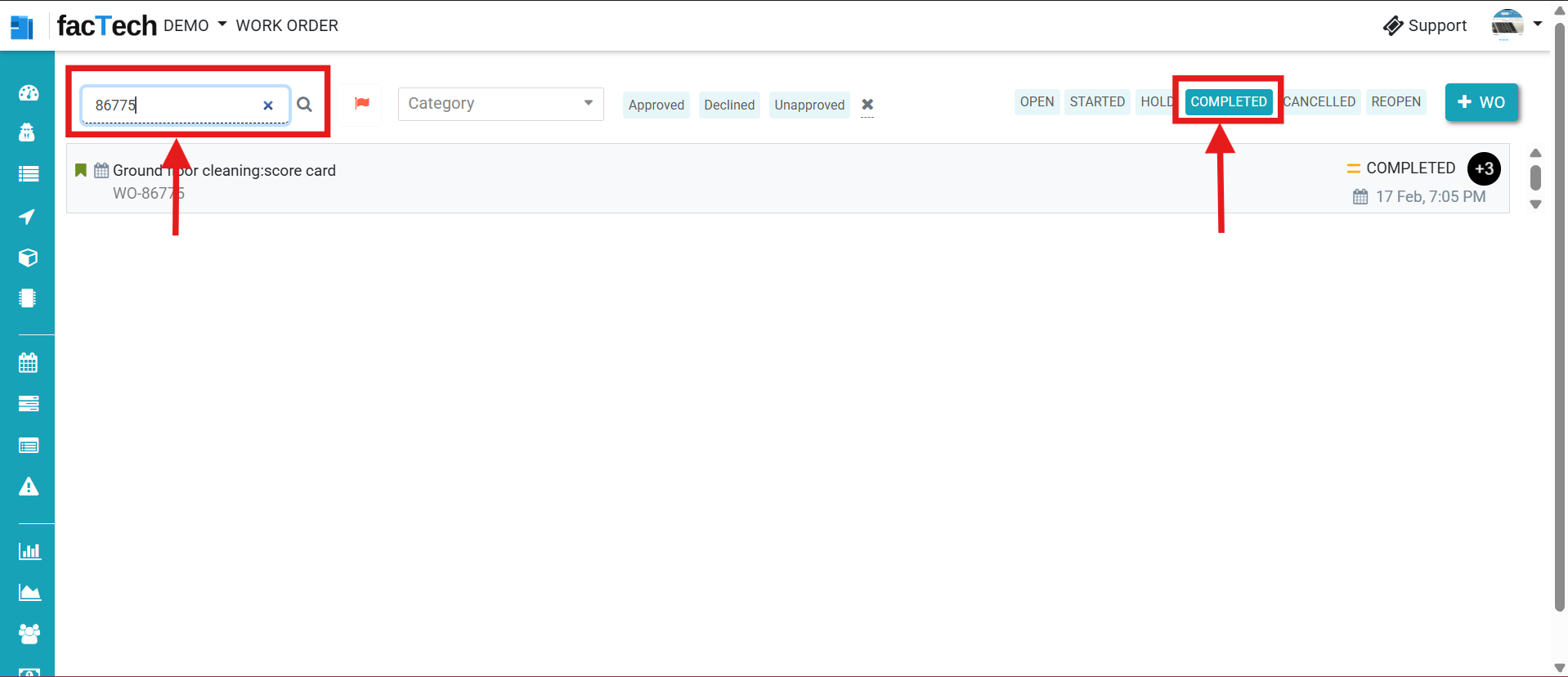
- Search for the required work order using the Work Order Number.On the top-right side, click on the Status button (Completed) to filter completed work order.

- From the filtered results, click on the Work Order.And on the top-right corner, click on the Dropdown Menu (Status option). Select Reopen from the available status options.
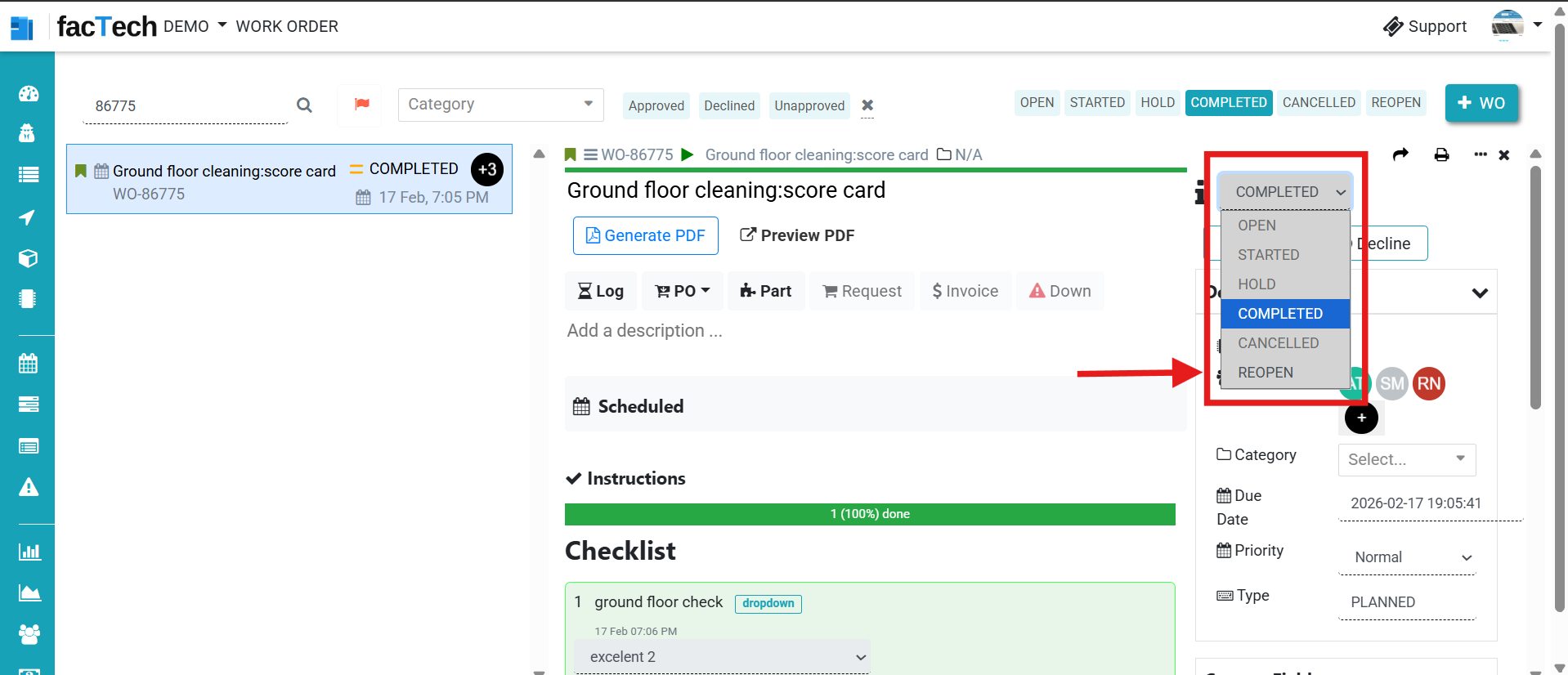


The work order status changes from Completed → Reopen
Ground Staff or Admin can now:
Update checkpoints
Correct remarks
Upload revised documents
Submit accurate details
Important Notes
Reopening should be done carefully and only when required.
Proper audit trail is maintained in the Factech system.
Once corrections are completed, the work order can be marked as Completed again.
Ready to Transform Your Facility Management?
See how Factech automates maintenance, assets, and compliance in one intelligent platform.
Let's Talk
Have questions about our AI-powered solutions? Our team is here to help you digitize your facility operations.
Ready to Transform Your Facility Management?
See how Factech automates maintenance, assets, and compliance in one intelligent platform.
Let's Talk
Have questions about our AI-powered solutions? Our team is here to help you digitize your facility operations.