
How can I download a bill?
Factech Automation allows users with billing rights (Admin/Accountant role) to view all generated invoices. You can filter invoices by Billing Cycle, Date Range, or Unit Number. The system also displays whether each invoice has an IRN (Invoice Reference Number) or not.
Steps to View Generated Bills:
Login to your Factech account.
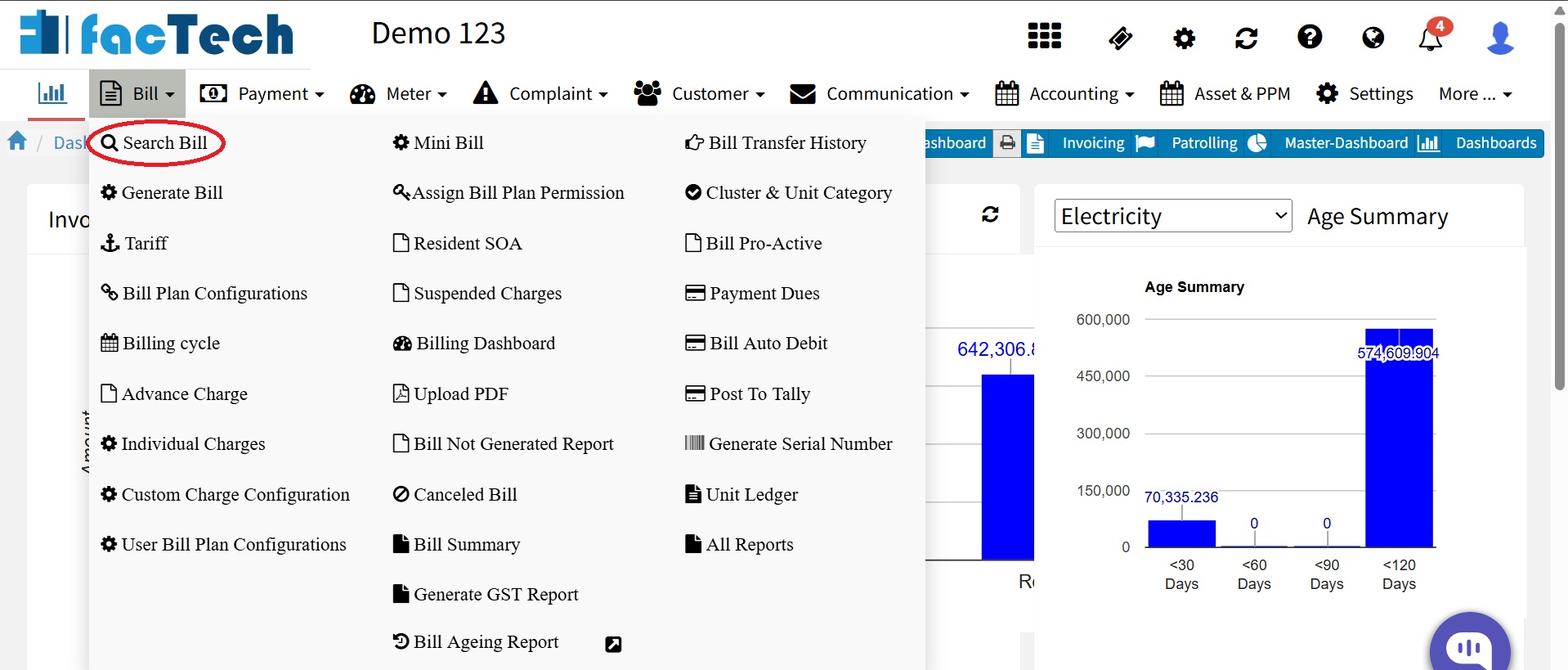
Navigate to the Bill Menu → Search Bill.
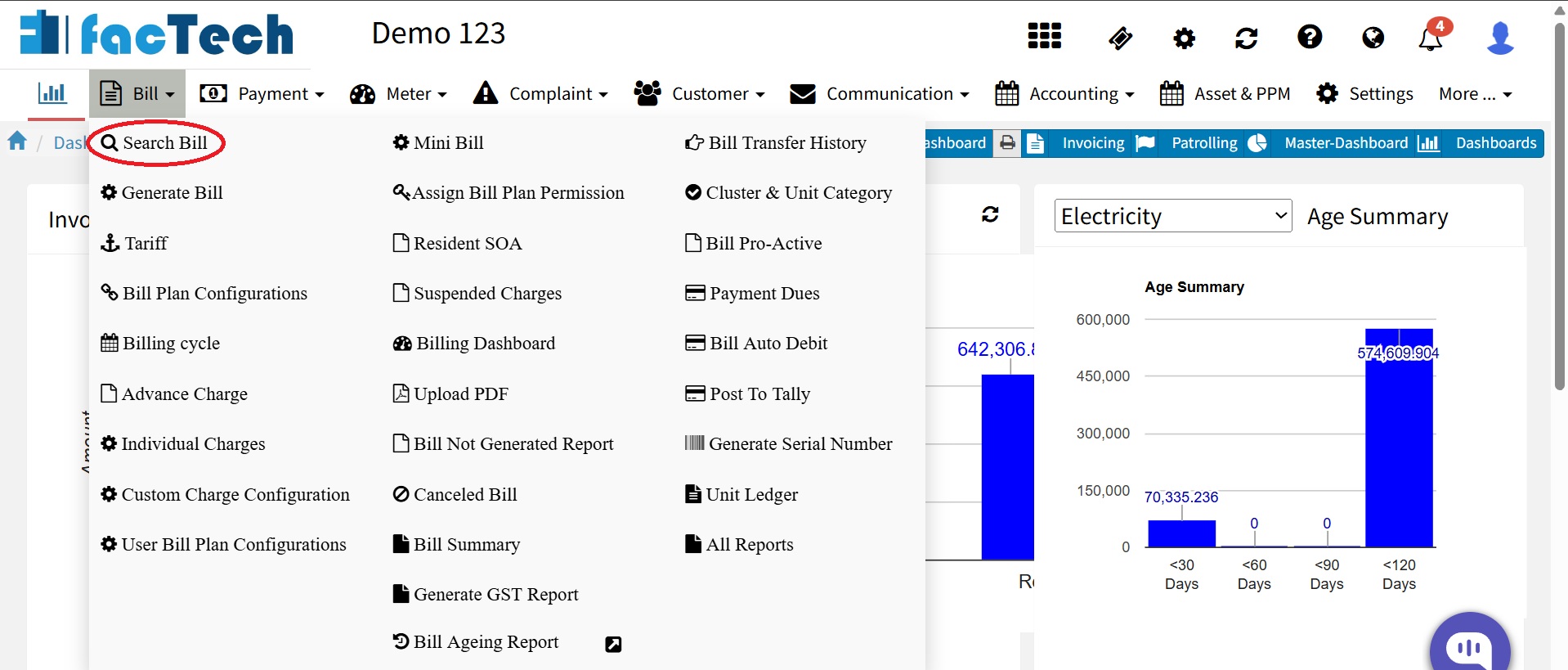
Use filters to select the desired Billing Cycle, Date Range, or Unit Number.
Click Search to display the list of invoices.
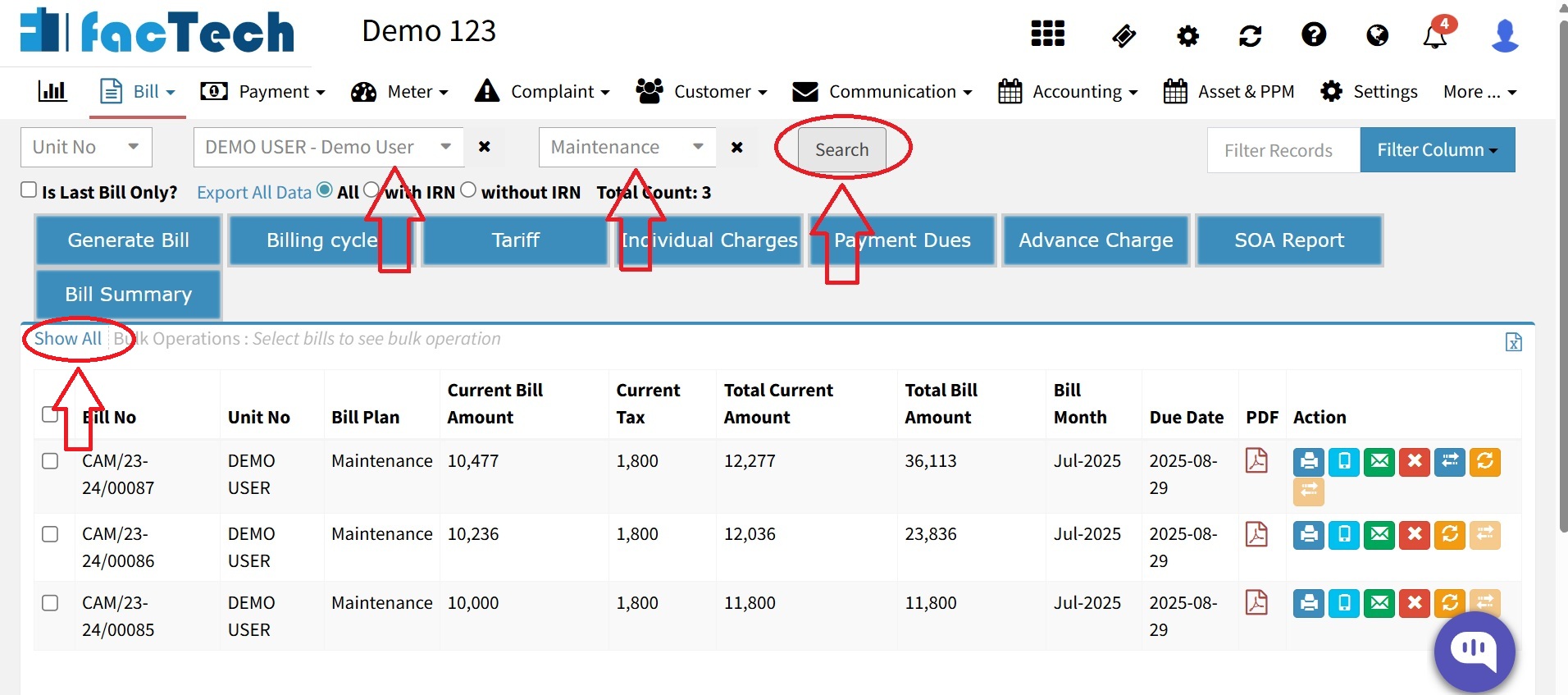
- You can download the generated bills in Excel or PDF format.

Ready to Transform Your Facility Management?
See how Factech automates maintenance, assets, and compliance in one intelligent platform.
Let's Talk
Have questions about our AI-powered solutions? Our team is here to help you digitize your facility operations.
Ready to Transform Your Facility Management?
See how Factech automates maintenance, assets, and compliance in one intelligent platform.
Let's Talk
Have questions about our AI-powered solutions? Our team is here to help you digitize your facility operations.




