
How to update date, time of PPM or Housekeeping Schedule?
In Factech FM system, the Work Orders are created as per the date and time specified against the PM schedule.
Like in below screen DG B Check – Work Order will be created at 10 am on 5th day of every month.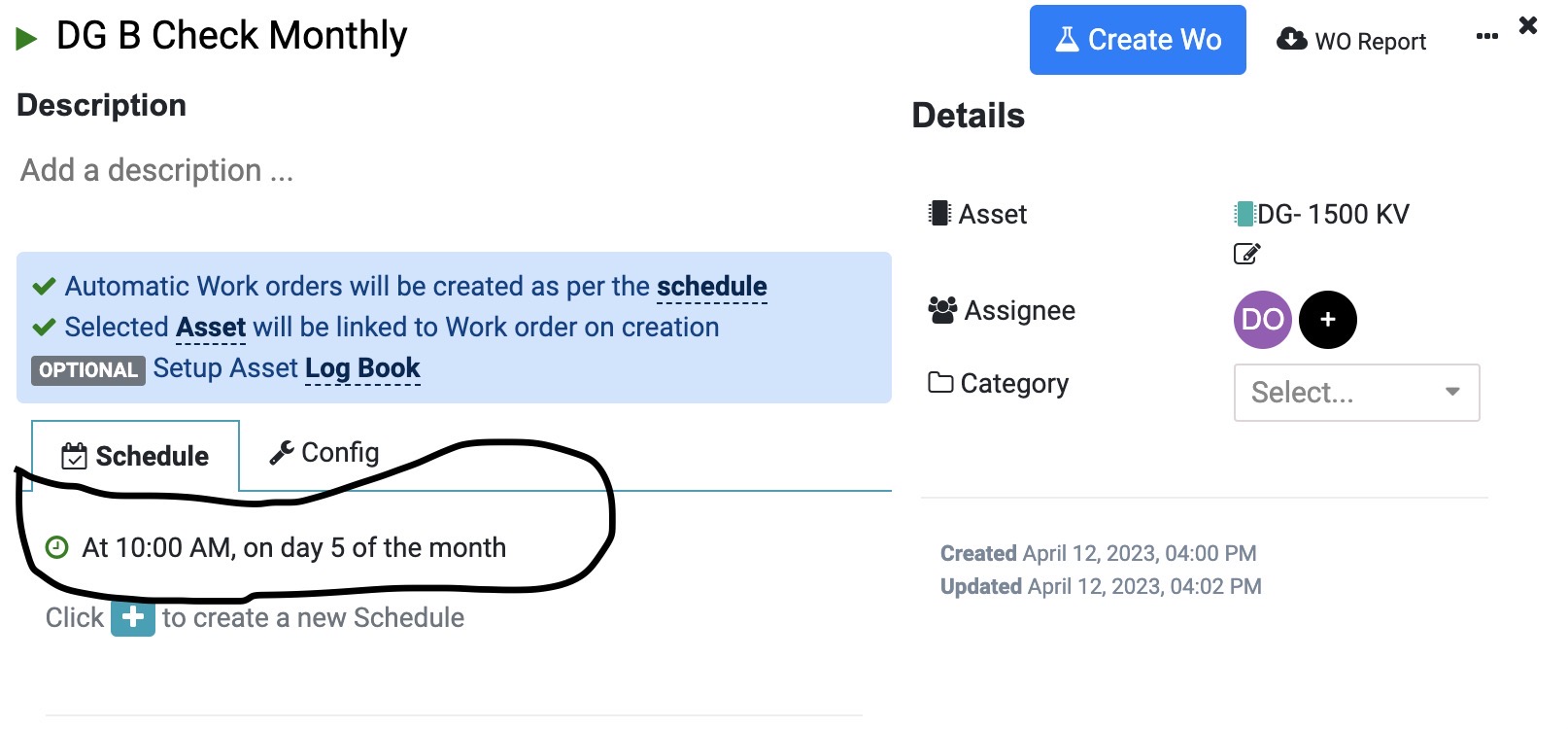
Ideal practice is to schedule PPM scattered across different days of the month.
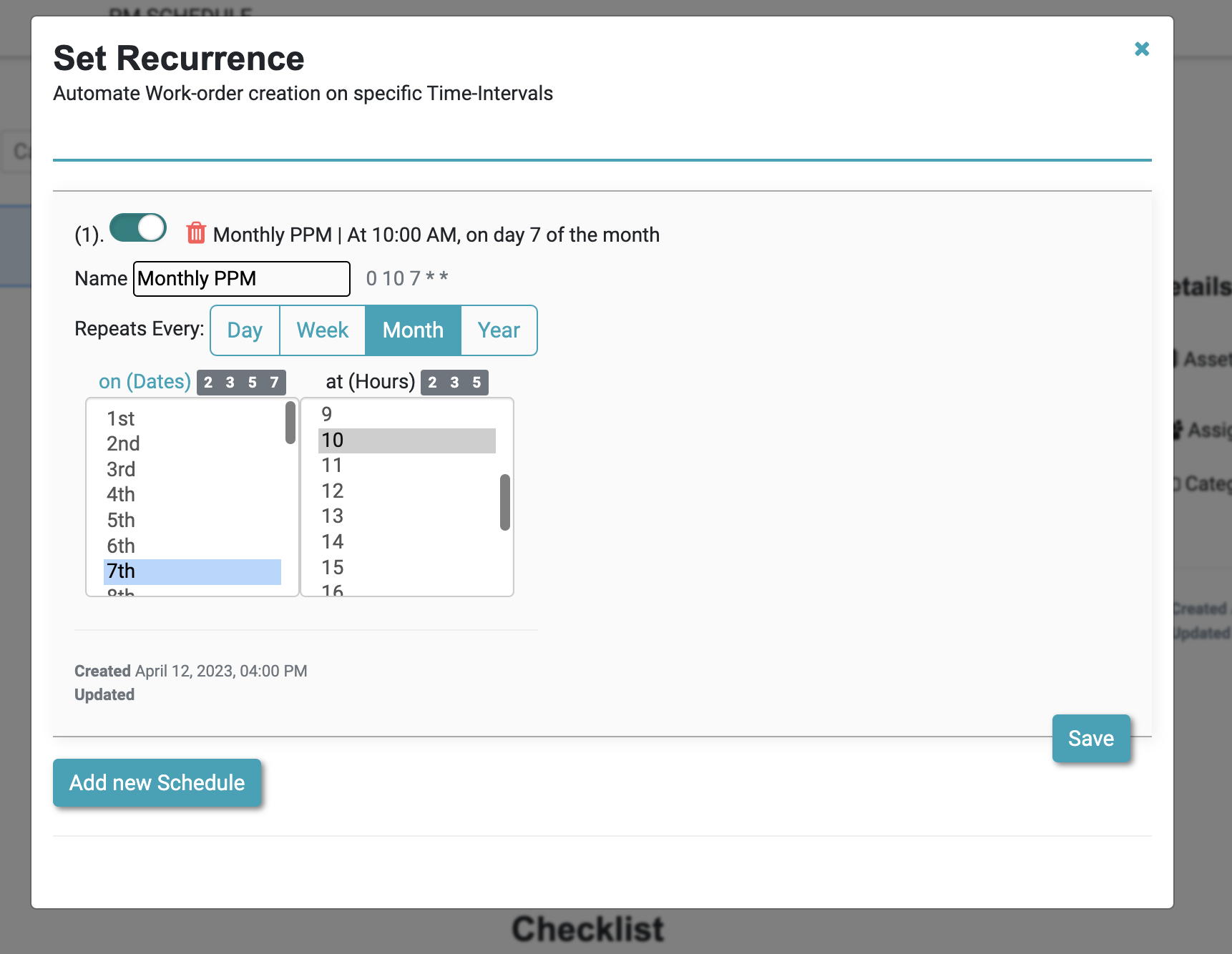
To update the schedule click on the schedule, then update the day or time as in below UI, we have changed Day to 7th of the month.
How to add Schedule manually?
Ready to Transform Your Facility Management?
See how Factech automates maintenance, assets, and compliance in one intelligent platform.
Let's Talk
Have questions about our AI-powered solutions? Our team is here to help you digitize your facility operations.
Ready to Transform Your Facility Management?
See how Factech automates maintenance, assets, and compliance in one intelligent platform.
Let's Talk
Have questions about our AI-powered solutions? Our team is here to help you digitize your facility operations.




