
How to configure PR ( Purchase Request) approval flow?
Approval flow set up for Purchase Request and Purchase Order is same. Only the two Approval Workflow are different and under different heads.
Step 1-
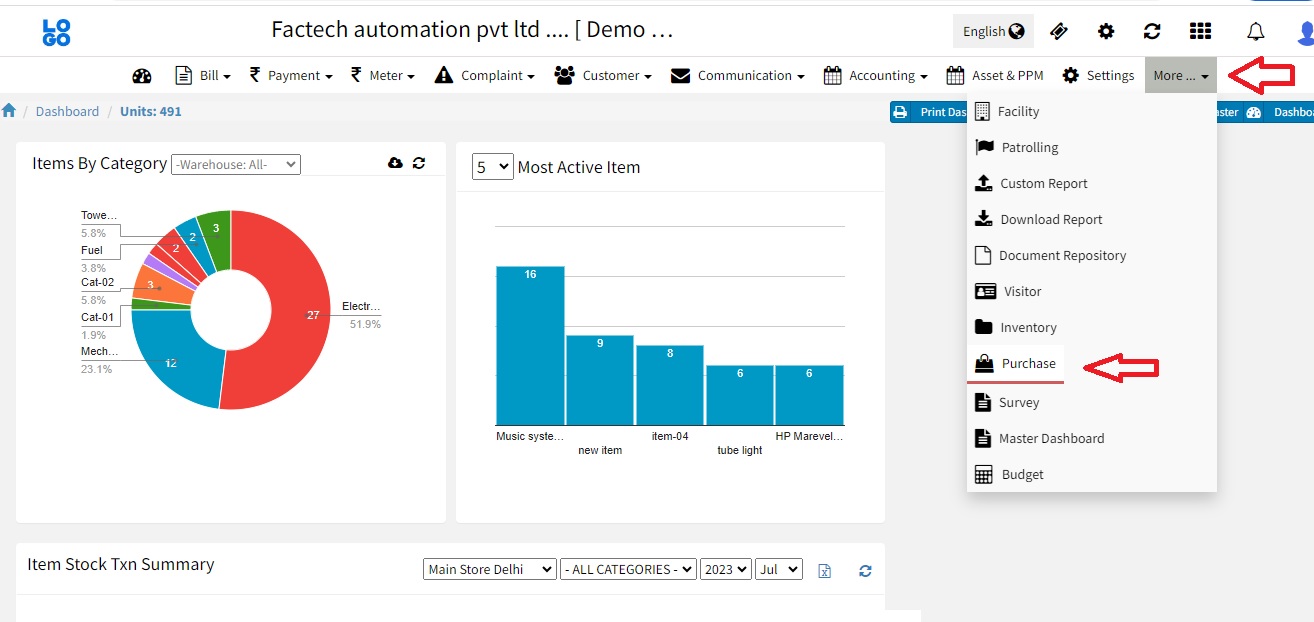
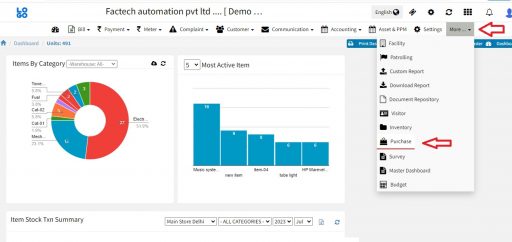
Log in to factech.co.in and click on Purchase. (Refer Screenshot)
Step 2-
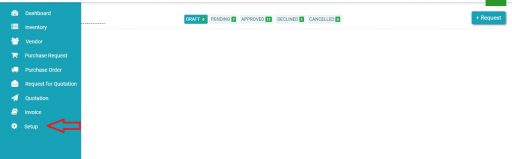
From the main menu, click on the setup. (Refer screenshot)
Step 3-
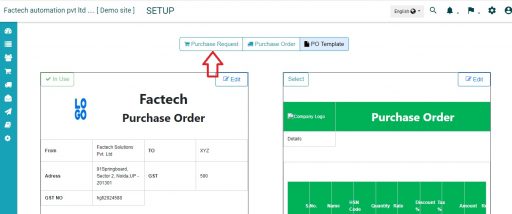
Now click on Purchase Request.
Step 4-
Follow the screenshot below and click on the “+” option.
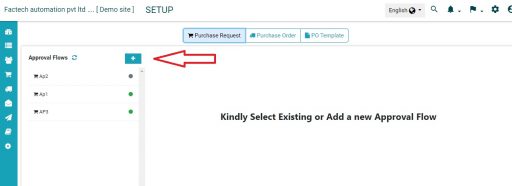
Step 5-
Add Approval name, and click on save option.
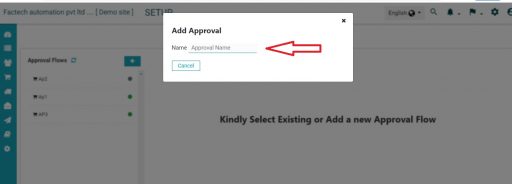
Step 6
Open the Approval added and makes the PR active and add level of approval like level 1,2 etc. (Refer Screenshot)
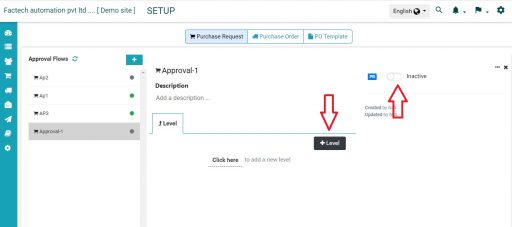
Step 7-
Add approval level with the role of the person-
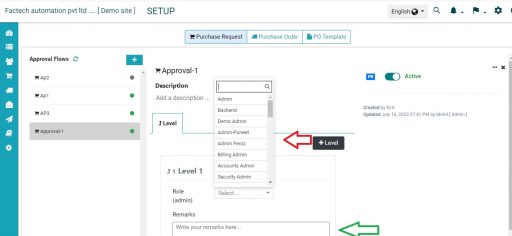
We have successfully configured PR Approval Flow.
Reference
How to setup Purchase Management Software?
Thank You!!
Ready to Transform Your Facility Management?
See how Factech automates maintenance, assets, and compliance in one intelligent platform.
Let's Talk
Have questions about our AI-powered solutions? Our team is here to help you digitize your facility operations.
Ready to Transform Your Facility Management?
See how Factech automates maintenance, assets, and compliance in one intelligent platform.
Let's Talk
Have questions about our AI-powered solutions? Our team is here to help you digitize your facility operations.




