

how to reset the facial recognition for staff attendance
Follow the steps below to reset facial recognition:
Login to the Factech portal.
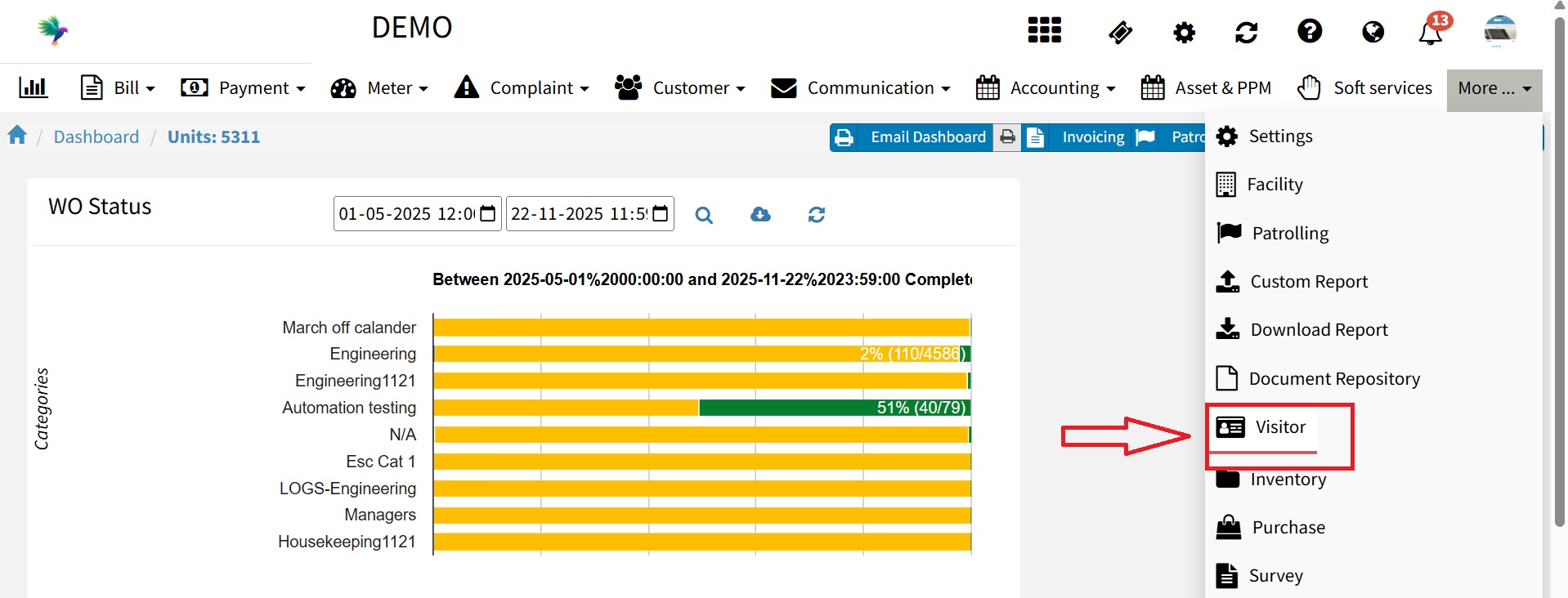
Go to the Visitor Module.

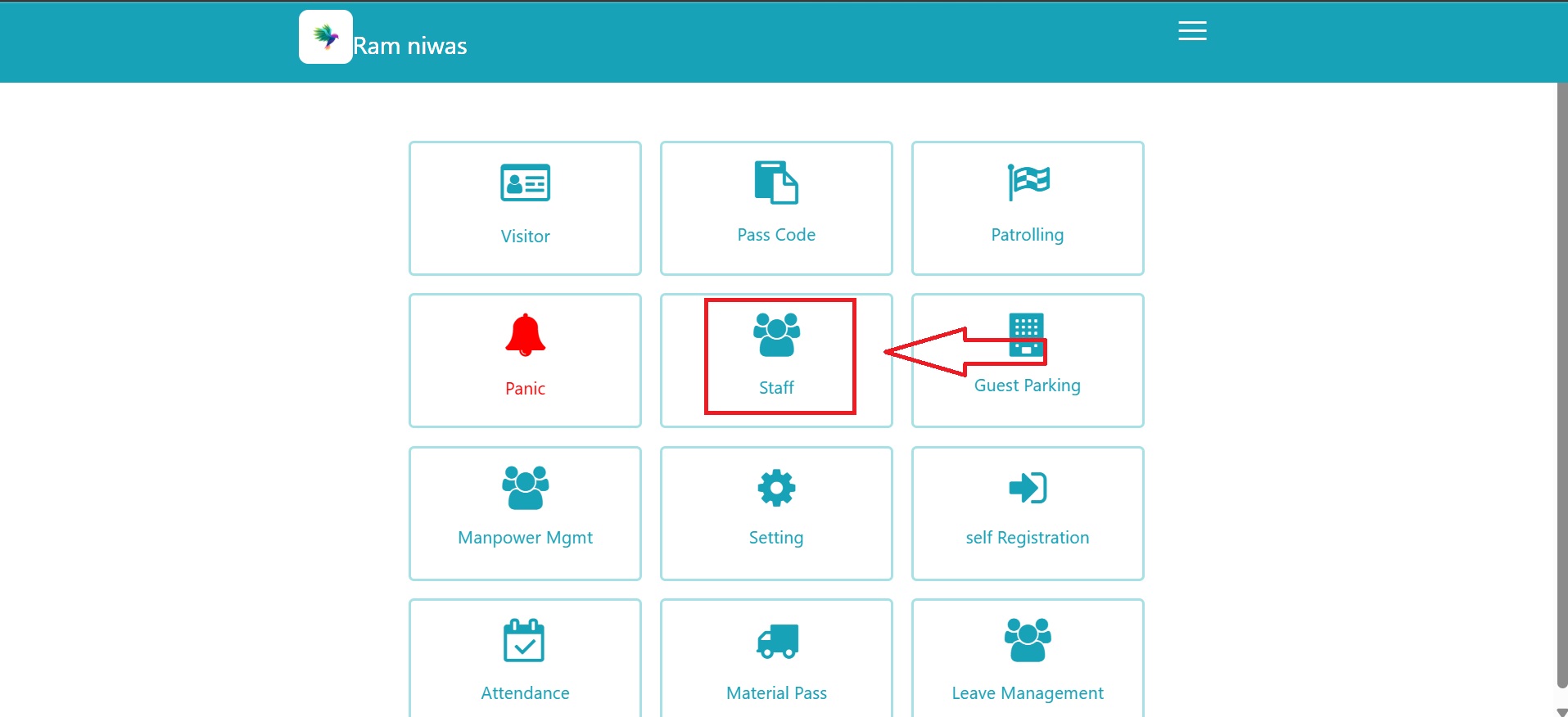
Click on Staff.

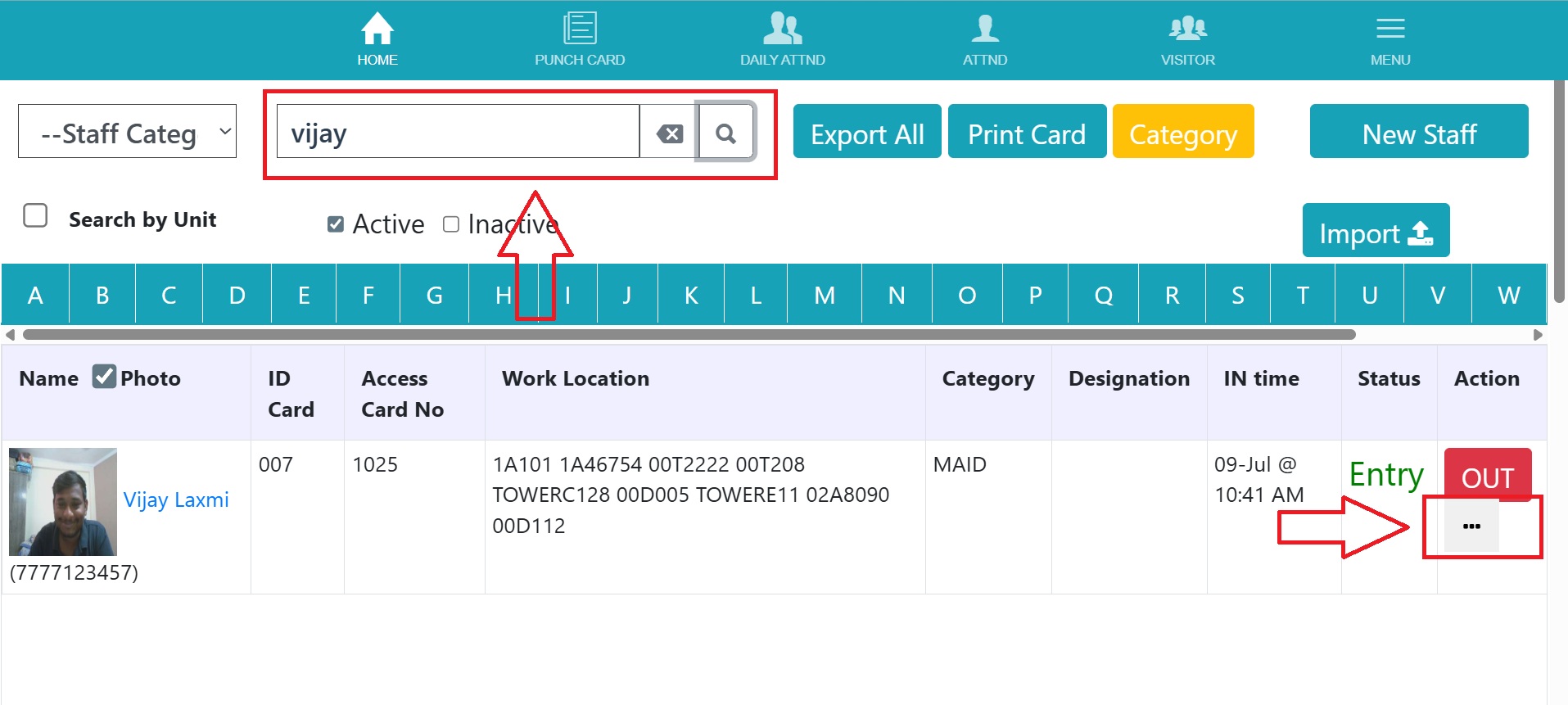
Search the staff member by Name, Mobile Number, or Staff ID. And click on three dot

Click on Reset Recognition and confirm the action.
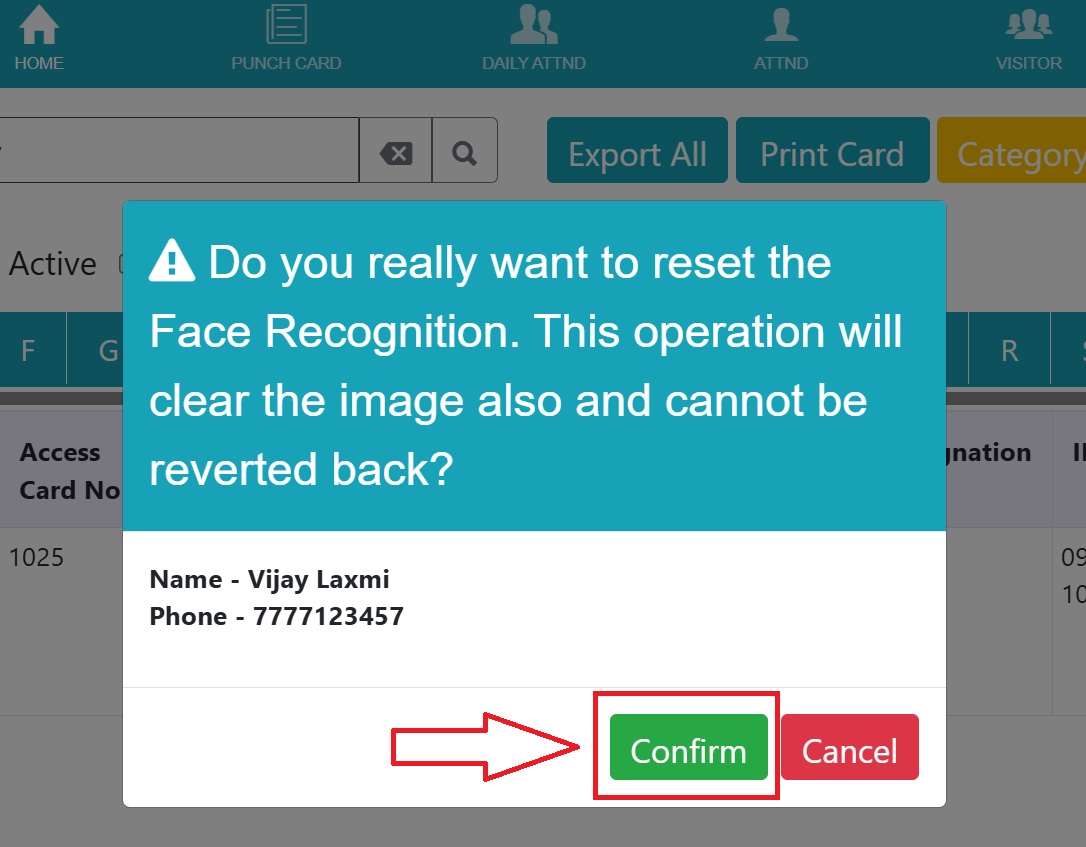

Once confirmed, the system will clear the existing facial image. You can now capture a new photo for the staff member.
https://factech.ai/blog//ufaqs/how-to-take-photo-while-registering-staff-for-face-based-attendance/


