
How can I cancel invoices for a specific date range and cycle?
Factech Automation allows users to cancel invoices based on Billing Cycle, Date Range, or Unit Number. Only users with bill cancel rights (Admin/Accountant role) can perform this action.
Steps to Cancel an Invoice:
Log in with an Admin or Accountant role.
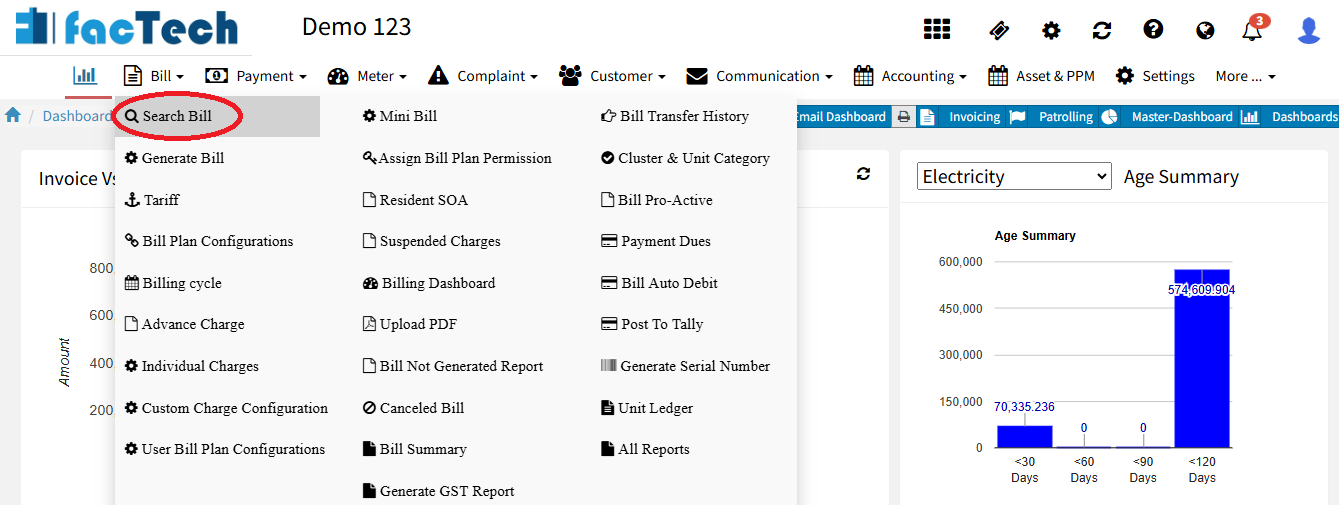
Go to Bill menu → Search Bill.
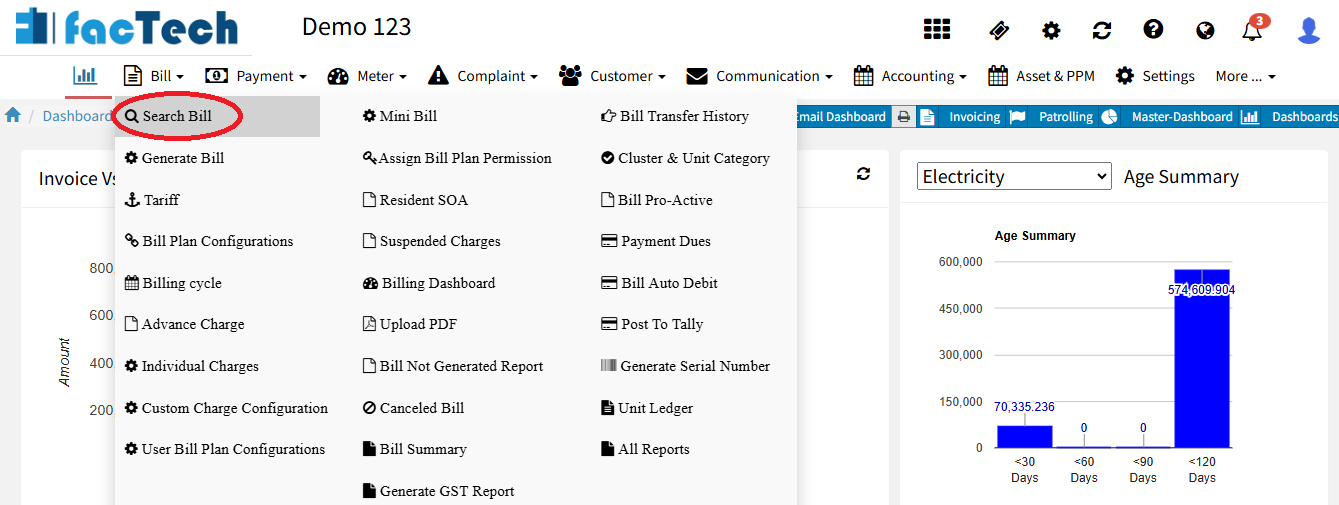
Select the Unit and Bill Plan, then click on Search.
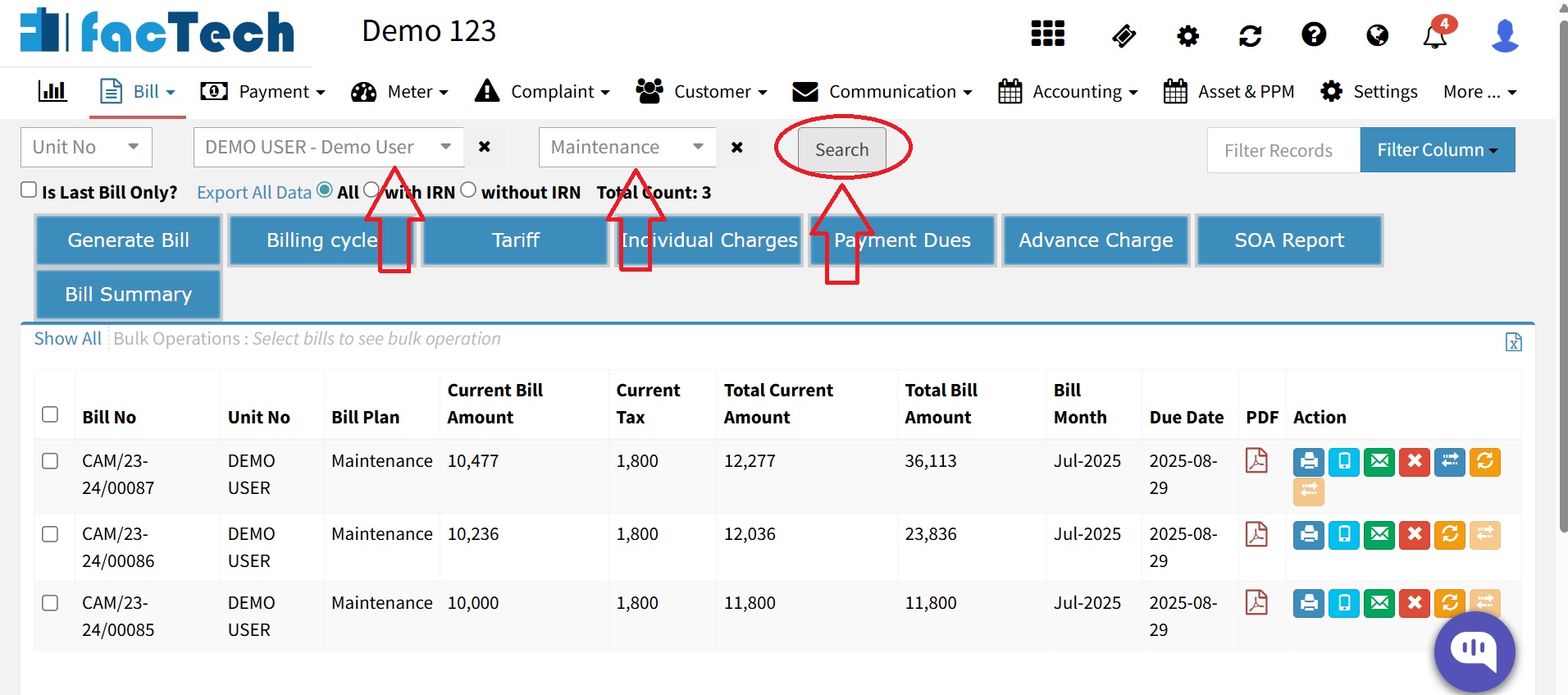
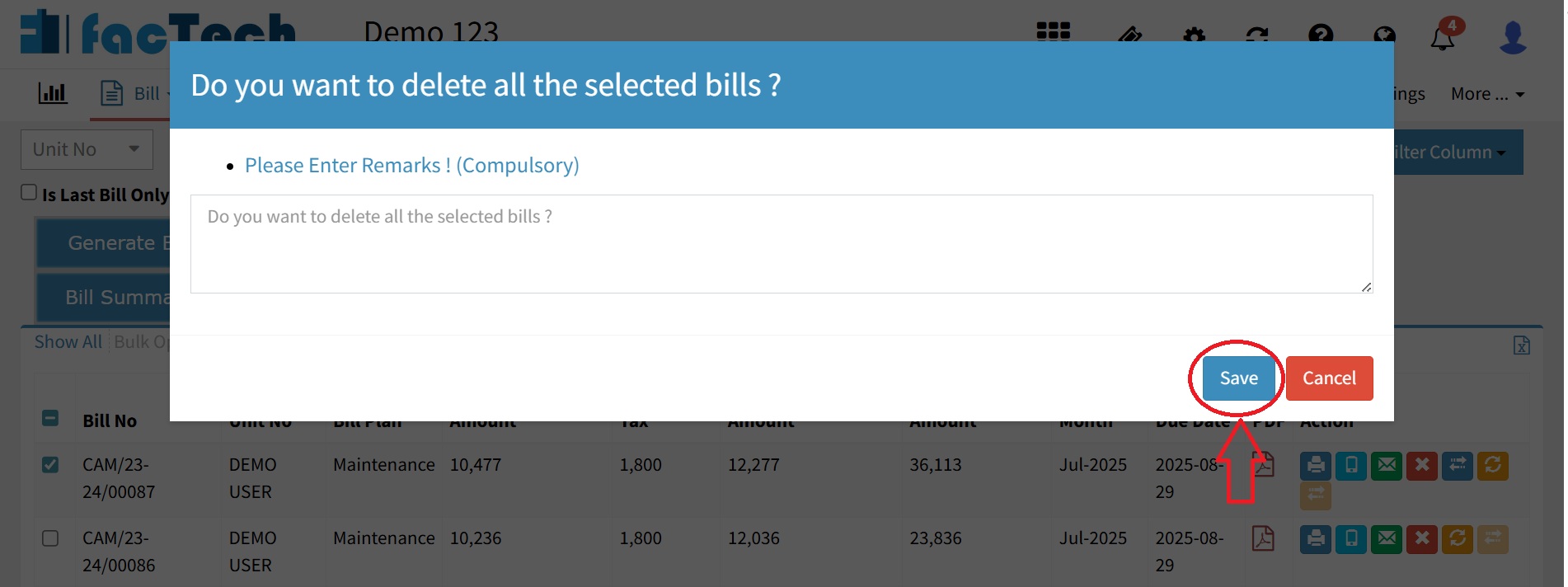
Select the bill and click on delete bills.
- Enter a mandatory reason & click on Save button.
Once a bill is canceled, it cannot be undone. Please confirm before canceling.


