FAQ Tag: report

How do I view all canceled bills?

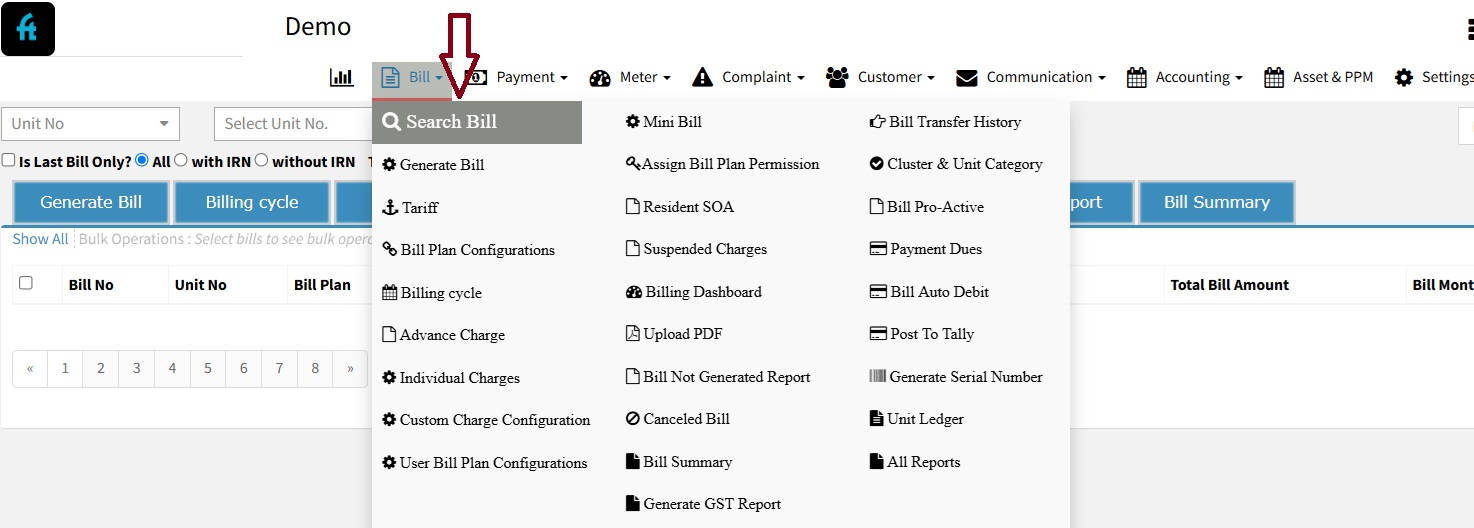
There may be instances where the Account Admin needs to cancel a generated bill due to various reasons. This guide will walk you through the steps to cancel a bill and review cancelled bills in the system. ✅ Step 1: Log In Log in to your account at factech.co.in. ✅ Step 2: Locate the Bill
Read more

Daily Site Report in Kaizen CAFM

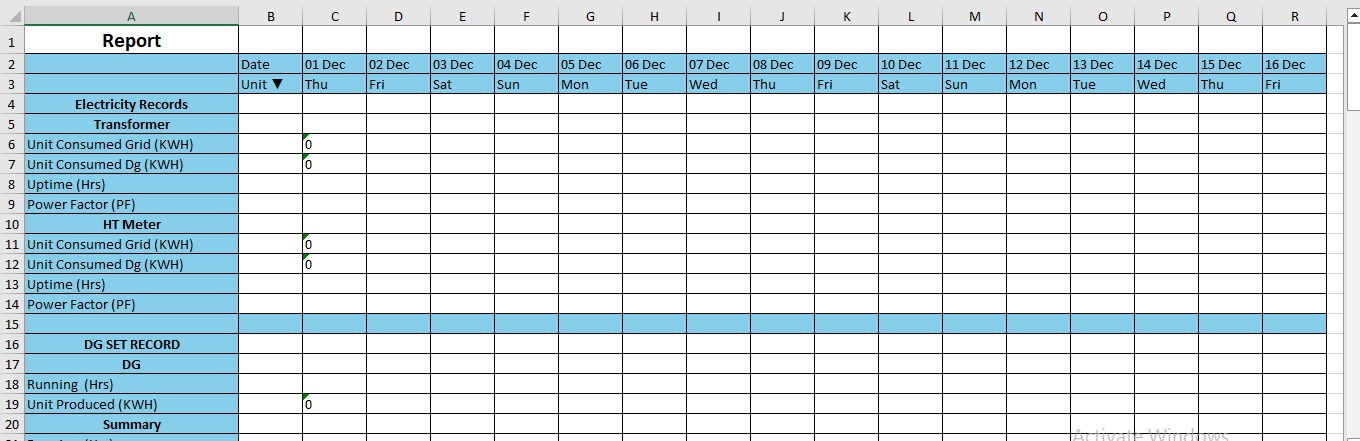
What is DSR? DRS Stands for Daily Site Report. Its a very important tool used by facility manager to check the daily site reports. Its a single sheet of excel that includes following overall report- Grid Electricity DG Electricity. Water Meter. Diesel. Inventory. Asset’s Work Order. Asset’s Breakdown. Attendance Manpower Report. Complaint and much more.

Read more

How to download category wise PM schedule report in bulk?

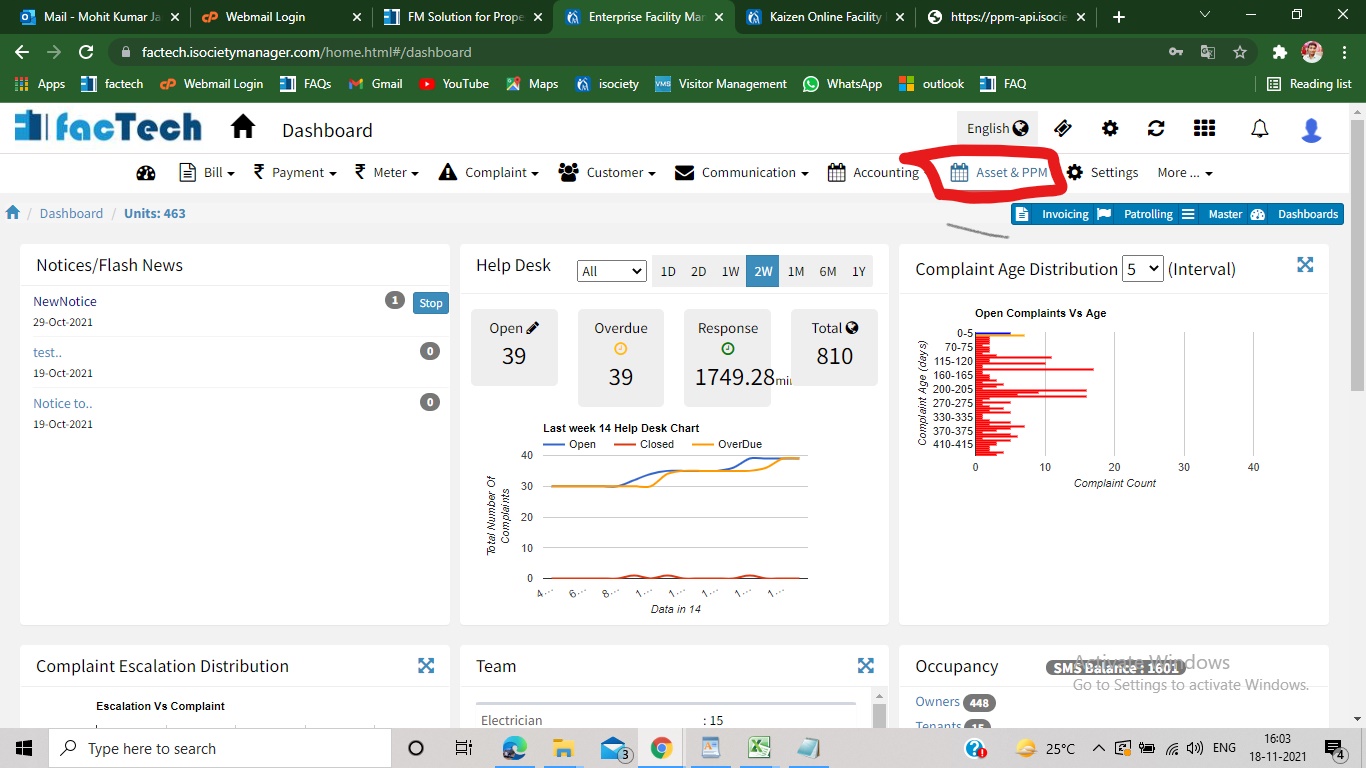
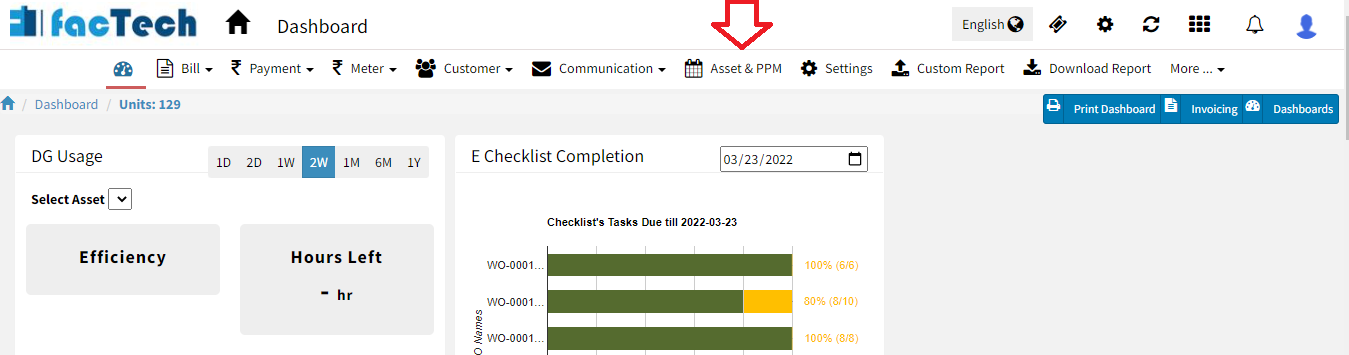
Step 1. Log in through factech.co.in Step 2. Click on Asset & PPM tab.(refer screenshot). Step 3. Then click on PM Schedule under the maintenance option. (refer to screenshot) Step 4. Click on the export PM option. (refer to screenshot) Step 5. Select the category and date range. (refer to screenshot) Step 6. After selection,

Read more

How to download Work order Reports for a Particular PM Schedule?

Step 1. Sign in to factech.co.in using your login id and password. Step 2. Click on Asset & PPM tab available on the upper right of the screen.(refer Screenshot) Step 3. After clicking on Asset & PPM, following new window open(refer screenshot). Step 4 From the left of the screen, click on the PM Schedule,

Read more

Hello ! If You Are Ready To Take Your Facility Management To Next Level...