
How to download generated PDF for a month and multiple units in iSocietyManager – iBill?
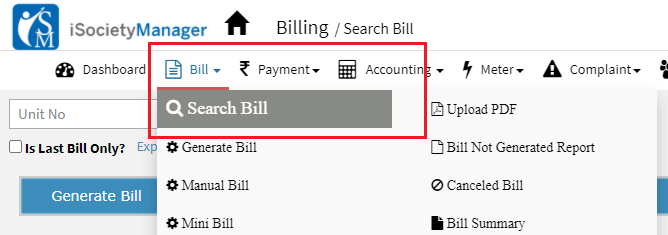
After login with a role having Bill and report permission, you can download PDF of generated bills. Following are the steps to download all generated bill PDF for a Month/Cycle: Step1: Go to Main Menu (Bill), Select “Search Bill” option from drop down menu Step2: Select month, bill plan and click on “search” to display