How to use the category-wise Work Order report in Factech?
What is the category-wise work order status dashboard? Now a facility manager can see the dashboard as per the category of PPM . He/she can set the dashboard frequency-wise to check the…
 Simplifying Facilities...
What is the category-wise work order status dashboard? Now a facility manager can see the dashboard as per the category of PPM . He/she can set the dashboard frequency-wise to check the…
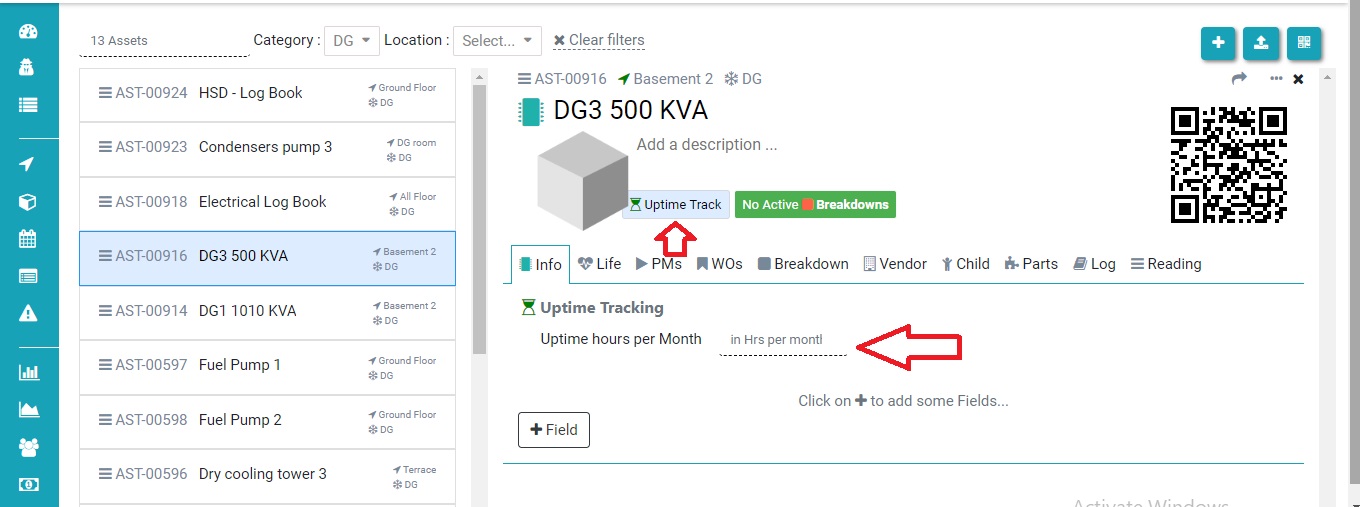
Uptime tracker means how much your asset runs as per the schedule. In this FAQ we learn how to configure the data for uptime tracker. Step 1. Set the Uptime hours per…
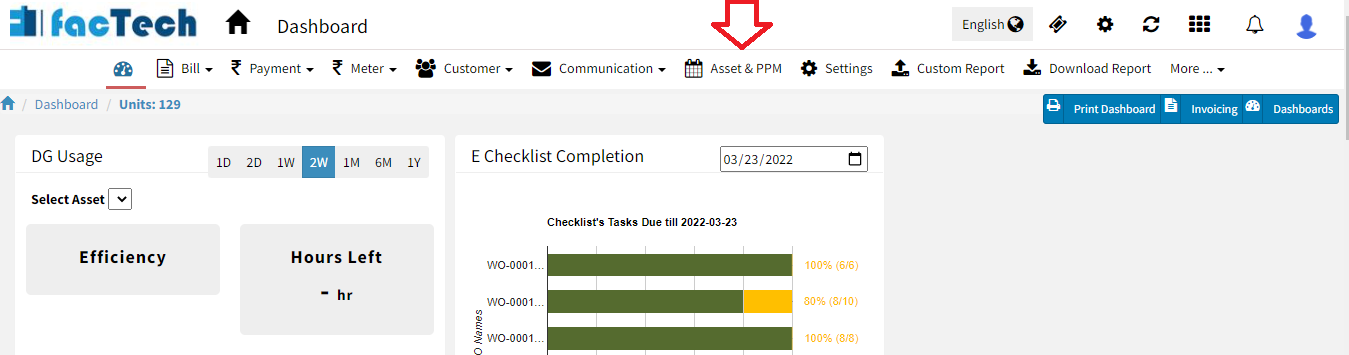
Step 1. Log in through factech.co.in Step 2. Click on Asset & PPM tab.(refer screenshot). Step 3. Then click on PM Schedule under the maintenance option. (refer to screenshot) Step 4. Click…
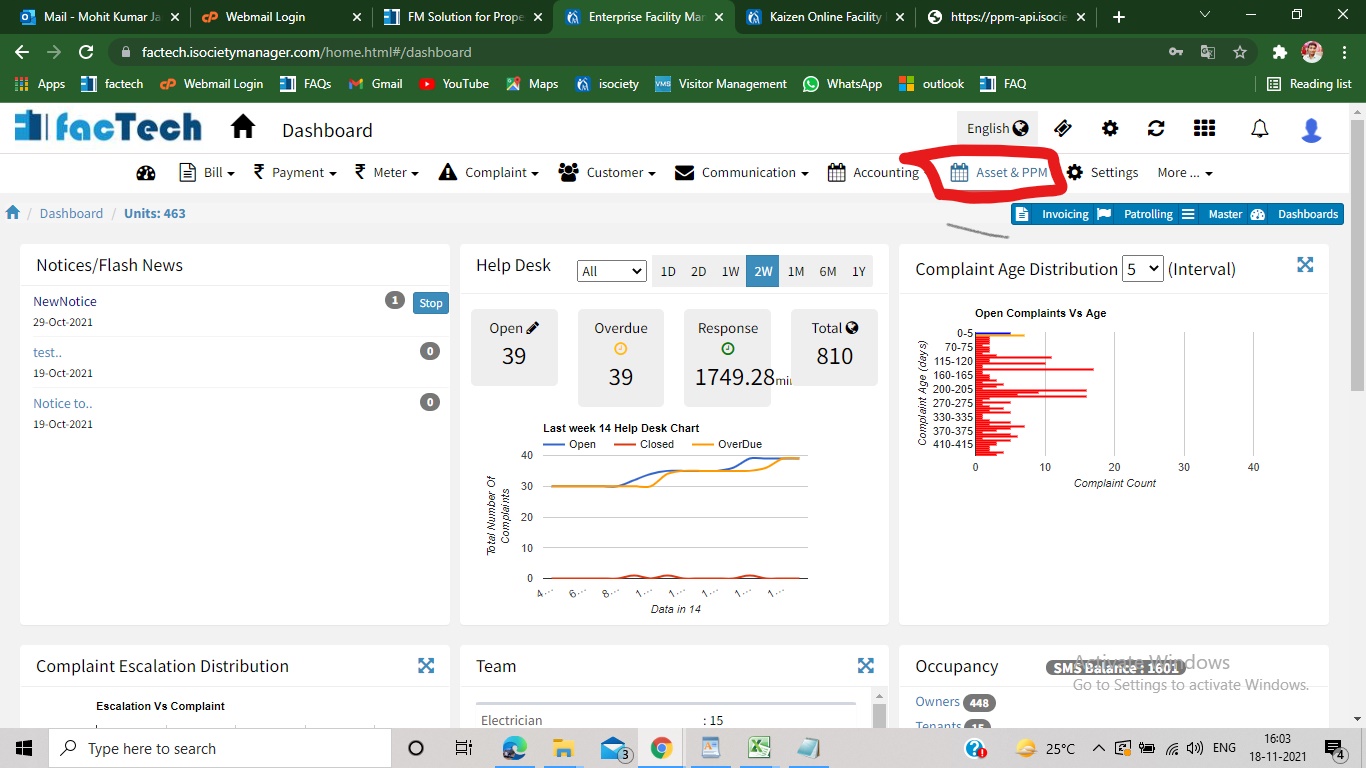
Step 1. Sign in to https://factech.co.in using your login id and password. Step 2. Click on Asset&PPM tab, available on the upper right of the screen. Step 3. From the left side…
Step 1. Sign in to factech.co.in using your login id and password. Step 2. Click on Asset & PPM tab available on the upper right of the screen.(refer Screenshot) Step 3. After…