How to raise a request for change in PO/ PR?
Step 1. Start by clicking “Request a change” for any changes you need in the PO/PR Step 2. Next, write down the changes you want. If you’re asking someone who didn’t create…
 Simplifying Facilities...
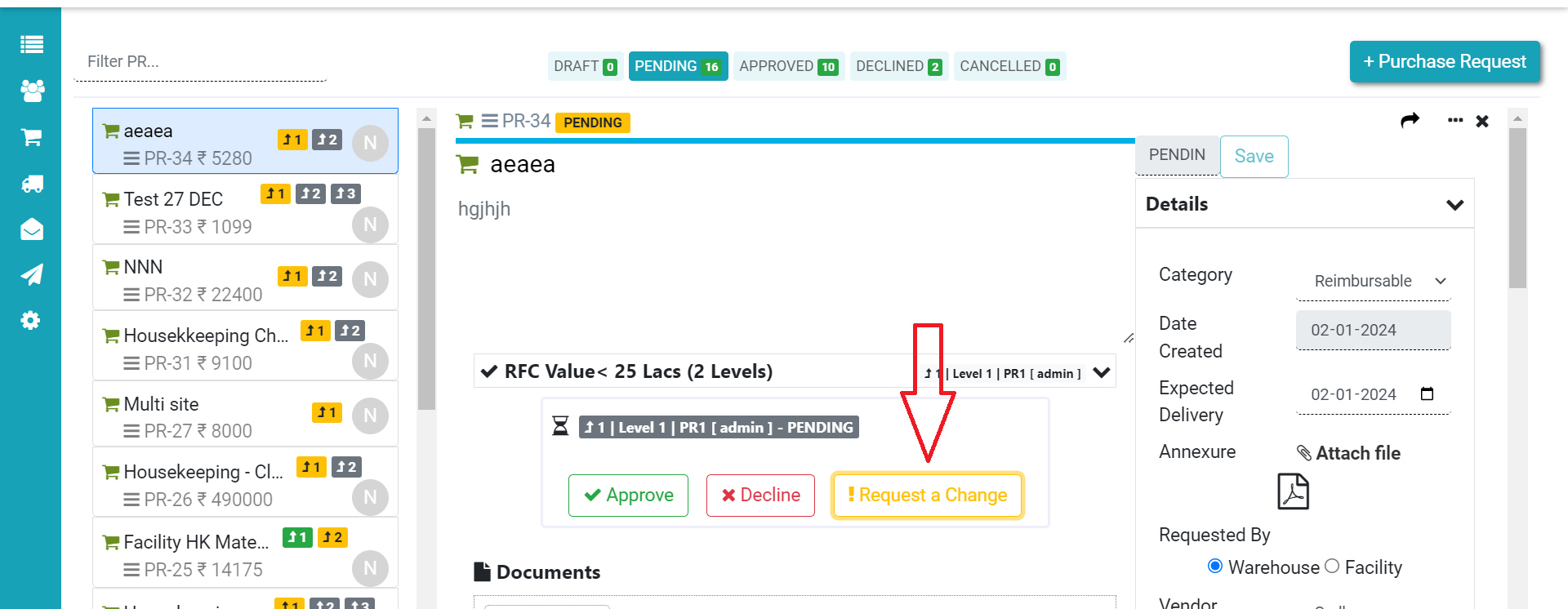
Step 1. Start by clicking “Request a change” for any changes you need in the PO/PR Step 2. Next, write down the changes you want. If you’re asking someone who didn’t create…
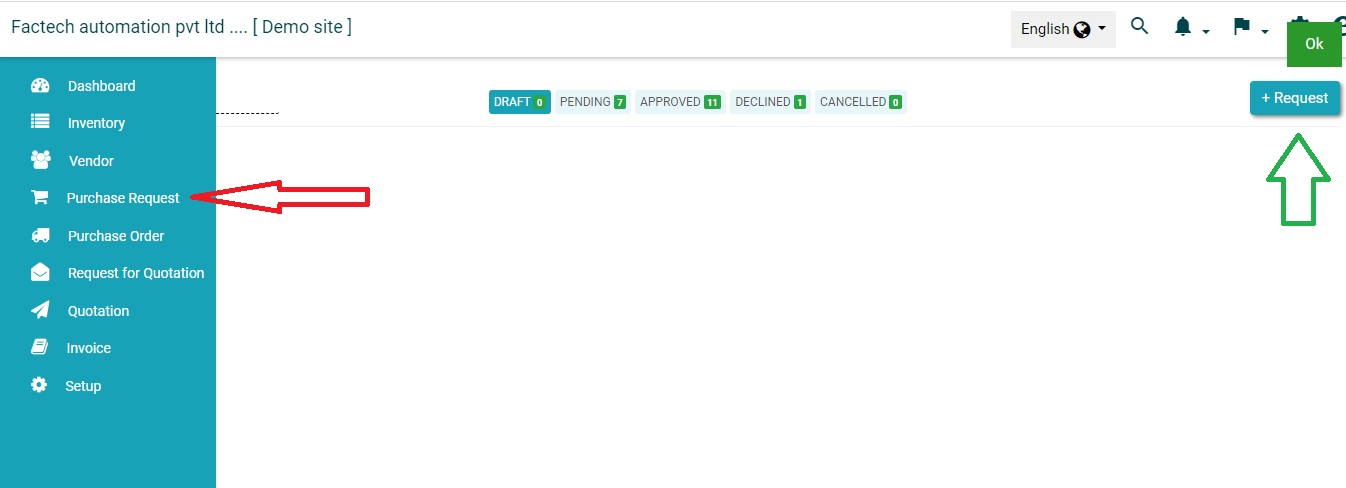
Login in https://factech.co.in with credentials and click on Purchase Menu ( Refer More menu if not visible in main Menu) Step 1- Click on the purchase request and then click on “+Request”.…
In inventory purchase request is the process to make request for all the purchases to admin then admin will approve the purchase after which then purchase order can be created to vendor.…