How to view upcoming ppm and houskeeping schedules?
As Admin, you can see upcoming or future scheduled Jobs (Work Orders) in PPM -> Calendar view.
 Simplifying Facilities...
As Admin, you can see upcoming or future scheduled Jobs (Work Orders) in PPM -> Calendar view.

In the FacTech system, we can export the month-wise PPM calendar in PDF format. To download that we have to follow these steps: Step 1: Log in to the FacTech,…
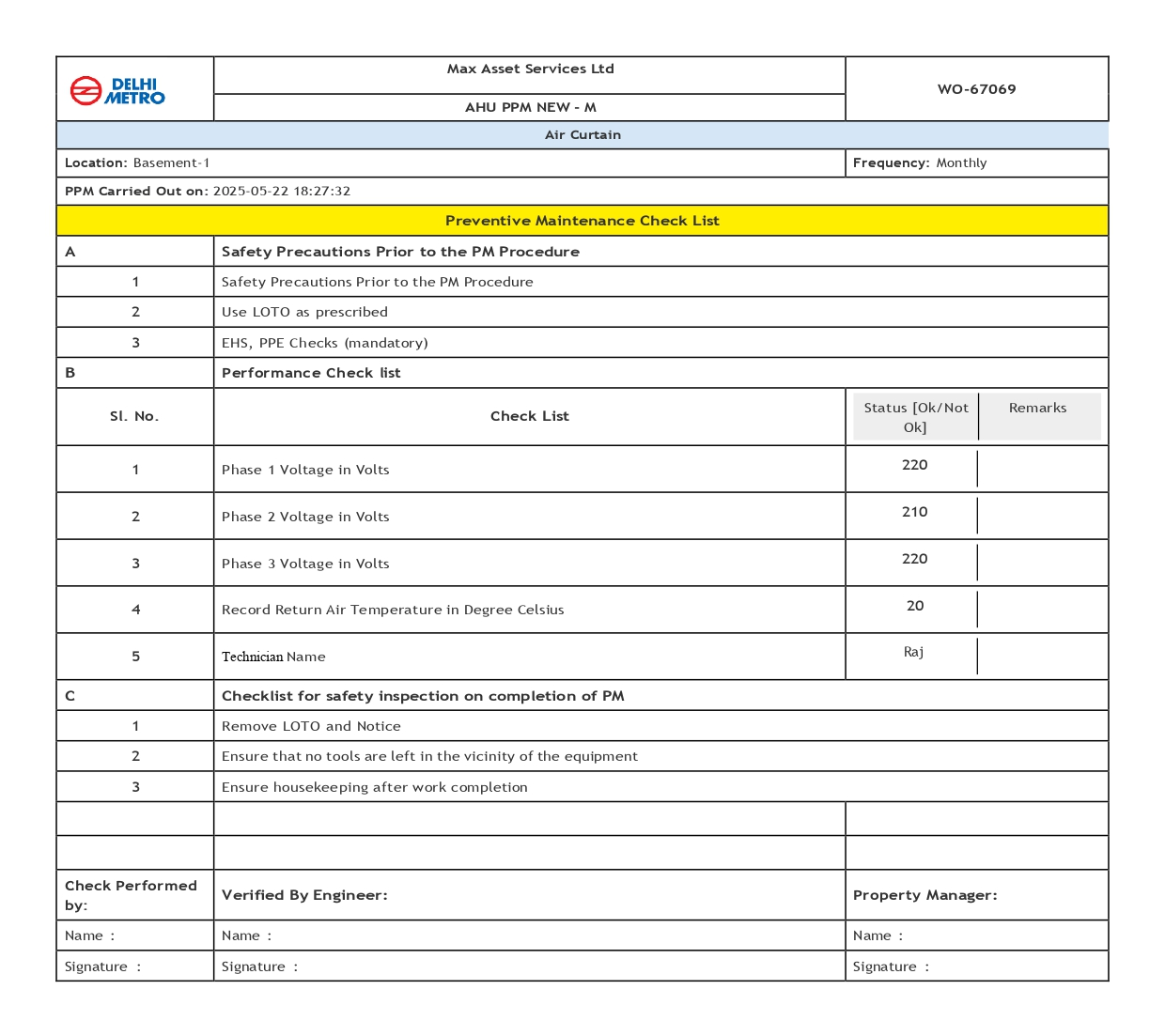
After completing a work order or checklist, we can now print it in a specific format. To do this, we need to follow these steps: Step 1: Log in to FacTech as…
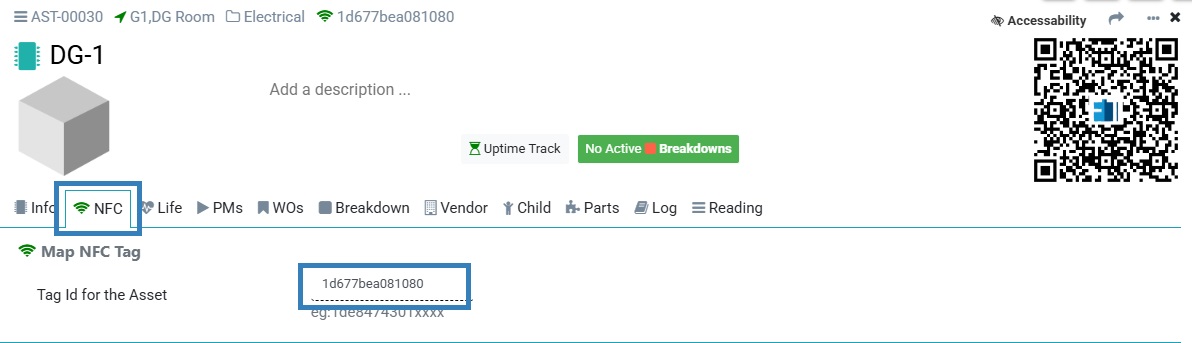
Previously, FacTech did not support NFC, but now we can map the NFC to the FacTech system. To map the NFC with the asset we need to follow these steps:…

Verification of a Planned Preventive Maintenance (PPM) Work Order completed by a technician is crucial to ensure accuracy, compliance, and equipment reliability. It helps confirm that all tasks were performed correctly, prevents…
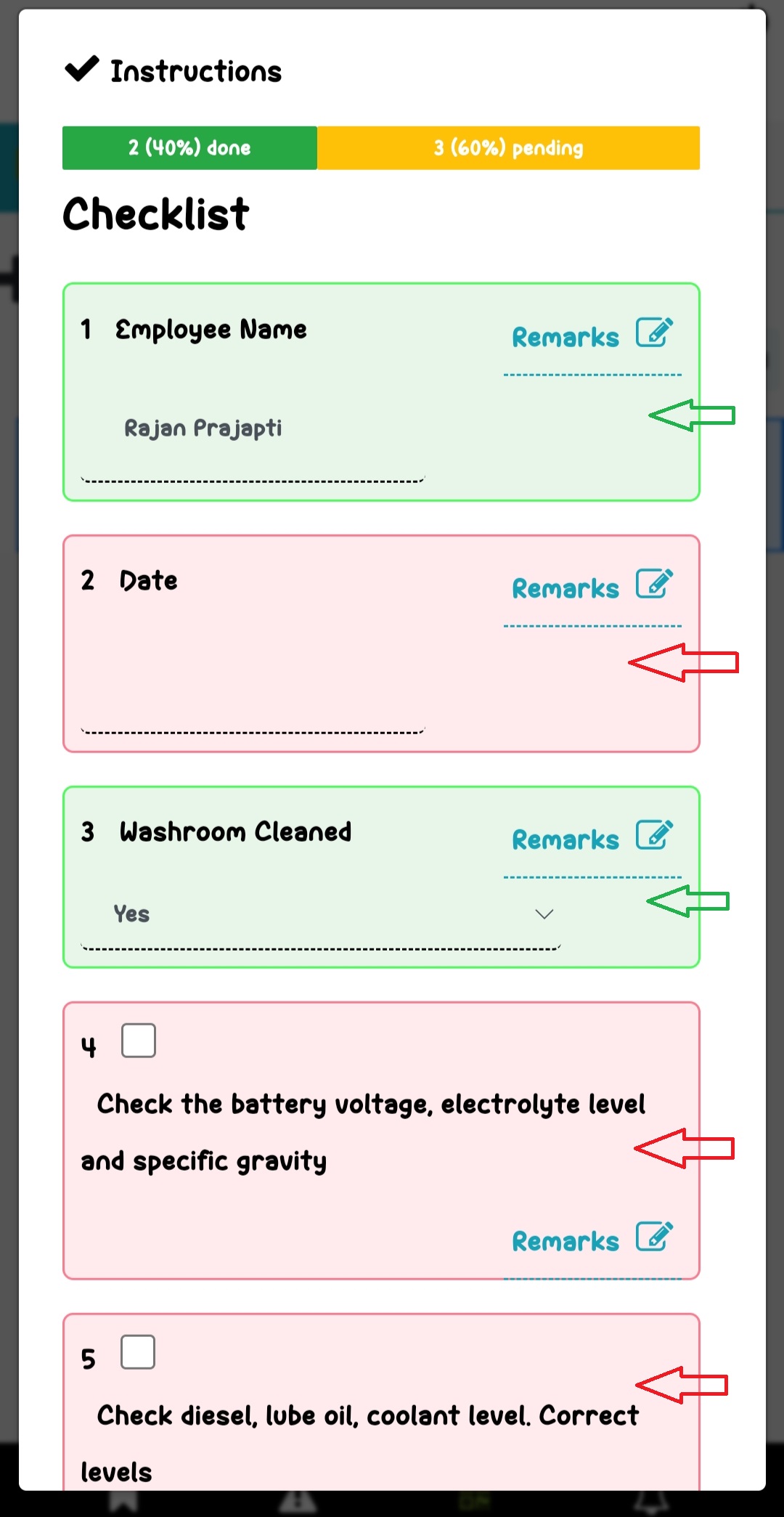
We have an updated interface for the checklist view. After scanning the QR code and filling out the checklist, you will now see an enhanced view of instructions. If an instruction is…