New User interface of Checklist in Asset & PPM
We have an updated interface for the checklist view. After scanning the QR code and filling out the checklist, you will now see an enhanced view of instructions. If an instruction is…
 Simplifying Facilities...
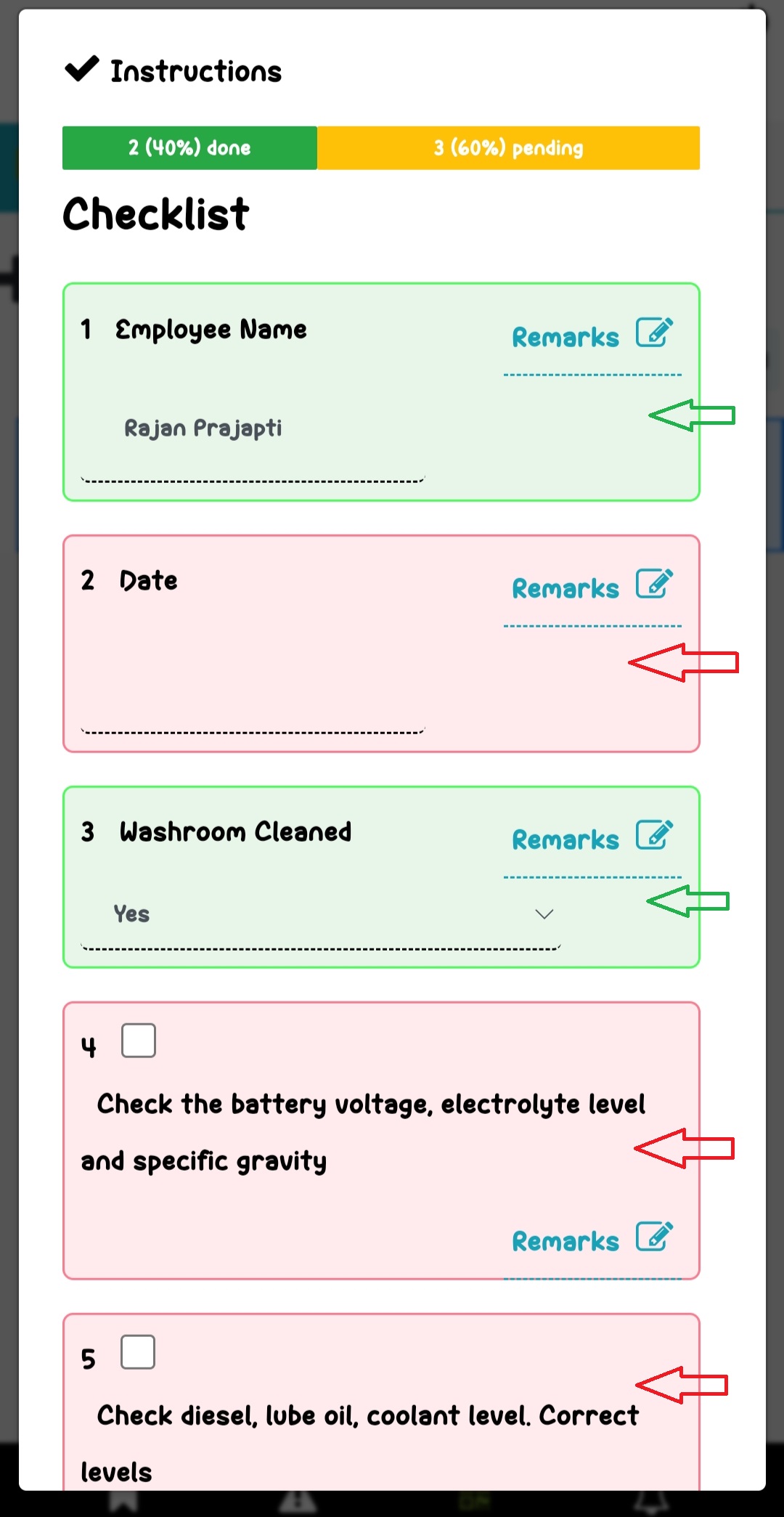
We have an updated interface for the checklist view. After scanning the QR code and filling out the checklist, you will now see an enhanced view of instructions. If an instruction is…
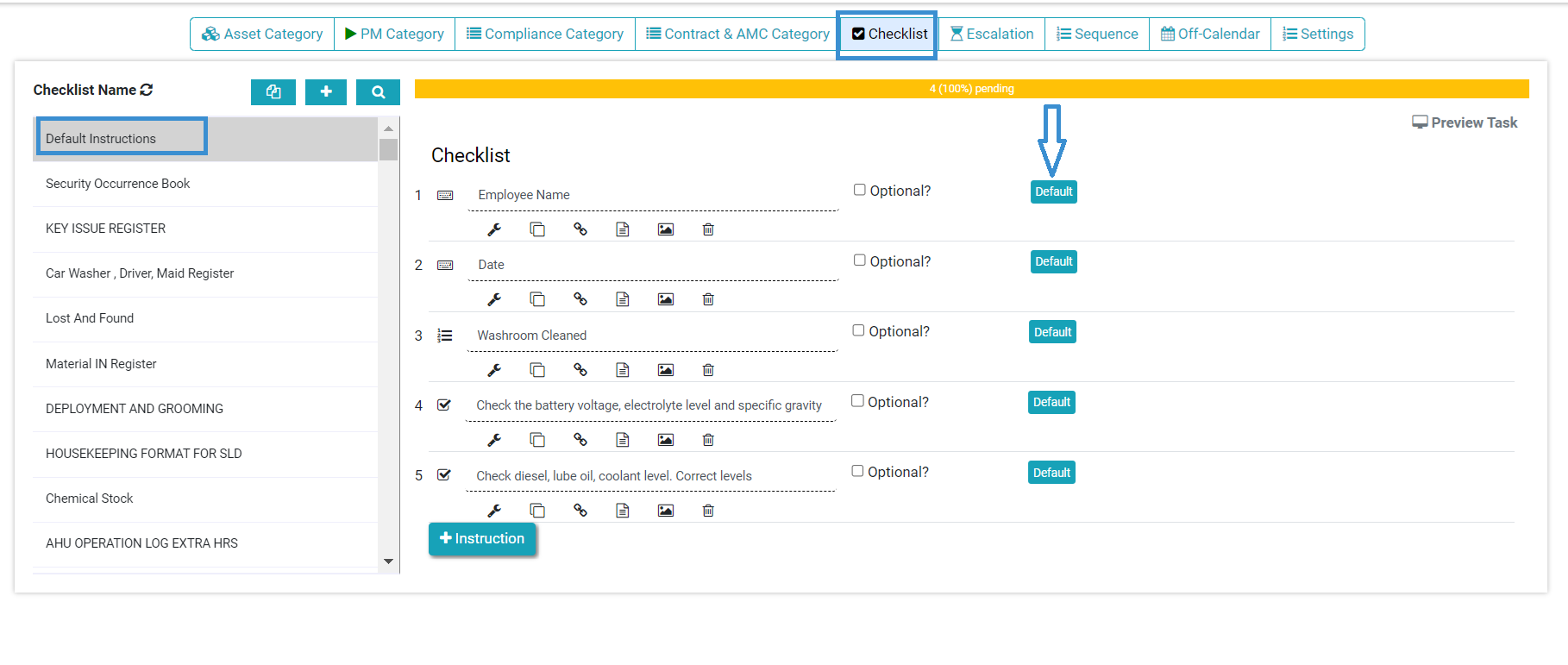
Previously, the FacTech system did not have a pre-filled checklist feature. Now, we can add a pre-filled checklist with default values, which means the system will provide prefilled instructions once we set…
Work orders are the tasks you create to track what you need to do. Work Order can be scheduled, or on demand (planned, un-planned). Examples are: DG A Check : scheduled daily…
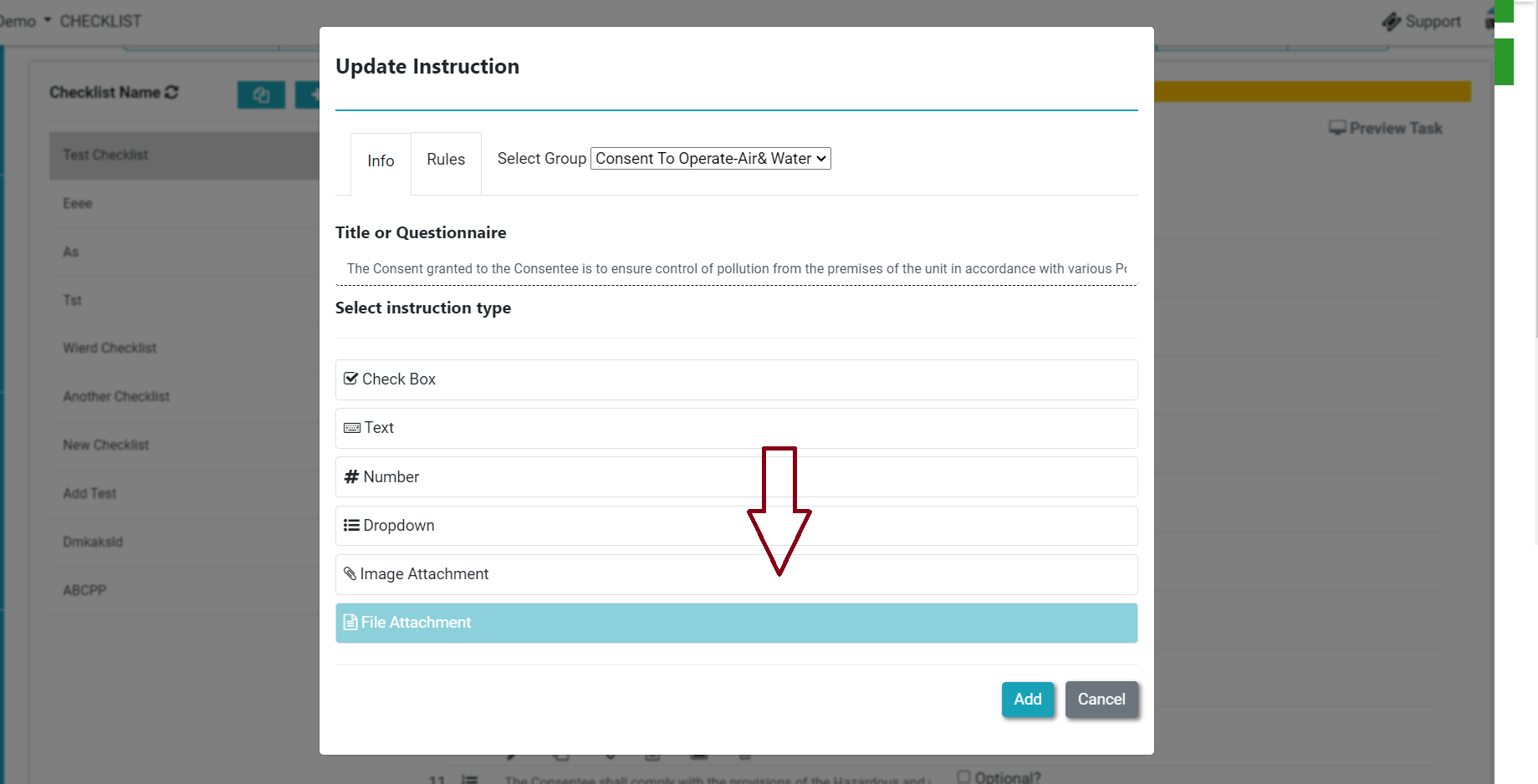
Previously, we could take only live photos as per the instructions. Now we can add both, live pictures and documents from the instructions. It enables the facility manager to upload related documents…
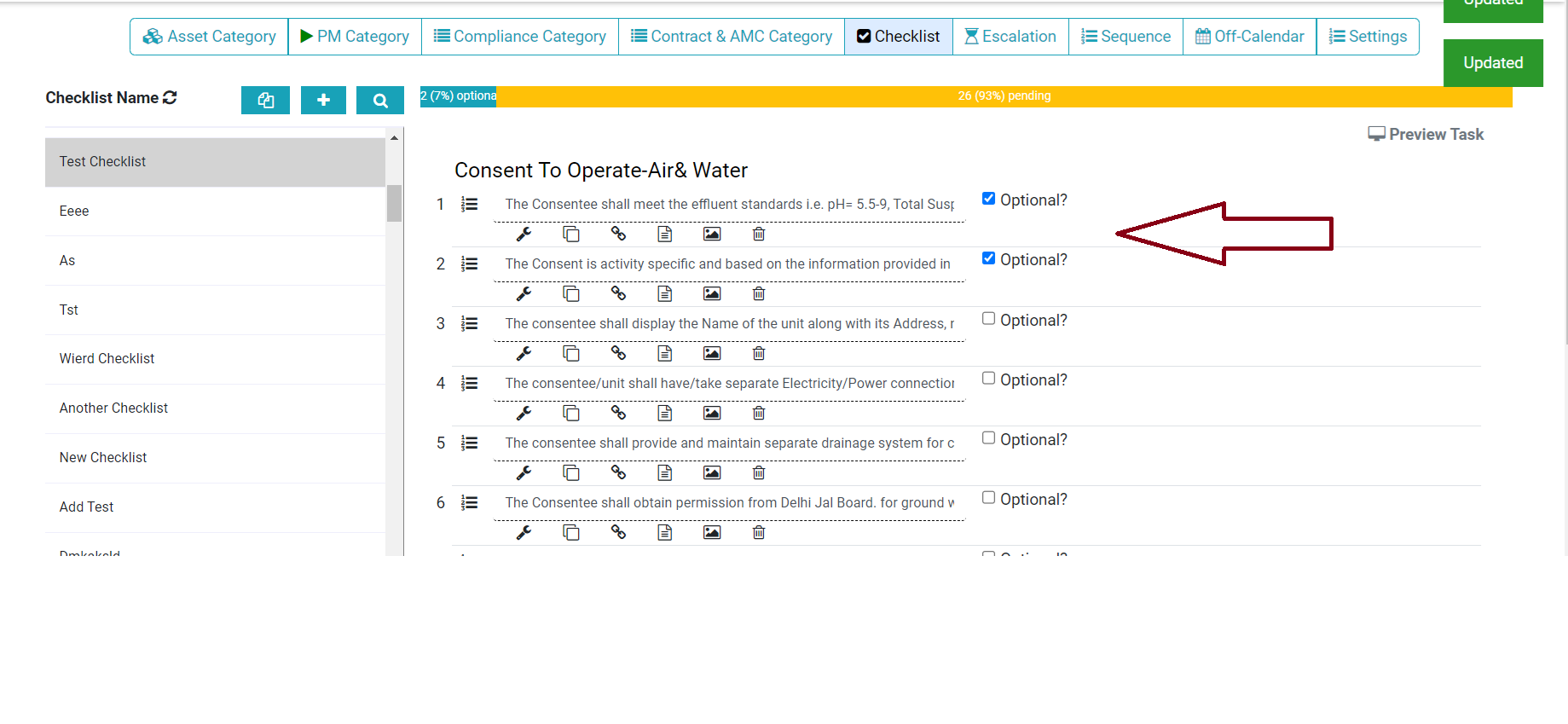
Now we can add the optional instruction in the checklist. This enables the facility manager to add instructions that are not recurring. Check the step below to configure optional instruction. Step 1.…
As admin, you can add SLA Dashboards. 1. Go Dashboard -> Edit or Create New 2. Select Module (Dashboard) then Sub Module SLA Dashboard 3. Now Choose Category or Asset which you…