
How to Disable Admin User?
If you have admin rights to create users and roles for your site, you can disable admin and staff in the System.
- To view the existing admin or facility Users. Go to Settings -> List of Role
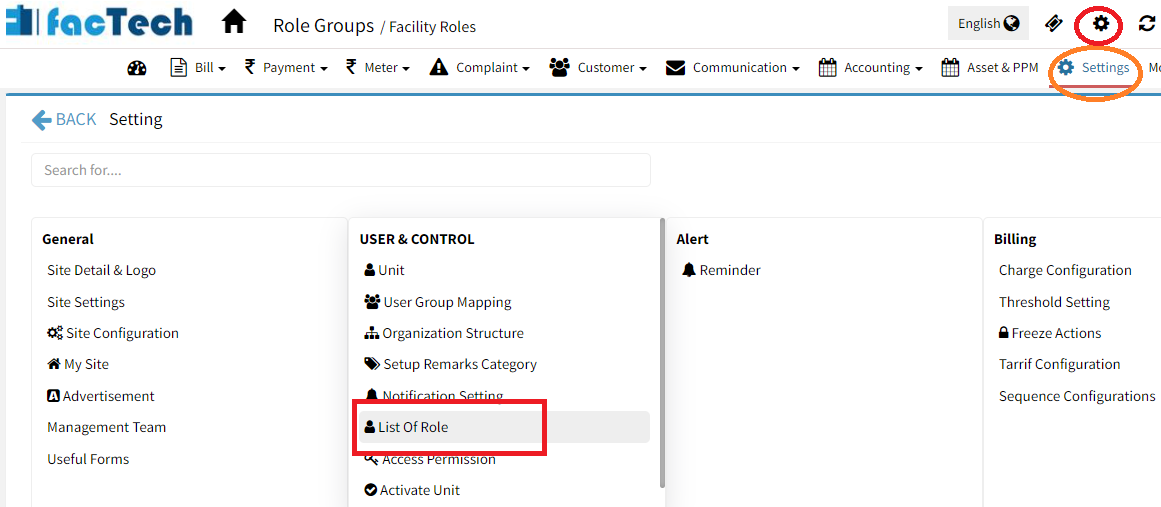
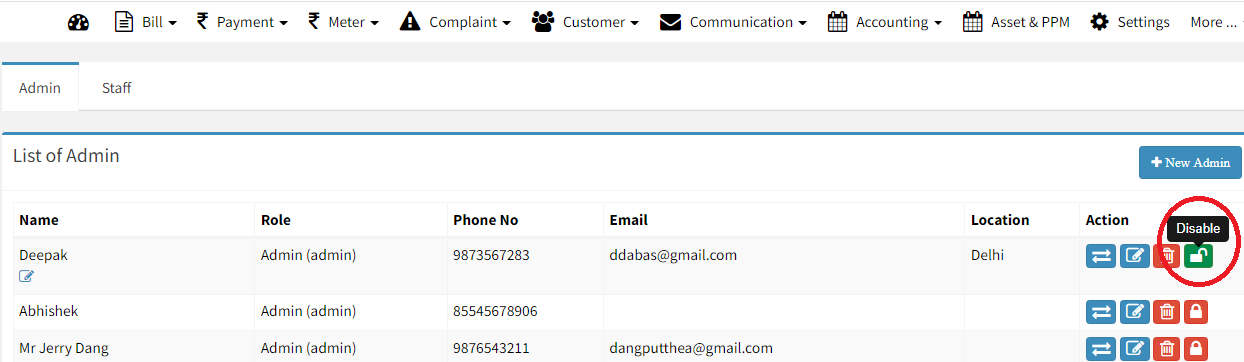
- In the below UI Click on Staff Tab – to view all Staffs. Then click on Admin to see the list of admins.
- The list of all admin users will be displayed, you can click on Disable button to disable the admin
Ready to Transform Your Facility Management?
See how Factech automates maintenance, assets, and compliance in one intelligent platform.
Let's Talk
Have questions about our AI-powered solutions? Our team is here to help you digitize your facility operations.
Ready to Transform Your Facility Management?
See how Factech automates maintenance, assets, and compliance in one intelligent platform.
Let's Talk
Have questions about our AI-powered solutions? Our team is here to help you digitize your facility operations.


Leave a Comment