
How to Set Up Soft-Services Escalation
Step 1: Log in to the FacTech Admin Dashboard using your credentials.
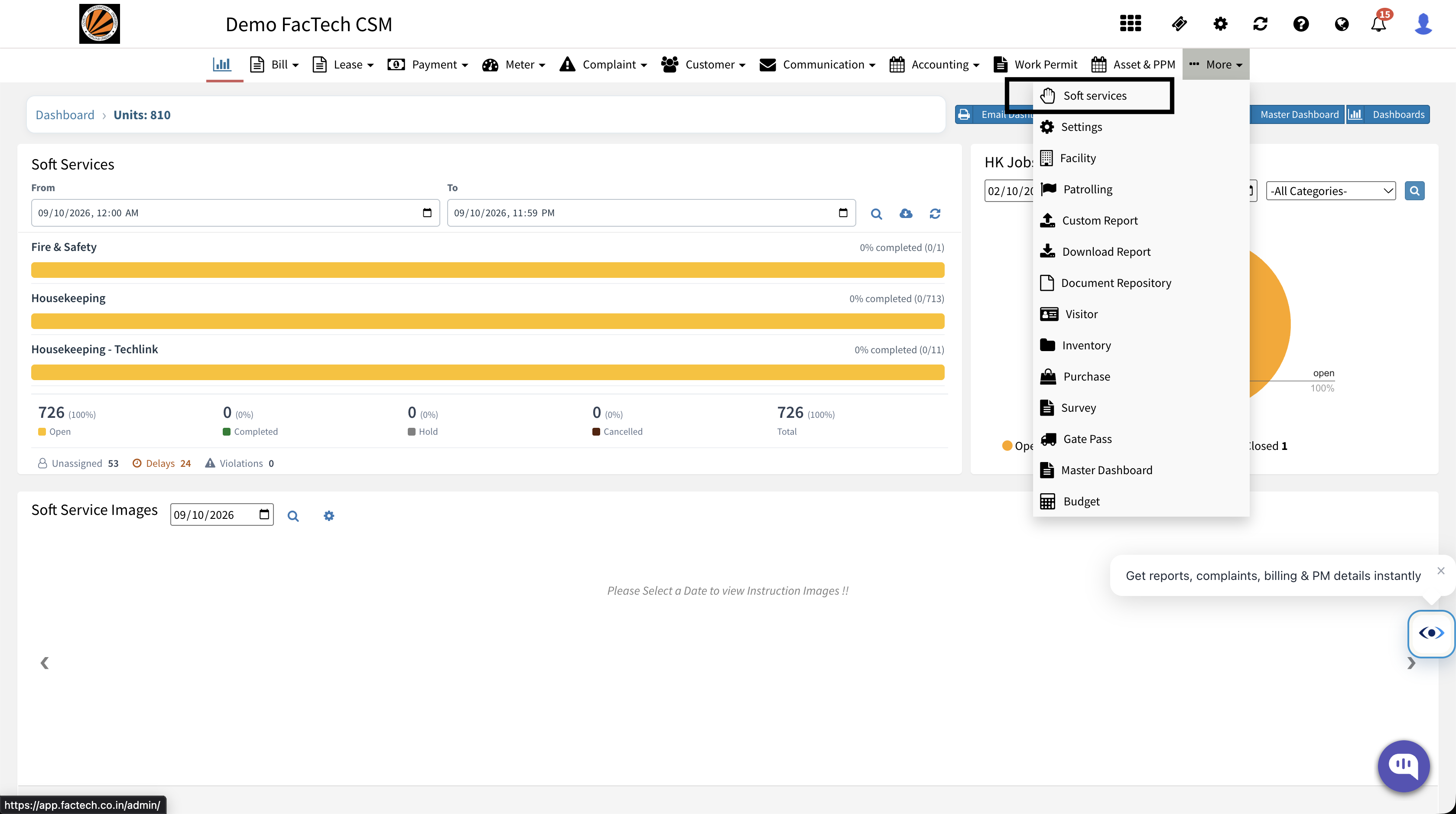
Step 2: Click on Soft Services.
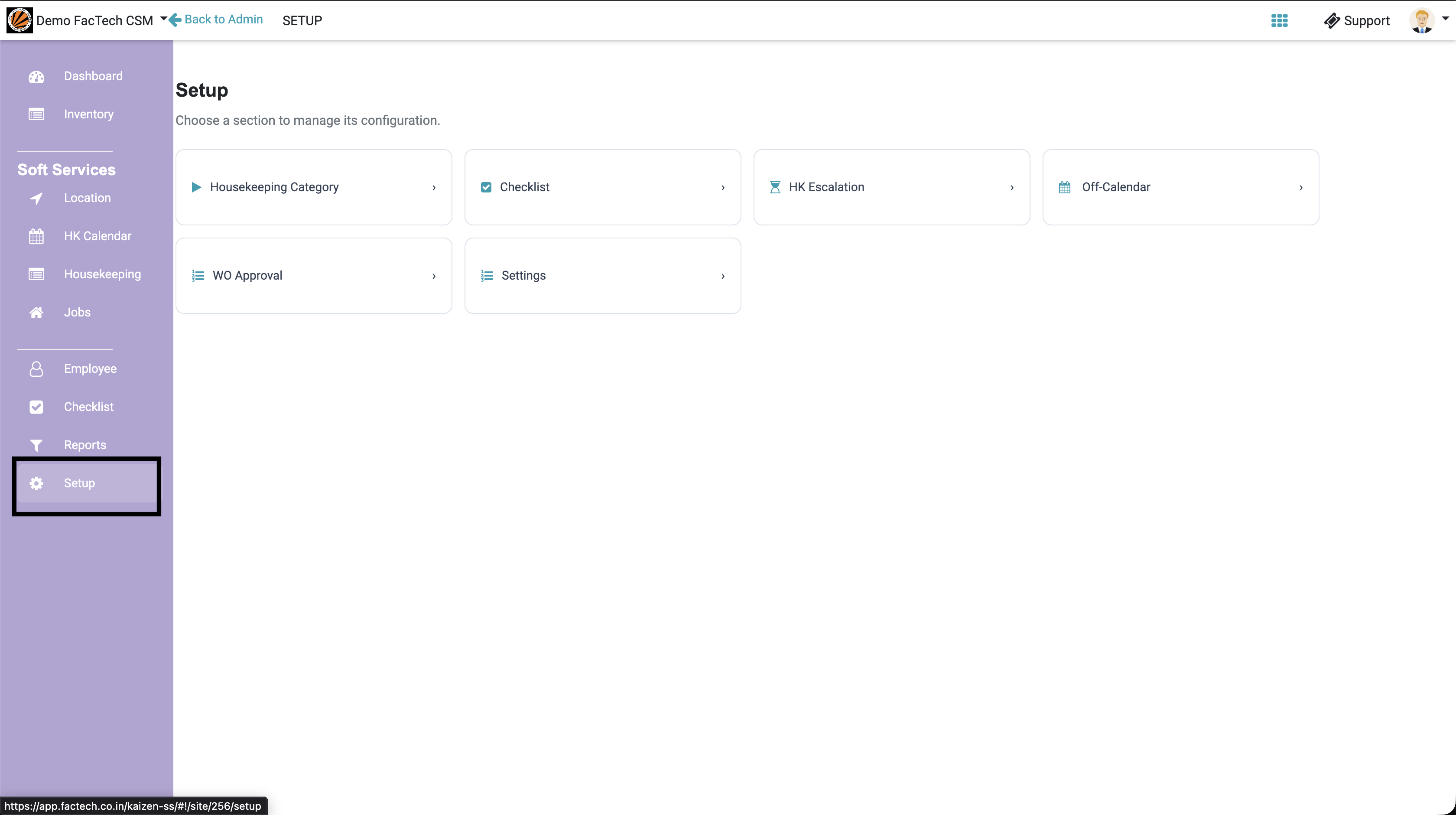
Step 3: In the newly opened tab, click on Setup in the left-hand panel.
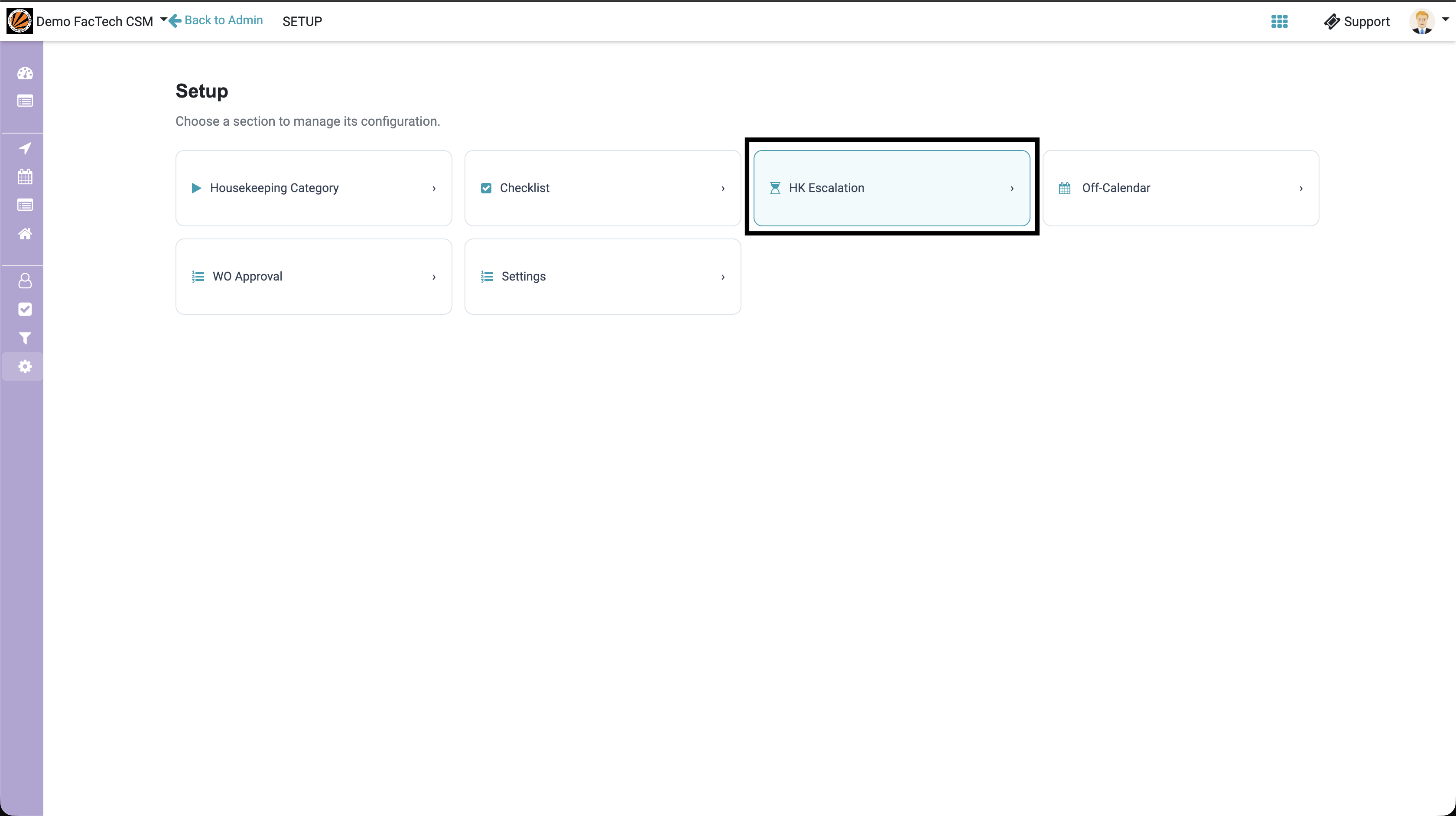
Step 4: Click on the HK Escalation button.
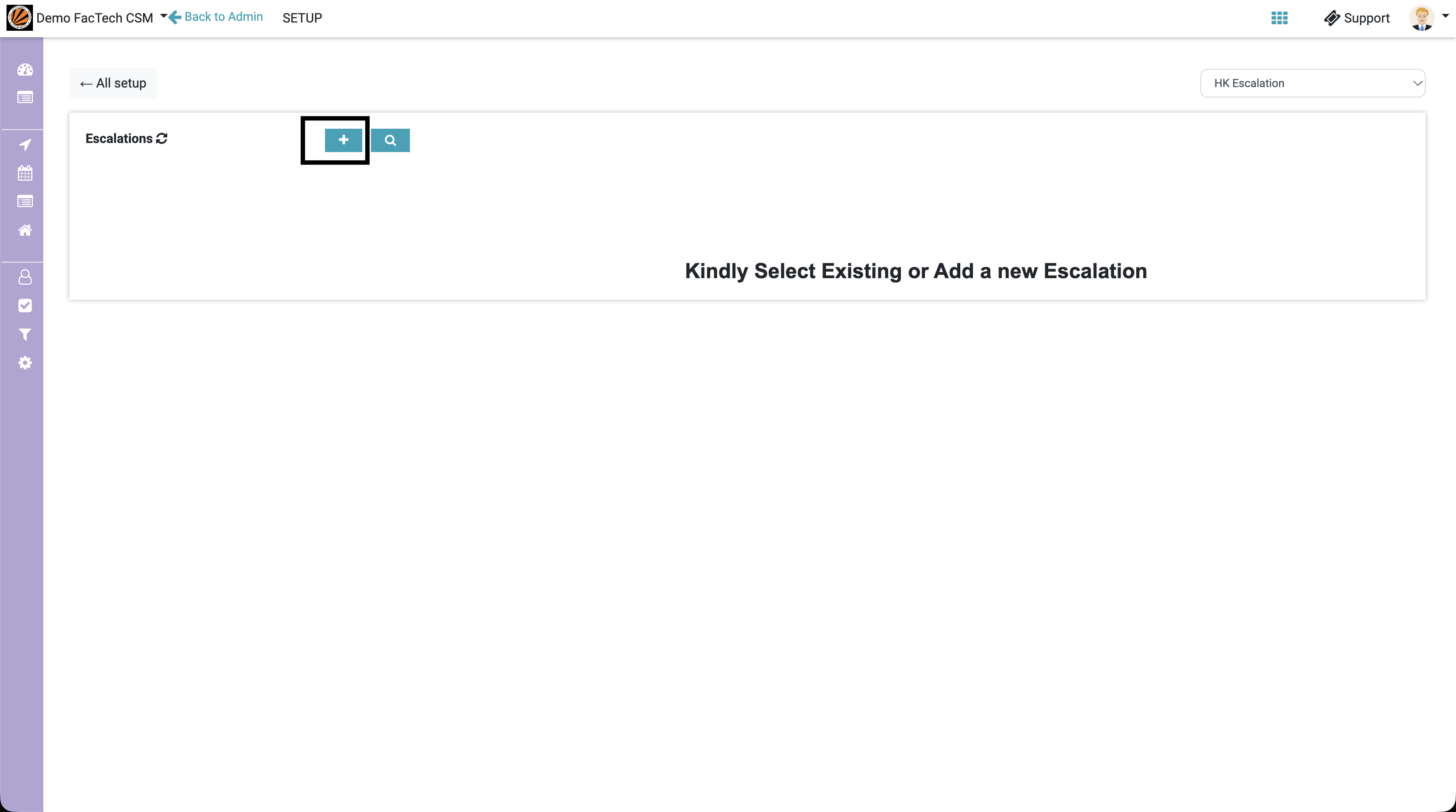
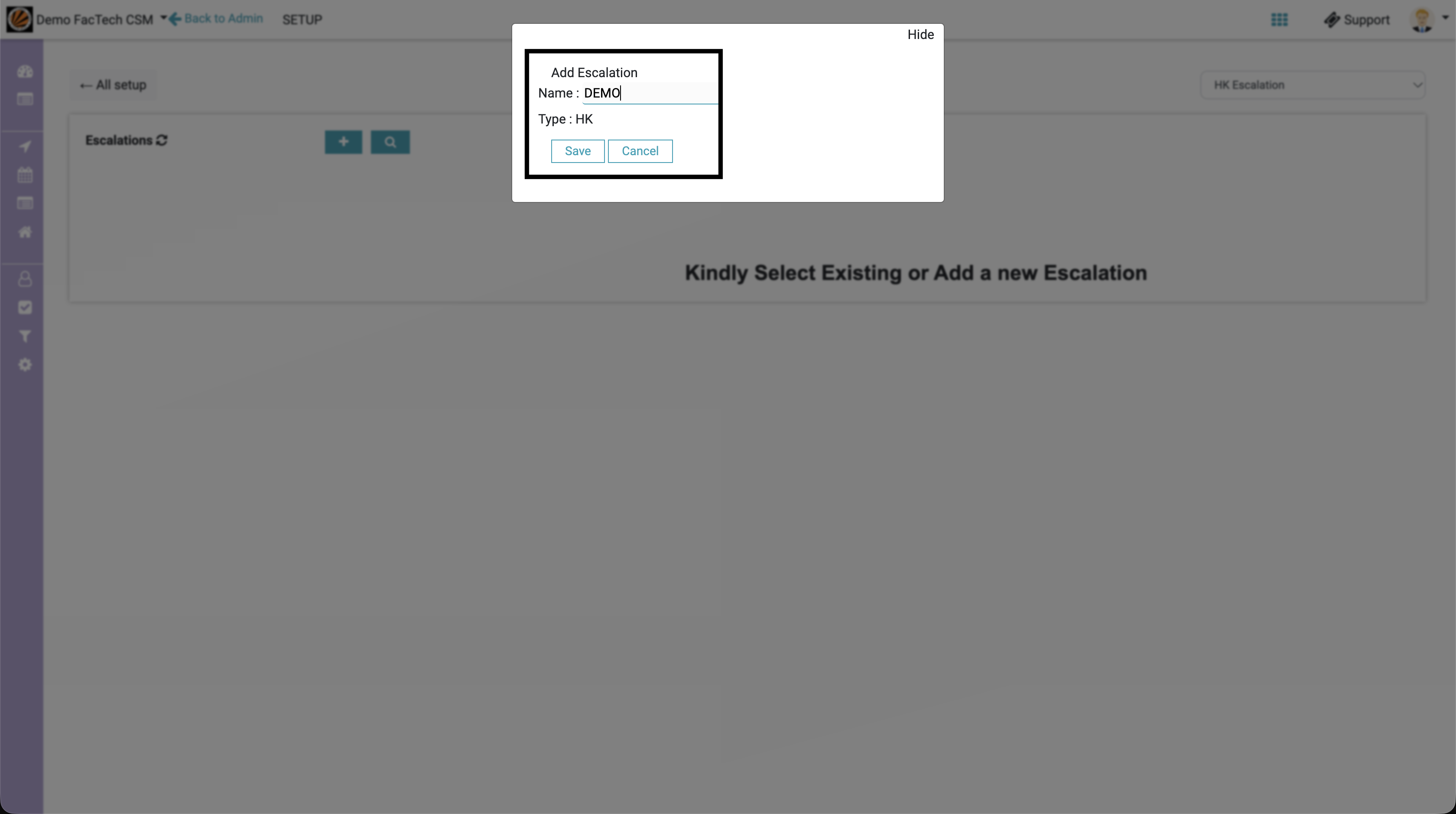
Step 5: Click the + (Plus) button to add a new escalation and enter the escalation name.
Step 6: Click on the newly created escalation name to configure its details.
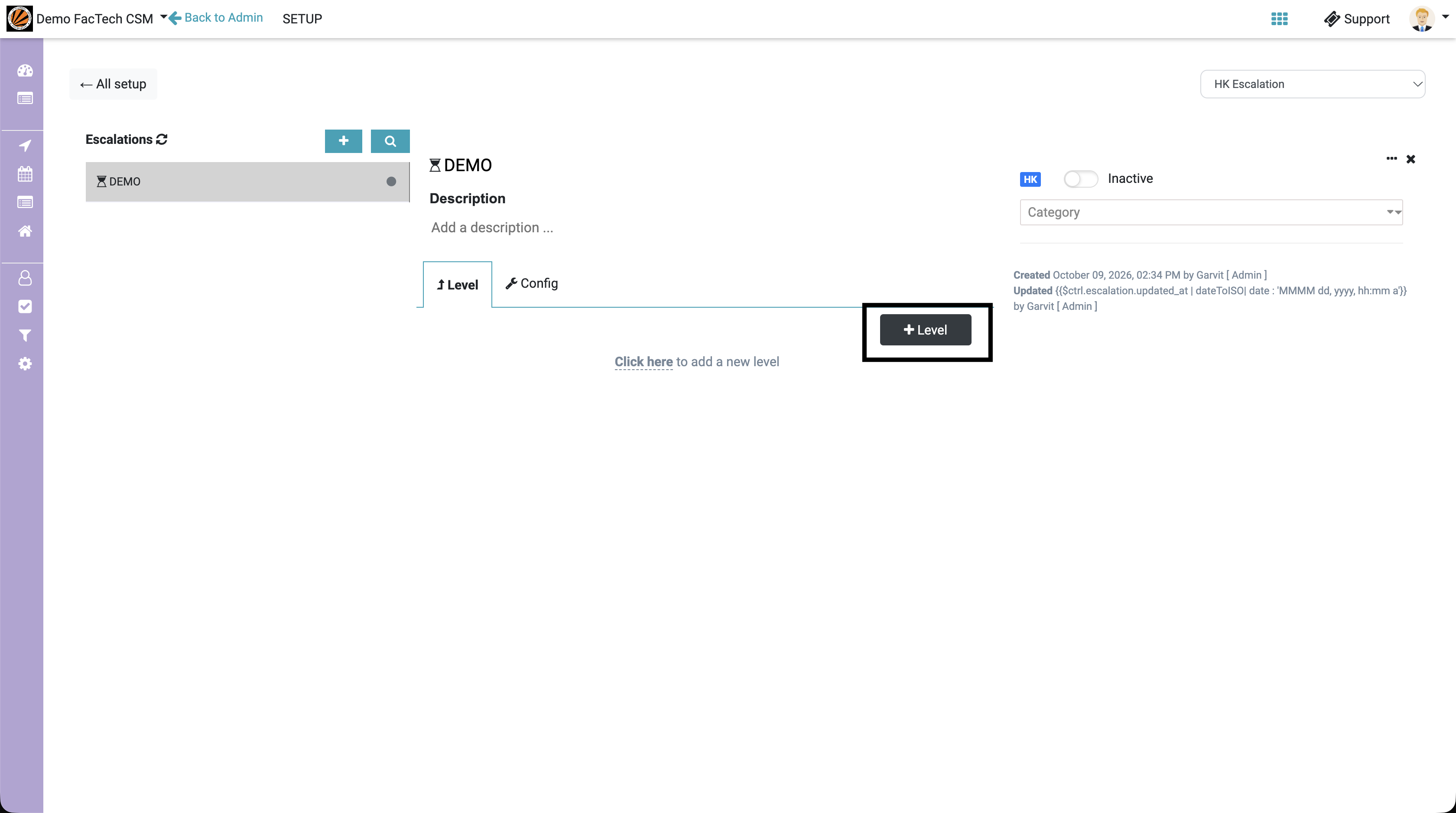
Step 7: Click on + Level to add an escalation level. Repeat this step to add multiple levels as required.
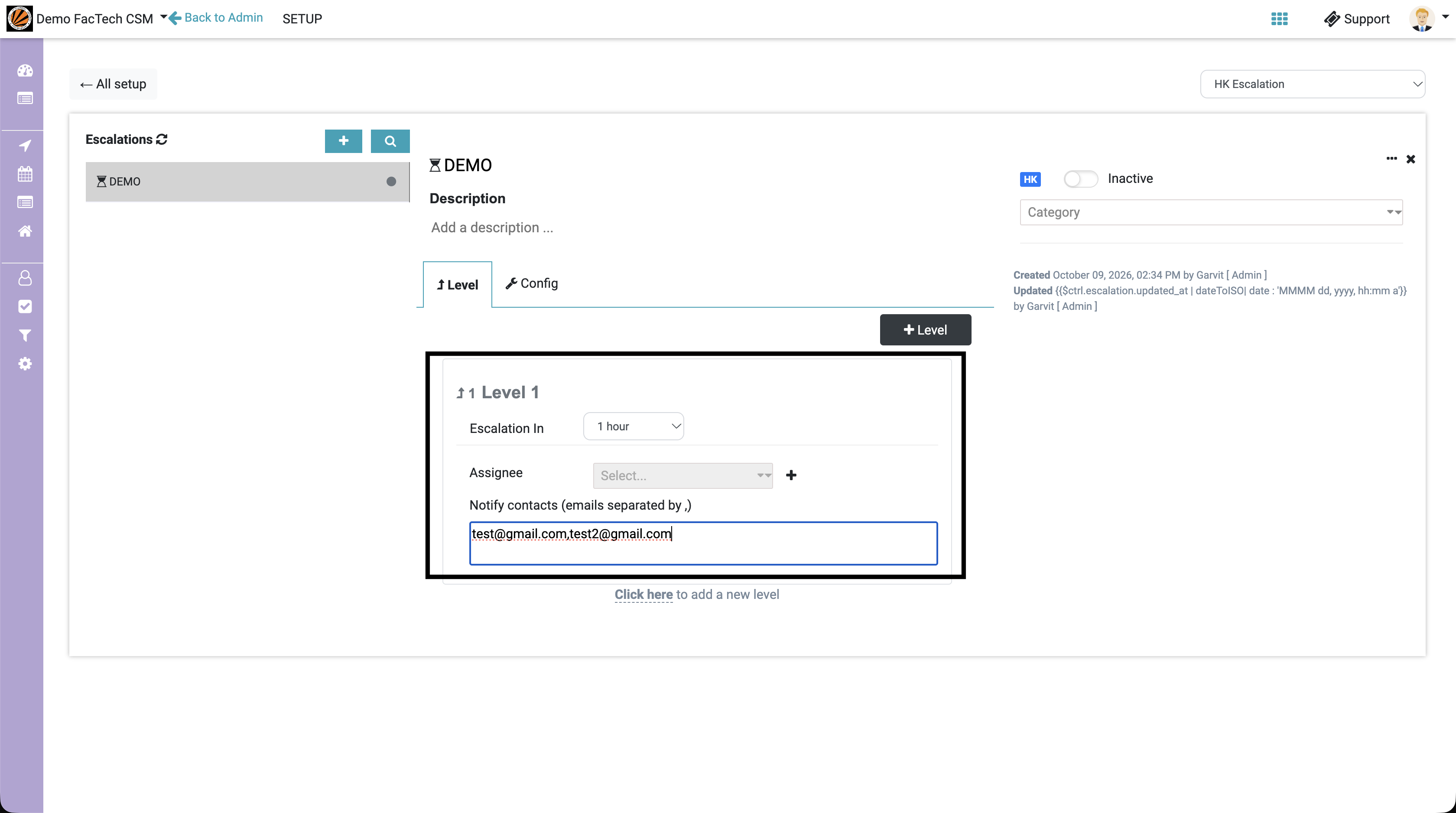
Step 8: Enter the escalation time and notification contact email address for each level. To add multiple email addresses, separate them with commas ( , ).
Step 9: Enable the Active/Inactive toggle to activate the escalation.
Step 10: Select the appropriate Category for which you want to configure the escalation.
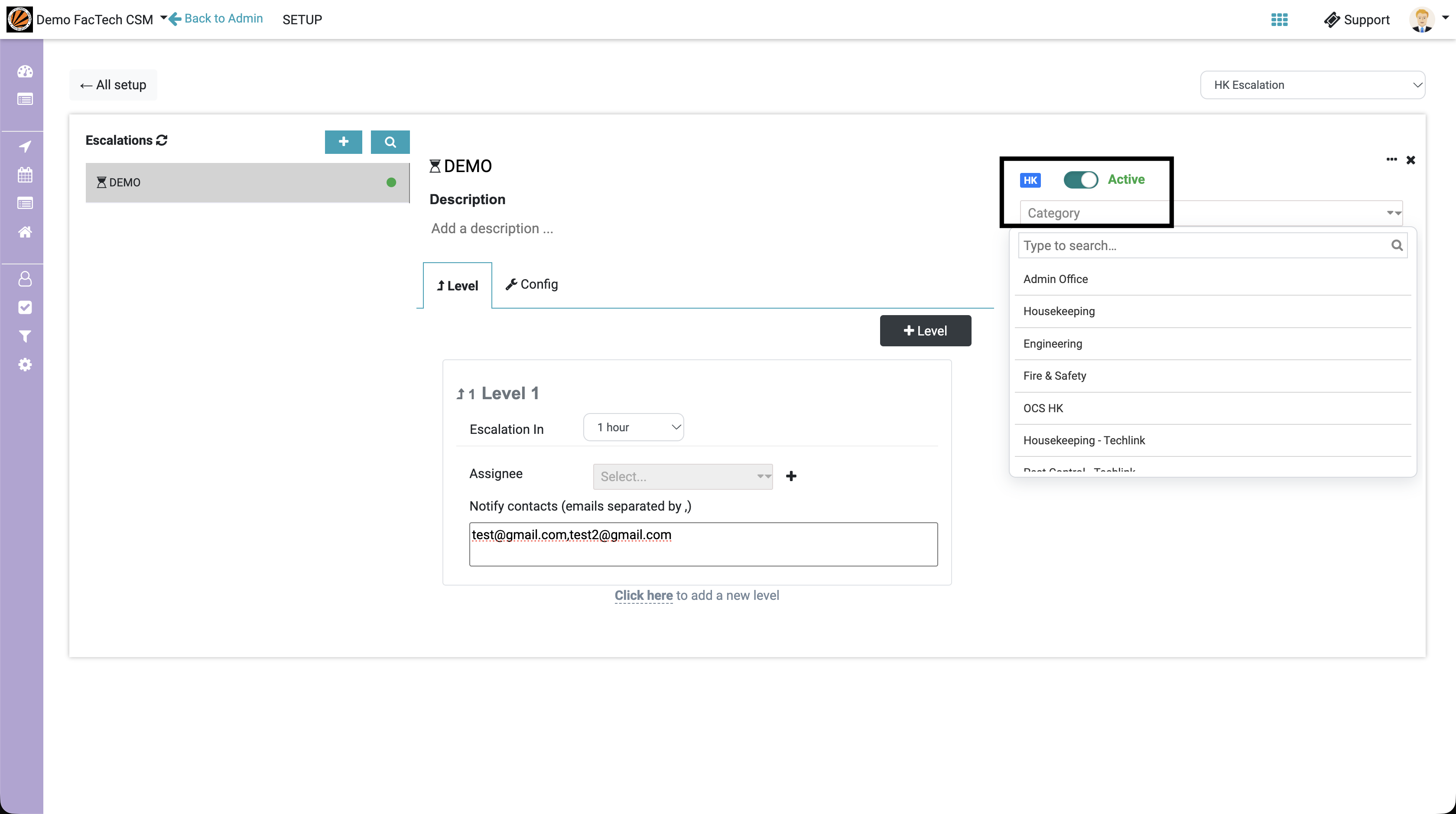
Step 11: Verify the configured details. Your Soft Services Escalation is now set up for the selected category.
Ready to Transform Your Facility Management?
See how Factech automates maintenance, assets, and compliance in one intelligent platform.
Let's Talk
Have questions about our AI-powered solutions? Our team is here to help you digitize your facility operations.
Ready to Transform Your Facility Management?
See how Factech automates maintenance, assets, and compliance in one intelligent platform.
Let's Talk
Have questions about our AI-powered solutions? Our team is here to help you digitize your facility operations.


